Anker Computer Accessories on Noon UAE: payment method — seller checks · TAR92
When you land on Noon’s marketplace, selecting a computer accessory from a trusted seller is vital, especially before turning on a coupon.
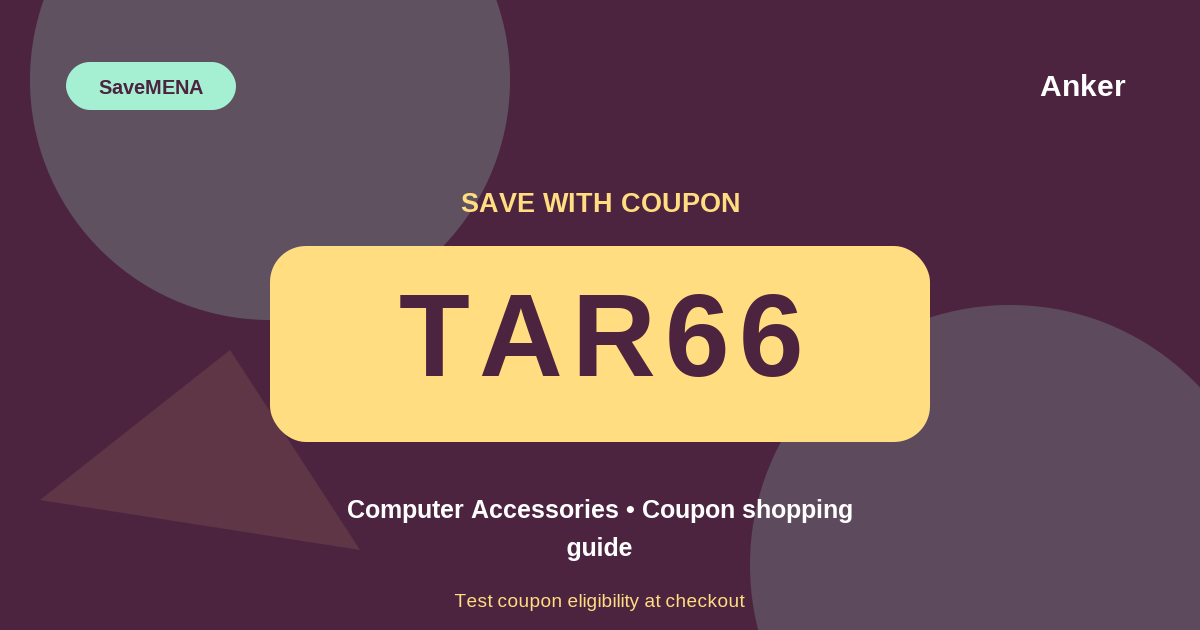
Codes available to try while comparing
These codes are not guaranteed for the article topic or listed brands; test them at checkout and use the live result.
The Landscape of Noon UAE Sellers for Computer Accessories
Noon.com hosts a mixture of official brand stores, third‑party merchants, and marketplace sellers offering computer peripherals. While some vendors are licensed retailers, others operate independently but still comply with Noon’s seller verification process. For computer accessories like keyboards or USB hubs, the official store often offers the broadest selection, ensuring firmware support and current firmware updates. Newer market entrants frequently provide niche items, but they must still upload product information, shipping policies, and return procedures before making items live. Knowing where a listing originates helps you assess support quality and risk.
When you search for an Anker‑branded accessory, you’ll typically see it listed under both an official store and third‑party sellers. The official storefront automatically displays a “Certified” badge to denote brand partnership, whereas marketplace listings may rely on customer reviews for reassurance. Always note the store name; this is your first clue to whether the vendor holds any direct relationship with the brand. A verified seller signals full compliance with Noon’s quality standards, which is especially useful before using an additional coupon.
The Role of Coupons in the Checkout Flow
Corners of the checkout process often reveal the impact of a coupon. In Noon’s design, you apply a code at the “Review Purchase” stage, before selecting a payment method. The transaction value updates instantly, showing any applied discount, if the coupon is valid. However, no explicit discount rate is printed; instead, the code is accepted or rejected by the system. For the TAR92 coupon, you simply enter the code and let Noon confirm applicability. If the coupon isn’t valid, the system will notify you immediately.
Coupon acceptance is not unconditional – many codes are limited to specific categories or purchase values. Since TAR92 is not guaranteed to apply universally, the buyer must confirm its status after the seller and item details are selected. Checking for any “exclusive” markers on the coupon screen can help you understand if it applies to your entire cart or only a portion of it. This step is crucial because a misapplied coupon can lead to unexpected charges.
Verifying Seller Reputation Before Applying a Coupon
None of the benefits of a coupon justify compromising trust in the seller. To verify reputation, start by reviewing the seller rating, number of reviews, and most recent feedback. A high score and dozens of recent positive comments reduce the risk that a coupon-enabled discount hides a fraudulent listing. Many sellers also post response times and guarantee shipping windows, which are valuable for urgent computer accessory needs.
Check for counterfeit warnings or user reports indicating that a product appears different from its description. Because the TAR92 code may connect to a particular vendor, shortlisting sellers with a clear “Verified” status and consistent return policies gives you reassurance that, should an issue arise, the support system can address it promptly. The seller’s policy page often details warranty length, which is essential for technical hardware intended for daily use.
Checking Product Availability and Variant Consistency
Before you lock in a coupon, confirm that every selected variant—color, size, or memory capacity—is currently in stock. Noon’s product page shows live stock indicators; if the variant has a “Limited Stock” warning, consider buying immediately or reaching out to the seller for a restock estimate. Variants sometimes have different pricing which affects whether a coupon applies.
After selecting a variant, review the price line to ensure it matches the vendor’s standard cost. Discrepancies can hint at hidden fees or misrepresentations. Because the TAR92 coupon may or may not apply on certain variants, confirming identical prices across all chosen options reduces the likelihood of post‑checkout surprises.
Payment Method Considerations: Choosing Anker‑Compatible Options
Noon supports multiple payment methods: credit/debit cards, Apple Pay, installment credit cards, and the local UPI‑style “Pay Now” through Islamic banks. Selecting a payment method that aligns with your card’s reward program can amplify benefits. Many Shoppers in the UAE use their Anker‑brand credit cards, which often come with extended warranty or cash‑back perks for tech purchases.
When you add the TAR92 code, Noon recalculates the final payable amount. Choose a method that offers dispute protection if the final price differs from the pre‑coupon amount. Anker‑partnered cards sometimes provide additional purchase protection, which could cover you should the accessory fail to meet advertised standards.
Using the TAR92 Coupon Effectively in the Payment Method Flow
Enter the code after you’ve added all relevant computer accessories to the cart but before you choose how to pay. Noon’s engine takes the total product subtotal, makes an online query to validate the code, and then applies any discount to the order total. If the code is invalid for the selected items, you’ll receive an instant message stating so.
Because the coupon’s validity may change between the cart stage and checkout, double‑check the applied total right after code entry. If the discount appears, store the screen’s snapshot for documentation. If the coupon has no effect, the displayed total remains unchanged, which signals you to adjust expectations or explore alternative promotional channels.
Assessing Final Totals and Hidden Fees
Beyond the discounted product price, Noon lists a delivery fee, which can vary by region and the seller’s logistics arrangement. The final payable amount you see after coupon application is the only figure that will appear on your bank statement, once the payment is processed. Be vigilant for “Additional Charges” that may apply if you opt for expedited shipping or a unique payment method like an installment schedule.
Once the payment method is selected, the checkout page again refreshes the total to confirm the final amount. If you’ve chosen an Anker‑partnered card with reward points, the points may only be applied after confirmation, so note whether the final total includes these points. Always confirm that the displayed total matches your expectations before you hit the “Confirm” button.
Final Checklist Before Confirming Purchase
A coupon is not guaranteed; verify its result at the retailer checkout. Only after all these checks are satisfied should you proceed. This practice mitigates the risk of post‑purchase corrections that could affect delivery status or warranty activation.
After confirming, keep an eye on your email and Noon’s app notifications. A successful one‑page purchase triggers an order confirmation, shipping updates, and a final receipt that accounts for every fee and discount. In case anything seems off, contact Noon’s customer service promptly—many disputes resolve quickly when evidence of a properly applied coupon and verified seller is supplied.
Related SaveMENA pages
Related articles
Official sources to check
Frequently asked questions
A coupon is not guaranteed; verify its result at the retailer checkout.
Noon’s system will only show the discount if the code is valid for your cart. If the code doesn’t apply, you’ll get a notification and no discount will be applied to the final total.
Can I cancel the order after I’ve applied the coupon and selected a payment method?
Orders may be canceled within a short window after placement. Contact Noon customer service promptly to initiate a cancellation, but viability depends on the seller’s policy and whether the item has shipped.
What happens if my Anker‑partnered card has insufficient funds when I confirm the purchase?
If the card’s balance is insufficient, Noon will flag the transaction as declined, preventing order confirmation. You can then switch to another payment method to complete the purchase.
Will the TAR92 coupon apply to items from different sellers in the same cart?
Coupon applicability depends on seller-specific restrictions. If any item in the cart is from a seller that doesn’t accept the code, the discount may not apply to that portion, or the entire code may be rejected.