Anker Mobile Accessories on Noon UAE: payment method — seller checks · TAR53
Before you hit “Apply Coupon” on Noon UAE, double‑check the seller’s credibility and how your chosen payment method interacts with the coupon eligibility. For mobile
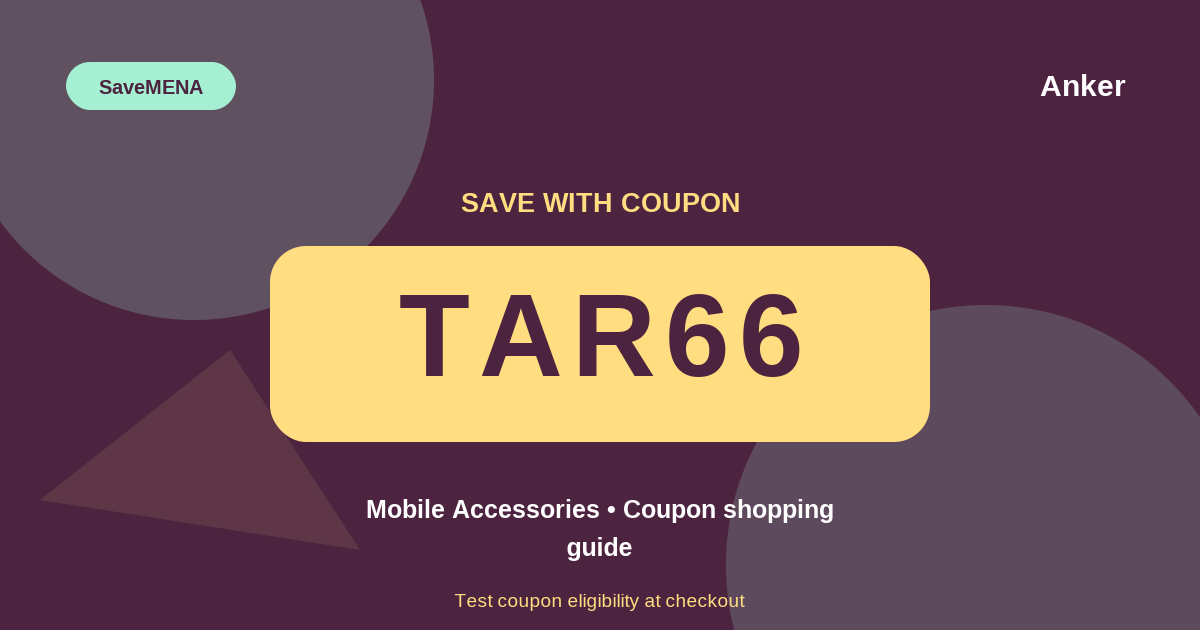
Codes available to try while comparing
These codes are not guaranteed for the article topic or listed brands; test them at checkout and use the live result.
Identifying Trusted Noon UAE Sellers for Mobile Accessories
When you browse mobile accessories on Noon UAE, the first technical step is to verify that the product originates from a reputable seller. A trustworthy seller will show a clear rating—usually above four stars—and recent, substantive customer feedback. On the product page, notice the seller’s name beneath the price; tap the link to their store profile and confirm their contact details, return policy, and response times. This pre‑coupon check surfaces any red flags before you commit.
In addition to ratings, sellers with a “Gold” or “Verified” badge on Noon have completed extra vetting by Noon’s team, often ensuring product authenticity. For Anker accessories, this badge adds an extra layer of confidence that the item is genuine. By scanning these signals early, you avoid potential fraud or counterfeit gear, and you establish a baseline for a secure purchase even if the coupon later doesn’t apply.
Examining Coupon Eligibility on Noon UAE
Coupons on Noon UAE often carry nuanced conditions: some are “Showroom‑only”, others require a minimum subtotal, and still others vary by payment method. Before you click “Apply TAR53”, you should review the coupon’s description on the bottom of the cart page. The effectiveness of TAR53 depends on whether the selected mobile accessory meets any hidden thresholds. The page typically provides the specific terms, such as “No minimum purchase” or “Applies to all categories.”
When the coupon’s conditions read “Valid on all products available from this seller,” that’s a green flag; however, if it reads “Valid on selected items only” but you’re ordering Anker earbuds, you still need to confirm that item appears on the list. This second‑look ensures that you are not surprised by a refused coupon at checkout, which could disrupt your timing around a sale or restock event.
Verifying Payment Method Compatibility with Coupon and Seller
On Noon UAE, your chosen payment method can affect coupon processing. For instance, some credit or debit cards may not support automatic discount application if the transaction is processed through an external wallet or a stored payment token. Check your “Payment Options” screen to see if “Pay via Credit Card” or “Pay via Bank Transfer” is listed. Only cards explicitly linked under “Accepted Payment Methods” for the seller will honor the discount.
If you prefer the Anker-merchant portal’s payment integration—common for smartphones and power banks—ensure the portal shows a joint checkout. This joint path allows Noon to recognize your intent to use TAR53 without mismatching the seller’s gateway. A missing integration can result in a failed coupon application, forcing you to re‑enter payment details and potentially lose the discount due to timeouts.
Understanding How Anker’s Warranty Interacts With Coupons
Anker accessories typically come with a one‑year manufacturer warranty. When a discount is applied via TAR53, the original warranty terms usually remain intact. However, certain retailers on Noon UAE may modify the warranty scope or return windows for discounted items. Examine the “Warranty & Returns” section on the product page or seller profile, confirming that the standard Anker policy is preserved even after coupon usage.
Additionally, sellers often display a “No Returns After Discount” statement when a coupon alters the price. If the seller ties the coupon to a “no return” clause, you need to decide if the lower price justifies the risk. This trade‑off is only clear when you review seller policies side by side with the coupon’s terms before finalizing your payment.
Maximizing Coupon Impact Through Correct Checkout Flow
To attempt TAR53, you must first add your desired mobile accessory to the cart, then choose the seller with a verified badge. On the cart page, look for a “Coupon or Promo Code” field; entering TAR53 here triggers Noon’s calculation engine to re‑compute totals. The engine will instantly indicate whether the coupon applies, and if so, how much it reduces your payable amount. This transparency lets you verify the coupon’s validity before paying.
After confirming the discount, proceed to “Checkout.” Here, double‑check the values: total price, shipping fee, and any additional service charges. This step is crucial because if the payment method is not linked properly—say, a bank transfer that Noon doesn’t support for discounted items—the entire transaction may get flagged. A correctly matched payment method and validated coupon present a clean total to proceed.
Ensuring Secure Payment Transactions on Noon UAE
Security is paramount when using payment methods on Noon UAE. Always verify that the website’s URL begins with “https” and that the lock icon is present next to the address bar. This protocol safeguards your credit card number or e‑wallet credentials from interception. If your payment method is via a credit card, ensure your billing address matches the card’s records to avoid authorization failures.
After entering your payment details, thoroughly review the order summary. If the displayed total diverges from your expectation—particularly after applying a coupon—it may signal an independent calculation. Only after you confirm the totals that match your cart, shipping, and coupon deductions should you finalize the payment. A mis‑reported total might otherwise complete an unintended transaction.
Final Checklist Before Checkout: Seller, Coupon, and Payment Method
Before clicking “Place Order,” revisit the seller’s profile to double‑check approval status and the product’s return policy. Make a quick note: seller verified, product genuine, returns acceptable. Next, confirm the coupon is active—scroll to the bottom of the cart where Noon lists “Promotions applied.” Verify the coupon code TAR53 appears and that the discount amount is shown correctly. If it’s missing, reinsert the code or contact seller support.
Now verify your chosen payment method. Return to the checkout page where your payment option is displayed. Check that the card is active, that you have sufficient credit, and that the token is linked to the same bank account that Noon can audibly process. If everything is confirmed, then acknowledge the final total representation and approve the transaction.A coupon is not guaranteed; verify its result at the retailer checkout.
Related SaveMENA pages
Related articles
Official sources to check
Frequently asked questions
What should I do if my coupon doesn’t apply at checkout?
If TAR53 isn’t accepted, review the coupon description for omitted conditions, such as product exclusions or geography. Verify the seller is still listed after any price adjustments. If all terms match but the coupon still fails, use the help center or seller support to resolve the discrepancy. Remember, a coupon can be invalid for a variety of reasons, so awaiting official confirmation may be prudent.
Can I use the same coupon for multiple products?
The coupon’s terms will state if it’s single‑use or multi‑item. If the description shows “Valid on all categories,” you may use it across different items, but you must apply the code to each purchase separately. Read the usage instructions carefully; otherwise you may lose a discount on repetitive orders.
Will my payment method affect delivery speed on Noon UAE?
Payment authorization can delay shipping if the bank requires manual verification, especially for large purchases or foreign cards. Selecting a credit or debit card that is pre‑approved by Noon can expedite processing. If the checkout time is critical, choose a payment method with instant confirmation, such as a supported Apple Pay or PayPal account.
Does using a coupon impact the warranty offered by Anker?
Discounts applied through Noon UAE typically preserve the original Anker warranty. However, some sellers may embed a “no return after discount” clause. Review the product’s warranty and return sections before finalizing the purchase; this ensures no loss of coverage beyond the discount.