Samsung Mobile Accessories on Noon UAE: payment method — seller checks · TAR53
To make the most of a Noon UAE seller’s coupon, you need to start with a clear seller‑verification process before you even touch the “TAR53” code.
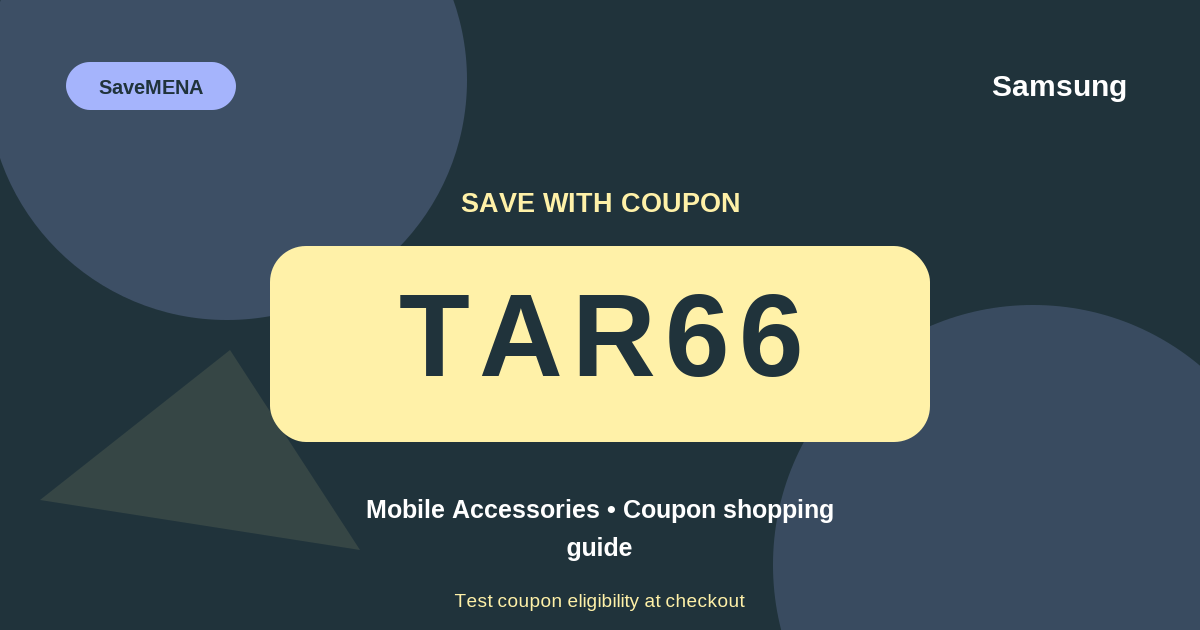
Codes available to try while comparing
These codes are not guaranteed for the article topic or listed brands; test them at checkout and use the live result.
Step 1 – Verify the Seller’s Credibility on Noon UAE
Begin by reviewing the seller’s profile on Noon UAE. Look for verified badges, customer ratings, and the volume of transactions listed. A high rating and many recent transactions generally signify a reliable store, helping you avoid potential counterfeit accessories and ensuring that warranty claims can be processed efficiently. Pay attention to the seller’s history of dispute resolution; many reputable sellers actively resolve issues and provide clear contact information for support.
When you add an item to your cart, the product page will display seller details, including the store name and a link to their seller profile. Click through and check the seller’s responsiveness by reviewing the response time to customer questions or by directly contacting them via the Noon chat feature. This proactive verification helps you confirm that you will be dealing with a trustworthy vendor before the coupon is even applied.
Step 2 – Confirm Coupon Eligibility Before Adding Items
Not all coupons apply universally across categories or sellers. Before adding a Samsung mobile accessory to your cart, search the Noon coupon section and locate TAR53. On the coupon detail page you’ll see the list of applicable sellers or products. Verify that the code is active for the specific seller and that it is not limited to a particular accessory model.A coupon is not guaranteed; verify its result at the retailer checkout.
If the coupon page does not list the exact seller you plan to purchase from, check the seller’s product page for any mention of “Coupon Code” or “Promo Code.” Some sellers publish exclusive codes directly on their listings; if so, note that alternative near the item description.A coupon is not guaranteed; verify its result at the retailer checkout.
Step 3 – Understand Samsung Mobile Accessories Compatibility
Ensure that the accessory you intend to buy is compatible with your Samsung device model. While Noon provides product specifications, actual compatibility varies with device firmware and hardware revisions. Check the item’s description for supported model ranges, and confirm that any required software updates are available for your device. This step protects investment, especially for protective cases, wireless chargers, or docking adapters that must fit specific dimensions and ports.
Additionally, many Samsung accessories come with certifications such as “Certified by Samsung” badges. These indicate official approval, giving you confidence in quality and performance. If the seller’s listing lacks this certification, consider checking the product’s return policy or warranty details to ensure you can retrieve a refund or replacement if compatibility issues arise.
Step 4 – Check Payment Method Preferences on Noon
Noon UAE offers multiple payment options, including credit/debit cards, Apple Pay, and mainland bank transfers. Review your preferred payment method’s terms: some cards may offer cashback or reward points, while bank transfers might have longer processing times. Choose a method that aligns with your budgeting strategy and ensures timely transaction completion, especially if the checkout process requires confirmation from the payment provider.
Certain payment methods might impose additional processing fees or require verification steps. When you reach the payment screen, carefully read the fee statements and any conditions. Some platforms also provide an offline payment option via cash on delivery for specific sellers; verify whether the seller accepts this mode before applying the coupon, as it may affect coupon eligibility.
Step 5 – Adding to Cart & Applying TAR53 Coupon
Add the selected Samsung accessory to your shopping cart. Once the cart is populated, locate the “Coupon” or “Discount Code” field. Enter TAR53 exactly as it appears, noting that the code’s case sensitivity may be required. After inputting the coupon, click “Apply” to refresh the cart totals. A successful application will reflect the adjustment in the overall subtotal.
Should the coupon fail to apply, double‑check the input for typos and re‑browse the coupon’s eligibility page. If the seller’s store or the product category is not listed, the coupon may not be applicable. In such a scenario, you might find a secondary discount or promotional offer from the seller that meets the same savings goal.
Step 6 – Inspecting the Order Summary & Potential Fees
On the order summary screen, the final payable amount will display subtotal, the discount from TAR53, delivery fees, and any additional charges such as tax or payment surcharges. Confirm that all numbers match your expectations and that no hidden fees have appeared. Some sellers or payment methods introduce platform fees that may not be visible until checkout.
At this stage, you also have the opportunity to verify the shipping address and select a delivery method. If your chosen seller offers fast‑track or scheduled delivery, evaluate how these options might change the delivery fee or processing time. Ensure the seller accepts your selected payment method for the chosen shipping option.
Step 7 – Finalizing Checkout with Selected Payment Option
Proceed to the checkout page and validate all entered information: shipping address, contact details, and chosen payment method. Review the payer’s ID (credit card or bank account) to confirm it belongs to the intended account. Noon typically provides a final confirmation page that lists every detail for a final review before financial authorization.
Confirm the transaction by agreeing to Noon’s terms and conditions. After authorization, you will receive a confirmation screen followed by an email notification. Retain this confirmation for your records, as it serves as proof of purchase and details the payment method used—information that may be needed for returns or warranty claims.
Post‑Purchase Tips: Tracking, Warranty and Support
Once your order is dispatched, use Noon’s tracking feature to monitor delivery status. Regular updates help you anticipate arrival times and coordinate receipt of the Samsung accessory. If an item arrives damaged or arrives within a different specification, reach out to the seller through the Noon chat portal to initiate a return or exchange, referencing your order confirmation.
Verify that the accessory’s warranty is active and backed by the manufacturer or the seller. For Samsung products, check the warranty registration process through Noon or Samsung’s official service portal. Keep documentation of the warranty and receipt; this will expedite any future service, repair, or replacement procedures.
Related SaveMENA pages
Related articles
Official sources to check
Frequently asked questions
How do I know if TAR53 is valid for the Samsung accessory I'm looking to buy?
Check the coupon detail page on Noon for a list of applicable sellers or product categories. If the seller profile matches the list, or if the product page notes compatibility with the code, you can apply it before checkout.A coupon is not guaranteed; verify its result at the retailer checkout.
Will using a debit card affect the the coupon code coupon discount?
Coupon discounts are applied before payment processing, so the discount amount remains the same regardless of payment type. However, debit cards may have different transaction processing times; verify any promotional rates that may apply to your card during checkout.
Can I change my payment method after the coupon is applied?
Yes – you can switch payment methods if the coupon has already been applied.A coupon is not guaranteed; verify its result at the retailer checkout. Changes after final authorization are not possible.
What steps should I follow if my Samsung accessory is faulty?
Immediately contact the seller via Noon’s chat, reference your order ID, and request a return or replacement. Keep the packaging intact and provide photographs if requested. Noon’s return policy helps facilitate a smooth resolution within the warranty period.