HP Office on Noon UAE: payment method — seller checks · TAR92
Before you apply the TAR92 coupon from a Noon UAE seller, it’s vital to confirm that the seller is trusted, that the office product you’re buying – especially an HP
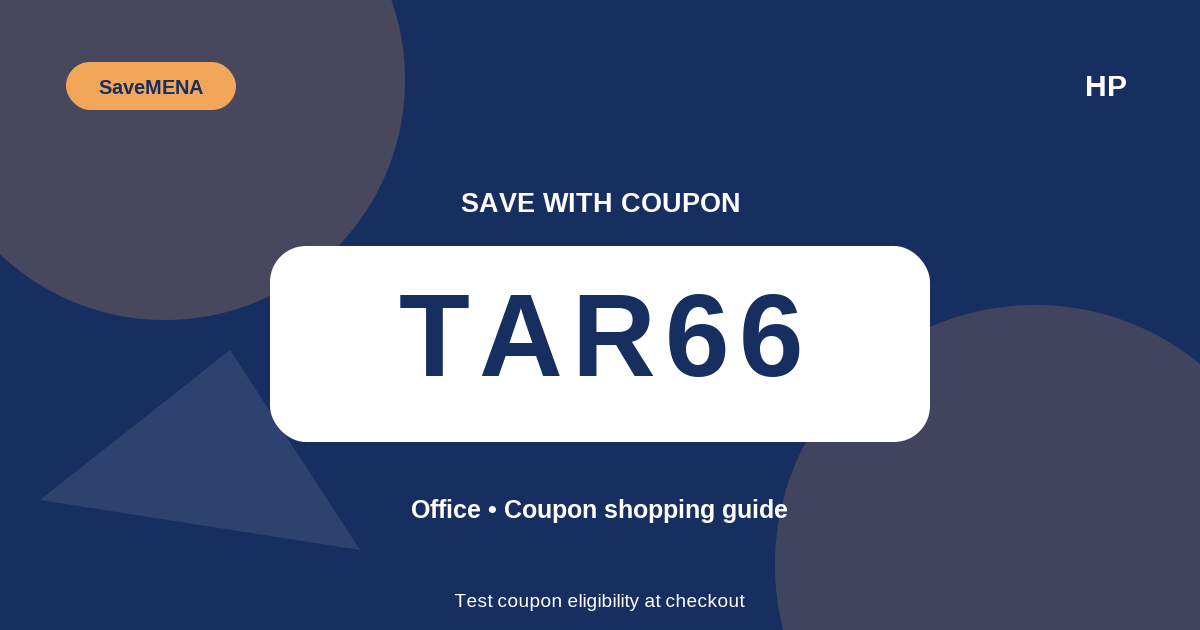
Codes available to try while comparing
These codes are not guaranteed for the article topic or listed brands; test them at checkout and use the live result.
1. Identifying Reputable Noon UAE Sellers for Office Goods
When you start your search for an HP office device on Noon, pay attention to the seller’s profile. Reputable sellers usually have multiple years of activity, a high overall rating, and a strong history of customer reviews. A seller that frequently updates stock and offers detailed product descriptions is more likely to provide reliable service. Look for marks of authenticity such as certified pre‐owned or brand‑struck badges, and avoid sellers with limited or unverified accounts. Verify that the seller lists a clear return policy and responsive customer support; these details matter especially if you need a replacement or have a quality concern.
In addition, check whether the seller has processes in place for quality control and tracking. A well‑established seller will provide shipment tracking links, adhere to the UAE’s consumer protection guidelines, and keep their inventory managed to avoid out‑of‑stock conditions. Even if a seller seems trustworthy, a mismatch between the seller’s stated policies and what appears during checkout can trigger issues later. So, before applying any coupon, double‑check seller trust indicators to avoid surprises at payment time.
2. Verifying Product Authenticity and Condition
For office equipment, leaving no doubt about authenticity is crucial. HP laptops, printers, and accessories sold on Noon come from multiple distributors, but counterfeit items can still appear. Reputable sellers will provide images of the actual unit, including serial numbers when relevant, or a copy of the official invoices. Look for in‑box documentation, packaging seals, and battery labels that match HP’s specifications. A product description that matches official HP specifications (CPU type, RAM size, weight, dimensions) is a solid indicator the item is genuine.
Also verify the condition wording: “new from box” or “refurbished with warranty” should be explicitly mentioned. If the listing doesn’t state clear condition details or omits warranty information, consider contacting the seller or the platform’s customer support before proceeding. This step aligns with the payment method decision lens, as you don’t want to pay through a particular method only to struggle with a counterfeit item later.
3. Understanding the Coupon TAR92 Availability
Coupons on Noon can be selective – they may apply to specific categories, sellers, or product brands. The TAR92 coupon is markable as “available to try,” meaning you can attach it to your cart to see if it gets accepted, but there’s no guarantee of a discount. Check the coupon details in your Noon app or website: it should list applicable item categories or product tags. If the coupon shows no restrictions, it’s generic, but verifying it won’t apply to your product during checkout is still necessary.
When you add the capital equipment to your cart, the policy that dictates coupon applicability will be triggered at checkout. If the coupon doesn’t apply, you’ll see a notification. This is where paying attention to the payment method is useful – some platforms may auto‑apply a lower discount when you use a particular payment method. Even though you can’t assume discount details, knowing that the coupon is “available to try” helps you plan and avoid wasted attempts.
4. Selecting the Right Payment Method for Office Purchases
Paying for office equipment involves handling large amounts and requires choosing a payment method that balances convenience and security. Noon UAE supports credit/debit cards, net banking, and locally popular services like Apple Pay and PayPal where applicable. When the coupon is applied, some payment methods might be preferred for faster processing or lower transaction fees. If you prefer a credit card, ensure that your card’s exposure limit supports the purchase amount.
Consider also the type of card: a multi‑currency or no‑fee card can reduce foreign transaction charges for high‑value items. Some payment methods allow instant fraud protection and dispute resolution. Before confirming the order, check the payment method’s reversal and refund policy to safeguard against any product mismatch or post‑purchase issues.
5. Checking Shipping and Delivery Fees
In the UAE, shipping fees for office equipment can be significant, especially for larger items. Noon usually calculates the fee based on weight, dimensions, and your delivery location. Because the payment method can affect the total cost (some methods might include fee waivers for certain transaction amounts), verify that the shipping fee is included in the final amount before applying your coupon.
Upon checkout, you’ll see a line item for delivery. If the chosen payment method offers free shipping for purchases above a threshold or as part of a promotional bundle, factoring it in can influence how much you ultimately pay. Align this with the seller’s shipping terms; some sellers offer expedited delivery but at higher costs. Confirm the logistics before locking in the coupon, as a higher final amount may outweigh a small coupon discount.
6. Confirming Warranty and Return Policies
Office equipment often comes with manufacturer warranties. When you are about to use a coupon, double‑check that the warranty coverage is included in the purchase price and is still intact after applying any discounts. Some platforms may adjust the warranty coverage after a discount is applied or when the payment method changes – especially if the discount is applied by a third‑party service. Ensure the warranty is transferable and confirmed through HP’s official channels.
Return policies are equally important. Verify that the seller’s return policy matches the platform’s “One‑day return” policy where applicable, and that the return window remains unaffected by payment method. A discount or coupon may disguise a rejected return, so confirming all policies beforehand prevents surprises when you try to resolve a product issue later.
7. Final Checkout Review for Sellers, Coupons and Payments
Once the cart contains your HP office item, the TAR92 coupon, and shipping details, the checkout page is where everything consolidates. At this stage, you’ll see a summary of the seller, product, coupon discount (if any), shipping fee, total cost, and the chosen payment method. Review each line item carefully – the seller name, product name, and payment option should all match the expectations you set during your research.
If the coupon doesn’t apply, the discount line will show “0” and there might be a note indicating why it was rejected. Pay close attention to the payment gateway status; if a certain method is not supported for the transaction type, the page may either redirect you or disable the option. Only when each element feels correct should you confirm the payment.
8. Post‑Purchase Confirmation and Productivity Tracking
After confirming payment, save the order confirmation, receipt, and tracking number. A completed purchase includes a mobile notification and an email confirmation from Noon, both referencing the seller’s contact information. Keep these details handy, especially if you plan to monitor how the office equipment performs or troubleshoot any issues.
Track the delivery timeline. If the item arrives damaged or does not match the description, you’ll need the confirmation details for a refund or replacement. Not only does this anchor your payment method choice in case of disputes, but it also ensures a smoother path to maintaining the equipment’s productivity benefits in your UAE office.
Related SaveMENA pages
Related articles
Official sources to check
Frequently asked questions
Will the TAR92 coupon automatically apply to all HP office items?
No guarantee. The coupon is available to try, and its acceptance depends on the seller’s policy and product category. The final applicability will be confirmed at checkout.
Can I change my payment method after applying the coupon?
Yes, but you might need to revisit the checkout page. Some payment methods may influence how the coupon is processed, so apply changes before confirming the order.
Does Noon offer free shipping for larger office equipment purchases?
Shipping fees vary by weight, dimensions, and location. Some payment methods may waive fees for transactions over a certain amount, but verify this in the checkout summary.
How do I ensure the HP product I buy is genuine?
Check for authentic packaging, serial numbers, and verified seller ratings. Request proof of authenticity from the seller if the listing lacks clear details. Keep documentation for warranty purposes.