Huawei Smart Watches on Noon UAE: payment method — seller checks · TAR53
Finding a great deal on a Huawei smart watch through a Noon UAE seller can feel like navigating a maze—especially when coupons loop in.
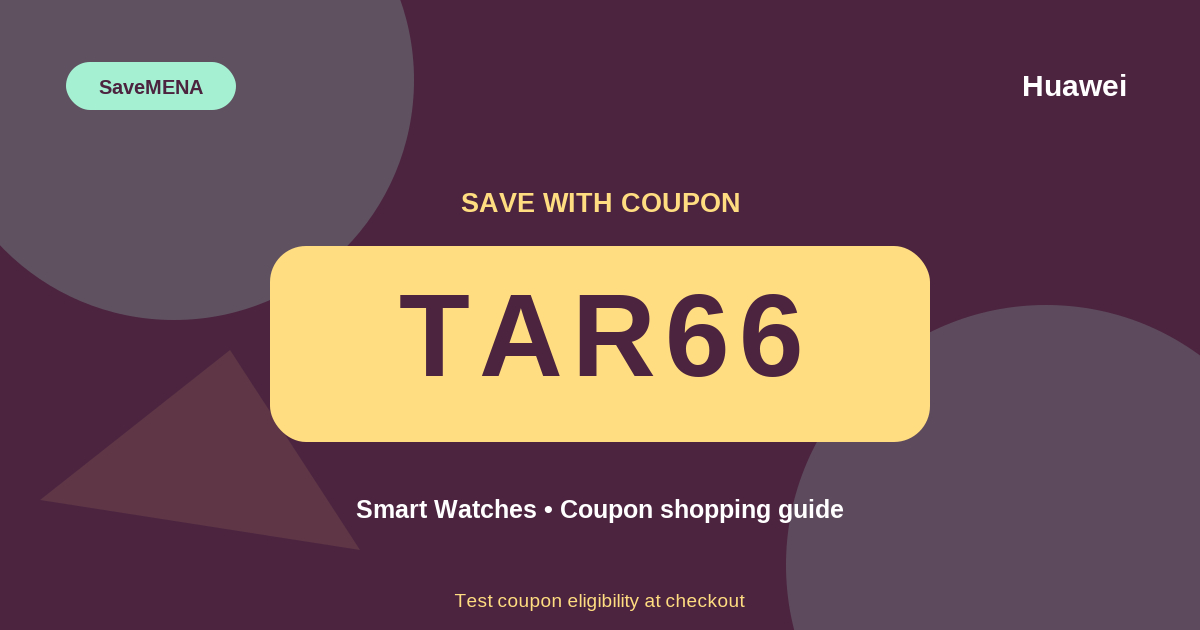
Codes available to try while comparing
These codes are not guaranteed for the article topic or listed brands; test them at checkout and use the live result.
Seller Credibility on Noon UAE
When shopping for tech on Noon, the seller’s reputation is the first gatekeeper to gate your purchase. A reputable Noon UAE seller typically displays verified ratings and a history of customer interactions. Checking for a “Verified Seller” badge, reading recent buyer feedback, and ensuring the seller provides clear return policies give a quick snapshot of their reliability. These safeguards help avoid the subtle pitfalls of counterfeit goods or delayed delivery.
Before typing your coupon, pause to confirm the seller’s contact information. Sellers with comprehensive descriptions, ongoing customer support chat options, and active product listings are generally easier to trust. Cross‑referencing the seller’s booth with third‑party reviews or online forums can offer extra assurance. Taking these extra minutes to assess seller credibility pays dividends when you later need to file a dispute or request a refund.
Coupon Code TAR53: What to Expect
Couping a Smart watch purchase on Noon with TAR53 begins with acknowledging that this code is “available to try.” In other words, the code may or may not add value at checkout. Unlike pre‑certified vouchers, it’s up to the seller’s policy and Noon’s system to validate the code during the final purchase stage. You’ll see a “Coupon Applied” tag if the system accepts it, otherwise the code will simply not affect the price.
Because the coupon verification happens at the last moment, you’ll want to linger on the seller’s page long enough to keep the code handy. If the seller offers a coupon input box, you can test the code before adding the watch to your cart. However, if the system only accepts coupons during checkout, the expense of redirecting back may be frustrating.A coupon is not guaranteed; verify its result at the retailer checkout.
Huawei Smart Watches: Features Worth Paying For
Huawei’s smartwatch line meshes health‑tracking sensors, efficient battery life, and a clean interface that pairs seamlessly with Android devices. Their wearables boast accurate heart‑rate monitoring, GPS navigation, and a glanceable activity dashboard. For shoppers valuing fitness data, the dual‑band GPS and stress‑monitoring are often rated high in user reviews on Noon.
A watch’s value also depends on the integration with your phone system. Huawei models typically support Huawei Pay, a convenient payment method you may already use on your primary device. In addition, these watches read NFC for contactless transfers and have long battery warranties that appeal to budget‑conscious buyers. Making sure the model you choose is true to its advertised specs can save you a costly return later.
Choosing the Right Payment Method for Your Purchase
On Noon UAE, you can usually pay with credit cards, debit cards, or a digital wallet. Each method has distinct benefits: cards often trigger reward points, while wallets reduce input steps. If you prefer a straightforward “one‑click” checkout, the Noon Wallet offers speed, whereas a bank‑issued card provides better fraud protection with real‑time alerts.
When you lean toward the Huawei payment method—through Huawei Pay integration—Nokia’s ecosystem sometimes streamlines the process if you already have the payment service set up on your phone. The Huawei payment method can be added to your watch, allowing you to tap the watch for purchases. But be aware of whether the seller’s checkout accepts this particular payment flow, because some merchants only support credit or wallet payments at the final step.
How the Coupon Interacts With Payment Options
If TAR53 is accepted, Noon will apply the coupon in the same step as your chosen payment method. This means you’ll see the adjusted subtotal in the payment page before confirming your card or wallet information. Some sellers restrict coupon use to specific pay methods; a quick scan of any seller policy flashnotes on the product page can reveal whether the coupon is limited.
In scenarios where the coupon only activates with a particular payment method, you might notice discrepancies when selecting an alternate one. For instance, the watch could show a discount with a Noon Wallet payment, but revert to the full price if you switch to a standard credit card. Therefore, test the coupon with each payment option: choose a card, check the subtotal, then repeat with a wallet to confirm if the coupon applies consistently.
Checkout: The Final Test of Coupon Validity
During the checkout sequence, the system consolidates every variable: product, quantity, seller, coupon, and payment method. At that point, the buyer will see the “Final Total” that reflects what you will actually pay. If TAR53 was accepted earlier, the subtotal will drop accordingly; if not, you’ll have to decide whether to proceed at full price or look for another coupon.
Once you confirm that the payment method is accepted, you press “Place Order.” Only then does Noon lock in the transaction details. If the coupon turns out invalid, the payment will still process at the original subtotal. The system doesn’t retroactively apply discounts, so you’ll need to retrigger a coupon at the coupon‑entry field if available. This step reiterates the importance of verifying coupon-success in the payment window.
Customer Experience and After‑Sales Support
Beyond the purchase moment, a seller’s concierge can turn the buying experience from ordinary to memorable. In the case of a Huawei smartwatch, you’re often greeted with watch‑specific support—battery FAQs, pairing guides, and warranty paperwork. Sellers known for quick replies to chat or email inquiries often signal a post‑sale culture that can cushion any hiccup with the device.
Search for seller profiles that mention proactive updates: shipping status, return process, or troubleshooting. If any notice that “Return policies are manual and require email confirmation,” you may want to plan accordingly. Documentation of these processes, available during checkout or in the product description, ensures you’re not left guessing how to claim a warranty if issues arise.
Compare alternatives without guessing
When you compare another option in huawei, keep the specifications, quantity and seller as consistent as possible and compare the total shown at checkout. A different coupon does not automatically make a deal better because delivery, fees and the live basket context can change the outcome. Use the final payable total as the practical comparison point.
If the retailer shows a specific condition, rely on that visible message; if it does not, do not turn an assumption into a general rule. Test available options one at a time and note any real change in the total or eligibility message. That creates a verifiable shopping comparison instead of a recommendation built on an unsupported marketing claim.
Related SaveMENA pages
Related articles
Official sources to check
Frequently asked questions
Will coupon code TAR53 automatically apply when I add a Huawei smartwatch to my cart?
Coupon TAR53 must be entered explicitly on the checkout page or during cart editing. Noon accepts it only if the system validates it at that moment; otherwise, the price remains unchanged.
Can I use Huawei Pay to complete the purchase on Noon?
Yes, if the seller and Noon support Huawei Pay at checkout. Verify the payment method list on the final payment page before confirming the order.
I’m unsure if the seller is trustworthy. How can I confirm?
Check for the “Verified Seller” badge, read recent customer reviews, and confirm a clear return or support policy. All these markers help confirm seller credibility.
What happens if the coupon doesn’t work during checkout?
In that case, the full price will be charged. The coupon can be reapplied at checkout if the seller allows an additional entry, but no savings are guaranteed.