Gifts on Noon UAE: price changes — seller checks
Noon UAE seller and coupon Gifts rechecking after a price change: Those who think the best way to snag a holiday gift on Noon is to simply add an item to the cart
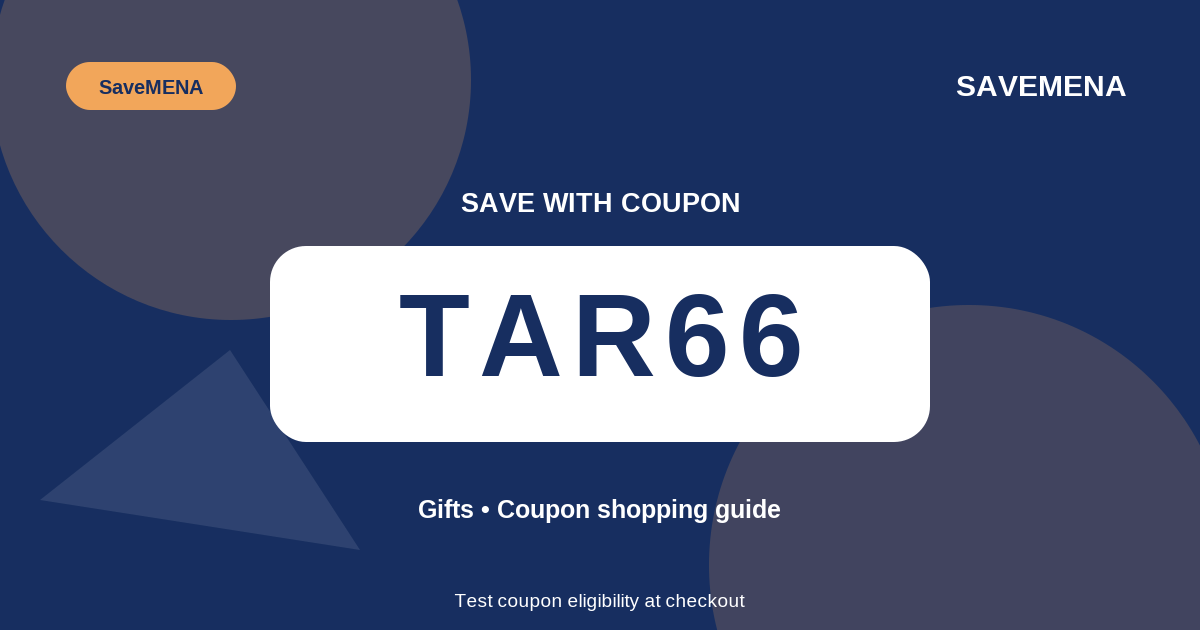
Codes available to try while comparing
These codes are not guaranteed for the article topic or listed brands; test them at checkout and use the live result.
Step 1 – Confirm the Current Price After You Add an Item
The first moment a pricing error manifests is when an item’s price changes after you’ve added it to the cart. Noon’s display price can shift due to dynamic pricing strategies, sales segmentation, or updated inventory levels. When you are about to place a gift order, take a snapshot of the price stated in the product detail view, then close the product page and return to your cart to see if the listed price has altered. A visible jump is a red flag for potential overpayment that a coupon might not offset.
If you notice a difference, retroactively apply the coupon code TAR66 at the cart level, after the new price is shown, and watch the discount field update. Be aware that if the change has already recalculated the cart subtotal before the code is entered, the coupon may not apply at all during checkout. Capture both screenshot states for your records before proceeding.
Step 2 – Verify the Seller’s Delivery Terms and Location
Even if the price matches, the seller’s logistical details can change the cost you actually pay. Sellers on Noon can shift from “Standard Shipping” to “Express” based on inventory shifts or restocking cycles, and this can increase the delivery charge. For gifts, free shipping is often a major attribute; check that the delivery fee remains zero or that it is included in the advertised price after the price change.
Verify that the seller’s warehouse location is still within the UAE, not in a country that would trigger international shipping fees. The seller information may appear as a blurple “Prime” or “Noon Seller” badge, but this does not guarantee a change in delivery policy after a price adjustment. Note the new delivery fee each time you validate the cart.
Step 3 – Reassess Coupon Eligibility in the Cart
Once you’ve confirmed price and shipping, a primary concern is whether TAR66 is still eligible for the altered total. Noon’s checkout algorithm requires the subtotal to meet any hidden threshold before the coupon applies, and this can change immediately after a price update. Double‑check the subtotal graphic, then manually add the code to the coupon field to see if the discount icon activates.
Do not rely on the original “voucher applied” notification from the product page; it disappears when the cart refreshes. The only reliable indicator is the passing of the coupon code through the checkout input box. If it does not start, the discount will not apply, and you will have paid the post‑change price in total.
Step 4 – Identify any Tax and Service‑Charge Shifts
VAT or other mandatory fees are sometimes updated after a price modification, especially when a seller reorganizes its pricing structure. These adjustments can subtly alter the final amount. After adding the cart items, scroll to the tax row in the summary to confirm that the value shown matches the previously recorded tax calculation.
Because tax is a fixed percentage, a price change directly affects the dollar value of VAT; this means the coupon can be effective against a lower subtotal yet insufficient to cover a higher tax value. Double-check what line the discount applies to—some coupons deduct only from the subtotal, not from tax or fees.
Step 5 – Ensure Gift‑Specific Options Are Still Included
Gift sets or value‑added packaging sometimes come at an extra cost that may be omitted after a price adjustment. Inspect the “Gift Extras” section in the cart to verify that any present‑wrapping or celebratory flags still apply, and that no hidden “toggle” disables them. Many sellers identify gift options with a small icon; a changed price might remove this option by default.
Click on the “Edit Gift Options” link to double‑check that the package description, their price, and the visual display still match what you intended. If the option disappears, the delivered gift will be plain, unused, or mismatched to your budget.
Step 6 – Exclude Bundled or Restricted Items From the Coupon Rules
Sometimes premium gifts are bundled with other items that are not eligible for coupons. Coupon policies may exclude such bundles or certain product categories altogether. Examine the cart for any bundled components labeled with a “bundle” badge and read their eligibility note. If the bundle is ineligible, the discount will calculate against a lower base.
In a situation where the gift contains a sub‑item that is price‑adjusted post‑listing, recalculate the allowance to ensure the whole bundle remains within your acceptable range. A bundle’s total value after discount may unintentionally surpass your the coupon code price if the coupon only applies to a portion of it.
Step 7 – Adjust Quantity and Re‑calculate Coupon Impact
Buy‑more‑save strategies for gifts often rely on bulk pricing; but a price shift can nullify your savings. Before proceeding, manipulate the quantity field to see how the coupon affects the final price per unit. This helps identify whether the discount for a bulk order is still mapped correctly after the price correction.
When the quantity changes, watch the line item price and the subtotal grow accordingly. Simulate the coupon application at each quantity level to ensure you’re still paying within desired thresholds. A price escalation may render a gift that seemed affordable into a pricier option.
Step 8 – Lock in Purchase and Verify Order Confirmation
After reconciling price, shipping, tax, coupons, gifts, bundles, and quantity, confirm that the final total on the checkout page matches the figures you confirmed earlier. This final screen is the definitive reference that courts any seller’s acceptance of your intended price. If the total does not comply, contact the seller directly or alter the cart as needed.
The confirmation email you receive after payment is the permanent record of your purchase. Note the item name, final price, applied coupon label, and any shipping fees. Store this email securely; it serves as evidence should you need to dispute a post‑purchase price alteration or claim a coupon didn’t apply as advertised.
Related SaveMENA pages
Related articles
Official sources to check
Frequently asked questions
How can I be sure a coupon will work after a price change?
Only the final calculation on checkout is definitive. Verify by entering TAR66 after the price updates, watching the discount icon, and confirming the new subtotal. If the icon does not appear, the coupon likely won’t apply.
What if the seller changes the shipping fee after I add my gift to the cart?
Check the cart for updated shipping fees immediately before checkout. Compare the pre‑change and post‑change shipping values; if a new charge appears, adjust your budget or find a seller with a consistent fee.
Will bulk‑buy gifts still be cheaper if the price goes up?
Bulk pricing advantages diminish if unit prices rise. Recalculate the unit price after the change and compare the total cost with and without bulk discounts to determine if buying more saves you money.
How do I confirm the seller’s location after a price change?
Each seller’s profile lists their warehouse or dispatch location on Noon. Verify that the seller remains based in the UAE, as a location outside the UAE can trigger higher shipping costs that override displayed prices.