ASUS Laptops on Noon UAE: size and quantity — seller checks
Start by searching Noon UAE for ASUS laptops using the brand name and the size you need—whether it’s a 13‑inch ultraportable or a 15‑inch gaming factor.
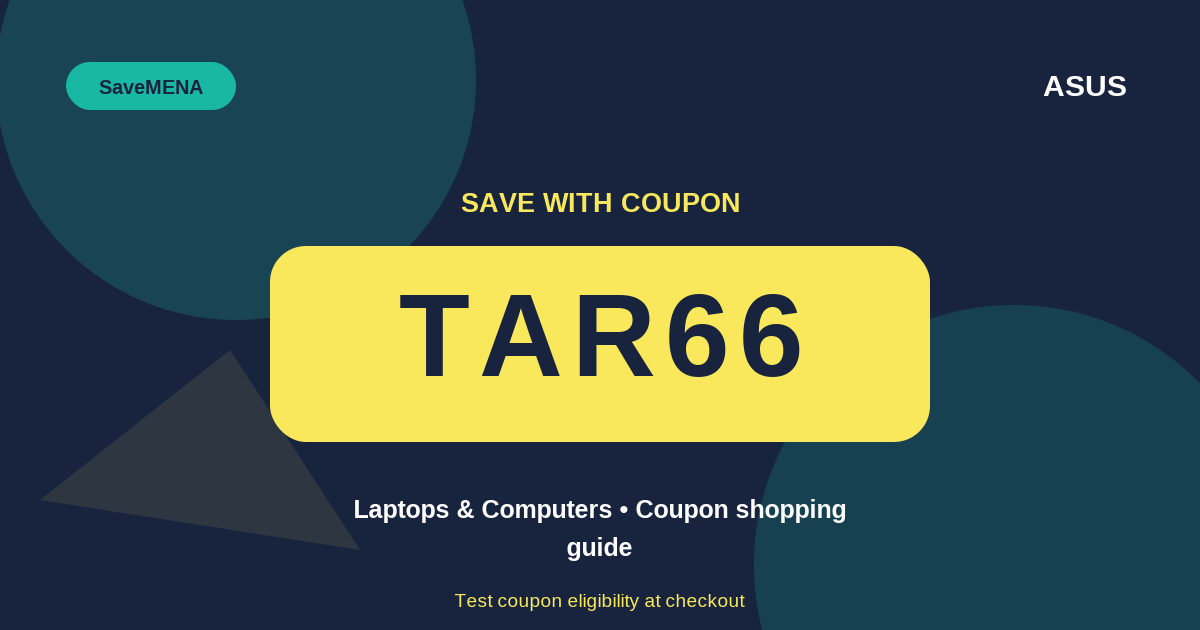
Codes available to try while comparing
These codes are not guaranteed for the article topic or listed brands; test them at checkout and use the live result.
1. Identify the Exact ASUS Laptop Models and Sizes
Start by searching Noon UAE for ASUS laptops using the brand name and the size you need—whether it’s a 13‑inch ultraportable or a 15‑inch gaming factor. On the search results page, each listing will display a screen measurement in the title or description, and sometimes additional details like weight and dimensions. Verify that the model number matches your requirement, as ASUS uses different SKU codes for each size variant. Having the exact size confirmed early removes the risk of receiving a machine that doesn’t fit your workspace or travel needs.
Once you’ve shortlisted a few options, open each product page and scroll to the specifications section. Check for the screen size, resolution, and keyboard type, which often help differentiate similar models. If the product description is vague, many Noon listings include a “Customer Q&A” where past buyers discuss model specifics. Use that space to confirm the exact size before adding to your cart, especially if you plan to buy more than one unit.
2. Assess Quantity Options and Bulk Flexibility
Notice how Noon displays quantity options in the product page. Some sellers allow you to increase the quantity up to a specific limit, while others offer a pre‑selected bundle such as “2‑pack” or “3‑pack.” AJMP each quantity setting to understand how the total price changes—remember, the TAR66 coupon may or may not apply when you buy multiple units. Keep an eye on the price per unit at each quantity level to gauge whether a bulk purchase truly results in savings.
If you wish to order more than the maximum quantity shown, you can try editing the “Qty” field directly before adding to the cart. Dragging the quantity number will adjust the checkout totals automatically. Note that some sellers explicitly state “minimum purchase quantity” somewhere in the description; check the listing for any such note to avoid surprises at checkout.
3. Verify Seller Credibility on Noon UAE
On the ASUS laptop page, locate the seller’s name under the product title. Noon lists the seller’s store URL; feel free to click and explore the merchant’s profile. A reliable seller will usually show a solid reputation score, display a return policy, and offer a clickable “View Seller” link revealing more about their catalog and policies. This step is crucial before applying a coupon, because the coupon’s eligibility might depend on the chosen seller’s terms.
Seller verification includes checking the offered warranty period and support options. For Microsoft‑ or Dell‑style laptops, ensuring a proper warranty often ties directly to a seller’s authenticity. If an unfamiliar or new seller has a sparse profile, consider reaching out through Noon’s messaging system or look for customer reviews. A transparent, responsive seller reduces the chance that the “Cart” total won’t accept your coupon later on.
4. Confirm Coupon Compatibility with Your Cart
Once you have a product, quantity, and seller set, try applying the TAR66 coupon code in your cart. Do this before you proceed to checkout or final order confirmation. If the coupon is not accepted, the cart will usually display a brief message – perhaps a generic “Coupon not applicable” – leaving you to interpret whether the issue is the seller, the item, or the quantity.
In case of a denial, cross‑check the coupon’s name against the list of active promotions on Noon UAE. Some sellers enable coupon use only for certain categories or brands, while others work across the entire store. If you’re unsure, the next best step is contacting Noon’s support or the seller directly and asking whether TAR66 is known to support ASUS laptops from this shop.
5. Evaluate Delivery Charges for Multiple Units
Delivery fees on Noon UAE differ between sellers and can also vary with the total weight or volume of the items in your cart. When adding multiple ASUS laptops, the combined shipment weight may push the order into the “large parcel” fee bracket. Check the shipping summary on the cart page to confirm the final delivery charge before applying the coupon, as a higher shipping cost can dilute the coupon’s value.
If the seller offers free shipping for orders over a certain threshold, you might find that the minimum required amount changes depending on how many laptops you add. Verify whether the threshold applies for each unit or for the total order, and decide if adding a seventh laptop secures free shipping or simply pushes you over a higher fee.
6. Gauge Return Policy for Diverse Sizes
ASUS laptops come in various sizes, and return policies can differ for each one based on the seller. Preferably, your seller should disclose a universal return window of 14 or 30 days. Still, the policy might vary if the product is customized or part of a bulk sale. Look for a clear “Return Policy” link within the product description for specifics.
Pay particular attention to any listed restocking fees or size‑specific conditions—some sellers may only accept returns for the exact model you purchased. If you’re ordering a mix of sizes (e.g., a 13‑inch for an office and a 15‑inch for a home setup), confirm that each size is covered separately and that you have a single, cohesive return plan for all units.
7. Consider Payment Method Impact on Discounts
On Noon, certain payment options may allow you to unlock additional value, such as credit card balance‑reductions or card‑specific promotions. Ensure that the payment method you plan to use does not conflict with the TAR66 coupon or the seller’s promotion terms. For instance, a seller might require a “Cash on Delivery” transaction for a bulk order.
Before finalizing the order, review any promotional offers listed beside the payment method. A useful tip is to see whether the payment method has a prerequisite, such as a minimum spend or a specific merchant. If the method and coupon requirements clash, move to another payment option that harmonises with both.
8. Double‑Check the Final Checkout Summary
At this point your cart should display the ASUS model(s), quantity, seller, any coupon deduction, and shipping cost. Carefully read the line items to verify that each one matches your expectation. A quick glance at the “Breakdown” will show if the price per unit, the bulk discount (if any) or the coupon applied correctly. Mistakes that slip through earlier will only show up here.
Just before confirming payment, double‑check that the subtotal, discount, shipping, and final amount match the numbers you calculated earlier in the process. If the totals have shifted unexpectedly, reach out to Noon customer service or the seller for clarification before proceeding. A final confirmation ensures that you paid for exactly the size and number of laptops you intended to buy, with the coupon applied as best it could.
Related SaveMENA pages
Related articles
Official sources to check
Frequently asked questions
Does the TAR66 coupon automatically apply to all ASUS laptops on Noon UAE?
No, the coupon's applicability must be confirmed manually in the cart. The seller and product category can affect whether the coupon is accepted.
What if I want to buy more ASUS laptops than the maximum quantity shown?
You can try adjusting the quantity field, but some sellers set a hard upper limit. Contact the seller or Noon support for clarification before submitting the order.
Will free shipping push my order total beyond the coupon threshold?
Check the delivery fee in your cart. If the shipping cost raises the total above the coupon’s minimum spend, the coupon may not be accepted.
Do I need a verified Noon account to use the TAR66 coupon?
The coupon can be entered with any Noon account, but verified accounts may have easier access to certain promotions. However, verify eligibility at checkout.