Home Appliances on Noon UAE: review signals — seller checks
Noon UAE seller and coupon Home Appliances visible product and seller review signals: Choosing a trusted seller and reviewing product feedback are the core steps
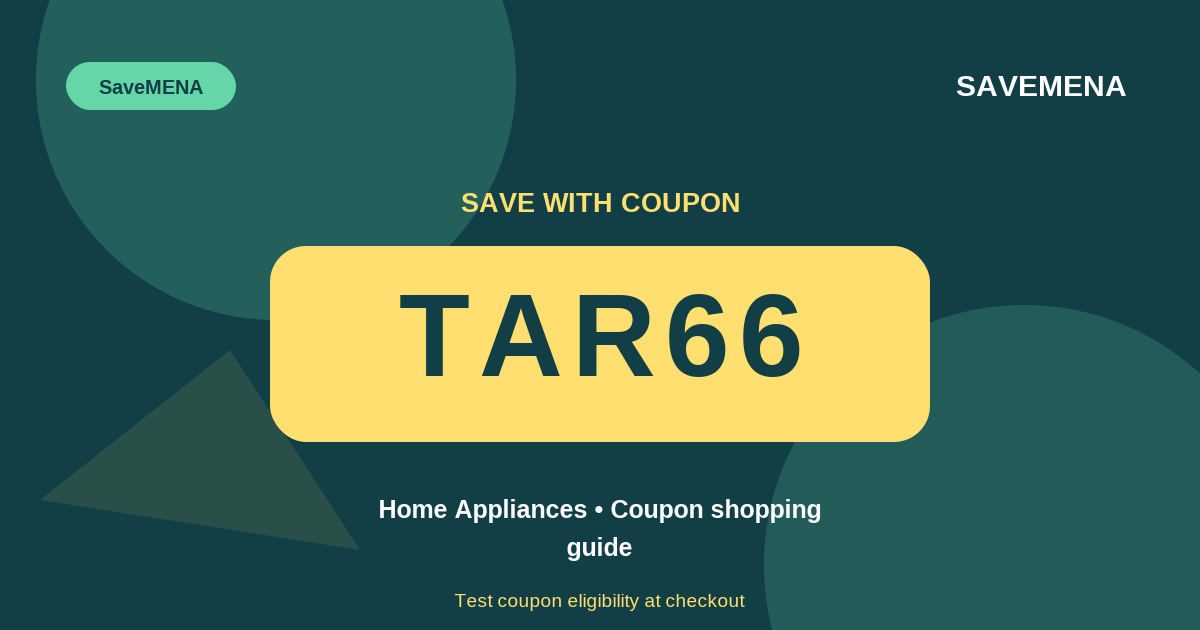
Codes available to try while comparing
These codes are not guaranteed for the article topic or listed brands; test them at checkout and use the live result.
1. Locate the Noon UAE Seller’s Public Profile
On the product page, the Seller name links to a public profile. Tap it to see the seller’s rating, number of completed orders and total feedback. A high rating coupled with many reviews indicates consistent performance. Ensure the seller’s location field shows an UAE-based address; shipping from a nearby fulfillment center typically leads to shorter delivery windows. This step keeps you from ending up with a seller located far away, which could increase shipping time and cost.
Visible seller badges, such as “Verified Seller” or “Fast Delivery,” give extra confidence. These badges are set by Noon when a seller passes certain thresholds, but verify that the badge is still present on the page. A seller with fresh badge updates suggests they maintain high service levels. Confirm the badge status before proceeding to checkout.
2. Assess the Product’s Overall Rating
Below the product title, a star score pulls together all customer ratings. A score above four stars generally signals a well‑received appliance. But consider the volume of reviews; a four‑star rating from 20 comments is less reassuring than the same rating from 200 reviews. Check the range of user ratings to see how many 5‑star vs. 1‑star experiences exist. This offers a clearer picture of typical satisfaction levels across varied households.
Scroll down to the detailed review section. Here you’ll find body comments, photos, and timestamps. Look for patterns—multiple users praising durability or energy efficiency suggests shared strengths. If complaints surface regarding delivery delays or parts issues, note them. A balanced snapshot helps you decide whether the product aligns with your priorities.
3. Verify Return and Warranty Policy Visibility
Product listings always list warranty length or return window. The banner usually shows a “30‑day Return” or “2‑year Warranty” tag. Ensure the dates are current and match the seller’s stated policy. Outdated promises can flag a risky purchase; some sellers update policies without changing the copy on the page. If the policy is missing, check the Returns & Refunds FAQ on Noon’s help center for the seller’s specific procedures.
When a warranty is listed, see if it includes "on delivery" or "from purchase." For appliances, a guarantee covering defective parts for at least one year is often present. Verify that the warranty details are in Arabic or English to match local consumer rights. A clear warranty demonstrates confidence in the appliance’s quality.
4. Examine the Shipping Estimate and Options
Right beneath the price, the page provides a shipping estimate. This estimate takes into account your selected location and the seller’s dispatch center. Look for a "Delivered within 2-5 days" indicator, as it shows a likely shipping window. The presence of multiple shipping speeds (standard vs. expedited) lets you gauge how flexible a seller is with delivery.
Click “Delivery Details” to open the breakdown. Here you’ll see carrier options, potential extra fees, and the expected delivery date. If the seller uses a local courier, you might benefit from a faster arrival. Be aware that some sellers add a “Handling Fee” for appliances. Keep this in mind when applying TAR66, as the coupon might not adjust that fee.
5. Cross‑Validate Seller Feedback History
Access the seller’s rating popup by clicking the rating stars next to the seller name. This reveals a timeline of buyer feedback. Look for several consecutive periods of 4-5 star scores; streaks show sustained reliability. Pay close attention to abrupt drops—if a seller had 4 stars for years, then suddenly 2 stars, it is a red flag.
In addition to star counts, read the text responses where the seller replies to questions. Limited or no responses may suggest poor customer engagement. A vibrant Q&A section indicates the seller values interaction. Confirm that answers were posted recently, not years ago, to ensure information is still relevant.
6. Check for Product Availability and Stock Status
Right after the title, the page shows “In Stock.” However, “In Stock” can still mean the item is only temporarily available. Hover over or click the label to view any remaining unit numbers if displayed. A seller who keeps an updated inventory indicates less chance of delayed shipping.
For appliances, watch for “Reserved for delivery on [date]” or “Available for pickup.” These tags are clearly visible in the product page under the "Availability" section. A clear, current status helps you confirm that your order will process promptly once you apply TAR66 at checkout.
7. Identify Eligibility Signals for Coupon Code TAR66
On the product page, look for the “Apply Coupon” button next to the price. This shows the platform’s readiness to accept discount codes. Enter “TAR66” to preview any potential change in the subtotal—but the final result only appears at checkout. If the code is accepted, a banner will show “TAR66 applied” with the new total. This is the indicator that the coupon can work with the chosen product and seller.
Note that some sellers or product categories may have restrictions. On the coupons page, check for eligibility filters like “Home Appliances” or “Seller Restrictions.” Even if the product page appears to accept the code, confirm that the coupon’s terms still apply on the final order total page.
8. Confirm Eligibility During Checkout Summary
After adding the appliance to the cart, navigate to the cart page. The summary shows the item, seller, shipping estimate, and total. Verify that the coupon code field is active, and type “TAR66.” The platform will recalculate the subtotal. If the coupon is rejected, check for any “This offer not applicable to selected items” notice. Keep the message noted for reference, as it provides evidence of the coupon’s status.
When the paid total is displayed, review all components: product price, shipping, handling, and any discounts applied. If TAR66 has not altered the subtotal, perhaps the offer is on hold due to opt‑in status or minimum spend. In such cases, the coupon’s entry at checkout offers a record showing the platform’s attempt to apply it, but the final price is what determines the actual savings.
Related SaveMENA pages
Related articles
Official sources to check
Frequently asked questions
What should I do if TAR66 is not applied during checkout?
If the coupon is rejected, check the product’s eligibility on Noon’s coupon page. Some items may be excluded, or you might need to meet a minimum spend. Verify the seller’s requirement or try a different appliance that is eligible for TAR66.
Can I rely on seller badges to prove quality?
Noon badges show that a seller meets general platform standards, but they do not guarantee product quality. Always read customer reviews and check return or warranty policies before finalizing a purchase.
What information should I confirm about shipping before placing the order?
Look for the estimated delivery window and any additional shipping fees. Confirm if the seller ships locally or must ship from abroad, as shipping time and costs can differ significantly.
Do I need to register an account to use TAR66?
Coupon codes on Noon can typically be applied at checkout even if you’re a guest, but some discounts require a registered account. Verify the code’s terms on the coupon’s dedicated page before proceeding.