Apple Mobile Accessories on Noon UAE: review signals — seller checks
Begin by examining every image that Noon UAE presents for the listing. A trustworthy seller will supply multiple high‑resolution shots that show a clear view of the
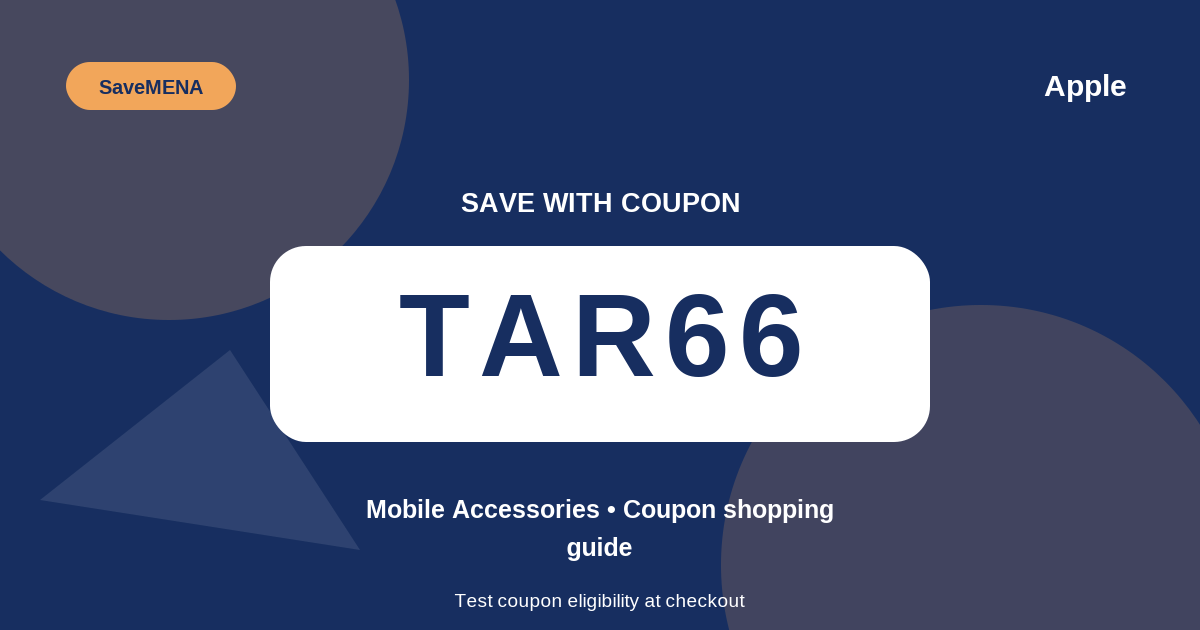
Codes available to try while comparing
These codes are not guaranteed for the article topic or listed brands; test them at checkout and use the live result.
Scrutinize the Product Images and Technical Details
Begin by examining every image that Noon UAE presents for the listing. A trustworthy seller will supply multiple high‑resolution shots that show a clear view of the accessory’s interface, connectors, and labeling. Visible product details such as the exact model symbols, chipset identifiers, or certified Apple branding markers should be evident. If the photos look generic or blurrily cropped, it’s a red flag that the item may not be genuinely from the category you’re seeking.
Alongside images, read the technical specifications provided in the description. They should include clear attributes—such as compatibility with precisely which iPhone or iPad models, material composition, and any safety certifications. If key details are missing or vague, it suggests that the listing might not have been verified thoroughly. Reliable sellers typically fill these slots with accurate, searchable facts, which also help future buyers gauge fit even before they start the checkout process.
Confirm Apple Compatibility Markings and Certification
Apple accessories must carry certain branding or certification marks to be recognized as genuine. On Noon UAE, look for texts like “Designed by Apple” or icons that indicate official Apple certification. Sellers who legitimately import or sell Apple compatible accessories often highlight these markers near the top of the gallery or in bullet points inside the product description.
Verify that the accessibility icon, such as the lightning connector or USB‑C symbol, matches the device you own. Cross‑check the model number and make sure it aligns with the Apple device you plan to use. A mismatch often signals a third‑party accessory that might not be approved by Apple, which could affect performance or warranty. Confirming these compatibility elements is a key visible product signal that reduces risk when you proceed to checkout.
Analyze the Seller’s Overall Rating and Review Count
On Noon UAE, each seller is assigned a star rating based on buyer feedback. A consistent rating of four stars or higher generally indicates a level of customer satisfaction. While the numerical value alone isn’t enough, it becomes a useful baseline when combined with the number of reviews.
Check how many reviews an seller has accumulated and how recent they are. A high volume of reviews spread across several months suggests sustained activity and a stable track record. In contrast, a handful of early reviews that are years old may not reflect the seller’s current performance. Recognizing seller review signals helps you gauge the reliability of the seller managing the Apple accessory list.
Read Reviewer Comments for Specific Insights
Delve into the comments themselves: look for detail about product condition, build quality, and actual support for Apple devices. Descriptions that mention real-world usage—such as “works with iPhone 14 Pro with no issues” or “drops resistance is low”—provide a clearer picture than generic praise or complaint.
Positive patterns such as repeated use of terms like “truly compatible” or “exactly as advertised” strengthen confidence. Conversely, warnings about “not working with latest iOS update” or “coupons not applied” hint at potential problems that may surface at checkout. Reviewing these signals aligns directly with your focus on visible product and seller cues.
Verify Delivery Terms, Timeframes, and Return Policies
The seller’s delivery section should list precise shipping fees, expected arrival windows, and whether free delivery applies after a certain threshold. Because the TAR66 coupon is only available at checkout, you must confirm whether the coupon affects shipping or only the item cost. Look for any mention of “delivery cost unchanged” in the coupon policy if present.
Check the return policy details, noting whether the seller offers full refunds, repair services, or exchange options for Apple accessories. The policy should include how many days buyers have to initiate a return and whether a restocking fee applies. Transparent return terms are another visible seller signal that can save you time and money if the product does not meet expectations.
Confirm Stock Status and Dispatch Availability
Online listings on Noon UAE list a real-time stock indicator for each item. An “In Stock” status indicates that when you place an order the seller can dispatch the product promptly. Avoid sellers with an “Out of Stock” marker when you have a limited window for your Apple accessory.
Additionally, examine the dispatching country and expected delivery period. Some sellers may store inventory in the UAE, while others ship from the broader GCC region. Visibility of dispatch country is useful if you require quicker delivery, especially for premium Apple accessories. These signals, though not mandatory, reduce the risk of delayed arrivals.
Inspect Payment Options and Security Features
Before applying your coupon, confirm that the seller accepts the payment method you intend to use—whether it’s a UAE credit card, PayPal, or another e‑wallet. A secure payment gateway is a visible sign that the seller is credible, reducing potential fraud risks.
When the checkout page lists accepted payment schemes, also make sure that it displays a recognized security badge (like a payment encryption icon) or mentions a “Secure Checkout” statement. This feature ensures that your card details will be protected throughout the transaction, a critical step when you are ensuring the seller is trustworthy.
Apply the TAR66 Coupon and Question Its Acceptance
With every detail verified, you’re ready to test the TAR66 coupon code. In the annoyance of a verified coupon, the checker has no guarantee of acceptance. Attempt to type “TAR66” into the promotion field at checkout and read the resulting confirmation message.
If the code is accepted, the interface will typically display the discount applied. If it isn’t accepted, the page will reference either a restriction or a missing minimum purchase. Even with a successful application, remember that the final price appears only at the last checkout screen. This final confirmation keeps you from any surprise charges and fits within the legal limits of coupon usage as stipulated by SaveMENA.
Related SaveMENA pages
Related articles
Official sources to check
Frequently asked questions
How can I confirm that the coupon code TAR66 will apply to the item?
Enter “TAR66” in the coupon field during checkout. If the discount appears before final confirmation, the code is accepted. If it is rejected, the page will flag an error and you can proceed without it.
What should I do if the seller’s rating is below four stars?
Check the number of reviews and reading recent comments. A small review pool could still have a low average, but a healthy volume of recent positive feedback may offset a lower star count. Use that as an extra gauge of trust.
Is Apple certification required for all accessories on Noon UAE?
While not mandatory for third‑party sellers, iconography indicating Apple certification boosts confidence in compatibility. Look for “Apple Certified” badges to ensure the accessory meets Apple’s standards.
Can I return an Apple accessory if it’s not compatible after delivery?
Return policies vary by seller. View the return policy details before purchase. A clearly stated policy that includes a no‑questions‑asked return window is a healthy seller signal in case the item fails functional tests.