Xiaomi Mobiles on Noon UAE: review signals — seller checks
The first step when you want to use a coupon is verifying the seller’s reputation, especially for a Xiaomi mobile listing on Noon UAE.
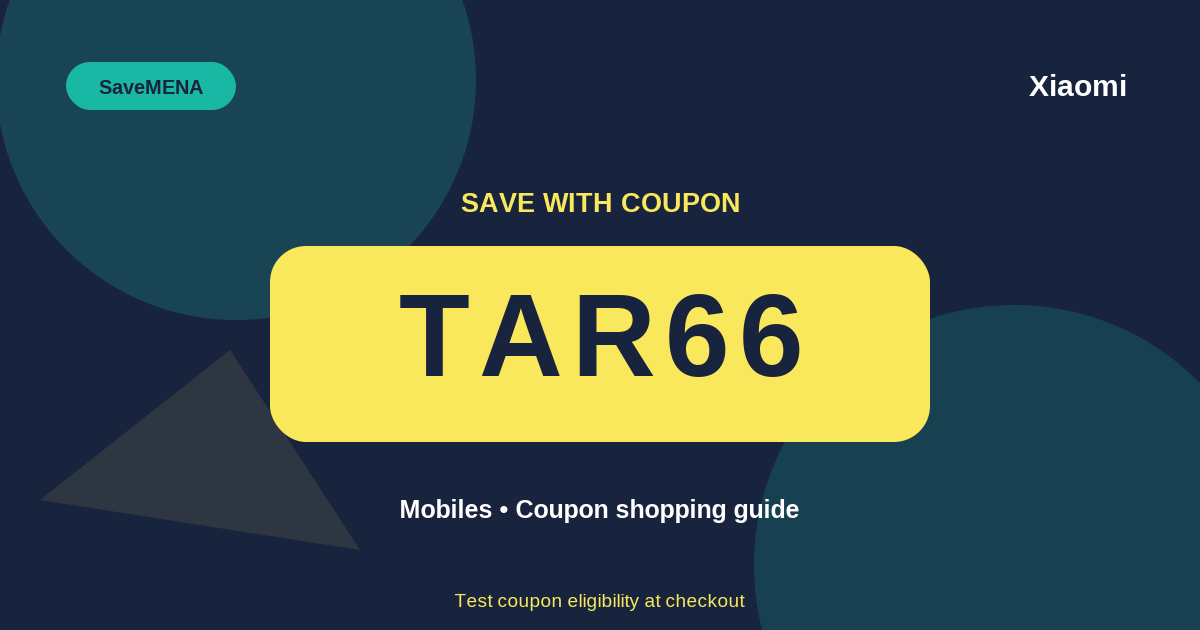
Codes available to try while comparing
These codes are not guaranteed for the article topic or listed brands; test them at checkout and use the live result.
1. Confirm Seller Ratings and Buyer Feedback
The first step when you want to use a coupon is verifying the seller’s reputation, especially for a Xiaomi mobile listing on Noon UAE. Look for sellers with a high overall rating, ideally above 4.5 stars, and read recent reviews that mention delivery speed, packaging condition, and public responses from the seller. Pay attention to any patterns where several customers discuss delayed shipments or mismatched product descriptions; these patterns can flag potential problems despite a high star count.
Don’t rely solely on the star count; dive into the review text. Verify that reviewers mention the exact model or variant purchased, and whether the listing description matched the delivered unit. A seller who consistently receives positive comments about authenticity and after‑sale service is more likely to honor your coupon and deliver the product without surprise issues.
2. Verify the Product’s Visibility Details
Next, examine the product page’s visibility data to confirm the Xiaomi mobile’s true condition. The listing should display clear images of the device, its box, the charging cable, and any accessories. Check that the photos show a pristine outer shell and a functioning screen to support the seller’s description. Visible product details help you identify any discrepancies—such as missing earphones or a damaged casing—before your purchase, reducing the chance of a refund that could invalidate the coupon.
Also confirm that the listing indicates the device’s serial number or IMEI range if possible. Sellers who provide these identifiers generally maintain tighter inventory control, which is a good sign that the product you see is the one you’ll receive. An absence of such details may warrant caution and a closer look at the seller’s feedback history for potential red flags.
3. Distinguish New vs. Refurbished Status
Use the visibility signals to distinguish whether the Xiaomi mobile is brand new, refurbished, or open‑box. Listings that provide a clear “New” badge usually show the phone with all original packaging; refurbished units are marked as such, often with a discount price and warranty adjustment. Verify that the description matches the badge; a “New” listing must state that the phone has been sealed and stored. Mismatches can lead to disappointment and affect return policy compliance.
For refurbished phones, check how many units were previously sold, who performed the refurbishment, and what warranty conditions apply. A seller who explicitly lists the refurbishment provider and offers a 12‑month warranty is more transparent. If the seller omits such details, it may be safer to consider a new device to avoid risks that could trigger a coupon denial at checkout.
4. Read Return Policy Statements Carefully
Explicit return policy language is a key visible signal that can influence your final purchase decision, especially when using a coupon that might return a small portion of the cash you spent. Sellers who provide clear return windows, fare‑challenging conditions (e.g., the phone must be unopened), and instructions on how to retrieve the refund should also mention any refund processing fees or restocking charges. These details help ensure the coupon application will not be affected by post‑purchase complications.
Cross‑check the stated return policy with buyer reviews that reference the return process. If several reviewers claim difficulty returning a device or encountering unexpected fees, that indicates the policy may be more restrictive than visible paperwork suggests. A transparent, generous return policy is a positive signal when confirming the reliability of the seller before you accept a coupon discount.
5. Confirm Warranty Coverage and Seller Claims
Warranty details appear as another visual signal on the product page. Verify whether the seller claims a manufacturer warranty, a seller‑provided warranty, or both for the Xiaomi mobile. The warranty duration, coverage scope, and claim process should all be stated in plain language. A seller offering an extended warranty often includes a claim submission portal; confirm that this is present in the listing materials.
Re‑read customers’ experiences regarding warranty claims. If reviews emphasize easy repair processes or outright complaints about lost warranty claims, those voices reflect real-world execution of the visual warranty statements. Ensuring the warranty is legitimate reduces uncertainty around the purchase and mitigates the risk that a coupon won’t be fully redeemable after subsequent claim complications.
6. Evaluate Shipping Estimates and Seller‑Specific Delivery Details
Next, assess the shipping estimates presented on such as color or variant. Sellers often display the estimated arrival window in their detail section. Verify that the dates are realistic, based on your location in the UAE, and that they do not contradict any shipping badges that might appear on the listing. A mismatch such as a 2‑day estimate for a seller typically delivering 7‑10 days is a warning sign.
Check whether the seller uses Noon’s shipping network or a third‑party carrier. Some sellers add “Free Delivery” badges; make sure that lack of a distinct shipping fee or labeled “free shipping” aligns with the actual cost you’ll see during checkout. Paying close attention to these visual cues will help you anticipate whether the coupon’s application will be affected by shipping fees or early cancellations.
7. Inspect the Coupon Code’s Visibility and Cross‑Application Rules
Before applying TAR66, look for any product‑level badges indicating that coupons are accepted. Some Noon listings include a “Coupon Possible” icon; ensure that this icon remains present on the page. If the seller explicitly states on the product page or in the seller profile that coupons are supported, it is a positive visual signal that the coupon might work.
Also note that some sellers add text such as “This product is not eligible for site‑wide coupons.” If you see such statements, the coupon will not be applied. Cross‑refer this with your own test by adding the product to the cart and checking the discount field; if the application shows an error or a warning that the coupon is invalid, the seller is likely not able to honor TAR66 on that listing.
8. Final Cart Verification Before Checkout
When you add the Xiaomi mobile to your cart, a new page will confirm the final price, any active discounts, and the return of the coupon amount. Verify that the coupon code field reflects the correct “TAR66” entry, and then watch for the discount amount update live. This is your last chance to notice a discrepancy between the expected final total and the amount applied.
If the coupon appears to be rejected or the discount is not reflected, leave the cart untouched. At this point, it may be wiser to switch to another seller whose visible signals meet all the requirements you’ve examined, rather than risking a partial or null coupon application during the checkout process.
Related SaveMENA pages
Related articles
Official sources to check
Frequently asked questions
What should I do if the coupon for TAR66 is not applied at checkout?
If TAR66 doesn’t apply, check that the coupon was entered correctly, there were no restrictions posted alongside the product, and the seller supports coupons. If the coupon is still rejected, consider reaching out to Noon support or try a different seller with a clearer coupon eligibility note.
Can I use the same coupon on multiple Xiaomi mobile listings from the same seller?
Yes, as long as each listing allows coupons and you adhere to the coupon’s usage limits. Remember that the coupon’s actual performance is verified only at checkout, so always confirm each application individually.
How can I be sure the seller’s return policy will not affect my coupon?
Read the listed return policy details and cross‑reference buyer reviews that mention the return process. If the policy states explicit refund times or adjustments, verify that it matches what appears on the final invoice after the coupon is applied.
Is there a way to check if the seller offers a warranty?
Look for a warranty section on the listing page that details duration, coverage, and claim steps. Also check customer reviews for experiences with warranty service. A clear, claim‑ready warranty page is a good visual indicator.