Huawei Tablets on Noon UAE: seller comparison — seller checks
To decide whether to apply the TAR66 coupon, shoppers must first compare Noon UAE sellers for tablets, especially Huawei models, to assess price, delivery, and
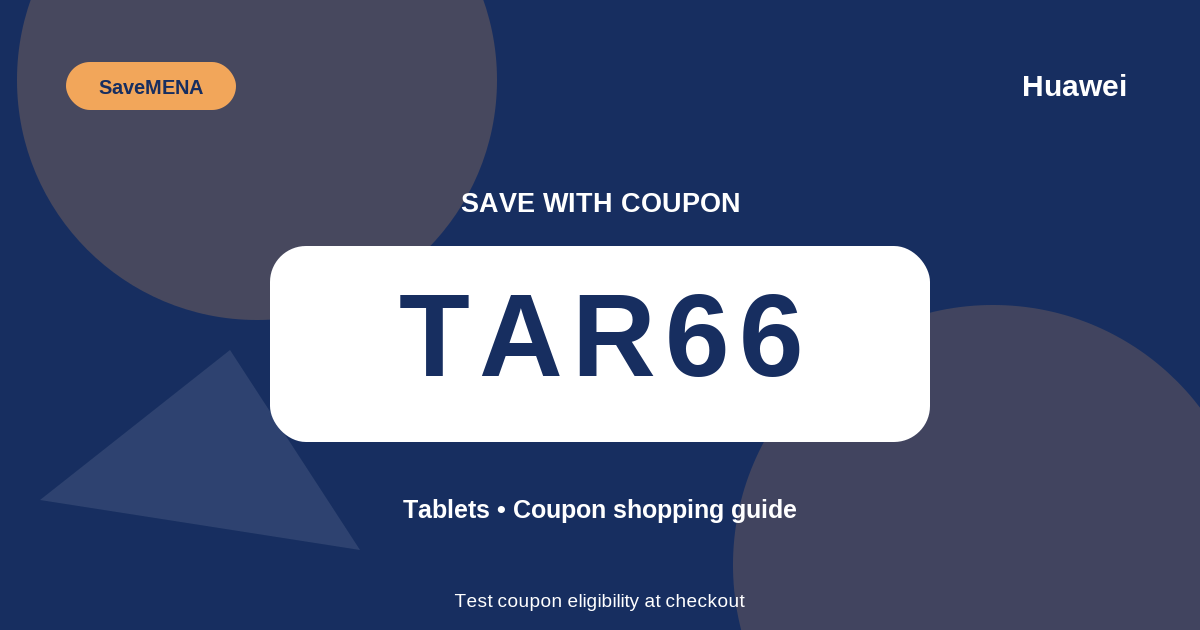
Codes available to try while comparing
These codes are not guaranteed for the article topic or listed brands; test them at checkout and use the live result.
Step 1: Verify Tablet Model and Vendor Authenticity
Begin by confirming the exact tablet model you wish to purchase. On Noon, product listings may include similar names that differ in storage size, color, or feature set. Double‑check the specifications listed in the product description against the Huawei brand website or authorized retailers to ensure you are viewing the intended variant. Avoid ambiguous titles; look for a clear reference to storage capacity, display size, or generation number.
Next, review the seller information displayed next to the listing. No additional certification or verified badge guarantees authenticity, but a seller with a long operational history may indicate credibility. Check for consistent information across multiple listings; stray or incomplete details should prompt caution. Verifying the model early prevents costly returns or compatibility issues later in the purchase process.
Step 2: Compare Delivery Options and Fees
Delivery timing and cost vary across sellers on Noon. Some offer standard shipping, while others may provide expedited options. Carefully read the shipping details for each seller, noting the estimated arrival window and whether the cost is free or paid. When weights and dimensions differ, prices may shift subtly, so align the delivery package with your urgency.
Because Noon aggregates sellers, the platform sometimes displays a uniform delivery fee for a region; however, individual sellers might offer promotions or waive fees for high‑value items. Cross‑reference the delivery information on each seller’s page to capture minor differences that could impact overall cost. This comparison ensures you choose a seller that balances speed and affordability for your specific timeframe.
Step 3: Examine Return & Warranty Policies
Warranty terms, especially for Huawei tablets, can vary by seller even when the hardware is identical. Search for the warranty duration and coverage details in the product description or seller’s store policy. Verify that the warranty is valid for the UAE market and that it includes compensation for defects and support for software updates.
Return policies should also be scrutinized. Note the return window, required packaging, and whether the seller covers return shipping. Some sellers may demand proof of defect; others allow standard exchanges. Align these stipulations with your risk tolerance—select a seller whose return policy offers the most flexibility in case of dissatisfaction or damage.
Step 4: Assess Bundle & Accessory Offerings
Tablet listings may bundle additional items such as cases, chargers, or styluses. While these bundles can add value, they sometimes inflate the price per item. Determine whether the bundled accessories are genuine Huawei components or generic alternatives. Confirm their compatibility with the tablet by reading the product specifications.
Compare bundled offers across sellers, noting price differences and included items. Some sellers might only provide stand‑alone tablets at a lower unit price but charge extra for accessories. Decide whether a bundle offers true savings or merely packages separate costs. This assessment influences the overall cost‑benefit of the deal.
Step 5: Check Payment & Financing Options
Payment flexibility can affect the practical cost of a tablet. Noon supports several payment methods, including credit card, debit, and in‑app wallet transfers. Some sellers (or Noon itself) may provide installment plans or partner financing from local banks. Validate that the chosen payment method applies to the specific seller’s listing and that any promotions are not excluded by seller restrictions.
Be mindful of additional fees that may arise from financing, such as service charges or interest. Evaluate the total payable amount under each payment option, including any hidden costs, before finalizing the selection. This enables a clear comparison of whether a seller’s product price or financing terms are more advantageous.
Step 6: Confirm Coupon Eligibility and Application
When you are ready to apply the TAR66 coupon, access your cart and locate the coupon input field in the checkout layout. Enter the code exactly as supplied (“TAR66”) and press apply to see if a discount is registered. The platform will inform you of eligibility based on seller, category, or bundled items if applicable. Keep in mind that the coupon’s success is contingent on the final order composition.
The check is the only guarantee for coupon usage; Noon does not confirm ahead of time that the coupon will apply to every seller or item. If the coupon fails, review any denial message for clues—such as restricted sellers or minimum spend requirements—though these are not always disclosed. This step completes the coupon verification process before payment.
Step 7: Review Buyer Feedback & Ratings
Buyer reviews offer insight into real‑world performance and seller reliability. Scroll to the comments section for each tablet listing and read both positive and negative perspectives. Pay attention to repeated themes like shipment delays, device issues, or exceptional customer service. The quantity of reviews can indicate experience level; a handful of reviews may be less informative than a mass of feedback.
Discrepancies between the seller’s stated policy and user comments can highlight hidden challenges. Think about how frequently concerns about a specific seller arise and whether they were resolved satisfactorily. Combining ratings with a variety of reviewers gives a broader perspective on overall experience.
Step 8: Final Confirmation at Checkout
Before confirming the purchase, reread the checkout summary to ensure all details match your intended configuration. Verify the selected tablet model, storage, color, seller, shipping method, and applied coupon. If the coupon shows a discount, confirm that the new total reflects the expected reduction; if not, consider the alternative of proceeding without it.
Once satisfied, proceed to payment and retain any confirmation receipt. This final checkpoint consolidates all prior comparisons, ensuring that the chosen seller, price, shipping, and coupon application align with your expectations. Store the receipt for reference should any post‑purchase issue arise.
Related SaveMENA pages
Related articles
Official sources to check
Frequently asked questions
How do I know if the TAR66 coupon will actually apply to my order?
Only the checkout page can confirm coupon eligibility. Entering “TAR66” in the coupon field will trigger an instant check. If it’s rejected, the system will typically indicate the reason, such as seller restrictions or category exclusions.
Do seller ratings guarantee product authenticity?
No, seller ratings reflect customer satisfaction and overall service but do not certify authenticity. Always verify model specifications and check for official support details from the manufacturer.
Can I use the TAR66 coupon with a payment plan?
Coupon applicability depends on the seller and the chosen payment method. During checkout, check whether the coupon has been accepted before finalizing your financing option.
What if the seller’s return policy is confusing?
Contact Noon customer support for clarification. Review the seller’s “Store Policy” link for detailed return conditions, and ask questions about shipping fees or required packaging if unclear.