TVs on Noon UAE: seller comparison — seller checks
Start by exploring the seller’s rating on the Noon UAE platform. A high overall rating reflects a track record of delivering products as advertised.
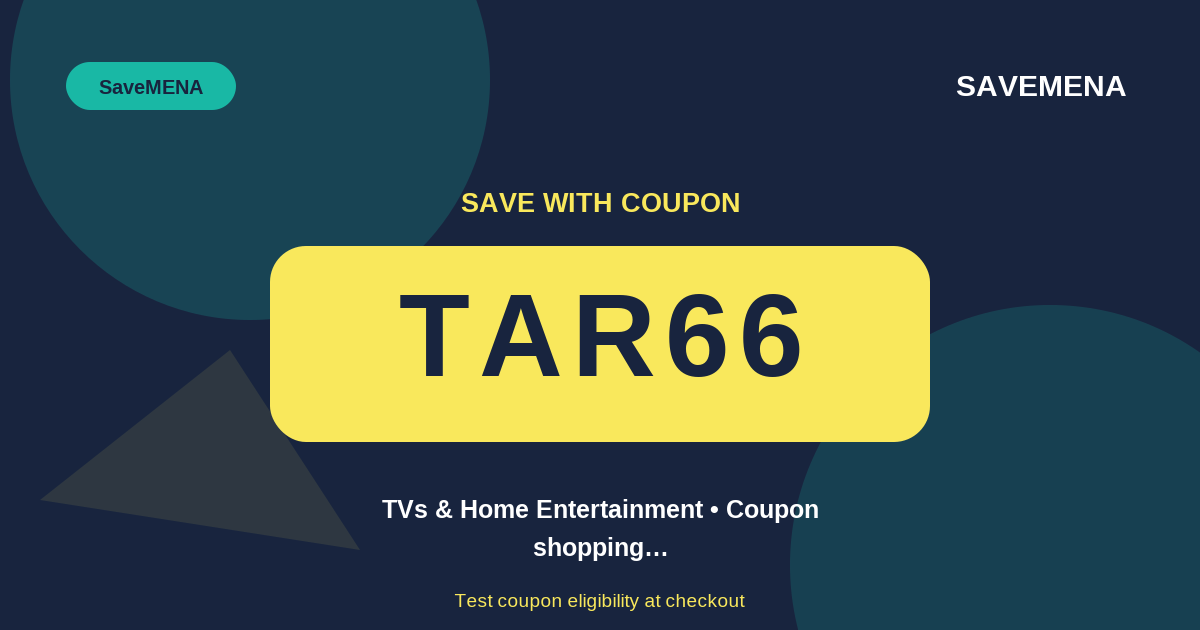
Codes available to try while comparing
These codes are not guaranteed for the article topic or listed brands; test them at checkout and use the live result.
Verify Seller Reputation on Noon UAE
Start by exploring the seller’s rating on the Noon UAE platform. A high overall rating reflects a track record of delivering products as advertised. Look for comments that discuss communication, accuracy of the product description, and responsiveness to queries. Pay particular attention to recent reviews, as they give the most current snapshot of the seller’s performance. This step helps you gauge the seller’s reliability before you even add an item to the cart.
Next, verify that the seller holds the Noon UAE verification badge. This badge indicates that the seller submitted official documents and met platform requirements. Even with this badge, confirm that the TV’s listed specifications align with the advertised model. If the seller’s profile links to an official website or shows third‑party endorsements, that adds an extra layer of confidence. This layered review mitigates the risk of purchasing a misrepresented or counterfeit TV.
Cross‑check Physical TV Condition and Warranty
Most sellers provide a description of the TV’s physical condition—new, refurbished, or used. Verify that the condition matches your expectations and that the seller states the product comes sealed or in pristine packaging. If you are unsure about the condition of a non‑new TV, request additional images or a short video walk‑through before finalizing the purchase.
Warranties protect you after delivery. Read the seller’s warranty terms carefully: duration, coverage, and contact steps if a defect occurs. Some listings may offer a self‑service warranty, while others require channeling through Noon’s customer support. Knowing the warranty specifics lets you compare which seller offers stronger post‑sale protection, a crucial factor when investing in a high‑cost TV.
Compare Delivery Times and Return Policies
Delivery estimates are visible on the item page. Ensure that the promised timeframe aligns with your own schedule, especially if the TV is part of a home setup or an event. Shorter delivery windows may come at a premium, so weigh the price against convenience.
Return policies vary between sellers. Key details include the length of the return window, restocking fees, and who bears the return shipping cost. Some sellers may allow returns only to a local pick‑up point, while others support a full return via courier. Confirming these details in advance prevents surprises if the TV does not meet your expectations.
Examine Pricing and Hidden Fees
Price transparency begins with the base price shown before applying any discount. Listing the plain price lets you evaluate whether a TV is cost‑effective compared to other sellers. Pay attention to whether the price includes all taxes and destination charges that could rise the final payment.
Once you confirm the base price, check for potential hidden fees: delivery surcharges, handling charges, or special packaging fees. These fees are often listed under the “special offers” or “delivery” sections on Noon. Knowing all possible fees before finalizing the order gives a full picture of the amount you actually pay.
Assess Product Compatibility and Features
When buying a TV, especially for home cinema or streaming, you need to confirm that the device supports local standards—power voltage, HDMI specifications, and cable compatibility. The seller’s description usually lists these features; if any are unclear, it’s wise to send a quick question to the seller before purchase.
Compatibility also covers regional software settings, such as the locale for language and network services. Confirm that the TV’s firmware supports UAE television services or the streaming apps you plan to use. Checking this ensures that you’re not buying a set that will require additional configuration or fail to launch essential apps.
Review Coupon Eligibility and Application Process
Before applying the TAR66 coupon, read any eligibility criteria supplied in the coupon terms. These may specify product categories, minimum spend, or item restrictions with which the coupon can be combined. Make sure the TV you intend to buy aligns with those criteria by checking the product’s category tag on the listing.
To apply the coupon, enter the code TAR66 in the designated coupon field during checkout. After entering the code, the system will adjust the cart total if the item is eligible. Always review the final payable amount to confirm that the discount applied correctly; if the total does not update, revisit the eligibility section or contact customer support for clarification.
Confirm Transaction Security and Payment Options
When you proceed to payment, ensure that the checkout page is served over a secure HTTPS connection, indicated by a lock icon in the address bar. Secure connections protect your credit card numbers and personal details from intercept.
Make use of reliable payment methods offered by Noon, such as credit/debit cards or trusted wallet services. After completing the transaction, retain the payment receipt and confirmation email. These documents act as proof of purchase and are useful if you need to open a return claim or dispute a charge.
Validate Final Checkout and Coupon Redemption
On the final checkout screen, review the order summary carefully. This summary shows each item, its price, any applicable tax, the delivery fee, and the applied coupon code. Confirm that the TAR66 coupon appears in this list and that the discount has been correctly subtracted from the total.
After the order is placed, keep an eye on the checkout confirmation page and any subsequent email from Noon. The confirmation will reiterate the final payable amount, coupon usage, and estimated delivery dates. If you notice any discrepancy, contact Noon’s customer service immediately and provide both the order ID and the displayed total for swift resolution.
Related SaveMENA pages
Related articles
Official sources to check
Frequently asked questions
Does the TAR66 coupon apply to all TV listings on Noon?
The coupon’s applicability depends on the listing’s eligibility criteria, which are listed in the coupon terms. TV products must meet those criteria for the code to be accepted at checkout. If an item does not qualify, the code will not be applied, and you will pay the full price.
What happens if the coupon is not accepted at checkout?
If the code does not get accepted, the cart will retain the original total amount. Check the eligibility section again or contact Noon support. Once you confirm that the item qualifies, retry the coupon; otherwise, the purchase proceeds without the discount.
Can I use TAR66 together with other offers?
The combination of coupons depends on the seller’s or Noon’s policy for that item. Some sellers allow stacking of offers, while others do not. Verify the terms on the product page or by speaking with the seller before adding multiple discounts.
How do I find out if a Noon seller is trustworthy?
Inspect the seller’s rating, read recent customer reviews, and confirm that they hold a Noon verification badge. A verified seller with consistent positive feedback is generally a safer choice than an unverified or brand‑new seller with little or no track record.