Cameras on Noon UAE: warranty and support — seller checks
Noon UAE seller and coupon Cameras warranty and post-purchase support: When shopping for cameras on Noon UAE, it's essential to check the seller’s reliability
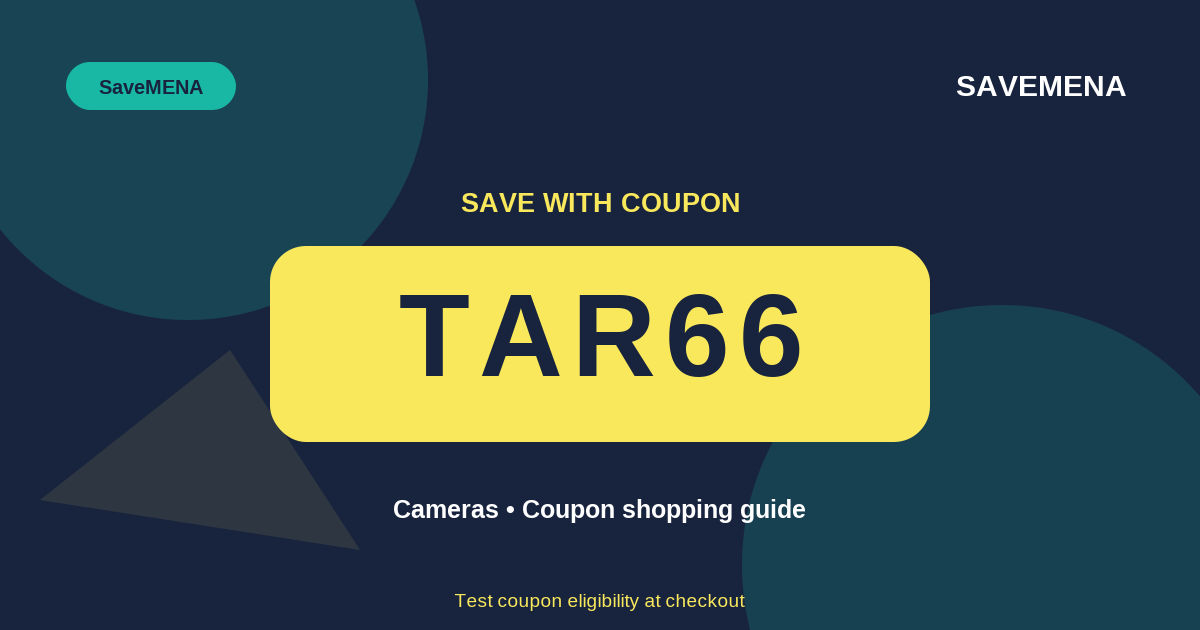
Codes available to try while comparing
These codes are not guaranteed for the article topic or listed brands; test them at checkout and use the live result.
1. Verify Seller Credentials and Return Policy
The first check is the seller’s profile on Noon. Look for a verified seller badge, read the “Seller Ratings” and inspect the store’s policy section. On Noon UAE, some sellers list a full return window, while others specify a shorter period. Since cameras are high‑value items, confirm that the seller’s return policy fully covers defective or damaged units. Any discrepancy in these details might hinder a refund or replacement, especially if you rely on a coupon that could influence the final price.
After confirming the seller badge, examine the “Return & Refund” page for that listing. Some sellers include a return shipping fee clause, while others absorb the cost. Understanding whether the seller will cover return shipping for cameras is crucial, as damaged equipment can incur significant logistics costs. Pay attention to language that uses phrases like “free return” or “refund upon receipt.” If the seller’s policy offers clear, customer‑friendly terms, it often indicates a commitment to post‑purchase support—even before any warranty becomes relevant.
2. Review Camera Warranty Details
Once the seller’s reliability is confirmed, confirm the camera’s warranty terms. Most cameras granted through Noon come with a standard manufacturer warranty—often one year, covering defects in workmanship or materials. On the product page, locate the “Warranty” section and check if it lists the warranty period length, what conditions it covers, and any specific exclusion clauses. For instance, most global manufacturers exclude damage resulting from accidental drops or liquid exposure—knowledge that informs how you might later claim a repair.
Beyond the manufacturer’s warranty, some third‑party sellers offer extended or private warranties. Look for any mention of additional coverage that begins after the standard period. The seller’s description of an extended warranty should specify the length, coverage scope, and whether it auto‑extends upon purchase. If the seller lists such a plan, verify that the seller can honor the claim process locally in the UAE, meaning you won’t have to ship the device abroad for repair. These details become particularly relevant if you plan to ship only a few miles to a local service center if a defect occurs.
3. Assess Post‑Purchase Support Availability
Warranty alone doesn’t guarantee a smooth claim experience; the seller’s post‑purchase support network matters as well. Check whether the Noon UAE seller has a dedicated support line, email address, or chat service that handles camera inquiries. Look at the “Customer Support” link or contact details on the seller’s profile. A seller with multiple support channels suggests that you’ll have easier access if you need to file a repair request or ask for clarification about the warranty’s terms.
In addition to seller support, consider the wider service ecosystem. Many cameras are serviced through brand‑specific authorized centers in the UAE. If the seller’s description references a local authorized service center or an on‑site repair team, this can reduce downtime. You should also confirm whether the seller forwards warranty claims to the manufacturer or handles them independently. Either way, clear communication about the claim procedure during the preorder stage can prevent confusion when you’re ready to file a claim later.
4. Examine Buyer Feedback and Ratings
Buyer reviews are a raw indicator of warranty handling quality. Read the “Customer Reviews” section for the specific camera listing. Pay particular attention to comments about the seller’s responsiveness during warranty claims and the speed of any replacement delivery. A consensus of trouble‑free claim processes is a reassuring indicator that the seller’s warranty and post‑purchase support will function as described.
Additionally, check for any patterns in reviews that mention shipping delays, return handling issues, or gaps in the seller’s service. If several buyers note that their warranty claims were delayed, the seller’s after‑sales support may be weaker than advertised. Buyers often clarify the way the seller contacts them during a claim, providing a realistic expectation of how you’ll interact with the service team once the instrument is captured for repair or replacement.
5. Ensure Correct Shipping and Handling
High‑value gear like cameras requires careful shipping. Verify the “Shipping & Delivery” section and confirm whether the seller offers a protected shipping option, typically a small insurance layer for damage in transit. Cameras are delicate, and protection can be vital if a coupon code reduces the final price—making it even more important that the item arrives intact.
Also review any shipping window advertised. Some sellers specify a “within X days” shipping promise, while others use a “standard shipping” label that may take longer. For a camera, knowing the exact delivery timeframe matters for warranty timing, as many warranties start counting days after receipt. Enabling tracking on the shipment, if available, ensures you can monitor the camera’s journey and flag any suspicious delay before the device reaches you.
6. Test Coupon Eligibility and Final Price Check
Before finalizing the purchase, enter the coupon code TAR66 in the coupon field. The Noon platform will process the code only if it’s applicable to the specific seller and camera listing. Since the coupon is available to try, never assume it will provide a discount—validation occurs only at checkout. If the platform rejects the coupon, you’ll see an explicit message, and the price will revert to the standard amount.
After entering the coupon, review the final price breakdown in the order summary. Confirm that the coupon appears as a separate line item and that the total reflects any discount. This step makes clear whether the coupon will lower the cost or if seller restrictions prevented its use. Even if no discount is applied, retaining the coupon for future use gives you flexibility in case a better offer surfaces later for a similar camera model.
7. Plan for Extended Care and Accessories
If the copier camera model offers an optional extended insurance plan or accessories that support warranty, inventory these choices before payment. Extended coverage can be critical for safeguarding against damage that surfaces after the initial warranty expires. On the product page, notice if there are prompts for “Add protection plan” or “Extended service plan.” Some sellers let you purchase this add‑on at checkout, often with a complimentary period that overlaps the buyer’s significant usage stage.
Accessories such as protective cases, memory cards, and battery chargers can also mitigate warranty issues. If the seller lists accessories that are specifically recommended for the camera, review whether they carry their own warranty or insurance. Integration of compatible accessories may influence your camera’s reliability, and a seller that offers bundled support for such peripherals often signals a customer‑centric approach to post‑purchase care.
8. Record Transaction and Contact Information
After completing the purchase, capture the transaction details immediately. Prints or screenshots of the order confirmation page—especially the camera model, seller name, and phone number—are essential for later warranty claims. This document also serves as proof of purchase in case the manufacturer requires it for a claim. Keep the seller’s support contact details handy, preferably saved in the Noon app or e‑mail, so you can initiate a claim efficiently.
Compose a short note or digital file titled with the camera’s model, purchase date, and seller reference. Store this file in a prominent place, such as an online folder or a bookmark in the Noon app. That way, when a defect surfaces later, the warranty timeline is clear to both parties, supporting a swift resolution. By maintaining organized records from the outset, you help foster a constructive relationship with the seller’s support team, easing any future dispute resolution or repair process.
Related SaveMENA pages
Related articles
Official sources to check
Frequently asked questions
What should I look for in a seller’s return policy for cameras?
Check whether the return window is sufficient for a camera’s inspection, that the seller covers return shipping, and that the policy details any conditions that might disqualify a defect claim.
Can the TAR66 coupon be combined with other discounts?
Coupon usage rules are platform‑specific. If Noon indicates a restriction, you must follow that rule; otherwise, the coupon may apply once during checkout.
Will an extended warranty from the seller cover accidental damage?
Most extended warranties focus on manufacturing defects. Verify the coverage scope on the seller’s page or contact support for clarification about accidental damage.
How do I initiate a warranty claim after receiving my camera?
Use the purchase confirmation to locate the seller’s support contact. Reach out via the provided email or phone and provide the serial number, defect details, and any photos as required.