Computer Accessories on Noon UAE: account eligibility — value comparison
best value on Noon UAE Computer Accessories account context: When you're hunting for the best value on Noon UAE Computer Accessories, it's essential to evaluate the
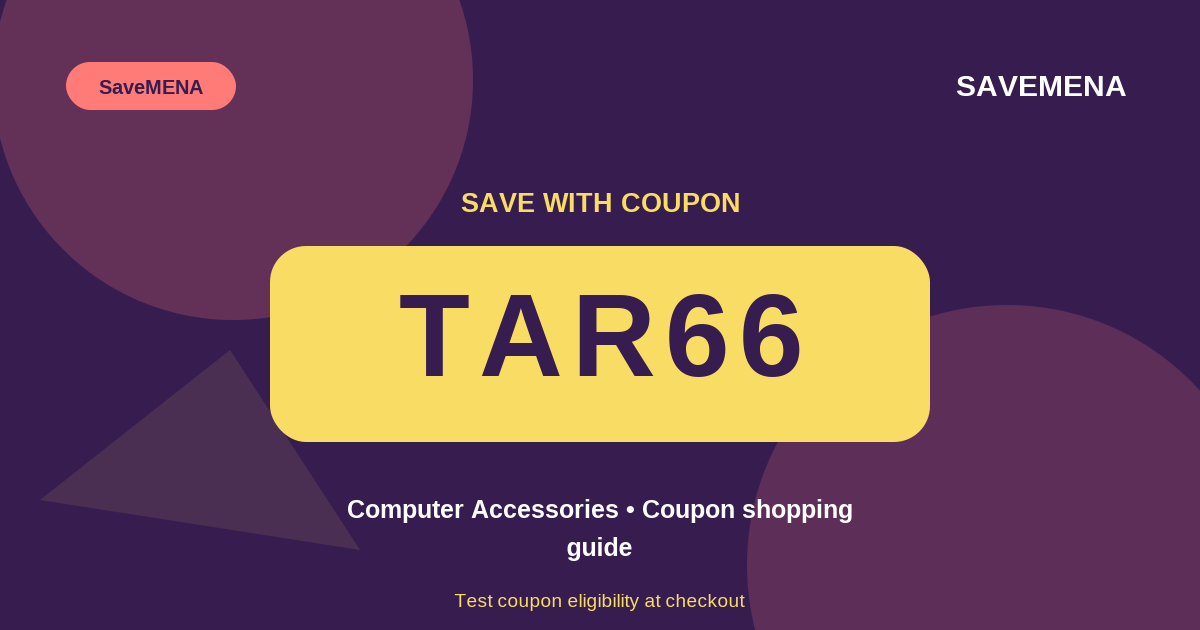
Codes available to try while comparing
These codes are not guaranteed for the article topic or listed brands; test them at checkout and use the live result.
Coupon Integration Strategy
Begin by locating the coupon entry field at the bottom of the cart page. Enter “TAR66” and press Apply. The site will attempt to match the code against current promotions. If the coupon is active, the cart total will update automatically. If it does not apply, a message will indicate the mismatch. Position this step early, before submittal, to avoid missing eligibility windows that may close after checkout. The presence or absence of a successful apply action provides a clear, immediate signal that the coupon will be honored in the selected account context.
The computer accessories section is broad, covering peripherals, cables, and protective gear. Some promotions the coupon code only premium brands, while others cover standard items. When the coupon applies, verify that the discount affects each eligible product in the cart. A partial application could mean that only one item receives the benefit, while others remain full price. Cross‑check that the item list underneath the code application confirms consistent savings across the accessory range. This assessment helps confirm the coupon’s relevance to the specific purchases you intend to finalize.
Individual Item Price Comparison
With Noon’s marketplace model, multiple sellers list the same accessory type, each with distinct pricing and shipping terms. Visit the product’s detail page and examine the price history overlay, if available, to gauge normal market fluctuations. Pay special attention to any additional fees displayed beside the base price, such as service charges or incidental surcharges. In some cases, a seemingly lower sticker price may be offset by a higher delivery fee, reducing overall value. By comparing each vendor’s full cost structure side by side, you can spot the most economical option that fits your account’s benefit profile.
Extend the comparison beyond a single accessory; group similar items—mouse, keyboard, monitor accessories—into a list. Use a spreadsheet or note card to record base price, delivery cost, seller rating, and any available coupon percentage. Incorporate the account context by flagging items that benefit from rollover credits or subscription perks. After compiling this data, compute the net cost per unit. The calculation reveals real savings that headline discounts alone cannot convey, ensuring you select the fairest offer for your Noon UAE Computer Accessories purchase.
Seller Reputation and Return Policy Check
Seller trustworthiness directly influences post‑purchase satisfaction. On Noon, each listing displays a seller rating and customer feedback count. A high rating typically indicates reliable shipping times and responsive customer service. However, ratings alone do not guarantee a smooth return experience. Locate the “Return Policy” link beneath the product description to ascertain eligibility window, refund method, and required conditions. This insight is crucial because some sellers restrict returns to a narrow timeframe or demand original packaging, affecting your ability to recoup value if the accessory is defective or unsatisfactory.
Layer this information with your account's return policy nuances. Noon’s standard return window applies universally, but certain sellers enforce stricter terms. When evaluating a purchase, ensure that the return process aligns with your preference for expedited refunds or store credit. Checking this compatibility early in the decision tree prevents later frustration. Additionally, identify whether the seller offers an extended warranty or support plan that could offset minor defects, further elevating the real value beyond the initial price tag.
Leveraging Account‑Specific Loyalty Credits
Many Noon shoppers accumulate loyalty credits through continuous spending or promotion participation. These credits often reset monthly but can be combined with coupon codes for compounded savings. Before proceeding to checkout, review your Noon account dashboard under “Rewards” to confirm the current balance of loyalty points or credits. Note that applying a coupon may or may not consume the same reward pool; verifying the rules in the account settings ensures you understand whether coupons and loyalty credits are additive or exclusive.
If credits are available, experiment by adding the same items to an empty cart and applying the loyalty discount first, then adding the coupon. Notice the difference in the final amount displayed. This simple exercise highlights whether the loyalty system offers a superior deal in your specific purchase scenario. Recording this outcome in your decision log helps future shoppers benchmark similar credit–coupon interactions for other categories.
Free Shipping Eligibility Assessment
Free shipping thresholds vary by seller and product category. Check the cart summary for any free delivery banner or calculate the subtotal needed to trigger the benefit. Observe that the threshold is usually expressed in the shop’s primary currency and may exclude promotional discounts. A card placed into the cart may still qualify for free shipping if its quantity or total price meets the criteria, even after coupon deduction. Confirm that the free shipping flag remains post‑coupon application to avoid surprise fees.
If the free shipping requirement is not met, evaluate whether combining multiple accessories into one order could unlock the benefit. Add a small but complementary item—like a USB hub or cable—just to test if the combined total crosses the threshold. Once confirmed, the extra purchase may be justified if the incremental cost is lower than the shipping fee, thereby improving overall value.
Payment Method Flexibility Considerations
Payment method choice can influence the final payable amount. Noon supports credit cards, debit cards, and digital wallets, each accompanied by its own processing fee and potential cashback. Certain credit cards offer a small percentage rebate on EMI (Equated Monthly Installment) purchases, which could supersede a coupon when cash flow is a concern. Verifying that the chosen payment method aligns with any existing card rewards strategy is essential to capture all available benefit layers.
During checkout, Nolan (a rider's metaphor) the payment summary section to ensure that the fee indicated—if any—was included in the final total. Pay close attention to hidden fees for foreign card usage or chip-and-pin variations, as these can erode the perceived savings delivered by “TAR66”. Confirm that the chosen method does not preclude you from accessing the coupon, especially if the system blocks coupon use when a particular payment option is selected.
Verifying the Final Checkout Total
Once all discounts, shipping, and payment adjustments processed, the final checkout screen presents the revenue amount to be charged. Correlate this figure with your earlier calculations: base price, delivery fee (if any), coupon deduction, and loyalty credit (if applied). Any discrepancy should prompt a review of the coupon’s terms or a reassessment of the seller’s fee schedule.
If the final amount deviates from your expected true cost, use the “View Details” link to see a line‑by‑line breakdown. This transparency helps identify unseen surcharges or misapplied coupons. Should you detect an inconsistency, reach out to Noon customer support for clarification before confirming the order. A responsive support channel often provides official statements on coupon applicability and confirms whether the discount was considered correctly given your account profile.
Post‑Purchase Tracking and Support Protocol
After placing the order, keep the confirmation details and tracking number safe. Noon typically updates your purchase status via email and app notifications. Set a reminder to check the carrier’s delivery window; timely receipt allows you to inspect the accessory’s condition immediately. If an issue arises, refer to the return link in the order details and note the shipment’s return eligibility period, as documents generated at this time confirm your right to refund or exchange.
Continue to monitor the support portal for FAQs on your purchased item category. Noon’s help center often updates procedure guides for common peripheral defects. During the return process, having the order ID and receipt assures a smoother claim. Additionally, capture any time‑stamped screenshots of your experience if needed. This documentation can prove useful when escalating a concern, ensuring your case leverages the best possible resolution.
Related SaveMENA pages
Related articles
Official sources to check
Frequently asked questions
How do I apply the TAR66 coupon?
During checkout, scroll to the coupon section below the cart summary. Type TAR66, press Apply, and confirm the updated total. If the code isn’t accepted, a message will explain why, allowing you to explore alternative savings or contact support.
Does TAR66 work on all computer accessories on Noon UAE?
It is available to try, but the actual applicability depends on the seller and item category. Some accessories may be excluded from the promotion, so verify eligibility on each product page before adding it to your cart.
Can I combine TAR66 with Noon loyalty credits?
Both offers may be available simultaneously, but they may stack or one may override the other depending on Noon’s policy for that transaction. Check the order summary for any changes in the total after applying each benefit separately.
What if the coupon doesn’t apply after I check out?
Re‑enter TAR66 in the coupon field before final payment. If it still fails, review the product’s eligibility and your account status, then consider contacting Noon support for clarification or to request alternates.