ASUS Computer Accessories on Noon UAE: bundle contents — value comparison
When evaluating a bundle, the first question is whether the total price reflects the sum of individual items.
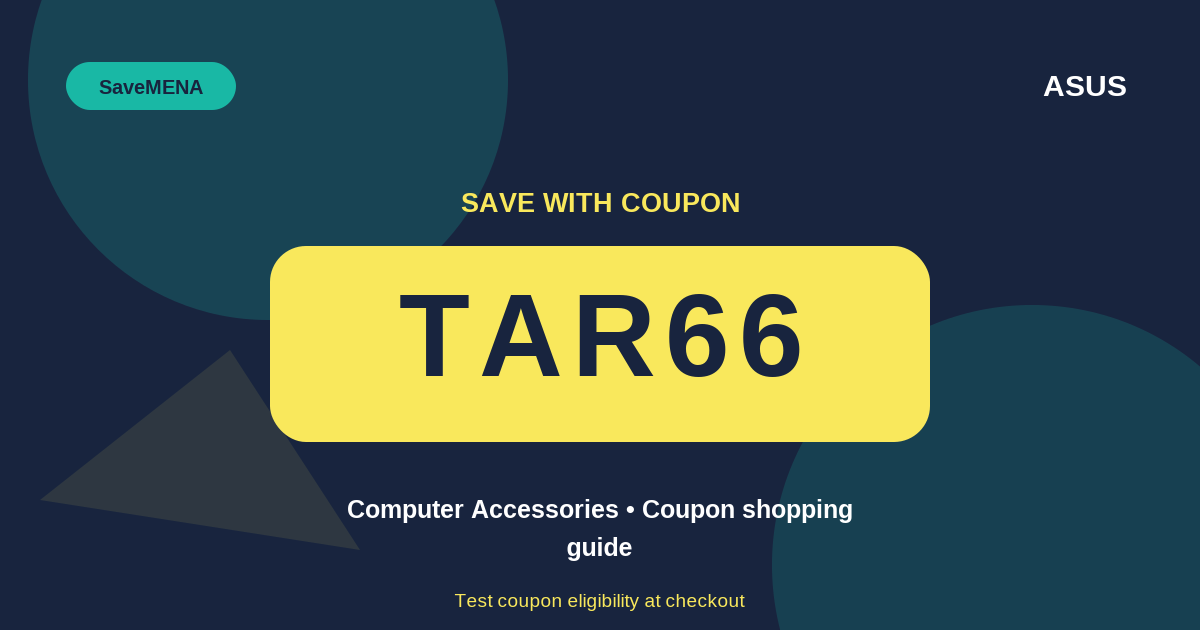
Codes available to try while comparing
These codes are not guaranteed for the article topic or listed brands; test them at checkout and use the live result.
1. Understanding the Bundle Value
When evaluating a bundle, the first question is whether the total price reflects the sum of individual items. Compare the bundle’s listed price to the separate retail prices of each component within the bundle. If the bundle’s price is consistently lower than the individual sum, it indicates a genuine discount. This step also requires verifying that every item claimed in the bundle description is actually included, avoiding hidden omissions that can affect overall value.
Next, assess the bundle’s relevance to your setup. For ASUS users, the presence of accessories that complement flagship GPUs, motherboards, or laptops is key. Verify that each accessory—such as a cable, power dock, or adapter—matches your specific ASUS model. A bundle that includes irrelevant parts reduces practical value and can leave you with unusable extras.
2. Compatibility Check
The second practical decision step is to confirm that each accessory will physically and logically fit your ASUS device. Verify connector types, form factors, and software requirements. For instance, a USB‑C charger or a docking station must match your laptop’s port configuration. This check prevents unnecessary returns and ensures that your bundle truly enhances your workflow.
Compatibility also extends to firmware support. Some ASUS peripherals require firmware updates to function optimally. Before purchase, search the ASUS support site for any notes on updated drivers or firmware versions. Ensuring that your accessories and device firmware are aligned safeguards your investment against future obsolescence.
3. Quantity and Mix
Assess whether the bundle offers a balanced mix suited to your needs. A bundle with too many of one type of accessory, such as numerous cables, may inflate price without added benefit. Analyze the quantity of items against your anticipated usage patterns. For example, if you rarely move your notebook, an extra AC adapter may be superfluous.
Conversely, a bundle lacking essential items—like an external hard drive or a surge protector—might leave gaps in your setup. Compare the bundle’s composition to a checklist of your requirements. The goal is to strike a balance where the bundle’s contents exceed your baseline needs without unnecessary extras.
4. Price Per Item Analysis
Deconstructing the bundle price into individual per‑item costs reveals hidden value or hidden expenses. Divide the total bundle price by the number of items. A lower per‑item cost often signifies a stronger deal, but remember that the price should still reflect item quality. Use this metric to spot outliers—items priced excessively high can skew the bundle’s overall appeal.
When performing this calculation, include any applicable taxes or local fees that will apply at checkout. Although Noon UAE typically adds VAT, the actual payable figure may shift slightly. Verify the taxed price and recalculate to get an accurate per‑item cost that will truly influence your purchasing decision.
5. Hidden Costs
Direct bundle pricing can mask additional charges such as shipping, handling, or import duties. Some bundles may have free shipping thresholds, while others could incur extra delivery fees. Check Noon’s policy for the specific seller to understand if shipping is included and if it applies to multi‑item bundles.
Also, examine return policy fees. Even if physical returns are free, processing fees may apply depending on the bundle’s composition. Recording all potential extra fees ahead of the purchase ensures the final payable amount truly reflects the bundle’s cost, preventing surprise expenses after checkout.
6. Warranty and Return Policy
Warranty coverage is essential when buying bundles, especially for components that are prone to wear or electronic failure. Confirm that each item is backed by a manufacturer warranty and that the warranty terms are comprehensive for the entire bundle. Some bundles bundle items under a single warranty, while others offer individual coverage.
Return guidelines are equally critical. Verify that the seller accepts returns for faulty components, and note any return windows. Some bundles may have a unified return period, but individual accessories could have different policies, which may affect your risk tolerance when making the purchase.
7. Using TAR66 Coupon
The coupon code TAR66 can be entered during the Noon checkout process to potentially earn an additional savings boost. Although no guarantee exists for its applicability, it is worth trying, especially if the bundle qualifies for general discount codes. Try inputting the code at the payment stage and observe whether a reduction becomes visible.
Keep in mind that coupon eligibility can depend on the seller’s policy and the specific bundle SKU. Even if the code does not apply, you will still benefit from the bundle’s inherent discount if the bundle is priced lower than the sum of its parts.
8. Final Verification Checklist
Before finalizing the purchase, perform a comprehensive ‘go‑or‑no‑go’ review: confirm bundle inclusions, verify compatibility, assess per‑item cost, identify any hidden fees, and confirm warranty plus return timelines. Lighting this final check at the checkout page ensures every factor aligns with your expectations.
Once satisfied, proceed to apply the TAR66 code (if applicable) and complete the payment. After confirmation, monitor the invoice for the final payable amount, and keep a copy of the order summary for future reference or returns. This disciplined approach guarantees confidence in the value you receive.
Related SaveMENA pages
Related articles
Official sources to check
Frequently asked questions
Does the bundle include all items listed?
Verify the bundle description on Noon’s product page and cross‑check with your shopping cart. If items appear missing, contact the seller before finalizing the purchase.
Will the TAR66 coupon apply to this bundle?
Enter the code at checkout to see if a discount applies. No guarantee is offered—result depends on seller and bundle eligibility.
How do I confirm compatibility with my ASUS device?
Check the listed specifications, connector types, and firmware requirements. ASUS support resources can verify whether the accessories match your model.
Are there extra shipping fees for this bundle?
Examine the seller’s shipping policy on Noon. Shipping costs may vary and could add to the final payable amount.