Dell Computer Accessories on Noon UAE: payment method — value comparison · TAR78
When you’re hunting for computer accessories on Noon UAE, the headline percentage shave often feels like the main attraction, but it can mask underlying costs that
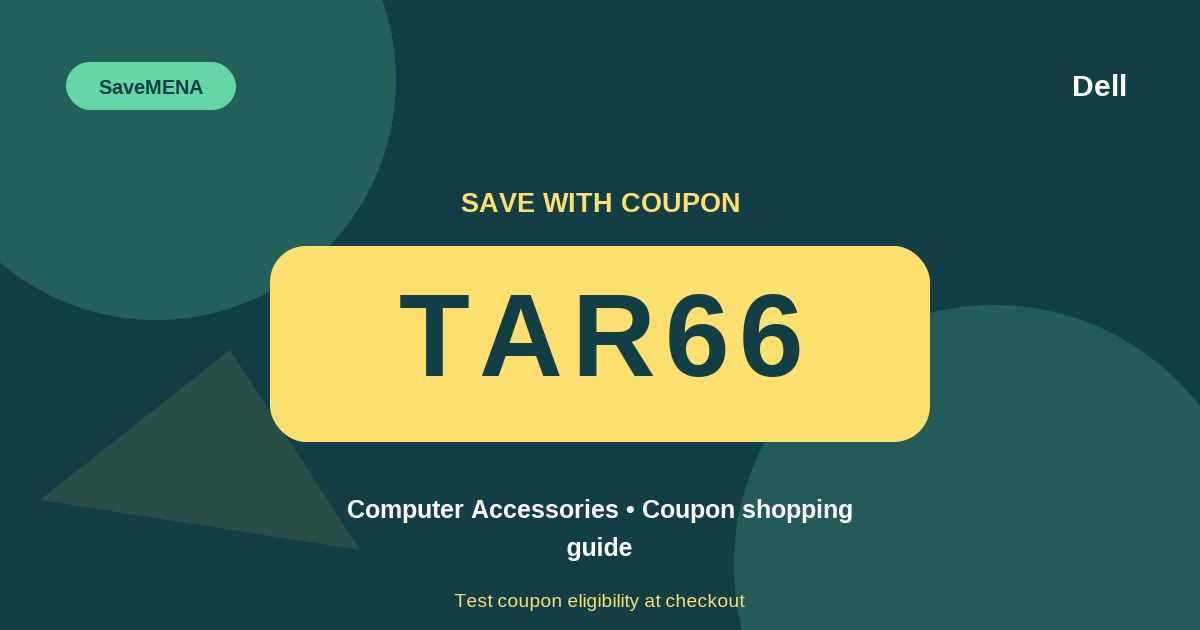
Codes available to try while comparing
These codes are not guaranteed for the article topic or listed brands; test them at checkout and use the live result.
1. The Layers of “Best Value” on Noon UAE Computer Accessories
Headlines on Noon often boast a high percentage discount, but those numbers rarely reflect the whole picture. The real value of a Dell accessory purchase is determined by the net amount you pay after applying all promotional bundles, shipping fees, and payment method charges. Shoppers should consider the base price, any exclusive upgrades for premium payment methods, and whether the product includes extended warranty or support at no extra cost.
When evaluating the best value on Noon UAE Computer Accessories, always inspect the “Detailed View” for hidden costs. Items that list a low discount may still offer free rapid delivery or bundled accessories depending on the payment method chosen. A thorough comparison of two ostensibly similar Dell products will often reveal that one is a better deal when you factor in all these add‑ons, especially if you’re using a Noon payment method that offers cashback or zero‑interest installments.
2. Beyond the Header: How Real Value Emerges from Full‑Price Breakdown
A headline discount might cut the sticker price by 20‑the discount shown at checkout, yet an additional 3‑the discount shown at checkout charge for expedited payment or a shipping fee can diminish the savings. On Noon, each checkout step allows you to view the final payable amount, including any dynamic fees added by the payment provider. Paying with certain debit cards or Noon Credit can sometimes trigger a small surcharge, which must be factored into the total.
To truly capture the best value, compare the final payable price for each Dell accessory across payment options. For example, a product might have a higher headline discount but still end up cheaper after applying a zero‑interest installment plan that spreads the cost without extra fees. Remember, the shopper can’t guarantee the coupon’s success; the checkout will confirm whether the discount is applied.
3. Choosing the Right Noon Payment Method for Dell Accessories
As payment method is the lens of this guide, it’s crucial to understand how Noon’s payment options affect your ending bill. Options range from credit/debit cards and Noon Store Credit to extended payment plans and integrated wallets. Some methods carry lower transaction fees or provide cash‑back rewards, changing the net value of a Dell accessory significantly.
If you’re interested in an installment plan, verify that the chosen Dell product is eligible for Noon’s “Pay Over 6” or “Pay Over 12” features. These plans typically clip the monthly payment without additional interest, which can be advantageous for higher‑priced accessories such as monitors or docking stations.A coupon is not guaranteed; verify its result at the retailer checkout.
4. Applying the TAR78 Coupon: Practical Steps for Maximum Benefit
Before finalizing purchase, locate the “Enter Coupon Code” field on the checkout summary page. Type TAR78 carefully and hit “Apply.” The system will instantly update the final payable total, showing whether a discount has been granted. If the code doesn’t work, proceed to pay normally; it’s not guaranteed, but the code is available as a trial.
When using TAR78, the discount is applied after selecting any payment method but before taxes and shipping are added. This means you should choose your intended payment method first, then apply the coupon. Doing so ensures any potential payment‑related savings or fees are truly reflected in the final price. Should the coupon be rejected, you’re still free to explore other Noon promo codes or look for sales events.
5. Extra Perks: Cashbacks, Installments, and Dell Warranty Benefits
Noon frequently partners with payment providers to offer cashbacks on specific categories, including computer accessories. Since Daval accessories often carry a high price tag, a cashback of a few percent can substantially improve deal quality. Payers can check the “Cashback” field on the checkout summary to confirm the benefit applies after coupon usage.
Additionally, Dell sells extended warranty packages that can be added during checkout. Most warranties have a fixed fee regardless of payment method, but some Needing Financing Plans may subsidize the warranty cost. Always evaluate if the warranty fee is still worth it by comparing the potential service cost in the event of a malfunction.
6. Timing, Stock, and Price Locks: Ensuring the Deal Holds
Noon’s inventory for Dell computer accessories can fluctuate rapidly, especially during global or local sales events. To lock in the returned final payable total, verify again after finalizing the coupon code just before confirming payment. A sudden stock change can trigger the system to recalculate shipping or offer a different variant.
Use the ‘Price History’ tab if available to ensure the current price isn’t a temporary spike. Some items labelled “Limited Stock” might cost slightly higher later, so redeeming the coupon early can secure a better rate. Always re‑confirm your chosen payment method in the final review screen; changing the method after applying a coupon might reset the discount.
7. Avoiding Payment‑Related Pitfalls When Buying Dell Accessories
Even a price‑savvy shopper can fall into common payment pitfalls. Some credit cards may require a minimum spend for cashback, and others may automatically switch to a higher fee tier when using fewer than the stated limit. Check your card’s fine print before choosing it as your Noon payment method.
Moreover, if you choose a split‑payment plan but the cart total changes after applying the coupon, the installment calculation might no longer fit your initial budget. In such cases, Noon will prompt you to adjust the payment plan or switch to a side‑by‑side one‑time payment. Always review the “Payment Plan” breakdown before finalizing to avoid surprise fees.
8. Weighing Your Options: A Final Checklist for the Best Value
Before you hit “Place Order,” run through a quick checklist: 1) Verify the final payable amount after the Coupon is applied; 2) Ensure the chosen payment method aligns with your budget and offers zero or minimal transaction fees; 3) Double‑check that any warranty or cash‑back offers are still attached; 4) Confirm that the checkout process did not change the product variant or shipping option.
When all these pieces align, you’ll have secured a Dell accessory that truly reflects the best value on Noon UAE Computer Accessories. The key lies in recognizing that headline percentages are just the start; the true savings come from a careful assessment of payment‑method benefits and final payable totals.
Related SaveMENA pages
Related articles
Official sources to check
Frequently asked questions
What should I verify when using a coupon during checkout?
Always double‑check that the discount is reflected after selecting your payment method, review the final payable amount, ensure no extra shipping or transaction fees arise, and confirm that any cashback or loyalty offers still apply. The coupon may not guarantee a discount; the checkout screen is your final confirmation.
Can I switch payment methods after applying the coupon?
It’s best to choose your payment method before applying a coupon to see the true net savings. Changing the method afterward might affect applied discounts or introduce new fees, so review the checkout summary after any change.
How do installment plans affect the benefit of a coupon?
Installment plans usually calculate monthly payments based on the total after any coupon is applied. However, some coupons or promotional codes are email‑exclusives that may not apply to split‑payments, so verify in the payment plan breakdown.
Will a coupon code affect my warranty coverage?
The final warranty fee is typically added after coupon code processing. The coupon does not alter warranty terms; it only reduces the product price. Verify the warranty cost on the final review page regardless of the coupon usage.