Apple Tablets on Noon UAE: payment method — value comparison · TAR78
When scouting Noon’s tablet catalogue, start by matching core requirements: screen size, storage, processor, and ecosystem compatibility.
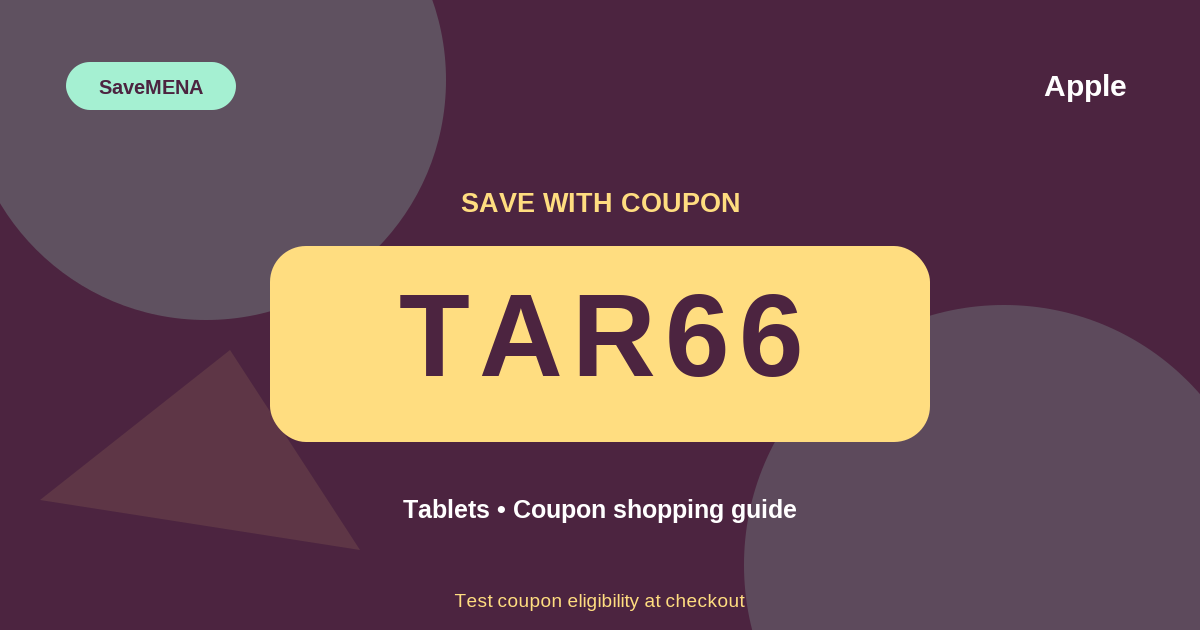
Codes available to try while comparing
These codes are not guaranteed for the article topic or listed brands; test them at checkout and use the live result.
Choosing a Tablet: Aligning Specs with Your Needs
When scouting Noon’s tablet catalogue, start by matching core requirements: screen size, storage, processor, and ecosystem compatibility. Tobacco “best value” often signals a price drop, but it may also hide a lower‑end model that lacks future‑proofing. A mid‑range device that supports both Apple and Android apps, for instance, offers flexibility if you intend to use an Apple payment method because it won’t lock you into a single brand’s ecosystem.
In addition, read user reviews that discuss battery life and build quality. Tablets with higher upfront prices sometimes yield better long‑term savings by requiring fewer repairs or upgrades. This upfront investment level is key when you’ll be using an Apple payment method for future transactions, as Apple’s payment ecosystem rewards consistent, high‑quality cards with faster processing and secure authentication.
Apple Payment on Noon: Unlocking Convenience and Security
Apple payment on Noon UAE allows you to process orders directly from your device or web browser using your Apple Pay credentials. The key benefit lies in the transparency of the final payable total: the checkout will display any applied coupons and dynamic tax calculations before you confirm. This step lets you verify that the Apple payment method didn’t add hidden fees, unlike some third‑party payment options that might cherry‑pick surcharges only revealed at the end.
To use Apple payment, you need an updated Apple device with a valid card linked to Apple Pay. The integration with Noon’s platform may vary depending on the region, so make sure the site recognizes your Apple Wallet before adding the tablet to your cart. If the payment gateway acknowledges your Apple link, you can trust that the checkout process is streamlined and that the currency conversion rates are handled by Apple Pay’s backend.
The Real Cost of Tablets: More Than the Discount Tag
A headline discount—say, the discount shown at checkout off—only paints half of the picture. The true value emerges once you factor in shipping fees, the cost of Apple payment integration, and any coupon codes such as TAR78 that might apply to your order. Noon’s cart overview will typically list the base price, then show each deduction line by line, so you can see how the final amount is constructed.
A careful comparison requires you to account for the total price under different payment methods. Apple payment may bypass certain merchant fees, while other methods could incur a small surcharge. Checking the final payable total for each option ensures you are not misled by a seemingly great discount that is offset by extra charges hidden in the checkout step.
TAR78 Coupon Dynamics: How to Try It Safely
The TAR78 coupon can be applied during the checkout process on Noon UAE. It is available for you to try, but its effect on the final price could change with each order depending on eligibility rules that Noon may update. To maximize its use, enter the code in the designated “Coupon” field before the payment phase so the cart recalculates the total.
A coupon is not guaranteed; verify its result at the retailer checkout. If TAR78 is applied correctly, you should see a separate line item reflecting the discount before you confirm payment via Apple. Should the coupon not appear, verify if there are restrictions such as a minimum spend, or if the promotion is indeed active for the particular tablet model you selected.
Combining Apple Payment with Coupons for Optimal Savings
Leveraging Apple payment together with a valid coupon like TAR78 can occasionally unlock an extra layer of savings, especially if Noon offers a "pay with Apple" bonus. However, this bonus isn’t always additive; it may instead adjust the invoice after the Apple payment confirmation. The key is to record the cart total after each step—first after coupon, next after Apple payment—to gauge the real benefit.
If you notice a difference in the final amount when switching between payment methods in the cart preview, note the exact figures. Keep a quick snapshot of these amounts for comparison. This information will be crucial when you verify discounts at checkout, ensuring that the Apple payment method truly maximizes your net savings along with the coupon’s impact.
Timing the Market: Seasonal Sales vs. Regular Offers
Noon’s tablet deals change with supplier inventory and seasonal promotions. Saws such as end‑of‑season sales or holiday events can temporarily reduce the base price, but you still need to see how the Apple payment method influences the final bill. The discount structure may shift the order in which Apple privileges or coupon codes apply, especially after a new promotion starts.
To ensure you capture the best value, regularly monitor Noon’s tablet listings for sudden price drops. Setting alerts or following Noon’s official social channels can give you a heads‑up before deadlines pass. At the same time, revisit how the Apple payment gate processes your checkout on each date; sometimes a deeper discount will be presented only after the Apple payment confirmation, which shifts the effective discount percentage.
Post‑Purchase Verification: Ensuring Payment Accuracy
After you proceed with Apple payment, the order confirmation page displays the exact paid amount, including tax, shipping, and any applied discounts such as TAR78. Compare these amounts with what you saw in the cart to identify discrepancies. An incorrect total might indicate a lag in coupon processing or a mis‑calculated tax that only surfaces after final payment.
If you spot a misalignment, contact Noon’s customer support before the payment voice prompt completes. Many platforms allow a brief cancellation or pause after order submission; leveraging this window can prevent a mis‑charged transaction. Do not wait for the confirmation email; double‑check the payment screen first, as email notifications may sometimes lag behind the live payment confirmation.
Your Bottom Line: Calculating Total Cost After All Discounts
The final payable amount is the sum of the base tablet price, any shipping or handling fees, and taxes, minus all eligible discounts: coupon codes like TAR78, Apple payment rebates, or seasonal reductions, and any purchase‑specific savings. By systematically logging each figure, you translate headline percentages into a concrete dollar value that reflects your actual out‑of‑pocket cost.
Once you have that precise figure, compare it against similar tablet options on Noon, paying particular attention to whether they also support Apple payment. If an alternative model yields a lower final net cost, even if its headline discount is smaller, it may represent better overall value. This approach ensures that your purchase is driven by genuine savings, not just marketing psychology.
Related SaveMENA pages
Related articles
Official sources to check
Frequently asked questions
How do I apply a coupon code during checkout?
You enter the coupon, such as TAR78, into the “Coupon” field in your cart before confirming payment. The cart updates the total after the code is added, allowing you to see the discount before processing with Apple payment.
Does using Apple payment add any hidden fees?
Apple payment generally does not add extra fees; it only passes your transaction through Apple’s secure network. Verify any fees in Noon’s cart summary before confirming the payment.
Can I cancel the order after I choose Apple payment?
You can usually pause or cancel immediately after initiating payment but before final confirmation. For exact steps, check Noon’s cancellation policy during the checkout process.
Will the TAR78 coupon work on all tablet models?
Coupon applicability varies; some models may exclude particular Apple payment deals. Check the coupon section in the cart for any listed restrictions before finalizing the purchase.