HP Computer Accessories on Noon UAE: price changes — value comparison
Price changes on Noon UAE can happen for a variety of reasons—stock adjustments, promotional cycles, or seller competition.
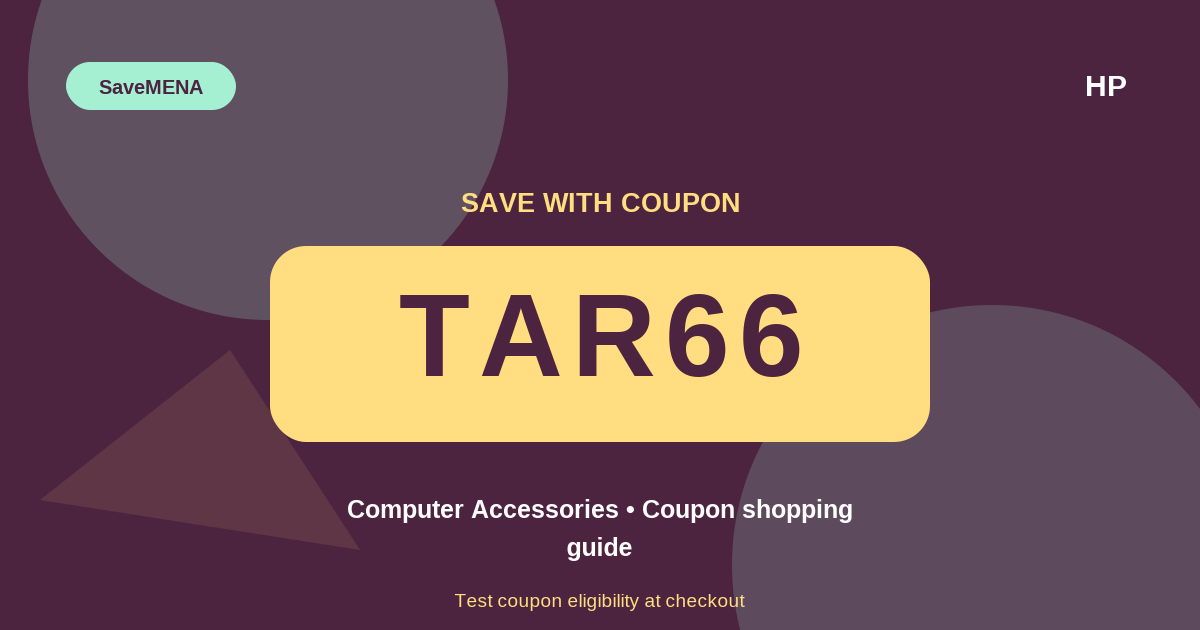
Codes available to try while comparing
These codes are not guaranteed for the article topic or listed brands; test them at checkout and use the live result.
Best Value on Noon UAE Computer Accessories HP Rechecking After a Price Change
Price changes on Noon UAE can happen for a variety of reasons—stock adjustments, promotional cycles, or seller competition. When a HP accessory’s price drops, the first instinct is to hunch towards the new lower figure, assuming it’s the best possible deal. However, a recent drop can also be a signal that the item was previously overvalued or that a new model has entered the market. By contextualising the current price against its recent past, you ensure that the discount you see isn’t just a fluke but a genuine bargain relative to the accessory’s typical market range.
Beyond headline percentages, the real measure of value involves confirming what the discount actually saves you at checkout. Since Noon’s displayed percentage discount is calculated against the original price each day, it can be misleading if the original price itself was inflated. It is therefore essential to check the live price at checkout, apply the TAR66 coupon, and see if the resultant amount matches or improves upon the anticipated savings. Only then can you confidently claim you are receiving the best value on HP accessories in the UAE market.
Track Historical Pricing with Noon’s Price History Feature
Noon UAE provides a price history graph for most products, allowing you to view the pricing trend over the past few weeks. By pausing the mouse over the graph you can read the exact price on any given day, including the previous day’s price. When you see a HP accessory’s recent drop, you can directly compare it against its average price over a 30‑day window. This comparison helps you understand whether the current price truly represents a discount or if the accessory is normally priced similarly to the present value.
To make the most of the price history, note the timestamps of any sudden changes. If the drop coincides with a known sale period, it might be part of a promotion; if it appears after a standard pricing adjustment, it could reflect better market alignment. Once the data shows a sustained lower range around the current price, you can proceed with confidence that the discount is genuine and not an outlier caused by a relisting or limited‑time offer.
Compare Seller Ratings and Return Policies Before Adding to Cart
Even with a solid price, an accessory’s value is incomplete without reliable seller performance. Sellers listed on Noon UAE can vary in their response times, product authenticity guarantees, and return procedures. A high seller rating—coupled with a history of positive feedback—reduces the risk of receiving a counterfeit or defective product. For HP accessories requiring warranty support, choosing a certified or well‑reviewed seller is essential, as it ensures that post‑purchase support and potential repair claims will be handled promptly.
Before you finalize the purchase, review the seller’s return policy. Check the policy length, how returns are processed, and whether return shipping costs are borne by you or the seller. Some sellers allow free returns within a short window, whereas others impose a non‑refundable processing fee. Confirming these details protects you from unexpected costs after you have paid, while also giving you a clearer sense of the accessory’s perceived value beyond the initial price.
Verify Product Variant Compatibility with Your HP Device
HP offers a wide range of computer accessories—USB hubs, docking stations, external drives, and more—each tailored to specific laptop or desktop models. A price drop on a generic "USB 3.0 Hub" may look tempting, but if it’s not compatible with your HP 15‑series laptop’s USB‑C architecture, the perceived savings evaporate. On Noon UAE, each listing typically includes the exact HP model compatibility and recommended use cases. Match those details with your device’s specifications before adding the item to the cart.
When the listing lacks explicit model numbers, cross‑check the accessory’s specifications with the HP Support website or your device’s user manual. Verify key aspects such as port type, power delivery, and firmware version. A mismatch can lead to faulty operation, power issues, or incompatibility with essential features—an outcome that negates any discount you might have enjoyed. Ensuring variant compatibility saves you the frustration of returns and lost money.
Check for Bundle Offers and Free Gift Extras
Noon UAE often packages HP accessories with complementary items—extra cables, protective sleeves, or charging docks—to create bundled deals. These bundles frequently carry a steeper headline discount, but the real value depends on whether you need each included component. Reviewing the bundle contents before buying lets you calculate the cost of each item as if bought separately, thus revealing whether the bundled price truly offers a better value than purchasing the needed accessory alone.
During your evaluation, watch for hidden extras such as upgrade coupons or loyalty points that may be automatically applied post‑checkout. While some bundles allow you to replace or remove a component, others are fixed. If the bundle includes a non‑essential item (for example a non‑warranty cable), you may be paying extra for something that will never be used. In such cases, a single‑item purchase might actually give you a cleaner, more cost‑effective solution.
Apply the TAR66 Coupon at Checkout and Listen for Confirmation
Once you have identified an HP accessory that passes price, seller, and compatibility checks, add it to your cart and proceed to checkout. At the final summary page, you’ll find an input field where you can enter coupon codes. Type “TAR66” and submit—this step is crucial because the coupon’s effect on the final price is confirmed only after this point. Some coupons expire outside the price window, or may not apply if certain criteria are not met.
After submitting the coupon, watch for a confirmation banner that displays the new total, including the discount amount. If the banner is missing or says “invalid coupon,” the code is not eligible for this item or transaction type. In that case, note the amount shown and consider using the coupon on a complementary item or exploring alternative discount avenues provided by Noon UAE.
Reevaluate Your Cart When Prices Drop Before Final Confirmation
It’s not uncommon for Noon UAE to adjust prices even after an item has entered the cart, especially if there is a flash sale or sudden inventory shift. If, after adding the HP accessory, you notice a lower price display on the cart page, the platform may automatically update your subtotal. However, sometimes the store page’s updated price does not reflect in the cart until you refresh, so double‑checking the cart is essential.
When you see a price drop post‑add, you can choose to confirm the new amount, remove the item and re‑add it at the lower price, or keep the original to avoid losing any seller‑specific offer. Most importantly, reapply the TAR66 coupon after refreshing the cart to see if it still holds. Only after the cart reflects the final discounted amount should you proceed to payment.
Confirm Delivery Terms and Fees in the Final Summary
Before completing your purchase, scroll through the final checkout summary to verify that there are no unexpected delivery fees, handling charges, or additional taxes. Noon UAE’s shipping cost structure can vary based on location, product weight, and seller fulfillment center. For example, a 1.5‑kg HP external hard drive may ship for free, whereas a larger docking station may incur a nominal fee.
Also confirm that the payment method you plan to use (e.g., online credit card, cash on delivery, or Nol) is available for the transaction. Some sellers only support specific payment modes, and certain modes may have limits on coupon usage or promotional discounts. Once you’re satisfied that the total, shipping, and payment all align with your expectations, finish the checkout and keep the confirmation receipt for future reference.
Related SaveMENA pages
Related articles
Official sources to check
Frequently asked questions
Can I use the TAR66 coupon on a bundle deal for a HP accessory?
The coupon may only apply to individual items or bundles depending on Noon UAE’s current promotion rules. Check the final summary for a confirmation message indicating whether the coupon was applied, and consult the coupon description if you can find it.
What happens if my HP accessory’s price changes after I’ve already checked out?
Once the purchase is finalized, the price you agreed to is locked in. Noon UAE does not automatically refund the difference if the price drops after checkout. Be sure to verify the price again in your cart before confirming the order.
Is it safe to buy HP accessories from third‑party sellers on Noon UAE?
Safety depends on the seller’s rating, return policy, and authenticity guarantee. High-rated sellers with clear return terms and product authenticity statements are generally safer. Always review seller information before purchasing.
Will the TAR66 coupon add any delivery fee savings?
Coupons typically affect product prices and do not automatically reduce delivery fees. However, some promotions may include free shipping. Check the final summary to confirm whether the delivery fee is waived.