Electronics on Noon UAE: price changes — value comparison
best value on Noon UAE Electronics rechecking after a price change: When an item on Noon UAE Electronics drops or rises in price, knowing the original list price
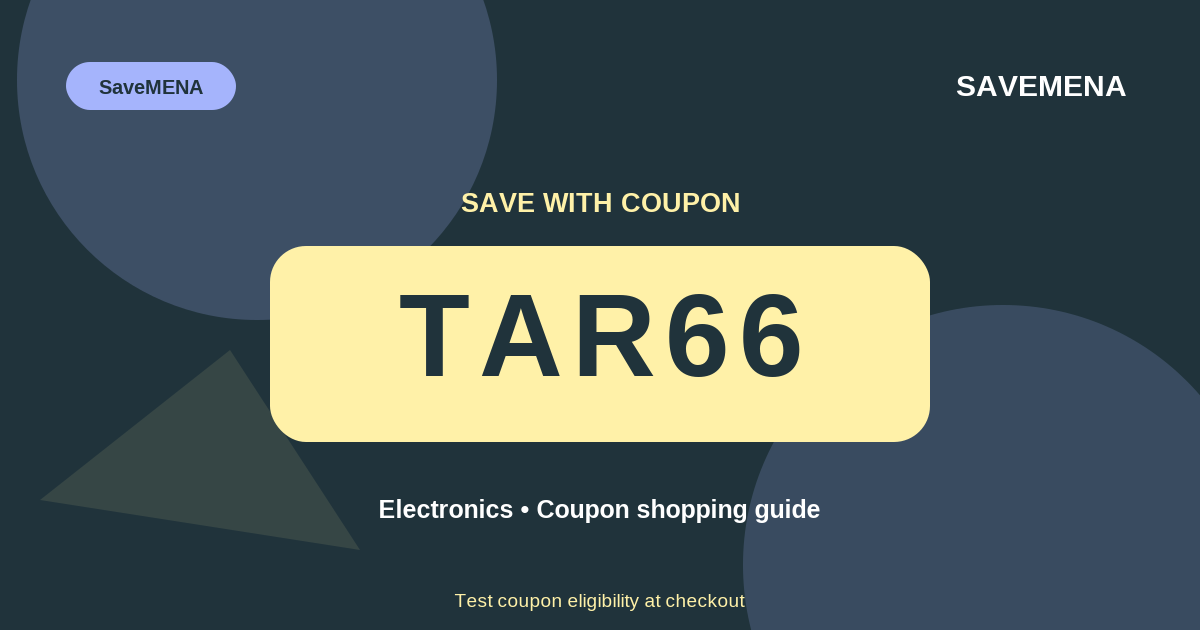
Codes available to try while comparing
These codes are not guaranteed for the article topic or listed brands; test them at checkout and use the live result.
1. Capture the Original List Price
Every Noon listing displays a “List” price separate from the discounted “Sale” price. Hover or click on the item to view the original MSRP or wholesale cost. Snap a screenshot or write down the number before any further actions. This reference point allows you to calculate real savings after changes, ensuring you’re not misled by a hidden price drop that happened after you added the item to your cart. Remember, Noon’s dynamic pricing can alter the final amount, so having a baseline is critical for a fair comparison.
For accuracy, log the timestamp of your capture. Noon’s pricing engine updates prices every few minutes; a noted date and time help you track when shifts occurred. Some shoppers misinterpret an unchanged list price as a permanent deal, overlooking micro-fluctuations that may happen later in the day. By documenting the exact figure, you create a factual proof that the eventual checkout price matches or exceeds the value you anticipated.
2. Monitor Price Alerts & Notifications
Noon offers a price alert feature through its app. Enabling alerts on a product ensures you receive a push notification whenever the price changes. Review the alert before adding anything to the cart. This step lets you cross-check that the price in your alert matches the list price you noted. If a price suddenly dips, you can decide whether to wait for a lower offer or lock in the current one.
While alerts are handy, always double‑check the quantity and shipping information. A notification might reflect the lowest available price for a single unit, but bulk purchases often trigger tiered discounts that alter the final cost. Verify that the alert’s price applies to the exact variant you want and that no additional variables (like add‑ons) affect the total.
3. Observe Cart Price Dynamics
Once the item is in your cart, the displayed cost will update instantly as Noon’s pricing engine recalculates. Watch the number shift in real time as the timestamp changes. This instant feedback tells you if a price reduction has already been applied before you finalize the purchase. If you observe a new lower price, it may be safer to proceed, provided all cart details remain unchanged.
Never assume the cart total is final; some purchases have dynamic adjustments based on time, cart size, or coupon linkage. For instance, a discount may activate if you accumulate a certain cart value. Keep the cart visible until you confirm that no further changes occur before moving to checkout.
4. Reapply Optional Coupon Codes
The TAR66 coupon code can be attempted at checkout, but its applicability isn’t guaranteed. Enter the code in the designated field and click “Apply.” Observe the new price and click through to confirm that the code does, in fact, influence the final amount. If the discount doesn’t register, proceed without it—neither the coupon’s benefit nor the original price has changed beyond what’s already listed.
It’s crucial to notice if the coupon applies only under certain conditions—like specific categories or minimum spend requirements. Even if the code fails, rechecking ensures no hidden error prevents the discount from activating. Document whether the code attempted had an effect; this data helps you gauge whether future attempts are worthwhile.
5. Verify Shipping and Handling Fees
Shipping costs on Noon can vary based on delivery speed, location, and item weight. After applying any price changes or coupons, confirm that the sum of shipping and handling remains consistent. Often, a price drop can trigger a free‑shipping threshold; if that happens, you may need to re‑apply the coupon or adjust your cart.
Check the delivery time estimate next to the shipping fee, noting any changes that may accompany a price reset. Some sellers add a processing fee when the price drops, an extra cost that can negate perceived savings. Ensuring the shipping cost is correct protects you from unintended premium charges.
6. Confirm Warranty and Return Conditions
Warranty terms and return policies may be tied to the product’s final price. After a price adjustment, revisit the product page’s warranty details; a reduced price sometimes includes an extended warranty or different return window. Verify that the terms haven’t shifted to a less favorable stance.
Also review the return shipping policy—whether the customer bears the cost at this new price point. A cheaper price can sometimes mean higher return fees, especially if the seller shifts responsibility. Verify all these nuances before completing the purchase.
7. Cross‑Check Competitor Listings
While Noon may offer the lowest price after a recent adjustment, compare the same variant on other UAE e‑commerce platforms. Record their list prices, shipping costs, and any available coupon codes. This comparison helps confirm that Noon’s rechecked price truly represents the best deal.
When tracking competitor prices, also note their return policies and warranty coverage. A slightly higher price may still equate to better customer service. Ensure you integrate all these variables into your final evaluation to avoid a false sense of discount.
8. Final Checkout Confirmation
At checkout, review every line item: the item price, shipping, taxes, and any applied discounts. Double-check that the displayed total matches the sum of the cart total and shipping, and that no hidden fees appear. If the total has shifted unexpectedly, investigate whether a new price update or coupon application altered it.
Once satisfied, proceed to payment. If the TAR66 code still applies, commit to the final transaction. If not, finalize using the best discerned price. After payment, keep the receipt/email for proof of the final amount and any terms that might affect future returns or warranty claims.
Related SaveMENA pages
Related articles
Official sources to check
Frequently asked questions
What if Noon changes the price after I’ve already paid?
Noon typically changes prices only for items that are still in the cart prior to checkout. Once payment is confirmed, the final price is locked. If you notice a discrepancy afterward, contact Noon customer support for clarification.
Can I apply the TAR66 coupon after checkout?
No. Coupon codes must be entered before finalizing the order. Once payment is processed, promotional codes cannot be retroactively applied.
Will rechecking after a price change affect my delivery time?
No. Delivery estimates are calculated based on the seller’s shipping options and remain consistent regardless of price adjustments, unless the seller chooses a different shipping tier after a discount.
What should I do if a price drop leads to a higher shipping cost?
Re‑examine the shipping section of your cart. Some sellers trigger free shipping on certain price thresholds; ensure this condition is still met. If not, adjust your cart or choose a different shipping option before checkout.