Puma Men’s Fashion on Noon UAE: offer combinations — value comparison
best value on Noon UAE Men’s Fashion Puma coupon interaction with visible promotions: content Verify the actual item, seller, and checkout total; the coupon is
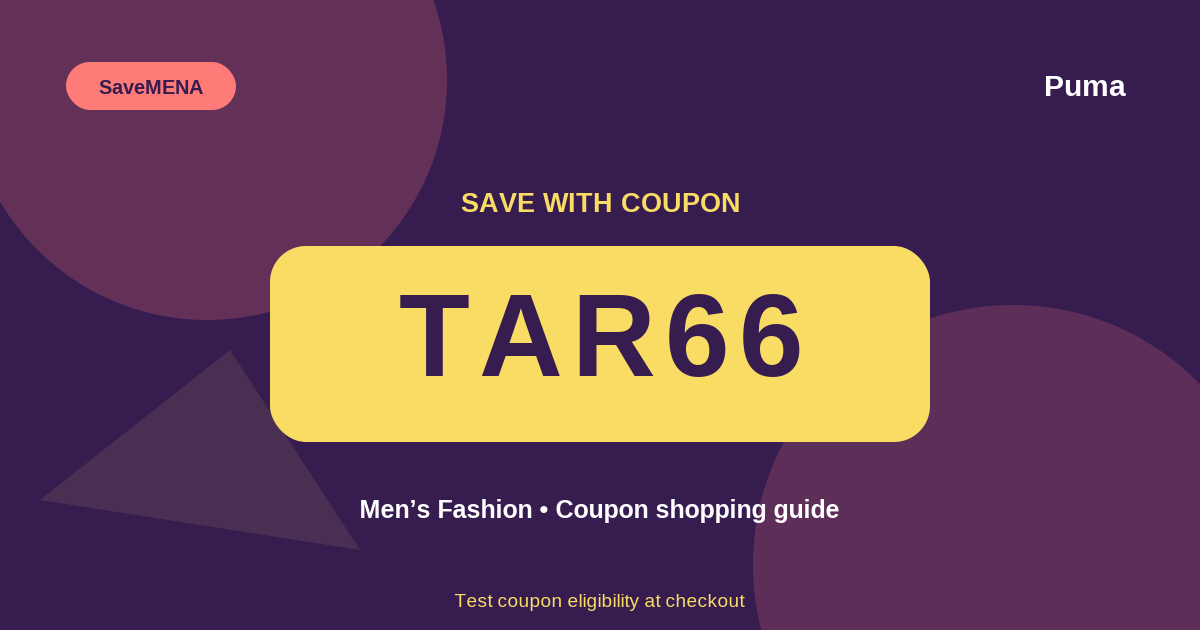
Codes available to try while comparing
These codes are not guaranteed for the article topic or listed brands; test them at checkout and use the live result.
1. Spot the *Visible* Promotions Before You Add Anything to Cart
When you land on a Puma listing, skim the page for banners, percentage tags or “FREE shipping” labels that are highlighted directly by Noon. These are the promotions that are guaranteed to apply during the checkout flow. Pay attention to the wording – some may be “the discount shown at checkout off on select models” while others are “flash sale – buy 2 get 1 free.” Each of these offers has its own terms, such as a minimum quantity or a specific model number. Knowing these upfront will help you judge later how much room there is for a coupon to add more value. The visible promo is usually the first layer of discount, so treat it as the baseline before you factor in any code you might apply.
Remember that any promotion shaped by Noon is already baked into the product’s displayed price or price badge at the time of browsing. As a sideline, check if the promotion is time limited by looking for countdown timers or “ends soon” notices. This gives you a sense of the urgency and the potential cost if you delay your purchase. Once you lock in these details, you can proceed to the next step of evaluating how a coupon can stack on top of them.
2. Measure the Extra Savings Potential of the TAR66 Code
The TAR66 coupon is a currency for trying to reduce your overall spend on the same Puma item you’re interested in. Unlike a visible promotion, the coupon’s effect only materializes when put into the coupon box during checkout. To gauge if it adds real value, compare it against the discount you already have from the visible promotion. If, for example, the sale tag shows a ¥10,000 drop on a Jordan’s track jacket, you’ll want to see whether the TAR66 code cuts further at least by a small margin after all other discounts are applied.
Since no numeric discount is guaranteed for this code, the real evaluation is a yes‑or‑no check: does the coupon apply in your cart? Many shoppers skip this because the code doesn’t always work, but if the code appears in the list of coupons at checkout, that’s a clear sign it has entered the calculation. Keep an eye on the "Coupon applied?" tick box or the reduction line that appears next to the subtotal. Only then can you know if you’re truly gaining extra value beyond the visible deal.
3. Observe How the Coupon Interacts With Visible Promotions in Real Time
During checkout, both the visible promotion and the coupon apply together in Noon’s discount engine, but the order of deduction matters. Usually, the platform will subtract the visible promo percentage first, then the code amount or percentage if it qualifies. For shoppers, the key is to watch how the subtotal updates after each step. If the visible promo is a flat discount or percentage, the price will drop accordingly; then entering TAR66 should trigger another reduction if eligible. The display of the new line item—say “Coupon discount: –SAR 200”—is your indicator that the interaction worked.
Confirm this by comparing the price before and after each tweak, and ensure the final price line reflects together the summed benefits. If the final line shows no discount after the TAR66 entry, the code either didn’t apply or the item didn’t meet its criteria. In that case, you may want to search for alternative Puma items or consider other promotional options. The takeaway is that the coupon’s impact is only visible after the visible promotion has already been subtracted.
4. Confirm the TAR66 Coupon Eligibility During Checkout
Before you finalize the order, take a minute to review the eligibility rules that Noon lists against the coupon box. While no mandatory information is supplied in this brief, sellers sometimes outline required conditions—such as a minimum cart subtotal or eligibility tied to a particular product category. If the coupon states that it is for “Men’s Fashion” or “Puma” items, ensure that your selected product falls under that counting bracket. This validation protects you from receiving a “coupon not applicable” message after correcting the order.
The most reliable way to verify eligibility is to scroll to the bottom of the coupon entry form where the platform expands the terms in a tooltip or pop‑up. If the page won’t show any such information, it is wise to double‑check by thinking critically: does the product meet the standard “Men’s Fashion” threshold? If uncertain, you can also reach out to Noon support for confirmation before pressing the continue button.
5. Factor in Shipping Fees and Delivery Options When Calculating Value
After discounts are applied, Noon calculates the final payable total which includes shipping. In occasional cases, certain promotions may waive delivery fees for specific regions or product ranges. With the TAR66 coupon, observe whether it triggers any freight discount. If a free shipping banner appeared on the product page, that benefit should persist in the final total, unless the coupon’s terms specify a different shipping rule.
Take note of the delivery time stamps and the estimated cost; the final price often updates to reflect any new shipping fee adjustments. A coupon that intersects with a free‑shipping promotion could provide a double benefit: less product price and zero delivery charge. If the coupon fails to affect the shipping fee, the value remains solely in the product price category. Either way, the shipping layer is integral to a holistic cost assessment.
6. Benchmark the Final Price Against Trusted Competitors
Once the checkout screen confirms the final amount, jot down that numeric figure. Head to other reputable UAE e‑commerce sites like Ounass, Namshi, or the official Puma website to compare the same model’s cost after similar visible and coupon promotions. This cross‑check helps you understand if Noon’s discount stack truly offers the best deal, or if another site may provide a deeper concession on the same item.
Don’t rely solely on headline percentages; compare the post‑discount totals, shipping, and return policies. Some platforms may offer lower out‑the‑door prices but impose higher delivery charges or stricter return windows. Using the final price to do a simple price‑per‑unit analysis gives you a clear metric for value. This step solidifies the decision lens that the coupon’s interaction with visible promotions is worth it only if the summed cost is competitive overall.
7. Verify Discount Application in the Order Confirmation Email
After completing payment, Noon sends a confirmation email summarizing your purchase. This email is the third checkpoint where you can validate the coupon’s effect. The “Itemized Order” section should show the original product price, followed by minus lines for the visible promotion and the coupon amount if applicable. This is the final transparency window for the shopper to confirm that the savings were indeed processed.
If the confirmation lacks the coupon line but shows the visible promotion deduction, you may have missed applying the code, or the platform may have rejected it for an unseen reason. In such cases, check the order history in your Noon account or contact customer support. Keeping a record of the order details will also help if you need to address any discrepancies later.
8. Log the Experience for Future Purchases and Decision-Making
Beyond the immediate checkout, document the outcome of the coupon interaction. Write a quick note on which promotions applied, whether the TAR66 code was accepted, and the final out‑the‑door price. This anecdote can be useful when you revisit a similar product or when you update your “value‑for‑money” list of favorite brands and platforms.
When you share this insight with friends or on a community forum, include acknowledgment that the coupon was only *available to try* and that results may vary. By adding this context, you help others to understand that success isn’t guaranteed and encourage them to use the same systematic verification steps. Over time, your personal data set becomes a reliable reference for avoiding hidden disappointment and capturing every possible discount.
Related SaveMENA pages
Related articles
Official sources to check
Frequently asked questions
Will the TAR66 coupon automatically apply to all Puma products on Noon UAE?
Coupons like TAR66 typically require user input at checkout. They are not auto‑activated across all categories. You need to enter the code in the coupon box after adding a Puma item to your cart to see if it applies.
Can the TAR66 coupon be combined with other offers like “Buy 2 get 1 free”?
On Noon, some coupons can stack with other visible promotions, but it depends on the specific terms of each offer. Verify at checkout to confirm whether both discounts are applied simultaneously.
What happens if the TAR66 code does not work after I put it in the cart?
If the code isn’t applied, the field will usually display a “not applicable” message or stay blank. Double‑check spelling, ensure the product still meets eligibility, and contact Noon support if uncertainty persists.
Do I need a Noon account to use the TAR66 coupon on a Puma item?
Normally, applying a coupon during checkout often requires a logged‑in Noon account. If you prefer guest checkout, some platforms may restrict coupon usage. Checking the order summary before payment will confirm whether the coupon worked.