Mobile Accessories on Noon UAE: offer combinations — value comparison
If you want to evaluate the true value of a mobile accessory deal on Noon UAE, looking beyond the headline percentage is key.
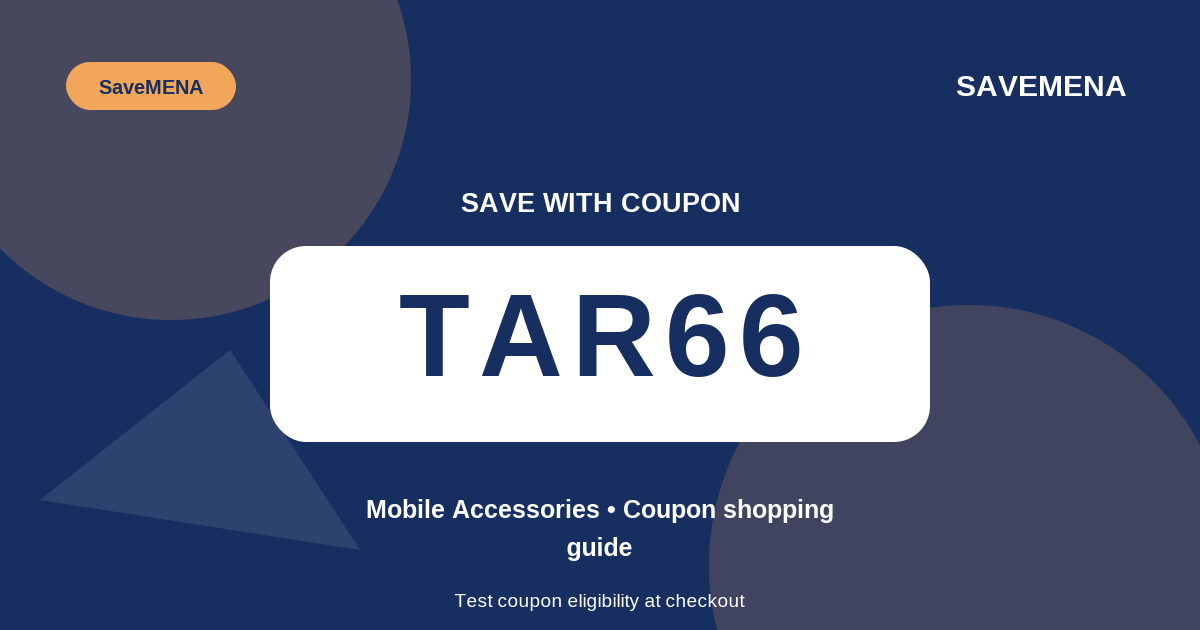
Codes available to try while comparing
These codes are not guaranteed for the article topic or listed brands; test them at checkout and use the live result.
Understand the Coupon Landscape Before Shopping
Before you start scrolling through the Noon UAE app or website, check the grocery rules that apply to mobile accessories. Coupons can sometimes be tied to specific categories, sellers or brands. Since TAR 66 is a general coupon, it should technically apply to any accessory listed for sale, but this is not a guarantee. Look for any notes on the promotion page that mention “mobile accessories” or “electronics” to ensure the code is relevant to the items you’re interested in. This early step avoids confusion when you later hit the cart screen.
Keep in mind that Noon’s coupon offering may change from month to month, and not all discount codes combine with other active promotions. By confirming that TAR 66 is currently listed on the mobile accessories page, you save time and reduce the risk of a dead‑end click at checkout. Store a screenshot of the coupon details if the website allows, so you have a point of reference for any discrepancy when the price updates.
Identify Eligible Mobile Accessories on Noon UAE
Your next practical move is to compile a short list of the accessories you truly need. Thumbnails and quick‑look cards often hide small “promo” icons that indicate a discount is available. For a real‑world check, scroll through the “Best Sellers” or “Deals” sections for headphones, cases or chargers, then open the product detail page to read the price header. If the headline reads “the discount shown at checkout off” or another figure, note it. Write down the numbers for comparison, but remember the headline may not reflect the actual discount after adding the coupon.
At each product page, look for a “Promotions” or “Offered” tag. If you see a field that says “TAR 66 – the discount shown at checkout off” or similar, it signals that the code is explicitly applied. Mark these items as priority, as the visual cue confirms that the coupon might affect the total. Avoid shopping the same item from a different seller without such a tag, as that seller may have a different coupon policy or may not recognize TAR 66 at all.
Compare Price Versus Visible Promotions
With a shortlist ready, compare the base price against the promotion headline. A higher headline discount may still leave you paying more if the base price is substantially higher. Write the base price and the headline discount in a simple table or spreadsheet to estimate your savings manually. For example, the amount shown at checkout with a the discount shown at checkout headline promises the amount shown at checkout off, whereas a the amount shown at checkout item with a the discount shown at checkout headline saves the amount shown at checkout. The first trades a higher promotion for a more expensive product; the second delivers a lower headline but may be a better ultimate deal.
Now switch to the “Apply Coupon” field on each product page. If you paste TAR 66 before adding to cart, a “This code gives you the amount shown at checkout off” message should appear if the coupon applies. Realising the visible discount is essential; it shows that the code is recognized in that moment. Record any differences seen across sellers, as some might not honor the coupon even if the headline indicates otherwise.
Verify Coupon Visibility at the Cart Stage
When you add a selected item to your cart, the next checkpoint is the cart screen. Some platforms add coupon amounts as a separate line item while others update the total automatically. Look for a line that says “TAR 66 Discount” or “Coupon Savings.” If the line is missing, the coupon might not be applied, or the seller may have excluded it. In that case, click the “Apply” button with the code again and confirm that the discount appears.
If the discount line shows a value, cross‑check that the number matches the one shown during product selection. A mismatch can indicate either a calculation error or a late discount trigger. It is also useful to look at the “Additional Offers” section: sometimes Noon lists “Buy 2, Get 1 free” or “Spend the amount shown at checkout, get the amount shown at checkout off.” These circles of promotion may overlap with your coupon, but the platform will normally update the final price accordingly. De‑duplicate the calculations to avoid double‑counting.
Check Shipping Fees and Delivery Options
One part of true value is hidden within shipping costs. After you’ve verified the coupon discount, move on to the cart’s shipping summary. Noon usually offers several delivery tiers: standard, express, or free when a threshold is met. If the coupon has only adjusted the item price, the shipping fee remains unchanged. Note both the label and the AED amount, as this will influence the final payable total.
Pay special attention to the “Estimated Delivery” and “Shipping Options” tabs. Some sellers offer instant delivery for the next business day at no extra cost; others might charge the amount shown at checkout or more. When using coupons, ensure that the seller’s shipping policy still applies and that a free‑shipping threshold isn’t inadvertently broken by an order total that drops below the required amount after the discount.
Read Return Policy for Mobile Accessories
Even with a seemingly good price, the return policy can impact your overall experience. Search for a “Return Policy” link beneath your cart or within the product page. A standard 14‑day return clause will give you leeway if the accessory is defective or mismatched. If Noon or the seller offers a 30‑day return window, this is far more consumer‑friendly. Confirm that the return policy is applicable to the product you’re purchasing, because some categories (like phone cases) may have stricter rules.
Note any return shipping costs, stated explicitly or implied. Certain sellers label return shipping as “free” but charge the customer for packaging and handling. Add a quick note in your cart, “Return shipping fee if applicable.” If the policy is unclear, flag it for the next step: you’ll contact the seller before finalising the payment.
Use Other Loyalty Benefits in Parallel
After confirming TAR 66’s effect, consider whether you have other loyalty points or vouchers that may stack. Noon sometimes provides a loyalty program where points can be redeemed for cash. If you have accumulated points, click the “Apply Loyalty” button and observe if the discount and the coupon both show up as separate deductions. If only one appears, the coupon may override the loyalty points.
In some cases, Noon partners with UAE banks or telecom operators to offer cashback or credit. Although the article does not imply any brand exclusivity, it’s prudent to check the “Payments” tab for available options. If a bank credit card offers an additional the discount shown at checkout cash back, you’ll see the final amount updated after both the TAR 66 discount and the card offer have been applied. Record the numbers to calculate the net savings accurately.
Confirm Final Price Before Completing Purchase
The ultimate decision hinges on the final payable total shown on the checkout page. Once you’ve applied TOR 66, verified shipping, checked return and loyalty discounts, you should see a single figure: “Total payable: X AED.” That figure must incorporate all previously visible deductions. Scroll to the bottom of the confirmation page; if a note says “Tax inclusive,” you’ll know that the amount is final and that no extra fees will be added during payment.
Before you hit the “Buy” button, double‑check that the shipping method and delivery date listed match those you selected earlier. Confirm the payment method details: whether you’re using a stored card, a marketplace wallet, or a bank transfer. Once all checks align—coupon, shipping, loyalty, return policy—you can proceed with confidence, knowing the final price reflects the best value you’ve acquired on Noon UAE for mobile accessories.
Related SaveMENA pages
Related articles
Official sources to check
Frequently asked questions
How can I verify that TAR 66 has been applied correctly before I pay?
On the cart page look for a line item that notes “TAR 66 Discount” or a reduction label in the total. If it appears, the coupon has been recognized. Cross‑check the amount with any headline or confirmation shown during product adding or during the “Apply” step.
Can I combine TAR 66 with other discounts on Noon?
It depends on the site’s policy for that item. Some combinations are allowed; others are exclusive. If you try to apply both, the platform will usually show a notice indicating which discount takes precedence or whether a stack is possible.
Will the shipping cost change after applying the coupon?
Shipping fees are normally calculated based on the post‑discount order total. If the coupon reduces the subtotal below a free‑shipping threshold, you may see the shipping cost appear. Verify this in the cart summary before finalizing.
What if the final price at checkout differs from what I saw in the cart?
If the checkout shows a higher total, the platform may add extra charges such as service fees or taxes that were not visible before. Reconfirm the total breakdown in the checkout summary, and if needed, contact Noon support for clarification.