Apple Mobiles on Noon UAE: offer combinations — value comparison
When you first land on the page for an Apple mobile, notice the banner that announces any official promotions or buy‑now‑pay‑later options.
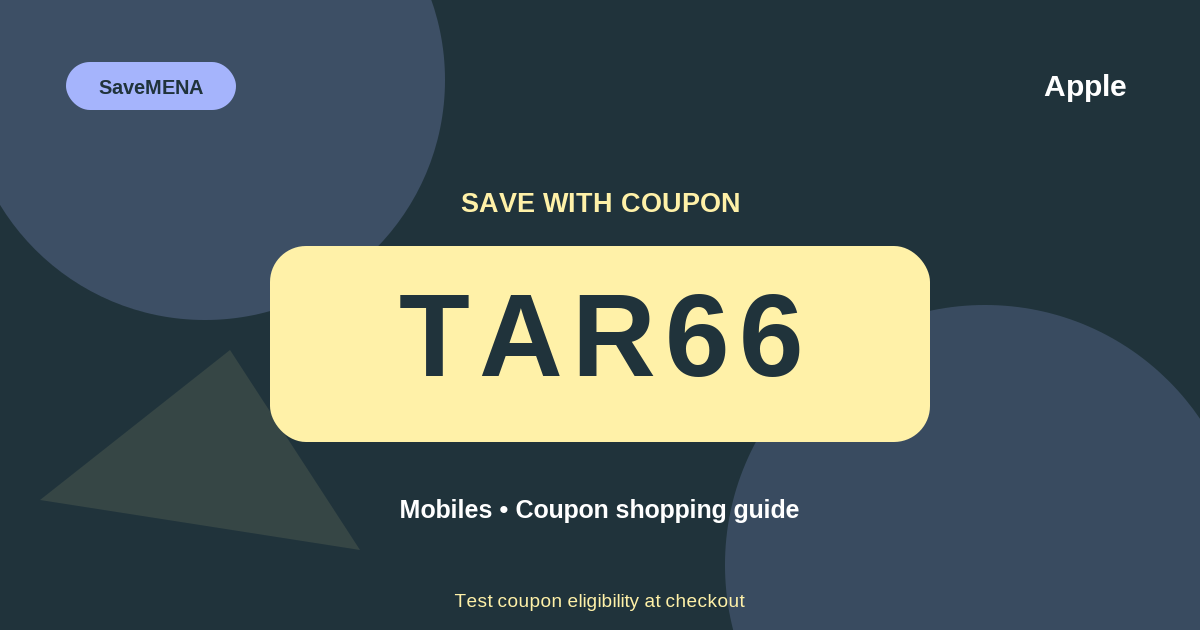
Codes available to try while comparing
These codes are not guaranteed for the article topic or listed brands; test them at checkout and use the live result.
Start With the Product Page: Verify Visible Offers
When you first land on the page for an Apple mobile, notice the banner that announces any official promotions or buy‑now‑pay‑later options. This banner often displays the difference between retail and sale price as a simple visual. Even if the headline percentage seems steep, compare it against the actual price figure presented next to the banner. Seeing the explicit amount before selecting “Add to Cart” lets you judge the true discounted price versus the original. It also gives you a baseline for later calculations when the TAR66 code is applied.
Next, scroll to the detailed description where additional offers may appear—such as free accessories or bundled services. These items can modify the perceived value if they’re included automatically or require extra payment. Taking note of any such add‑ons ensures you aren’t surprised by hidden charges later. Additionally, product reviews often mention if certain promotions are exclusive to certain payment methods or shipping options. By compiling this information early, you’ll have a clear picture of the laptop’s advertised cost before any coupon interaction.
Apply TAR66 and Observe the Cart’s Response
Once you add the phone to your cart, navigate to the cart page and look for the coupon field. Here, enter TAR66 exactly as written—case matters. The system will then recalculate the price in real time. Observe whether the total drops visibly and how the display updates; the new amount should reflect any applicable discount. If the code is not accepted, the cart typically shows an error or an unchanged total. This immediate visual cue confirms if the coupon interacts with the visible promotion or remains inactive.
After the code applies, double‑check the breakdown. The interface usually lists each discount separately: the promotional offer from the product page, any coupon discount, and other variances like tax or shipping. By separating these components, you can see the incremental impact of the TAR66 code. It’s essential to confirm that the code is affecting the final hand‑to‑hand figure and not merely updating a passing display that might be overridden by a subsequent step like a payment method selection.
Compare the Net Price With and Without the Code
At this point, writing down the total payable amount without any coupon gives you a reference point. Then, contrast it with the total after the TAR66 code has run. The difference between the two numbers is the raw saving you obtain from the coupon. While the headline percentage on the product page may insinuate a larger discount, the actual numeric difference often reflects the true value. This direct comparison ensures you’re not misled by a promotional statement that doesn’t translate into a real reduction.
A crucial part of this analysis is to assess whether the pharmacy or retailer imposes any minimum spend that affects coupon eligibility. Many platforms stipulate a threshold for coupon application; if your purchase is below that threshold, the code may not be usable at all. In such cases, the only verification method is the cart’s final calculation screenshot. By exercising patience in verifying the net difference, you guarantee that you’re not paying extra hidden in false headline marketing.
Don’t Forget Hidden Fees: Delivery, Installation, and More
Even after a discount, billing may still include delivery, installation, or restocking fees that are not visible in the product price or coupon effect. On the cart page, scroll to the service fees section. This segment sometimes lists a flat amount or a variable cost based on your location or chosen logistics partner. Knowing these amounts ahead of time means you can decide if the overall package remains within your budget or if you should seek alternate options elsewhere.
Additionally, sellers often provide optional after‑sale support, such as extended warranty or service plans, that add to the total. Even if the initial promotional price seems low, the presence of these optional services can erode the net savings. By consciously excluding or including them in your calculations, you avoid overpaying for features you may not need. Recording these potential costs in a spreadsheet approach keeps the final payable figure accurate and fully transparent.
Check Cross‑Platform Price Anchors for Reference
To gauge whether a given price truly offers value, compare it with similar Apple mobiles listed on other trusted e‑commerce portals or official brand outlets. While you cannot rely on a specific discount figure, seeing a comparable product advertised at a slightly lower or higher price can inform a relative sense of fairness. This cross‑platform check should be done early, ensuring you have a baseline for the current market’s typical range.
When you compare, pay attention to the visible promotions on each site. A site may display “flat rate” offers or “tiered discounts,” which change how the consumer perceives the sale even when the net price is similar. By evaluating how the TAR66 interaction aligns with other subscriptions, credit terms, or return policies, you grasp whether the deal is truly competitive or simply a marketing flourish. This holistic view leads to a more informed final decision.
Read the Fine Print: Terms of the Promo and Coupon
Promotional claims often involve subtle conditions. While you cannot list any specific conditions here, you should always locate the “terms and conditions” link near the price or coupon box. This section will outline eligibility criteria such as only certain models, payment methods, or account statuses that make the coupon valid. By reading these terms ahead of time you ensure that you don’t apply an invalid coupon at the checkout stage, which could cause frustration or the need to reorder.
In addition to validity, the fine print may specify if the coupon is a one‑time use, if it can be combined with other offers, or if it applies to a specific seller only. Knowing these limitations helps you decide whether to pursue the purchase immediately or to shuffle to a different seller or platform that offers a cleaner promotion. This transparency step prevents hidden surprises and allows you to choose the best path forward based on your priorities.
Finalize and Confirm: Capture a Screenshot of the Checkout Snapshot
Before you hit the final “Place Order” button, capture the checkout screen with all prices, discounts, fees, and applied coupon clearly visible. This visual proof serves as a record of the actual amounts the platform settled on. If, after placing the order, you discover a discrepancy or an unexpected charge, you can reference the screenshot to heighten your support request or dispute claim.
In your final checklist, confirm that the visible total matches the expected amount after all deductions. Double‑check that the stated delivery method aligns with the timeline you need, that the coupon code field is marked as active, and that there’s no leftover “promo code explainer” flag that might indicate an unsupported code. Completing these checks ahead of payment guarantees that you’ve truly secured the best value through tangible savings rather than a promise of an absent discount.
Compare alternatives without guessing
When you compare another option in apple, keep the specifications, quantity and seller as consistent as possible and compare the total shown at checkout. A different coupon does not automatically make a deal better because delivery, fees and the live basket context can change the outcome. Use the final payable total as the practical comparison point.
If the retailer shows a specific condition, rely on that visible message; if it does not, do not turn an assumption into a general rule. Test available options one at a time and note any real change in the total or eligibility message. That creates a verifiable shopping comparison instead of a recommendation built on an unsupported marketing claim.
Related SaveMENA pages
Related articles
Official sources to check
Frequently asked questions
What should I do if the TAR66 code isn’t applied during checkout?
Verify that the code was entered correctly and that the product qualifies under its terms. If the cart still does not reflect a discount, you can contact customer support or try removing and re‑adding the product to ensure a fresh calculation. Always keep a screenshot for reference.
Can I combine TAR66 with other promotional offers?
Many platforms restrict combining multiple coupons or promotions. Check the terms of the TAR66 coupon and the store’s promotional guidelines on the cart page. If overlapping discounts are disallowed, choose the one that gives your highest monetary saving.
Will the discount apply to additional services like warranty or accessories?
Only applicable items are listed in the discount breakdown. If warranties or accessories are separate line items, coupons may or may not affect them depending on the platform’s rules. Review the promo details before adding these extras to the cart.
How can I verify that my final price is genuinely lower than other sites?
Collect the same Apple mobile listing from a couple of trusted sites, noting their visible prices and any promotions. Compile these figures, then compare the net totals for each after applying any available coupons, ensuring that the comparison is on the same base price levels.