Dell Office on Noon UAE: offer combinations — value comparison
Noon UAE hosts a mix of Dell sellers ranging from authorized dealers to third‑party resellers. The way each lists a product can influence the visible promotions
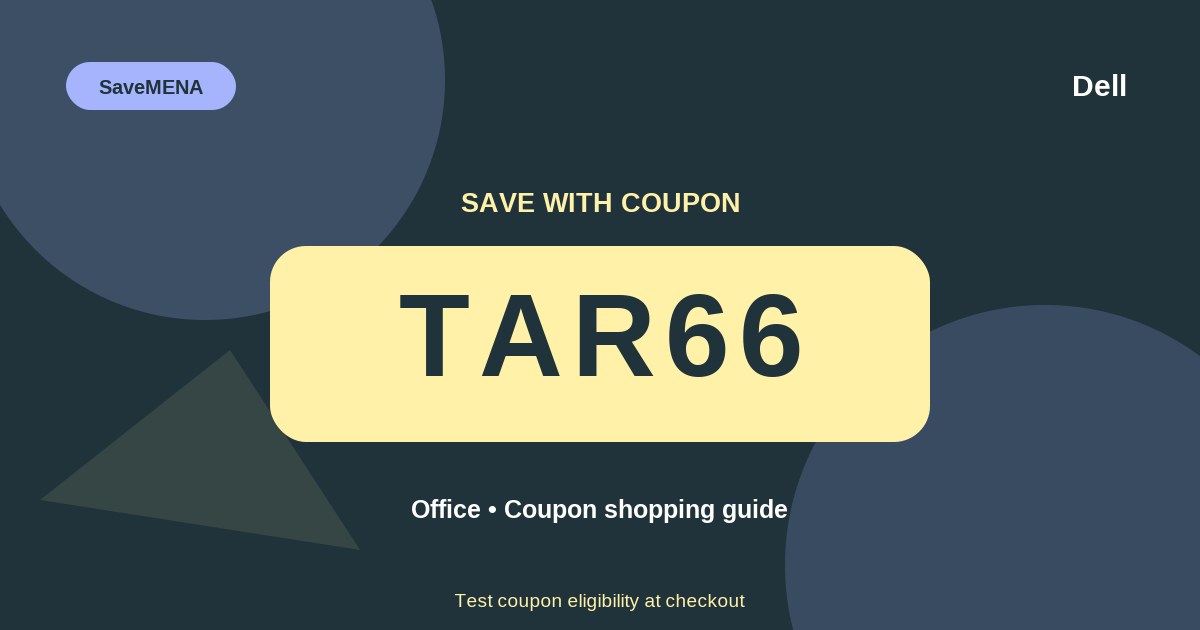
Codes available to try while comparing
These codes are not guaranteed for the article topic or listed brands; test them at checkout and use the live result.
Heading
Paragraph1
Paragraph2
Understanding Noon UAE’s Office Market Landscape
Noon UAE hosts a mix of Dell sellers ranging from authorized dealers to third‑party resellers. The way each lists a product can influence the visible promotions they display. A seller that consistently shows discount badges on Dell desktops, for instance, may already be factoring a promotional rate into the shown price. Knowing the difference between an automatically applied promotional discount and a manual coupon is the first step in assessing true value.
Because Noon’s interface is largely the same across all devices, you should note whether promotions appear as a banner next to the price, a strikethrough discount, or a separate “You Save” text. Remember, the presence of any of these visible cues does not yet indicate how the TAR66 coupon will behave—this still needs to be confirmed during checkout. However, spotting these visual signals gives you an early clue about what base promotions you’re already enjoying before applying a coupon.
Spotting Visible Promotions on Dell Products
When you land on a Dell office device listing, the first visual cue to glance at is the price area. If Noon automatically showcases a discount badge or a “You save” figure, that’s a visible promotion. These can appear as a small orange or green sticker next to the price, or as a faded original price with a lower shown price underneath. Your initial evaluation of the deal should include this visible promotion because it might complement or overlap with the coupon you plan to use.
If the listing presents a “Deal” tag or a time‑limited sale banner, note how long the promotion is valid. Even though you won’t have a formal expiry date for the coupon, knowing the promotion’s timeframe will help you decide if you should finalize the purchase promptly or keep an eye out for possibly better timing. The goal now is to capture what the seller is already offering at the point of view prior to adding your own discount code.
Checking Dell Availability and Seller Credibility
Before you focus on discount strategies, verify that the Dell office product is in stock and the selling price is worthy of consideration. No checkout guarantee guarantees the coupon will apply; the seller’s legitimacy is a separate factor. Look for seller badges that indicate a partnership with Noon or official retail status. However, do not assume that a badge automatically validates a coupon’s applicability—this must still be tested during checkout.
To assess credibility, skim the seller’s ratings and read snippets of customer reviews. A high rating and consistent positive feedback could signal a stronger chance the checkout process will run smoothly. Yet, a seller’s reliability does not replace the necessity of manually entering TAR66 at checkout and confirming the final payable total. Keep in mind that when you proceed, the displayed price and the possession of a visible promotion must still be cross‑checked with the coupon code to ascertain true savings.
Comparing Official Dell Pricing Across Sellers
Since Noon hosts multiple Dell listings, compare their base prices and any out‑of‑the‑box promotions before deciding. If one seller shows a the discount shown at checkout visible discount and another lists the original retail price, you might expect the total discount to differ once the TAR66 coupon is applied. The variation between sellers illustrates how built‑in promotions influence the final price space that your coupon can fill.
When you examine each listing, write down the listed price, the visible promotion amount, and the seller’s ‘Buy Now’ button status. This comparison helps you decide which seller offers the highest observable discount before adding any coupon. The final value, however, needs confirmation—enter the coupon code and review the updated total. Only after that will you be able to confirm which seller truly offers the best bundled value on Noon UAE.
Applying the TAR66 Coupon at Checkout
Initiate the checkout flow by adding the Dell office unit to your cart. When you proceed to payment, locate the “Enter coupon or promo code” field and type TAR66. At this point it is still an extension of the coupon availability check—Noon can accept, reject, or ignore the code depending on seller settings. Ensuring you see the code acknowledged in the coupon lineup is a prerequisite for verifying its impact.
Once the code is accepted, wait for the total price to refresh. There will be no guarantee that the coupon automatically applies, but if it does, you should see an adjusted subtotal line or a “Coupon savings” message. Compare this figure to the base price and the visible promotion to confirm how much the coupon actually reduces. Make sure to manually scroll to the bottom of the checkout page to double‑check the final payable figure before confirming the purchase.
Confirming the Final Payable Total
After adding the coupon, examine the checkout summary carefully. Noon segments the cost in the order: subtotal, applied promotions, applied coupon, shipping, and any service fees. Each section will display the exact amount contributing to the balanced final total. The only way to verify the coupon interaction with visible promotions is to confirm that the “Coupon savings” or equivalent line appears and that the grand total reflects the combined reductions.
If the coupon line shows as zero or is absent, the code did not apply to the selected Dell product or seller. In that case, you may still have saved from the visible promotion alone, but you did not obtain additional value from TAR66. Get sure to also check if shipping and fees changed, because some sellers may offer free shipping only when a coupon is used, adding another layer to the net value. Cross‑checking these details should give a clear picture of whether you reached the best value on the platform.
Assessing Shipping, Return, and Warranty Options
Beyond the price, the overall value of an office laptop includes shipping speed, return policies, and warranty coverage—a crucial but sometimes overlooked element. Some Dell sellers on Noon may advertise free or expedited shipping if the final payable amount includes a coupon. Verify whether a discount on shipping appears after the code is applied, and whether the free shipping clause is contingent on the final total below a certain threshold.
Check the return window and warranty terms on the product page. If the seller offers a standard 30‑day return and an extended manufacturer warranty, factor the potential cost of any return or repair into your value assessment. When the coupon is applied and a lower final price is visible, compare that discount against the potential hidden costs of maybe a longer return period. The true best value emerges when the final price, shipping, and support collectively provide maximum benefit with minimal risk.
Related SaveMENA pages
Related articles
Official sources to check
Frequently asked questions
Does the TAR66 coupon automatically apply to all Dell office products on Noon UAE?
There is no guarantee that TAR66 will apply to every Dell office listing. Coupon eligibility is determined by each seller, so you should test the code at checkout to confirm whether it applies and how much saving it offers on that specific product.
Will I receive additional shipping discounts when I use TAR66 on Dell office devices?
Some sellers may offer reduced or free shipping if a coupon is applied, but this varies by listing. Only the final checkout summary will show whether shipping fees change after entering the code, so review those details before confirming purchase.
Can I combine TAR66 with the visible promotion on a Dell product?
Yes, the visible promotion is shown before coupon application. When you enter TAR66 at checkout, if the coupon is accepted, its savings are added to the visible promotion unless the seller’s conditions limit stacking. Verify on the checkout summary.
How can I be sure the TAR66 coupon will happen at checkout?
Enter TAR66 into the promo code field during checkout and watch the total price update. If the coupon line appears with a savings amount, it’s applied. If the total remains unchanged or the coupon is rejected, the code didn’t apply to that listing.