Logitech Gaming on Noon UAE: size and quantity — value comparison
Logitech often packages its gaming peripherals in multi‑unit bundles, from a mouse and keyboard to a full RGB set.
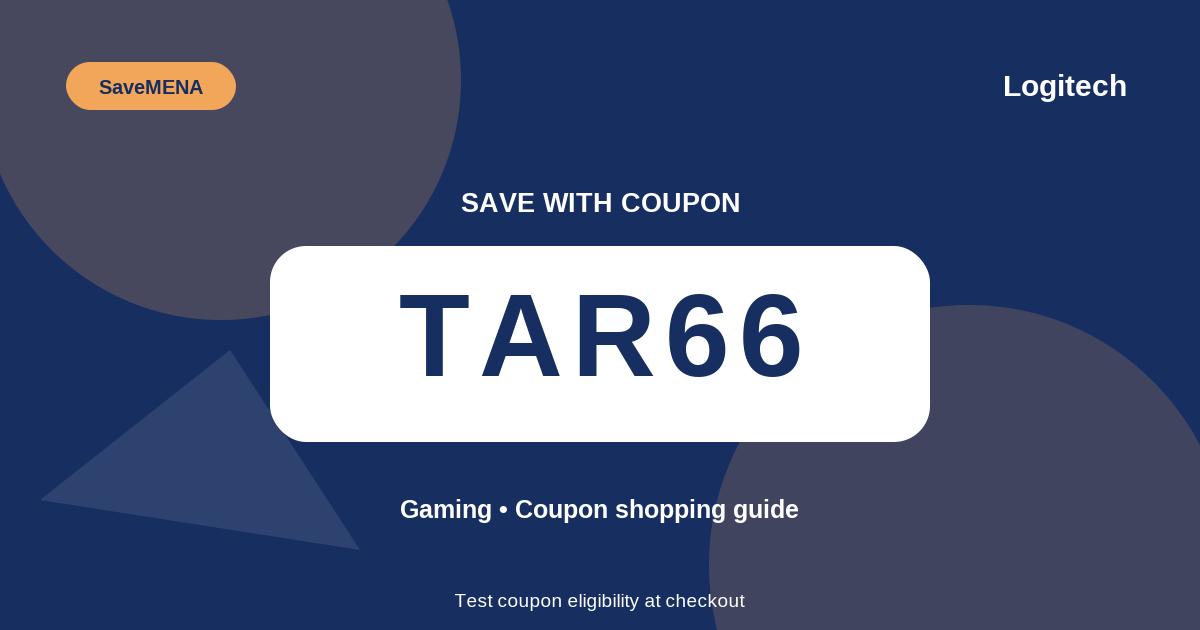
Codes available to try while comparing
These codes are not guaranteed for the article topic or listed brands; test them at checkout and use the live result.
1. Compare Bundle Composition and Unit Cost
Logitech often packages its gaming peripherals in multi‑unit bundles, from a mouse and keyboard to a full RGB set. The real savings become clear when you break down the price per unit: a fifty‑percent discount on a 10‑piece bundle may still be more affordable per item than a single product at the discount shown at checkout. Always tally the number of items in the bundle and check the seller’s pricing per unit at checkout. A larger quantity can also indicate a bulk buying incentive, which can be a decisive factor if you’re planning to share gear or upgrade multiple stations.
Keep an eye on the physical size embedded in the bundle description. For instance, a full‑size keyboard with a 9‑key number pad can weigh more than a compact layout. If your desk nerves sense a tight space, quantity alone doesn’t guarantee value; you’ll also need to verify that each component’s size meets your ergonomic needs before you finalize the purchase.
2. Assess Mouse Body Dimensions and Weight
Logitech gaming mice come in a spectrum of sizes, from ultra‑compact to ergonomic plus‑size. The ideal choice depends on both hand size and grip style. Larger mice typically feature extra buttons and a higher weight for precision, but they can feel unwieldy for users with smaller palms. Inspect the listed dimensions—height, width, and depth—and compare them to your preferred grip: palm, claw, or fingertip. A misfit size can affect aim stability and increase hand fatigue over long sessions.
In addition to body shape, the sensor area can vary between models. A wider sensor area may accommodate a wider range of hand motions, which is beneficial for high‑speed gaming. When ordering from Noon, verify these measurements in the product specifications and confirm that the seller’s photos align with the actual unit size. This ensures you’re buying a mouse that will physically fit your hands, not just a discounted gadget on the shelf.
3. Verify Keyboard Layout, Keycap Real‑Size, and Travel
Logitech keyboards differ in keycap size and travel, impacting typing comfort and mechanical feel. A full‑price keyboard with standard 14‑mm key travel may provide a more satisfying tactile response than a budget model that compresses every key. When you read the product description, note the keycap geometry—be it OEM, Cherry MX, or other—and compare it to your preferred typing style. Small variations in travel can drastically change the gaming experience, especially during high‑speed strafing.
Size also plays a role in desk space management. If you’re a gamer who prefers a minimalistic setup, a tenkeyless (TKL) layout can save space without sacrificing performance. Make sure to check the actual measured width and height listed by the seller; this prevents the common mistake of expecting a full keyboard into a cramped desk area, which could lead to cramped wrists and suboptimal gameplay.
4. Evaluate Controller Grip and Button Placement
Most Logitech gaming controllers offer a range of grip options—from standard to ergonomic shoulder pads—so size and ergonomics are key to comfort. Examine whether the controller’s housing fits naturally in both hands; larger controllers may provide more surface extension but can become tiring if the grips are too thick. If you plan to use the controller for extended periods, a controller that matches your palm width is essential to avoid strain.
Also check the button layout and spacing. A controller with tightly packed buttons can be helpful for rapid response, while wider spacing reduces accidental inputs. Size considerations come into play with the overall dimensions of the controller casing as well. Before placing an order on Noon, verify that the seller’s product images reflect the scale of the controller compared with a familiar object, ensuring you’ll have accurate space expectations.
5. Plan for Peripheral Portability and Transport Cases
Gaming gear must be portable if you plan to travel or shift between setups. Logitech offers compact compact‑size carry cases for mice and keyboards that protect against scratches and dust. A true value lies in a case that holds the entire SKU set without cramming parts together, preserving the original size and layout. Look for product images that display the case with all included items, and confirm the case dimensions in addition to the gear itself.
When evaluating quantity, remember that a thicker case may add bulk but also offers durability. If you prefer lighter travel, a slim reach case is often more economical per unit. Checkout the product description for weight and slimness metrics to match your transport needs—just in case.
6. Scrutinize Gaming Mouse DPI Range and Sensor Size
A Logitech gaming mouse’s DPI range directly affects precision. High‑end models offer adjustable DPI in the thousands, suitable for fast, nuanced movements; lower‑end models may cap at about 6,000 DPI, sufficient for e‑sports. The sensor size generally correlates with DPI capability—larger sensors can handle higher resolutions smoothly. To decide, compare the stated DPI range and sensor size between the models you’re considering within Noon’s catalogue.
Be mindful that a higher DPI does not always deliver better performance if the mouse size is uncomfortable. A compact mouse with a massive DPI may feel overwhelming to hand size, whereas a slightly larger mouse with moderate DPI might provide a smoother experience. Check the product’s sizing notes and DPI slider documentation to confirm that the sensor size harmonizes with the ergonomic profile you need.
7. Check Connectivity Type and Cable Length
Logitech gaming peripherals support wired USB, wireless Bluetooth, or a proprietary wireless connection. Wired models offer zero latency, essential for competitive play, while wireless models may require a minimum cable length to prevent tethered feel. Inspect the product descriptor to confirm whether the cable length meets your desk setup—for example, a 1.5‑meter cable might be too short for a multi‑drop layout, whereas a 2.5-meter cable can stretch comfortably.
Connectivity also influences size: wireless mice may have additional hardware that slightly bulk the case. If you prioritize a plug‑and‑play experience without cables, ensure the wireless unit’s size accommodates extra battery compartment space. Confirm at checkout that the seller’s packaging accurately reflects the actual cable length to prevent a costly pickup for a longer cable solution.
8. Confirm Warranty Coverage Relative to Unit Size
Logitech offers a standard firmware update period and hardware warranty across its gaming range. However, larger units—like those with extra RGB lighting rigs—can have additional warranty clauses tied to specific component returns. Verify the warranty duration and what it covers for each size variant. For bulk purchases, a bundled warranty that covers all units may provide greater per‑unit value, especially if you plan to purchase multiple sets.
When examining quantity and size at checkout, double‑check that the warranty applies uniformly to all items in the order, not just the first. That ensures that each peripheral is protected throughout its lifespan, affirming the true value of the bundle beyond headline savings.
Related SaveMENA pages
Related articles
Official sources to check
Frequently asked questions
What does the TAR66 coupon code offer?
The TAR66 code can be entered at checkout to possibly apply a discount. It is available to try; its actual effect will depend on Noon’s current promotion rules. It is not guaranteed to apply to every item or bundle.
Can I return items if the size isn’t what I expected?
Return policies on Noon are item‑specific and may vary by seller. Generally, items must be in original configuration and packaging. Verify the seller’s return window and conditions at checkout before confirming the purchase.
How do I confirm the physical size of a Logitech product?
Product listings include measurements in the specifications and images in the gallery. Contact the seller for clarifications if the unit’s true size is critical for your setup. Double‑check the dimensions at checkout if in doubt.
Will the bundle quantity affect the warranty?
Warranties are typically applied per unit, but bundle purchases may provide consolidated coverage. Check the seller’s warranty details and read policy terms in the listing to understand coverage for each item in the set.