Philips Home Appliances on Noon UAE: return policy — value comparison
Every Philips appliance listing on Noon specifies a return window, usually expressed in days from the delivery date.
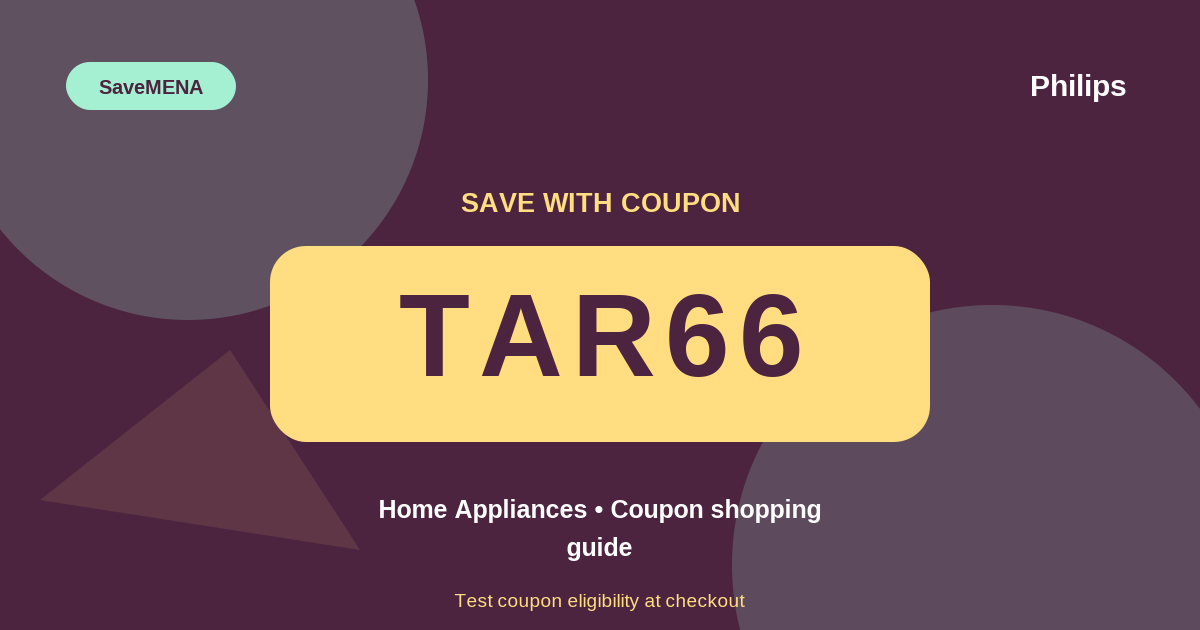
Codes available to try while comparing
These codes are not guaranteed for the article topic or listed brands; test them at checkout and use the live result.
1. Identify the Return Deadline for Philips Appliances
Every Philips appliance listing on Noon specifies a return window, usually expressed in days from the delivery date. While the platform’s interface may hide this data under the order details or product description, it is crucial to note that the return period can vary by product type. For larger household appliances, the retailer might extend the window beyond the standard 15‑day timeframe. Verify the exact deadline by navigating to the order confirmation email or the product page’s “Return Policy” section, as this rule sets the ultimate upper limit for any refund request.
Once the deadline is confirmed, compare it with your project schedule and usage forecast. If you anticipate a need for a Philips appliance later in the month or next year, a longer return window could offer flexibility to test the product over a full cycle. Conversely, a short window may entail a quick decision, so plan purchases in advance to avoid rushed judgments that lead to unwanted returns.
2. Evaluate the Condition Requirements for a Refund
Instead of assuming that merely revoking purchase suffices, check the specific condition clauses that Philips appliances must meet to qualify for a refund. Some Noon listings demand that the product be returned unused, with original packaging, and without any user‑oriented modifications. For appliances that can have firmware updates or optional accessories, determine whether those changes affect return eligibility. Note that certain Philips models feature user‑attached batteries or optional components that are not considered part of the returnable unit.
During your purchase, note any warnings that appear in the product’s description, such as “Return of antimicrobial filters not accepted.” If a Philips appliance acquires a warranty that covers malfunction, flag whether the product has undergone any repairs or refurbishment before returning. Each nuance alters the value proposition, so keep clear copy of the return condition you need to satisfy.
3. Clarify the Return Shipping Process
Return logistics differ from standard shipping arrangements on Noon. In most cases, the seller or platform creates a pre‑paid return label that needs to be printed and attached to the package. However, some Philips appliance sellers prefer a pickup service, where a courier collects the item at your doorstep. Verify if your chosen SKU supports local pickup; this can simplify the return but may still incur a courier fee.
Confirm the pickup schedule and the courier’s location at the point of de‑installation. Check that the return package encloses all accessories and that the appliance’s original packaging is intact if required. To avoid extra handling costs, keep the appliance cleaned and free of visible damage before packing, as some sellers impose a restocking fee for otherwise mishandled returns.
4. Distinguish Warranty Coverage from Return Eligibility
Philips appliances often come with a multi‑year built‑in warranty that covers defects after purchase. Distinguishing warranty claims from return requests is essential because a warranty claim usually precludes a return. If the appliance has a defect within the warranty period, submitting a warranty repair may be cheaper and preserve the unit’s value, negating the need for a refund altogether.
Record the start date of the warranty and any limitations described. For instance, a Philips refrigerator may have a 𝟛-year warranty for faulty parts, but the return window may still expire after 30 days. Your decision to repair versus return hinges on whether you value keeping the appliance versus obtaining a full refund, given that warranty claims do not automatically result in a replacement or refund on Noon.
5. Investigate Hidden Costs in the Return Fee Structure
Although Noon frequently states “free return,” some sellers or product categories impose an administrative fee if the item is returned out of line with the stated conditions. Examine the product detail page for any “Return Fee” section, and cross‑reference the terms presented in the checkout confirmation. If a fee is listed, note how the cost is applied—whether it’s a flat fee or a percentage of the item's price.
When calculating the actual savings from a listed discount, deduct any potential return fee. Even a modest fee can erode the benefit of a high headline discount, especially for heavier or larger appliances that inherently carry higher shipping costs. By accounting for this upfront, you avoid surprise charges that might negate your perceived value.
6. Coordinate Return Pickup Scheduling for Time‑Sensitive Appliances
Time is a critical factor when you need a Philips appliance quickly but also want to negotiate a return if the unit is unsatisfactory. Arranging a pickup can sometimes introduce a scheduling window that extends the overall return timeline, potentially pushing the claim outside the official return deadline. Use Noon’s service request portal or the seller’s contact details to set a pickup date that stays well within the window.
For bulky appliances such as washing machines, couriers might schedule pickups on specific weekdays. Set your pickup request at least two business days in advance, and verify the courier’s expected arrival time back at the platform’s logistics hub. By aligning the pickup schedule with your return deadline, you keep the refund eligibility intact without rushing the return process.
7. Conduct a Final Inspection Before Locking In the Purchase
Philips appliances—especially ovens or refrigerators—can be subject to pre‑delivery defect inspections. Before confirming your purchase on Noon, review the seller’s policy on inspection after arrival. Some listings allow a 48‑hour period for the buyer to open the appliance and test its core functions. If approved, you can fine‑tune the appliance before committing to a final return decision.
Document any observed defects or operational issues in a review or via a “Return Request” preliminary form on Noon. This proactive step can accelerate the return resolution if the appliance does not function correctly, thereby limiting the time your product is in your residence. It also sets clear expectations so the seller doesn’t have to re‑evaluate criteria later.
8. Final Shopping Checklist and Using TAR66 for Extra Savings
With all return‑related variables in hand, compile a concise checklist that includes the return deadline, condition requirements, shipping terms, warranty period, and any fee disclosures. At checkout, enter the coupon code TAR66 in the promotion field. The code’s effect—be it a percentage discount or a fixed deduction—will appear only at the final amount after all shipping and tax calculations. Remember, Noon does not guarantee that TAR66 will discount the product in every instance; verify its application at the checkout screen before completing the purchase.
Keep an eye on your order confirmation and the post‑purchase email, as they should detail the applied discount, any restocking fees, and the exact return window. Retain screenshots for future reference if a return is needed. By following these steps, UAE shoppers assure that the cost of Philips home appliances on Noon truly reflects the best value once all return‑related considerations are accounted for.
Related SaveMENA pages
Related articles
Official sources to check
Frequently asked questions
What if the Philips appliance has a defect and I want to return it?
If the appliance is defective within the warranty period, contact Philips support or the seller’s repair center before initiating a return. Warranty claims may preclude a refund, so you may need to opt for a repair instead of a return.
Can I use TAR66 for any Philips home appliance?
TAR66 can be entered at checkout, but its applicability depends on the seller and product. Check the coupon field for confirmation that the discount has applied before finalizing the purchase.
Do return shipping fees add to the final cost?
In most Noon listings, return shipping is free if the product meets the listed conditions. However, some sellers may charge a restocking fee. Verify any potential fee in the return policy section.
How can I confirm the return window for my order?
Open your Noon order confirmation email or the “Return Policy” link on the product page. The return period is typically stated in days from the delivery date and is mandatory before you can request a refund.