Apple Mobile Accessories on Noon UAE: seller comparison — value comparison
In evaluating best value on Noon UAE Mobile Accessories Apple seller comparison, it’s essential to look beyond headline discounts and assess the true worth of a
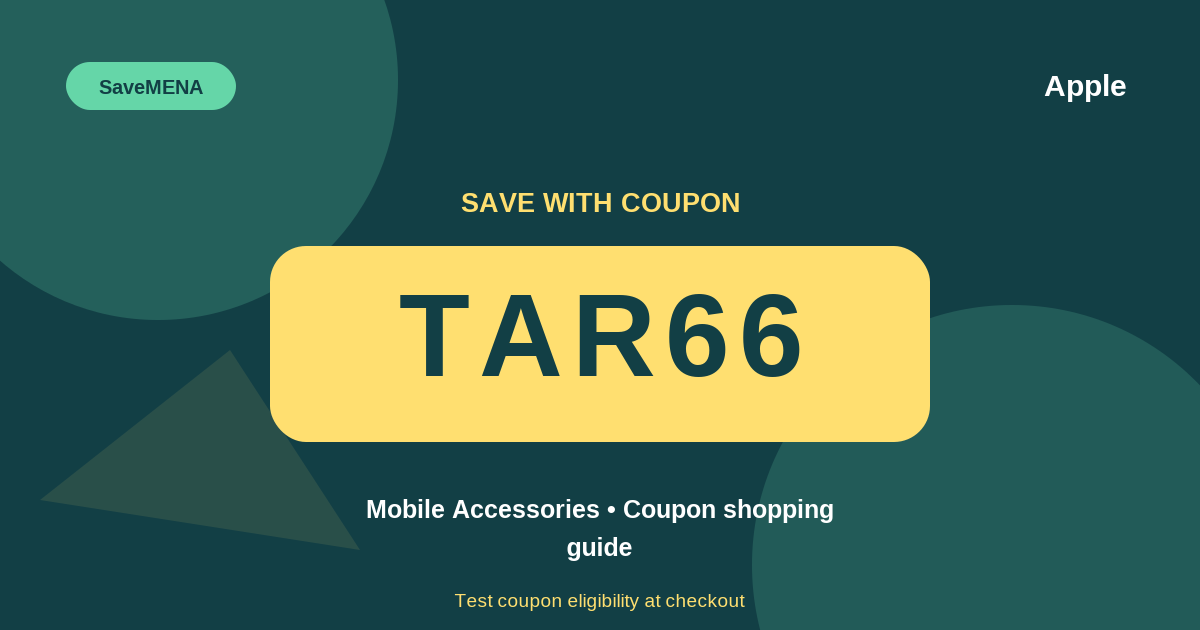
Codes available to try while comparing
These codes are not guaranteed for the article topic or listed brands; test them at checkout and use the live result.
1. Identify the Core Product and Required Apple Compatibility
Start by pinpointing the exact Apple accessory you need—be it a charger, wireless earphones, or protective glass. List the required specifications such as the device model (iPhone 15, iPad Air, MacBook Pro, etc.) and any feature prerequisites (USB‑C, MagSafe, Bluetooth version). Ensuring the product is compatible with your specific Apple device eliminates costly returns and reinforces seller expertise in that category. Reviews often reveal whether the item truly supports the intended model, so read customer pictorial evidence and screenshots for confirmation.
After confirming compatibility, cross‑check this model information across product titles on Noon. Sellers who duplicate the exact title may still offer different variants or packaging; verify color, finish, and size specifications. Reject listings that use ambiguous terms like “Apple accessory” without specific model references, as they can indicate generic, less reliable items. This foundational step filters out unsuitable alternatives before you dive into price comparison.
2. Compare Pricing Across Multiple Sellers
Collect price listings from at least three distinct sellers for the same accessory. Focus on the base price excluding Optional add‑ons or extended warranty offerings. Don’t rely on any single percentage discount; instead, look at the absolute amount you’ll pay at checkout. If a seller’s price looks unusually low, flag it for further review regarding possible hidden fees or slower shipping.
At checkout, insert the coupon code TAR66 and observe whether it applies. Since the coupon’s eligibility is uncertain, record whether it was accepted or rejected. This act also shows whether the seller supports all negotiated platforms and if the discount merges cleanly with existing store offers. Without applying the coupon, you can’t ascertain the final cost, so always remember to retry the coupon in a fresh cart to confirm its applicability.
3. Scrutinize Seller Credibility and Customer Ratings
Seller reputation can influence quality, delivery speed, and post‑purchase support. Scroll to the seller profile and review their overall rating—preferably above 4.5 stars when possible. Pay attention to the number of completed transactions; a high volume indicates a steady presence in the marketplace.
Read a sample of customer feedback for the specific accessory. Positive comments about product condition, real Apple branding, and shipping speed strengthen confidence. Watch for recurring complaints about stickers, counterfeit items, or late delivery. Sellers with consistently positive reviews are more likely to provide authentic Apple accessories and responsive service, minimizing post‑purchase frustration.
4. Verify Warranty Coverage and Return Policies
An Apple accessory’s warranty matters as much as its initial price. Look for explicit statements about manufacturer warranties, product guarantees, or seller‑provided protection periods. Items that include “Apple Originals” or “Apple Certified” language usually come with a standard one‑year limitation from the manufacturer.
Second, confirm the store’s return policy. Check whether returns are free within a set window, and whether a restocking fee applies. Some sellers allocate a fixed return cost regardless of item value, which can erode savings. Ensuring a favorable return policy protects you if the accessory fails early or doesn’t match expectations.
5. Examine Shipping Options and Delivery Times
Delivery conditions vary by seller and can influence the total value. Pay attention to shipping fees, estimated arrival dates, and whether options like express or standard shipping exist. A lower price with a lengthy delivery may negate the advantage if you need the accessory urgently.
Some sellers offer free shipping threshold eligibility; note if applying TAR66 changes this threshold. Sellers who provide a clear “dispatch time” and “estimated delivery window” offer transparency that helps you plan usage of the accessory. Fast shipping combined with a modest price can tip the value scale in your favour.
6. Review Payment Flexibility and Loyalty Perks
Check if a seller supports multiple payment methods, such as credit card, debit card, or installment plans. A flexible payment arrangement can lower upfront costs and improve cash flow, especially for a pricey accessory. Look for advertised installment options that might pair with Noon’s payment plans.
Additionally, investigate if seller loyalty programs or point‑earning schemes apply. Even if TAR66 is not mandatory, accumulating points during the purchase can offset future spend. Most sellers disclose any promotional credit usage or merchant level discounts; compare these benefits across your shortlisted sellers to estimate ancillary value.
7. Cross‑Check Product Authenticity via Packaging and Serial Numbers
Authenticity is key for Apple accessories; counterfeit items can lead to performance issues or damage. Examine product images for Apple logos, serial numbers, and manufacturer markings. Legitimate Apple accessories carry distinctive typography and accurate logos that should match official Apple signage.
If the product listing includes a photo of the box and a serial number, compare those details against Apple’s official support portal. Sellers who provide serial numbers are more likely to offer authentic, warranty‑eligible items. This step prevents expenditures on copies that may not be covered by Apple’s own service network.
8. Consolidate Findings and Make the Final Purchase Decision
Compile the information gathered: price, coupon applicability, seller rating, warranty scope, shipping time, payment flexibility, and authenticity confirmation. Assign weight to each factor based on personal priorities—whether you value lower cost, faster shipping, or guaranteed authenticity. A simple scoring grid helps turn qualitative assessments into a quantifiable comparison.
Once you identify the top seller, proceed to checkout. Reapply TAR66 during this final phase, re‑enter your shipping address, and verify that all chosen benefits appear in the final payment summary. Confirm the total payable amount, including any delivery fees or taxes, before confirming the order. This last check ensures you are fully aware of the transaction cost and that all previously evaluated conditions are upheld.
Related SaveMENA pages
Related articles
Official sources to check
Frequently asked questions
What should I do if the TAR66 code does not work?
Check at checkout if the code is applicable. If it fails, continue with the purchase without the code but keep the card details handy to verify any post‑purchase discount or rebate offered by the seller.
How can I confirm that the accessory is genuine Apple?
Look for Apple logos, serial numbers, and manufacturer stamps in the product photos. If available, compare the serial number against Apple’s official support site to ensure authenticity.
Is a lower price always the best option?
No. Consider shipping times, warranty, seller ratings, and payment options. A modestly higher price with better terms can provide more overall value.
Can I use multiple sellers to get additional discounts?
No, an order must be placed with one seller at a time. Mixing sellers isn’t possible on Noon UAE and may skip bundled promotions.