Logitech Gaming on Noon UAE: warranty and support — value comparison
Selecting a Logitech gaming peripheral involves more than eye‑catching graphics; it’s about durability and future‑proofing.
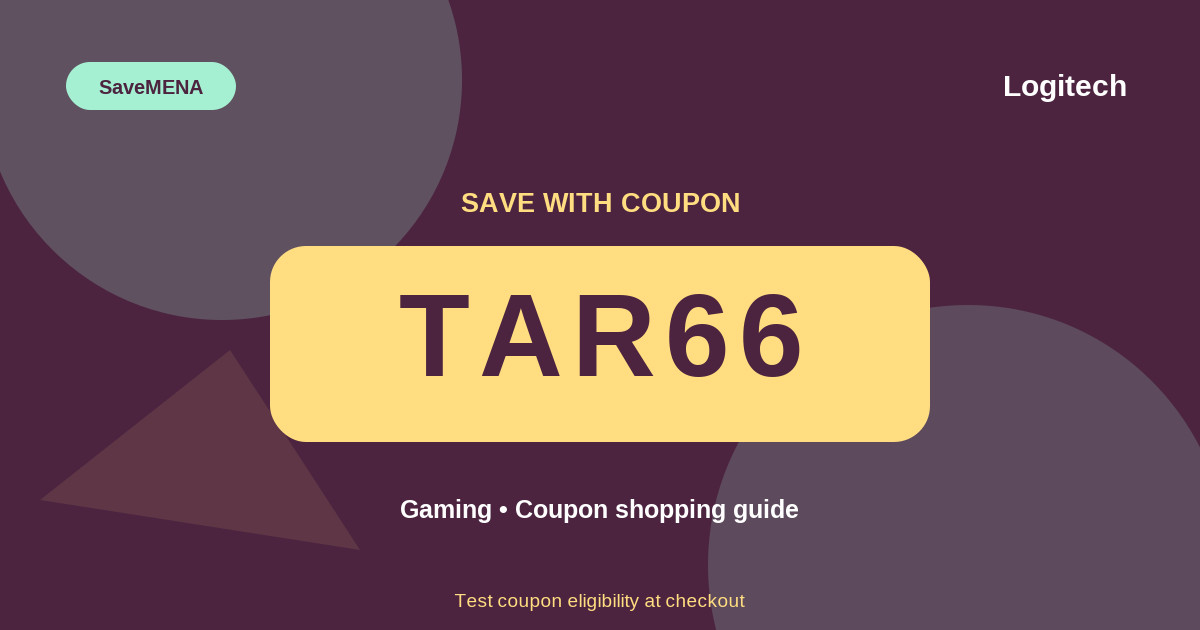
Codes available to try while comparing
These codes are not guaranteed for the article topic or listed brands; test them at checkout and use the live result.
Choosing the Right Logitech Gaming Gear on Noon UAE
Selecting a Logitech gaming peripheral involves more than eye‑catching graphics; it’s about durability and future‑proofing. Begin by reviewing the product categories that match your play style—mechanical keyboards, noise‑isolated headphones, or high‑precision mice. Pay attention to specifications such as key travel, sensor DPI range, and connectivity options, as they indicate how long the item can maintain peak performance. By focusing on features that align with your gameplay needs, you lay the foundation for a device that benefits from a robust warranty period.
When exploring options on Noon UAE, look for listings that highlight the “Logitech Certified” tag, which often signals compliance with standard build quality. Additionally, check for any mention of extended warranty packages that Logitech sometimes offers on specific products. These packages may increase upfront cost but can translate into substantial long‑term savings if you expect to use the gear for several years. Your final choice should balance feature set, price, and the confidence that comes with a substantive warranty.
Verifying the Official Warranty Terms
Once you’ve settled on a Logitech model, confirm the warranty’s scope by reading the fine print supplied by the manufacturer. Logitech typically offers a two‑to‑three‑year warranty covering manufacturing defects and malfunctioning components. It’s crucial to differentiate between “product warranty” and “return policy,” as the latter may provide a limited timeframe for free returns but not for extended repairs. Checking the official terms helps you understand what scenarios are covered and what responsibilities you may still have.
Logitech’s online support portal usually hosts a downloadable PDF outlining the warranty, including repair guidelines, authorized service centers, and contact details. If this document mentions a regional branch for the UAE, it signals that local support is in place, easing post‑purchased assistance. Keep an eye out for any clauses that restrict coverage, such as damage from accidental drops or misuse, to avoid surprises if an issue arises.
Comparing After‑Sale Support Channels
A good warranty only matters if the support channels are accessible and responsive. Logitech offers several avenues: an international customer service hotline, email support, and a ticketing system on their website. Evaluate the response time reported by other UAE users; forums and review sites sometimes comment on how quickly Logitech resolves pending tickets. Faster response often correlates with easier part replacements and less downtime for your gaming setup.
If in‑person support is relevant, verify whether local electronics centers in the UAE are authorized Logitech service partners. Visiting a partner can reduce shipping time for repairs, especially for larger peripherals like keyboards. Additionally, check whether Logitech partners with Noon-centric customer service representatives who can handle warranty claims on behalf of Noon sellers, reducing communication friction during the repair process.
Evaluating Return and Replacement Policies
A purchase return policy complements the warranty by offering an early exit strategy if a product fails or disapplies. Logitech’s standard return window, often 30 days, allows shoppers to register a return without a warranty claim for non‑defective items. Examine Noon UAE’s seller‑specific return conditions; they may mirror company policy or offer extended periods if provenance is proven.
Note any differences between “return for refund,” “exchange,” and “repair” options. A return for refund may be simpler but forfeits device possession, whereas a repair keeps the product but may involve longer turnaround. Evaluate how each option integrates with the warranty: some sellers may prefer non‑refund returns, shifting responsibility away from the manufacturer. Understanding this nuance helps you choose the policy that best protects your gaming experience.
Using the TAR66 Coupon Strategically
When you’re ready to checkout, explore coupon possibilities that could ease your final cost. The TAR66 code can be applied during Noon’s standard checkout flow; it’s worthwhile to test it on your basket to confirm its compatibility. Although there’s no guarantee it will apply, attempting the code can uncover an unexpected discount that indirectly supports better value by reducing the initial outlay.
Remember that coupons often don’t stack with other promotions. If Noon offers an in‑store promotion or a seasonal sale, you may need to enter TAR66 before or after applying those perks. Try a step‑by‑step application during checkout: first input TAR66, then proceed through any automated coupon suggestions. If the code fails, note the reason—sometimes restricted shelf or specific product exclusions prevent the code from working.
Shipping Options That Complement Warranty Coverage
Shipping speed and handling can influence your warranty experience, especially if a defect requires returns or repairs. Noon UAE typically offers standard and expedited shipping; faster options reduce the time the item spends in transit, potentially lowering the risk of damage. When aftermarket parts are needed, a swift return shipping route benefits the warranty process.
Choose a shipping method that balances cost and timeliness. Verify whether the chosen option includes tracking, insurance, and a clear return label in case you need to send the device back for repair. Some shipping partners provide package pickup, eliminating the need to deliver to a courier; this convenience can be crucial if you’re a busy gamer with limited free time.
Tracking Your Order and Post‑Delivery Care
After placing your order with Noon UAE, keep a close eye on the shipment status. A reliable tracking number lets you anticipate arrival times and plan for any required dealer verification. If your product arrives with a pre‑installed warranty card or a recovery QR code, preserve these for future reference.
If you notice any issues immediately—such as defective packaging, missing parts, or irregular hardware behavior—contact Noon’s support or the seller before using the device. Prompt reporting preserves warranty coverage, as many manufacturers require timely notification of defects to activate claim processes. Recording photos or videos during the initial inspection can be evidence if disputes arise during return or repair.
Final Checkout Checklist for Peak Value
Before finalizing your purchase, run through a quick checklist: confirm the product’s compatibility with your gaming setup, verify that the warranty terms include the coverage you need, and ensure you have a clear channel to reach Logitech’s support staff. Double‑check shipping details and potential return options.
Lastly, input the TAR66 coupon code at checkout, scroll through any available promotions, and affirm that the price reflects the best combination of savings and service assurance. After that, review the final payment details for accuracy—free payment methods or saved cards should align with your budget preferences. A thorough checkout routine safeguards both your monetary investment and the long‑term reliability of your gaming gear.
Related SaveMENA pages
Related articles
Official sources to check
Frequently asked questions
What does Logitech’s standard warranty cover for gaming peripherals?
Logitech typically offers a two‑to‑three‑year warranty that protects against manufacturing defects and component malfunctions. It excludes damage from accidental drops, misuse, or environmental factors such as moisture. For full details, check the warranty document linked on Logitech’s official support page.
Can I use the TAR66 discount code with Noon’s other promotions?
Attempt to apply TAR66 before or after any other active coupons during checkout. If the code fails, it may be due to coupon exclusivity or restrictions on certain product categories. Check Noon’s promotion rules or contact support for clarification.
How do I know if my Logitech product is eligible for a free repair under warranty?
Eligibility depends on the nature of the defect and adherence to warranty terms. Ensure your issue arises from a manufacturing fault, not physical damage. Contact Logitech support with a detailed description and any evidence; they will guide you through the repair process.
What should I do if my Logitech device fails shortly after delivery?
First, inspect the device for obvious faults. If a defect is present, report the issue to Noon or the seller immediately and keep the packaging and any warranty documentation. The manufacturer may require prompt notification to activate the warranty claim.