Apple Headphones on Noon UAE: warranty and support — value comparison
best value on Noon UAE Headphones Apple warranty and post-purchase support: If you’re weighing a headphone purchase on Noon UAE, the headline discount isn’t the
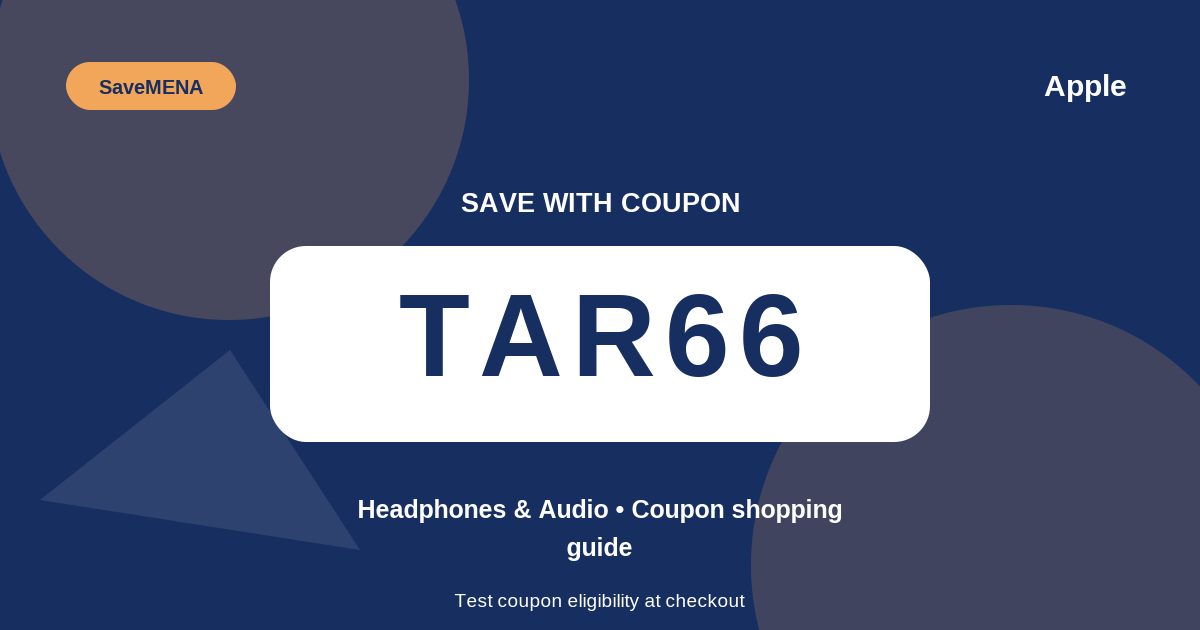
Codes available to try while comparing
These codes are not guaranteed for the article topic or listed brands; test them at checkout and use the live result.
Identify Official Apple Warranty Terms for Headphones
Apple’s standard warranty covers manufacturing defects and hardware failures for a period that varies by product. For headphones sold on Noon, verify that the listed warranty matches Apple’s global terms—typically one year for accessories. Cross‑check the product description for warranty language and note any mention of “Apple-given warranty” versus “seller‑provided coverage.” If the listing lacks a clear warranty statement, flag it as a potential risk before proceeding. This step ensures you’ll not encounter hidden restrictions when a fault arises.
In addition to the standard period, certain headphone styles may qualify for legacy self‑repair programs or extended coverage through Apple’s service plans. Look for an explicit statement that disclaims additional coverage beyond the baseline. A transparent warranty note boosts confidence, particularly when the price competitiveness is high. If the listing cites “Apple warranty included,” cross‑refine it with Apple’s global support portal to confirm the specifics of the protection you’ll receive.
Verify Processor Warranty Coverage Before Purchase
Although headphones are primarily mechanical devices, many feature active noise cancellation or digital signal processing. When Noon lists a technical specification, give special heed to processor warranty sections. Apple usually offers a one‑year warranty on integrated chips, but some third‑party accessories may extend or shorten that coverage. Confirm that the processor’s warranty period aligns with the overall headphone warranty. A mismatch could leave you uncovered for a component you didn’t anticipate.
If the product listing states “In‑built Apple chip” or references “Apple M1‑modeled processor,” that typically signals standard Apple warranty eligibility. Conversely, a generic “custom DAC” label may hint at manufacturer‑only coverage. In the latter case, verify the extent of post‑purchase support directly with the seller or through Noon’s help center before finalizing. This pre‑purchase check prevents costly repairs if the processor fails outside warranty.
Evaluate Post‑Purchase Support Channels
After purchase, the efficacy of Apple’s support can be gauged through several avenues: Apple’s official service centers, authorized repair partners, and online troubleshooting portals. Check Noon’s product page for links to “Apple Support” or an “Official Service Center” button. These links let you verify whether the listed headphones can be serviced through Apple’s infrastructure. Such integration simplifies claim processes and discourages unnecessary out‑of‑pocket fees.
When evaluating support, note the available response times and communication methods—phone, chat, or in‑store kiosk. Some sellers list an email address for warranty claims, but verify its legitimacy by cross‑checking the domain with Apple’s branding. Reliable post‑purchase support also includes clear instructions for registering your purchase on Apple’s website, which can expedite warranty processing when you need it.
Check Seller’s Return and Exchange Policies
Return policy details are critical when warranty falls short of expectations. Examine the seller’s terms for return labels, postage responsibilities, and time frames. A generous policy—such as 14 days to return or exchange—may offset limited warranty coverage by providing a fallback in case of defects or incompatibilities. Compare sellers on Noon for the depth of these policies.
Some sellers bundle a limited exchange period with Apple’s warranty; others may require original packaging and proof of purchase for returns. Recognize the distinction between a return due to defect and one for change of mind. The former usually aligns with warranty terms, while the latter may be subject to the seller’s own policy. Documenting these fields before checkout builds a safety net around your investment.
Use Coupon Code at Checkout Safely
Coupons add a layer of discount, but they do not alter warranty or support conditions. When you opt to apply the available code `TAR66`, type it into the checkout coupon field and watch for immediate validation. The coupon’s effect is limited to price; your headphone’s warranty remains unchanged. Be prepared to confirm the discount amount and then proceed with the purchase.
Remember that coupon usage is optional and not guaranteed for all listings. No guarantee that the code will apply to every headphone on Noon, and no discount is actually confirmed by this article. The best practice is to confirm the code’s acceptance before finalizing to ensure pricing aligns with your expectations, while still relying on Apple warranty for post‑purchase guarantees.
Monitor Warranty Registration Process
Once the headphones arrive, register the purchase on Apple’s Official Warranty portal if instructed. Registration clocks the warranty start date and creates a record that is useful if you contact Apple for a repair. In some cases, Noon sellers provide a QR code or serial number that can be scanned directly from the product packaging. Capture this data early to avoid missing out on a limited warranty window.
If the seller’s documentation does not provide a clear registration path, reach out to their support or Noon’s help center for guidance. A proactive approach to registering not only reinforces your coverage but also demonstrates that you are meeting the steps required for future claims. Keeping a copy of the registration confirmation enhances traceability in case of warranty disputes.
Compare Shipping & Delivery Assurance
Shipping reliability intersects with warranty when delivery delays or damages occur. Check Noon’s shipping status updates and track your order through the given tracking number. If the headphones arrive damaged, note the condition and immediately report it to the seller. A solid return policy is typically linked to swift shipping solutions such as same‑day or 24‑hour delivery.
Assess whether the seller offers real‑time order updates via email or SMS, and validate the estimated delivery window. Rapid delivery reduces the window for accidental mishandling and helps you begin warranty registration promptly. An unreliable shipping experience can undermine confidence in a product that otherwise seems valued for its warranty and support attributes.
Track Order & Access Customer Service
Continuous order monitoring is essential if you need to activate warranty services soon after arrival. Use Noon’s order history to log each step: order placed, payment confirmed, shipment dispatched, and delivery completed. Screenshot the confirmation page as proof if you encounter any disputes.
Establish how to contact customer service for both Noon-specific and Apple‑sponsored queries. If the headphone’s defect triggers a claim, you may need to initiate the process through Apple directly while still coordinating with Noon for parts or shipping. Knowing the correct support channels pre‑emptively prevents delays when you must rely on Apple warranty or post‑purchase assistance.
Related SaveMENA pages
Related articles
Official sources to check
Frequently asked questions
What does the Apple warranty cover for headphones purchased on Noon UAE?
Apple’s standard warranty for headphones generally covers manufacturing defects and functional failures for a limited period, typically one year. It may not extend coverage for accidental damage unless specifically stated or augmented through a separate service plan. Verify the terms on the product page and cross‑check Apple’s global warranty information for the exact coverage details.
Will the coupon code TAR66 apply to all headphone listings on Noon UAE?
The coupon code TAR66 is available to try at checkout, but it does not automatically guarantee a discount on every list of headphones. Only apply the code once the listing shows validation, and remember it has no impact on warranty or post‑purchase support obligations.
How can I verify that the seller’s return policy matches Apple’s warranty coverage?
Check the seller’s return policy page for details on time frames, required documentation, and shipping responsibilities. Ensure the return policy covers defects in line with Apple’s warranty periods, typically 90 days, and confirm whether the seller accepts returns for warranty‑related issues at no extra cost.
What steps should I take if my headphones arrive damaged?
Document the damage with photos, immediately report it to the seller through Noon’s help center, and retain the packing materials. For an Apple device, register the purchase on Apple’s warranty portal promptly and proceed with a warranty claim if the defect aligns with coverage terms.