Samsung Smart Watches on Noon UAE: warranty and support — value comparison
A key indicator of long‑term value is how many months a warranty covers the smartwatch. On Noon UAE, Samsung smartwatches typically include a two‑year factory
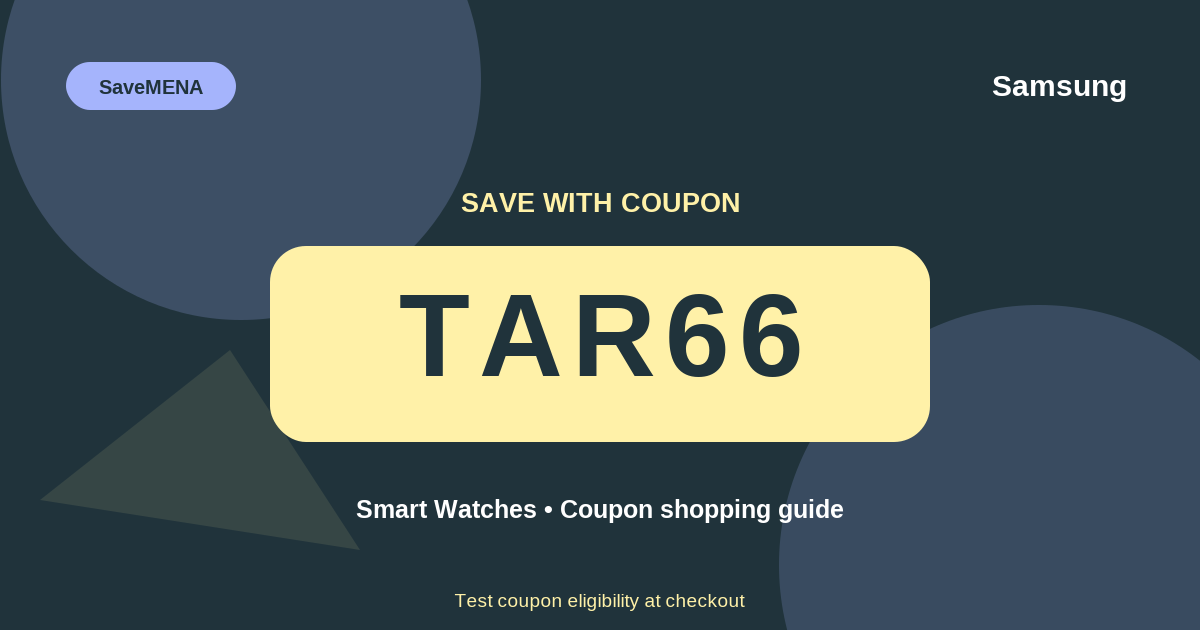
Codes available to try while comparing
These codes are not guaranteed for the article topic or listed brands; test them at checkout and use the live result.
1. Examine Warranty Duration and Scope on Noon Listings
A key indicator of long‑term value is how many months a warranty covers the smartwatch. On Noon UAE, Samsung smartwatches typically include a two‑year factory warranty, but variations exist across models. When browsing, locate the “Warranty” field in the product details and confirm the exact length. A longer warranty usually signals higher confidence from the manufacturer and can reduce future repair expenses. Ensure the warranty list includes key elements – battery, components, and manufacturing defects – rather than merely “electronics” coverage, as this determines what problems you can file under warranty.
Beyond the duration, scrutinize whether the warranty is transferable or tendered only at the original purchaser. Transferability affects resale value and can be important if you plan to gift the watch or sell it later. Checking the fine print in the seller’s description helps avoid surprises. If the policy appears vague, contact the seller for clarification before you finalize. A truly valuable purchase is one where the warranty’s breadth is as clear as its read‑on‑screen coverage.
2. Verify Factory Warranty Terms from Samsung Directly
Occasionally, Noon sellers are authorized resellers; however, Samsung’s official warranty terms can differ slightly between regions. Visit Samsung’s UAE website or call their customer service to confirm the nationwide warranty provisions. This step ensures you aren’t misled by a seller adding qualifiers that reduce service scope. For instance, some listings might limit warranty service to specific service centers, while Samsung’s terms may allow any accredited center nationwide. By aligning Noon’s stated warranty with Samsung’s official policy, you protect against over‑promising on repair coverage.
Remember, Samsung’s warranty typically covers manufacturing defects and includes battery replacements under certain conditions. Verify if “products defective during normal use” is listed under the warranty scope. A robust warranty clause should explicitly mention battery issues, as they’re a common failure point in wearables. If the seller omits battery coverage, consider alternative listings or reach out for clarification. Firm factory warranty terms add confidence that your investment will remain protected long after the initial price drops.
3. Assess the Accessibility of Samsung Service Centers in the UAE
Warranty longevity can be negated by an inaccessible repair network. Check the proximity of authorized Samsung service centers relative to your residence. Noon listings often provide a “licensed service partner” tag; however, the actual service network may vary. Use Google Maps or Samsung’s official service locator to verify that centers within a reasonable radius can handle smartwatch repairs. Geographical convenience translates into shorter downtime and potentially lower out‑of‑pocket costs if you need a repair before warranty expiration.
During your research, examine whether the nearby service centers offer in‑person repair hours or only mail‑in options. In‑person service reduces shipping timelines and eliminates the risk of lost or delayed returns. If the only available services are mail‑in, factor the return shipping cost and time into your cost‑benefit calculation. A well‑distributed service network is often a silent indicator of Samsung’s commitment to post‑purchase support.
4. Evaluate Post‑Purchase Support Channels on Noon for Samsung Watches
A robust after‑sales experience includes accessible support channels – live chat, email help, and phone lines. Search Noon for listings that display a dedicated support channel or a “Customer Service” link. Verify that the seller or Noon itself offers multiple avenues for questions about software updates, battery charging, or device calibration. The more readily you can contact assistance, the faster you’ll resolve issues that might otherwise clog a warranty claim.
Look for reviews or comments within the product page that mention support interactions. Positive commentary on quick replies or helpful guidance can be a proxy for a responsive support ecosystem. Conversely, vague or nonexistent support links may flag potential trouble when service is needed. A strong support channel correlates with higher customer satisfaction and a smoother ownership experience.
5. Read Seller Return and Exchange Policies Carefully
The warranty encompasses repair, but many buyers also rely on easy returns if a device is faulty before use. Noon’s return policy is typically 14 or 30 days, but seller‑added terms can modify that period. Confirm the exact duration, required proof of purchase, and whether you can return the watch for a refund or replacement. A seller that offers a generous return window strengthens the overall value by giving you a safety net beyond the warranty period.
While the warranty may cover a malfunction after a certain timeframe, the return window addresses early defects or mismatch of expectations. If the seller’s policy requires the smartwatch to be in a never‑used condition, note that for potential future troubleshooting. A seller transparent about return conditions demonstrates respect for post‑purchase support. Make sure to capture the policy details before checkout.
6. Verify the Serial Number and Authenticity Before Purchase
A watch’s serial number is the key to accessing authorized repair services. Ensure that Noon’s listing displays a visible serial number or provides a URL to a verification portal that confirms the unit’s genuineness. Authentic Samsung watches often have registered serial numbers that Samsung can trace for warranty claims. In contrast, counterfeit units may lack proper documentation or have tampered serial numbers, making warranty claims impossible.
When you acquire the smartwatch, inspect the back or strap area for a small printed serial number that matches the one listed online. This check prevents accidental purchase of non‑OEM products that might appear identical visually but lack legitimate support. Confirming authenticity also protects your warranty rights, ensuring Samsung’s service network recognizes the device for repairs or replacements.
7. Map Out Long‑Term Software Update Support
Warranty coverage alone does not guarantee technological relevance. Samsung’s commitment to firmware and OS updates influences a smartwatch’s longevity. Check that the chosen model has a documented update schedule for at least two years, as this reflects future support for new features, security patches, and performance improvements. An older model with discontinued updates may lose functionality even if under warranty.
On Noon, you can sometimes find a note on “software updates” in the product description or reviews. If not, visit Samsung’s official website to check the device’s update history. A watch that continues to receive updates extends its value and may reduce the need for warranty repairs caused by software glitches. Align this long‑term support with the earlier warranty terms to understand the full service horizon.
8. Plan for Post‑Purchase Service and Documentation Retention
After confirming all warranty and support aspects, you should keep a record of purchase receipts, serial numbers, and any correspondence with Noon or Samsung support. Store digital copies in a secure folder or cloud storage, as you might need them for future repairs or resale. Having documentation ready can speed up warranty processing and reduce the risk of losing your claim if the device fails.
During the first few weeks post‑purchase, test the contact methods and backup your data. If any support request requires proof of purchase, having everything in order will avoid delays. This final step ties together the journey from initial selection to long‑term care, ensuring you get the best value on Noon UAE Smart Watches Samsung warranty and post‑purchase support.
Related SaveMENA pages
Related articles
Official sources to check
Frequently asked questions
How long does the Samsung smartwatch warranty last on Noon UAE?
Typically, Samsung smartwatches sold on Noon UAE come with a two‑year factory warranty covering manufacturing defects and battery issues under normal use. Verify the exact duration in the product listing and confirm it aligns with Samsung’s official UAE warranty terms.
Can I use the TAR66 coupon code on my smartwatch purchase?
You can try typing TAR66 at checkout to see if it applies. The code is a trial option and does not guarantee a discount. If it does not work, you can still proceed with the purchase and explore other offers.
What should I do if my smartwatch needs a repair outside the warranty period?
Contact the local Samsung service center or the support channel listed on Noon. While the warranty may have expired, many service centers offer paid repairs or software updates. Keep your serial number and purchase receipt handy for reference.
Is it necessary to have the smartwatch officially registered with Samsung?
Registering the device on Samsung’s website or through their mobile app can activate eligibility for software updates and help coordinate warranty claims. Registration also aids in tracking the product if it’s lost or stolen.