Nikon Cameras on Noon UAE: account eligibility — variant and model checks · TAR62
, etc. Also 4 FAQs with tags. We need to check counts: each paragraph 80-100 words; we must approximate. I’ll attempt. Start. Let's write intro paragraph soon. Sure
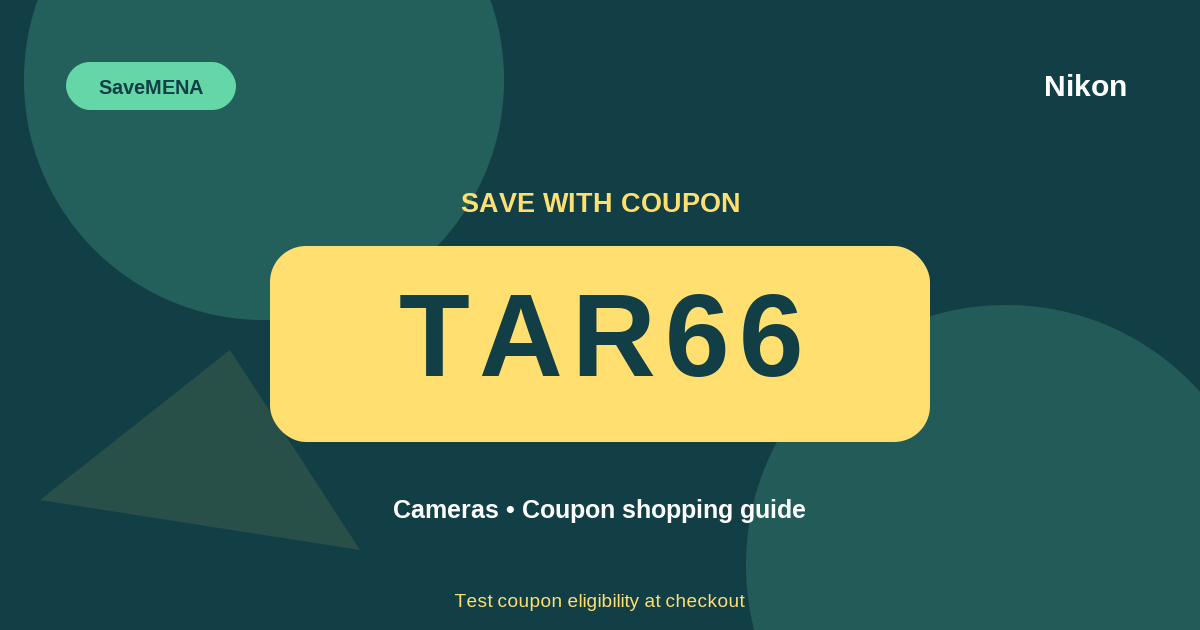
Codes available to try while comparing
These codes are not guaranteed for the article topic or listed brands; test them at checkout and use the live result.
Choosing the Right Nikon Camera Variant on Noon UAE
Begin by selecting the Nikon camera model that aligns with your creative goals. Whether you need a DSLR for studio work or a mirrorless body for street photography, each model comes in various variants with distinct sensor sizes, lens mounts, and storage capacities. Use the filters on Noon UAE to narrow down to Nikon, then further refine by specifying the exact variant name or code if you know it. This precise selection keeps the search focussed and prevents accidental mismatches between the camera you intend and the one displayed.
After you’ve isolated the variant, scroll through the product listing to read details like resolution, ISO range, and connectivity options. Pay close attention to imagery and the product description that confirms the exact build. Remember, Noon lists multiple listings for the same model—some from official dealers, others from third‑party sellers.A coupon is not guaranteed; verify its result at the retailer checkout.
Matching the Variant – From Specification to Price
Once you know the exact variant, verify that every listed feature matches. Look for the stated sensor type (full‑frame, APS‑C, etc.), the lens mount (F‑mount, Z‑mount), and the included accessories (additional lenses, batteries, bags). These specifications are how you confirm variant consistency across sellers on Noon. The variant string—often a brief code or model number—must match across all data points you review: product title, description, and spec table.
Only after you have confidence that the variant listings are identical should you move to price comparison. Because Noon permits many sellers to list the same variant, each can set its own price. Keep a mental or written note of the variant code or full specification set so you can compare only like‑for‑like offerings. Don't leap to the cheapest one without confirming that every feature aligns with the variant you verified first.
Using the Noon UAE Variant Coupon Code TAR62
When you’re ready to add the Nikon variant to your cart, you’ll notice an option to enter a coupon code. The code TAR62 is visible for promotional campaigns on Noon UAE; however, its eligibility and benefit are not guaranteed. Enter the code in the coupon field and watch for the system to confirm whether it applies. If the coupon does not validate, the checkout will simply proceed without any discount.
Because the effectiveness of TAR62 is variable, always double‑check at the checkout that the coupon’s status has not changed during the transaction. If the code is accepted, the confirmation screen will show a reduction in the total. If not, you’ll see a note indicating that there is no discount.A coupon is not guaranteed; verify its result at the retailer checkout.
Account Context: Checking Eligibility and Filters
Your Noon account context influences which listings appear and which offers you can apply. Once you’ve logged in, use the account settings to adjust preferences such as international shipping options, payment methods, and language. These settings auto‑filter the catalog so that the Nikon variants you see are relevant to your location and payment profile.
Additionally, your account may restrict certain multi‑seller offers or enable exclusive coupons for members. Always confirm eligibility by reviewing the cart summary—if the discount doesn’t appear, the account context might be excluding that offer. If you suspect a restriction, reaching out to Noon support can clarify whether any further action is needed on your part.
Comparing Same‑Variant Prices Across Noon Sellers
After isolating the correct variant, gather the price quotes from each seller listing it. Make a simple table in your head or on paper: seller name, price, shipping conditions, and return policy. This organized comparison ensures you evaluate the same camera variant across all options rather than comparing different models by accident.
Do not rely solely on the lowest price board; check the seller’s rating and customer feedback. A slightly higher price from a verified dealer often provides a longer warranty or a better post‑purchase support experience—an important factor if you’re investing in a Nikon camera. This balanced perspective protects your interests while maintaining conversational suitability to Noon UAE.
Adding to Cart – Ensuring Variant Consistency
When you select the seller that aligns with your preferred price and service level, add the Nikon variant to your cart. Double‑check the product snapshot at the bottom of the screen to confirm the variant details once more—sensor type, lens mount, and accessories included. A quick reassignment can prevent a mid‑purchase change that invites frustration later.
If you encounter a mismatch, remove the item and start again with the correct variant. Noon houses numerous listings for each camera, and even a small misalignment can lead to a different build in your final shipment. Taking this step at the cart stage saves time and potential returns.
Final Checkout Steps and Coupon Verification
Proceed to the checkout screen and review every line item: variant, price, shipping fees, and any discount applied. If you previously entered the coupon code TAR62, observe whether it’s reflected here. Should it not be applied automatically, re‑enter it. The checkout is the definitive moment where you confirm your final payable total before order completion.
Confirm delivery details, payment method, and any additional preferences. Once you press the final “Confirm Order” button, Noon will lock the amount and proceed. After payment, you’ll receive a confirmation email summarizing your Nikon variant, price, and any discounts applied. Keep this email, as it serves as your receipt and proof of variant authenticity.
Post‑Purchase Tips for Your Nikon Camera
Once the camera arrives, perform a quick functionality check: power, autofocus, image stabilization (if applicable), and connectivity. If any features are missing or not operating as specified, note the issue and contact the seller or Noon support immediately. Both parties have formal channels for addressing defects under UAE consumer protection law.
To extend the lifespan of your Nikon camera, consider investing in a protective case, a spare memory card, and routine firmware updates. Familiarise yourself with manual calibration and service intervals if your model supports them. By following these post‑purchase steps, you ensure that your new gear delivers the performance that you matched at checkout.
Related SaveMENA pages
Related articles
Official sources to check
Frequently asked questions
Can I use the code TAR62 on any Nikon camera variant on Noon UAE?
The coupon code is available to try, but its eligibility is not guaranteed and may vary by variant. Verify at checkout whether the coupon applies to your specific Nikon model before finalising the purchase.
Should I trust sellers with lower prices for the same Nikon variant?
When comparing prices, also consider seller ratings, return policies, and warranty coverage. A small price advantage may come with higher risk if the seller lacks reliable customer support.
Is there a need to double‑check the variant in the cart before finalising my order?
Yes. Reviewing the variant details in the cart ensures you’re receiving the exact model you selected and helps avoid mis-ordered configurations.
What if the coupon code is not applied during checkout?
Check the code entry, ensure it’s typed correctly, and confirm no restrictions on your account context. If it still fails, proceed without the discount as the code is not guaranteed.