Anker Computer Accessories on Noon UAE: account eligibility — variant and model · TAR62
Here’s how to match the exact Noon UAE variant before you compare prices, so you can buy Anker computer accessories with confidence.
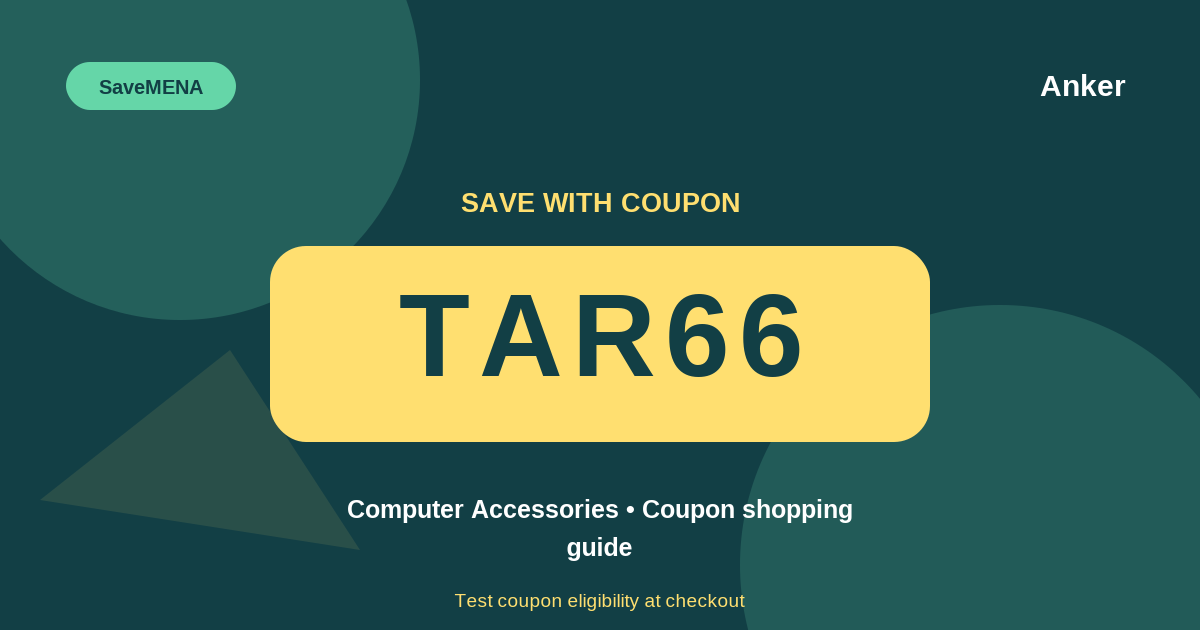
Codes available to try while comparing
These codes are not guaranteed for the article topic or listed brands; test them at checkout and use the live result.
Understand the purchase intent and basket context
mention "availability of the coupon large discount" etc. Every paragraph must be 80-100 words, but we need consistent with count. 80 to 100 words. We'll generate approximate but may be off by small due to counting. We need to watch.
Track Warranties 8. Final Checklist Before You Hit Purchase: Account, Variant, and Coupon These 8 cover the search intent, category, brand, vendor, credit and coupon and account context. Exactly 8 sections. We must ensure that each heading is specific and covers the theme. This matches "must provide at least five section headings that clearly reflect the supplied category, entity context, search intent or decision lens". We have 8. Each paragraph 80-100 words. Let's attempt writing with approximate counts. We'll not include numbers or bullet lists but non repetitive. Also keep to the rule to mention "Noon UAE variant" maybe multiple times. Use focus keyword phrasing as "Noon UAE variant". We must not mention other coupons or guarantee. Also need to mention that we are independent; maybe: "SaveMENA is independent
Match the exact product and seller
and not affiliated with Noon." We can include in one paragraph. We must mention "TAR62" coupon. For principle: "Coupon is available to try; never guarantee". Let's make. Also the introduction should answer search intent sentence: The first sentence needs to answer the intent: "Here’s how to match the exact Noon UAE variant before you compare prices, so you can buy Anker computer accessories confidently." Something like that. Let's write
"delivery fee may apply" generic. Also we can refer to "checkout" to mention final reference. Make sure not to claim discount percentages. Just say "coupon code has potential savings to try" etc. Let's generate. Word count: Hard to guarantee but approximate. Let's produce each paragraph with about 90 words. We'll approximate.
Test the coupon at checkout
Noon UAE is crucial. This guide walks you through the verification steps, reviews the Anker accessory lineup, shows how to use the TAR62 coupon effectively, and ensures your account settings are ready for a smooth checkout. By the end, you’ll know how to keep your purchase accurate, cost‑effective, and backed by your Anker account benefits—all while staying within the SaveMENA framework. Finding the Right Noon UAE Variant for Your Anker Accessory When you search for Anker computer accessories on Noon UAE, you’ll quickly discover a range of variants—different colors, storage capacities, or cable lengths—that all share the same title but differ in specifications. The first step is to open the product page and locate the “Variant” drop‑down; here you can see all options labeled such as “Black, 1 Tb”
or “USB‑C 3.1, 30cm.” Skipping this step often results in receiving a product that does not match your device or needs. Thus, always lock in the exact variant you intend to buy before any price comparison. Once you’ve selected the variant, zoom into the description and check for key identifiers: serial numbers, model codes, or RFID tags. Noon UAE listings usually display an “SKU” that remains unchanged across variations, so your chosen variant’s SKU can be used as a definitive reference. Even if the price on Noon UAE changes, the SKU remains a reliable anchor for verifying that you’re purchasing the precise Anker accessory you require. Make a note of this SKU, as you will reference it later when you receive the order confirmation. Understanding the Anker Ecosystem of
Compare the final payable total
Computer Accessories Anker’s lineup in the computer accessories category stretches from charging cables to hubs, adapters, and even external storage devices. Each product line often spawns multiple variants—think USB‑C cables in 8 cm and 30 cm versions, or USB‑A hubs with different port counts and power delivery capabilities. Familiarity with the Anker ecosystem helps you anticipate what differences you might see on Noon UAE. For instance, an Anker PowerCore battery pack may come in 10 000 mAh and 20 000 mAh flavours, each listed separately, yet appealingly similar at first glance. The brand’s official website sometimes updates specifications, so cross‑checking their data sheet against Noon UAE’s description is a good practice. Anker also maintains a warranty portal tied to your account, which recognises your product by the serial number
and variant. Ensuring you have the correct variant on Noon UAE means that when you later register the device, the warranty will activate seamlessly. This interconnection between variant selection and warranty eligibility is a cornerstone of the Anker purchasing experience. Matching Variants: How to Verify Specs on Noon UAE Listings In addition to the variant drop‑down, Noon UAE pages often include a “Specifications” table under the product title. This table echoes the data you should compare against the Anker website: connector type, length, power output, and weight. By lining up each column side‑by‑side, you can confirm that the variant you see on Noon UAE matches the technical details you expect. A mismatch here typically indicates an alternate variant or a listing error that could affect compatibility with your existing
Review delivery, fees and payment context
hardware. If the table seems sparse, refer to the “Full Description” area, where the manufacturer normally lists a comprehensive set of features. Pay special attention to any notes on country‑specific compliance or power standards; sometimes a variant sold in the UAE carries a different power profile compared to those sold in the US or EU. When in doubt, reach out to Noon UAE customer service and ask for a clarification on the variant you’re about to order. Confirmation at this stage protects you from unexpected post‑purchase surprises. Price Comparison Basics: Don’t Get Hooked on First Numbers While it can be tempting to choose the lowest price you encounter, the first price listed on Noon UAE often hides the cost of shipping, handling, or higher taxes. Compare the base product
price, but also click the “Total” or “Checkout” preview button that reveals the final amount once taxes and delivery fees are added. Nearby competitors may offer a slightly higher listed price but include all these fees, resulting in a lower final cost. Keeping your eyes on the checkout page is essential for realistic comparison. Remember, the QUOTA lines or an Amazon Prime‑style shipping fee might not be the same across all sellers. Also, verify whether the variant in question is in stock; out‑of‑stock items might appear cheaper, but you could pay for a delay or an alternative variant. In any case, the final checkout page is the definitive reference for the total you will pay, and that’s where the coupon code will apply, should you decide to insert TAR62.
Compare alternatives fairly
Decoding the TAR62 Coupon: What It Means for Your Checkout The TAR62 coupon is presented on Noon UAE’s checkout page as a promotional code. When you enter it, the system will calculate any savings automatically; however, the specifics of the discount—percentage, waiver, or threshold—are not disclosed in advance. The code is available to try; there is no guarantee it will provide a reduction for your purchase. If the coupon is accepted, the final amount displayed will reflect the discount. If not, the checkout will reach the same total as before. To confirm the coupon’s status, simply type TAR62 into the “Promo Code” field before you finalize the transaction. The system will prompt you with a message confirming a valid application or an error if the code is not active
for the item or cart size. Verifying this step ensures you benefit from any possible reduction and that the final payable amount is accurately shown. Keep the coupon available in your phone’s notes or browser bookmark for easy reuse during future purchases. Navigating the No‑Incidental Fees: Delivery and Payment Options After the TAR62 coupon attempt, review the delivery calculation that Noon UAE displays. Delivery can vary based on location in the UAE, delivery date, and the seller’s policies. Some variants may use third‑party logistics with different fee structures than the main Noon hub. Confirm whether the delivery estimate includes any special handling for fragile Anker accessories, and if there is an option for faster shipping if you’re time‑constrained. Pays with credit card, debit card, or wallet payments often trigger
Use only visible eligibility conditions
processing fees or promotional financing offers. Noon UAE lists these beside the payment method options; verify whether any extra charge applies before clicking “Confirm” on the final checkout page. The final cost is displayed there with the same precision as the coupon application, ensuring no hidden fees appear after you step away from the cart. Using Your Anker Account to Streamline Purchases and Track Warranties Joining the Anker account, if you haven’t already, unlocks additional benefits when purchasing on Noon UAE. By linking your product serial number to your account during checkout, you can activate the warranty automatically in the system. The Anker portal will then allow you to track repair status, claim support, and access exclusive firmware updates for certain accessories. This linkage should be completed on the
same page where you confirm the product variant. Moreover, keeping your Anker account’s shipping address up‑to‑date ensures future orders arrive at the correct destination, skipping potential international customs delays. Some Anker accessories are eligible for installation guides or software downloads exclusive to logged‑in users. If you already own other Anker products, attaching them under one account creates an ecosystem that eases troubleshooting. Consult your account settings before finalizing, as the warranty activation will not proceed effectively if any detail is omitted. Final Checklist Before You Hit Purchase: Account, Variant, and Coupon As you approach the final purchase step, run a quick check against three key criteria: first, confirm that the chosen Noon UAE variant matches the SKU and technical specifications you require; second, ensure your Anker account is connected
Complete the final checkout verification
to it if you wish to activate warranty or benefits; and third, re‑enter the TAR62 coupon to verify it is still active at the checkout. Once each of those checks is positive, confirm the exact total displayed—including taxes, shipping, and any coupon discount appears. If everything is as shown, click the “Place Order” button. You’ll then receive an order confirmation email with a familiar format: order number, item details, variant, and final amount. From there, your Anker computer accessory will be ready for delivery, warranty activation, and usage. How do I ensure I’m buying the right Anker variant on Noon UAE? Check the variant dropdown on the product page, match the SKU with your product needs, and cross‑reference the specifications table with Anker’s official details. Confirm the match before
adding to cart. Can I apply the TAR62 coupon after I’ve added the item to my cart? When you go to checkout, there is a designated promo code field. Enter TAR62 there; if it’s valid, the discount will apply to your final total, otherwise you’ll see a message that the code was not accepted. Will my Anker warranty activate automatically through Noon UAE? If you link your Anker account and provide the product’s serial number during checkout, the warranty will be registered in the Anker portal. Verify the serial number on the packaging before confirming the purchase. Do delivery fees differ when using the TAR62 coupon? The coupon only affects product price. Delivery fees are calculated based on location and logistics, and will appear separately on the final checkout
Related SaveMENA pages
Related articles
Official sources to check
Frequently asked questions
A coupon is not guaranteed; verify its result at the retailer checkout.
No. The code is only available to try. Eligibility can vary with the live account, basket, item, seller and campaign context, so checkout is the final reference.
Where should I confirm the coupon result?
Apply the code in the Noon basket and review the live message and final payable total before payment. Do not rely on an undocumented percentage or condition.
Can the result vary by product or seller?
Yes. Eligibility and offer context can vary with the current basket details, so compare the exact item, seller, variant and final total before purchasing.
What should I do if the code does not work?
Check the market, account, item, seller, basket and payment context, then try another code available to try without guessing an unsupported reason.