Electronics on Noon UAE: account eligibility — variant and model checks · TAR62
Looking for the best deal on a specific electronic gadget on Noon UAE? The first step is to make sure you’re comparing the exact variant—color, storage, or
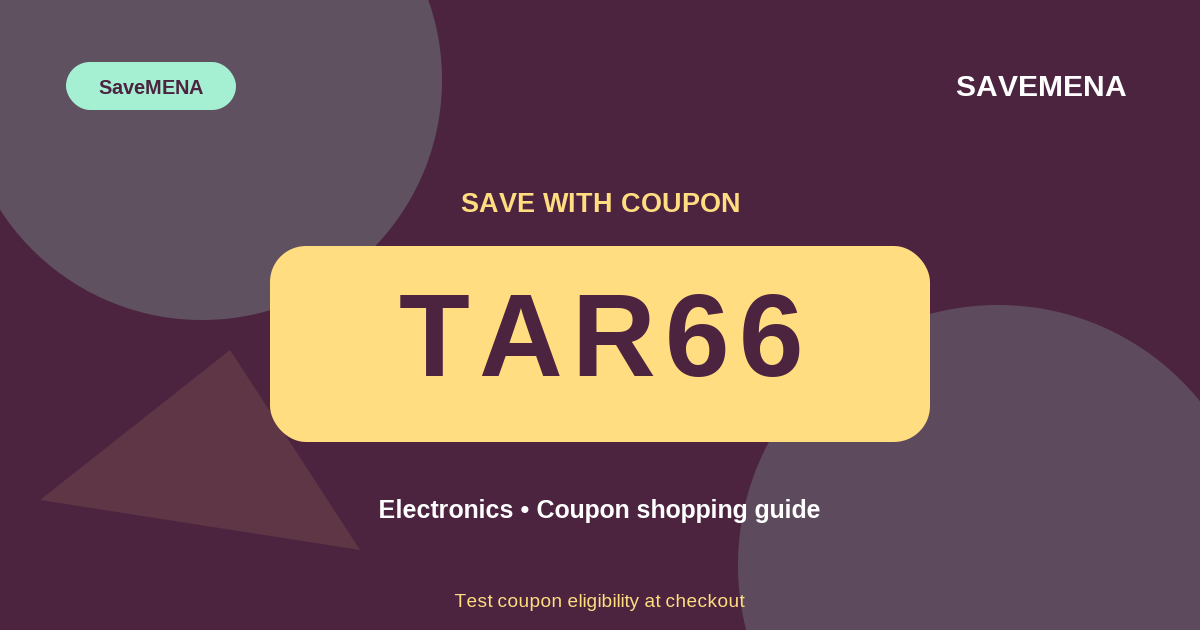
Codes available to try while comparing
These codes are not guaranteed for the article topic or listed brands; test them at checkout and use the live result.
1. Why Variant Matching Matters on Noon UAE
Electronic products on Noon UAE come in multiple variants—different RAM sizes, colors, or pre‑installed software. Without narrowing down your search to the exact variant, you risk comparing apples to oranges: a 64‑GB model may list a lower price than a 32‑GB variant simply because the spec is different. Variants also carry different seller ratings and return policies, so you need to confirm the exact configuration before evaluating price. On Noon, searching by variant name or SKU ensures you’re looking at the same product across all listings, giving you a true head‑to‑head comparison.
When variants are matched, you can also see whether the same model is available from multiple sellers or only from a single vendor. This can affect shipping times, warranty support, and any seller‑specific promotions. By locking down the variant early, you avoid the inconvenience of having to reorder or return a mismatched item, and you set the stage for a smoother checkout experience that respects the unique attributes of the product you want.
2. Account Context: How Your Noon Profile Affects Prices
On Noon UAE, your account context can influence visible prices. Logged‑in shoppers see rates that include any accumulated loyalty points or cashback credits tied to their profile. The personal discount tier you receive may alter the final price before coupons are applied. Also, your chosen payment method (e‑wallet, credit card, or deferred financing) can trigger instant discounts or fee rebates, which are reflected in the purchase summary only after you log in.
Moreover, account level can dictate whether a particular seller’s promotional offer is available to you—some sellers enable special discounts only for verified shoppers or for those with a certain spending history. Always double‑check your account status and payment preferences before you commit to a purchase, as these factors directly affect the amount you ultimately pay.
3. Navigating Noon UAE’s Electronics Listing for the Exact Variant
Once you’ve chosen a product line, use Noon’s filter options to narrow the results by storage capacity, color, or other attribute tags. Pay close attention to the listed SKU or internal product ID; this identifier is key to confirming that you’re viewing the exact variant you want. You can also cross‑reference the description to ensure the specifications match what you expect—examples include processor speed, screen resolution, or connectivity features.
After locking in the variant, scroll to the “Buy Now” section where sellers sometimes provide different price tiers based on delivery location or bundles. Focus on the variant that matches your buying intent—if you need faster shipping or a larger warranty, those options will show as separate listings or add‑on selections. The clearer you are on the variant, the more accurately you can compare sellers’ prices and included services.
4. Comparing Prices Across Sellers with Account Insight
When multiple sellers list the same variant, Noon UAE displays each price side by side. However, the listed price may exclude certain seller‑specific fees—such as fulfillment charges or destination‑based surcharges—that only appear at checkout. To make a fair comparison, click into each seller’s detail page, scroll to “Add to Cart,” and observe any additional fees that are automatically added to the subtotal. This step ensures you’re comparing net costs, not just sticker prices.
Additionally, each seller’s rating, return policy, and warranty terms can differ. Even if a seller offers a lower preliminary price, higher return costs or limited support might offset the savings. Make note of these variables in a simple spreadsheet or note app before proceeding to checkout, so you can weigh total value—price plus service—against your preferences.
5. The Role of TAR62 Coupon: What to Expect
The TAR62 coupon can be attempted during the Noon UAE checkout process; it’s available for most electronics categories, but its application is not guaranteed. Unlike fixed‑percentage discounts, the coupon may offer a flat value or a conditional rebate, and the final impact can vary depending on the cart total and the seller’s current promotion status. You should enter TAR62 into the coupon field when prompted and watch for a confirmation that the code is accepted.
Because Noon UAE sometimes enforces sequential discounts—first applying seller offers, then account credits, and finally coupon codes—TAR62 may or may not stack with other benefits. If the coupon isn’t applied, you will see a notification at checkout. This process is part of Noon’s standard order completion flow, so it’s important to verify acceptance before final payment.
6. Applying the Coupon at Checkout: Practical Steps
To use TAR62, proceed to your shopping cart after confirming the variant selection and price comparison. In the cart overview, locate the “Apply Coupon” field and enter TAR62. The system will instantly recalculate the subtotal and display the new total if the code applies. Make sure you review any errors that may appear—common issues include using the coupon before finalizing shipping or if the cart total is below a threshold that the coupon can’t meet.
After the code is accepted, double‑check that the final amount reflects all applied discounts: seller offers, account credits, and the TAR62 coupon. Confirm that the tax and delivery charges are still shown separately, as these can be added after coupon application. If the coupon did not apply, you still have the opportunity to proceed to payment, or you may want to restart the cart if you believe an error occurred.
7. Checking Final Amounts on Noon UAE: Fees, Taxes, Delivery
The checkout screen in Noon UAE presents a detailed summary: item price, applied coupons, account bonuses, platform shipping, and tax. Even after applying TAR62, you must verify that the remaining payable amount matches the value shown before you proceed. If you are a regular Noon shopper with a Pay‑Later option, additional financing fees may appear and can override some previously applied discounts.
Because the final total is locked only at this stage, it’s crucial to read each line carefully. If any discrepancy remains—for instance, if a coupon is applied but the total still shows the higher amount—you should pause and review the cart or contact Noon customer service for clarification before authorizing the payment method.
8. Recap and Next Steps for Your Electronics Purchase
Matching the exact variant forms the foundation of a fair price comparison on Noon UAE. By confirming the SKU, reviewing seller and account‑specific discounts, and then carefully applying the TAR62 coupon at checkout, you can transparently see how each layer of savings stacks up.A coupon is not guaranteed; verify its result at the retailer checkout.
Once the final amount is verified, you can authorize payment and confirm the expected delivery timeframe. Keep documentation of the transaction details, including confirmation emails, for easy access if you encounter any post‑purchase questions. Applying this structured process every time you shop for electronics on Noon UAE will help you consistently spend smarter and stay informed about every potential offset to your cost.
Related SaveMENA pages
Related articles
Official sources to check
Frequently asked questions
What happens if the TAR62 coupon does not work at checkout?
If the code is not accepted, Noon will show an error message during checkout. You can try the coupon again or contact Noon’s support to confirm eligibility. If it remains unaccepted, you may proceed without it, keeping in mind the final price displayed before you complete the purchase.
Does my Noon account level influence where the coupon applies?
Yes, your Noon profile can affect the order of applied discounts. Coupons typically apply after seller promotions and account credits, but the exact order depends on Noon’s checkout logic. Confirm each step in the final summary to see how your account context interacts with the coupon.
Can I combine the TAR62 coupon with other promotions at Noon?
Noon allows stacking of certain seller offers and account credits with coupon codes like TAR62, but the application order is fixed in checkout. The coupon will only apply if the cart meets its conditions; check the final summary to confirm whether all intended discounts are applied.
Will there be extra delivery charges after I apply the coupon?
Delivery fees are calculated separately from product discounts. Even after applying a coupon, the checkout will display the final shipping cost. Verify the final amount before authorizing payment to ensure you’re aware of all fees.