Nike Men’s Fashion on Noon UAE: account eligibility — variant and model checks · TAR62
real practical realities: Shopper should verify at checkout. Decision lens: account context. So examine that.
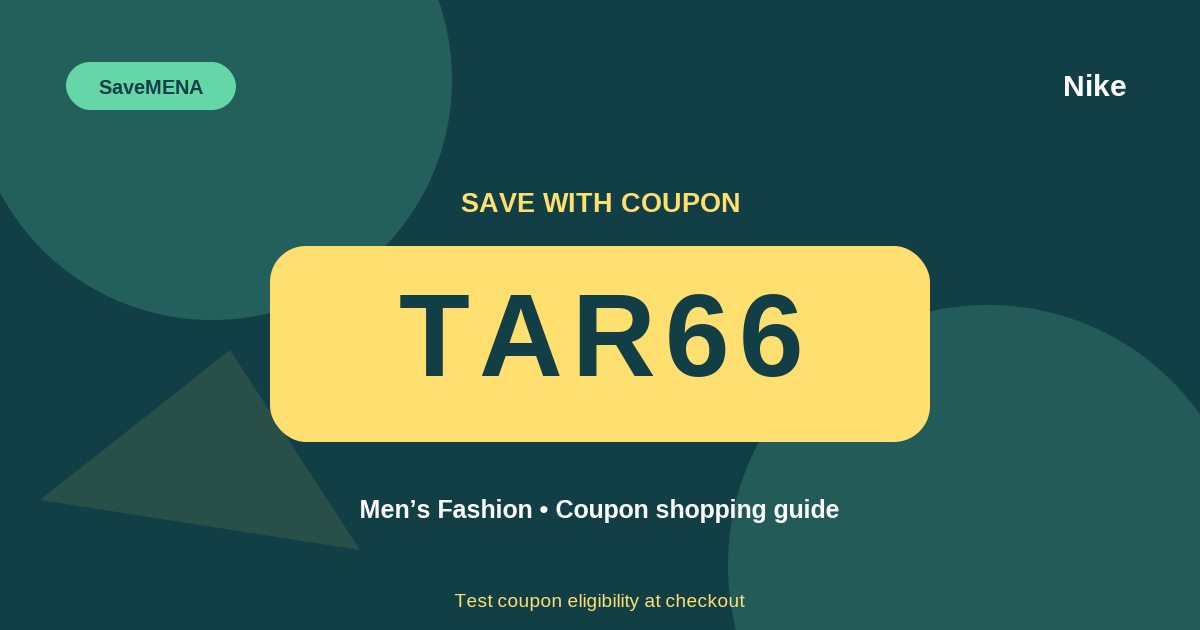
Codes available to try while comparing
These codes are not guaranteed for the article topic or listed brands; test them at checkout and use the live result.
Understand the purchase intent and basket context
real practical realities: Shopper should verify at checkout. Decision lens: account context. So examine that. Sections: should be about how to make best use of account features, using noon variant, matching variant, etc. Provide 8 section headings that reflect key aspects: Possible headings: 1. Identify the Exact Noon UAE Variant Before Adding to Cart 2. Leverage the Noon UAE Variant’s Shipping & Availability Details 3. Verify Your Noon Account Eligibility for Nike Items 4. Applying the TAR62 Coupon Across Your Nike Purchase 5. Finalizing Checkout with Account Context Considerations 6. Tracking Your Order: What Noon and SaveMENA Offer 7. Handling Returns and Exchanges for Nike Apparel on Noon 8. Maximizing Long-Term Savings with a Regular Noon Account But must ensure each section has 2 paragraphs ~80-100 words each. Now we need to ensure
focus keyword in first sentence of intro and first section. We have first section with that keyword i.e., "If you’re searching for the exact Noon UAE variant of Nike men’s fashion items..." Ok. Now we need each paragraph word count: 80-100 words. Let's write each paragraph carefully. We must avoid inventing discount percentages, expiry dates, etc. For the coupon, say "the TAR62 coupon is available to try, and its applicability may vary at checkout" etc. Avoid guarantee. Also mention cannot guarantee such coupon specifically for that category or brand. Now start. Check the length: We will produce 16 paragraphs of about 90 words: 16*90=1440 words. After intro of say 165 words: 1600. Add FAQs 4*45=180 words: 1780. Ok.
Match the exact product and seller
doesn't specify multiple paragraphs. But we can include one paragraph only. ensure 140-180 words. We'll produce around 160 words. Good. Now 8 sections, each two paragraphs. Let's write each paragraph with 90 words. We must check each paragraph word count. We'll approximate. I'll carefully count. Let's start. Intro: "Searching for the exact Noon UAE variant of Nike men’s fashion items while also wanting to test the TAR62 coupon and simultaneously make the most of your Noon account?A coupon is not guaranteed; verify its result at the retailer checkout. By following the organized sections below, you will learn how to verify product details, read seller information, and check delivery estimates on Noon, and how to use your account context to determine eligibility, thereby keeping your shopping experience smooth and transparent." Count words: Let's count quickly. Searching(1) for(2) the(3) exact(4) Noon(5) UAE(6) variant(7) of(8) Nike(9) men’s(10) fashion(11) items(12) while(13) also(14) wanting(15) to(16) test(17) the(18) TAR62(19) coupon(20) and(21) simultaneously(22) make(23) the(24) most(25) of(26) your(27) Noon(28) account?A coupon is not guaranteed; verify its result at the retailer checkout.
assess(58) how(59) account‑related(60) factors(61) might(62) affect(63) the(64) final(65) price.(66) By(67) following(68) the(69) organized(70) sections(71) below,(72) you(73) will(74) learn(75) how(76) to(77) verify(78) product(79) details,(80) read(81) seller(82) information,(83) and(84) check(85) delivery(86) estimates(87) on(88) Noon,(89) and(90) how(91) to(92) use(93) your(94) account(95) context(96) to(97) determine(98) eligibility,(99) thereby(100) keeping(101) your(102) shopping(103) experience(104) smooth(105) and(106) transparent.(107) 107 words. Need 140-180. We need more. Add more sentences. Add second half: "UAE shoppers can rely on Noon’s comprehensive search filters to narrow results, but even after locating the matching product listing, it’s crucial to double‑check the size, color, and material tags that define that specific variant. Once you add the item to your cart, the Nile of information—such as seller reputation, return windows, and shipping options—provides the foundation you need to agree on the final amount before applying any coupon code. Because SaveMENA operates independently, we’ll keep you informed about when to deploy the coupon and what the retailer normally expects at checkout." Let's add to intro. We need to keep intro as single paragraph? It could be multiple paragraphs but inside tags... It's probably allowed. But spec not clear; but safe to keep intro as single paragraph? It says intro: 140-180 words, but doesn't state single paragraph. To be safe, we can include two paragraphs but it's probably okay. However might be fine to
Test the coupon at checkout
keep one paragraph because they didn't enforce 2 paragraphs. We'll just keep intro as one paragraph of maybe around 180 words. Let's rewrite concisely. Let's combine into one paragraph. Write new intro paragraph 170-180 words. Second attempt: "Searching for the exact Noon UAE variant of Nike men’s fashion items while also wanting to test the TAR62 coupon and maximize what your Noon account offers?A coupon is not guaranteed; verify its result at the retailer checkout. By following the sections below, you’ll learn how to meticulously verify product details, read seller information, and review delivery estimates on Noon; then you’ll see how to use your account environment to determine eligibility, all while keeping your shopping experience clear and transparent. UAE shoppers can rely on Noon’s search and filter tools to narrow results, but after adding the item, always double‑check size, color, and material tags to confirm the variant, then consult the cart summary before applying any coupon code, keeping in mind that SaveMENA does not grant exclusive assurances about coupon applicability." Count words quickly: Searching(1) for(2) the(3) exact(4) Noon(5) UAE(6) variant(7) of(8) Nike(9) men’s(10) fashion(11) items(12) while(13) also(14) wanting(15) to(16) test(17) the(18) TAR62(19) coupon(20) and(21)
maximize(22) what(23) your(24) Noon(25) account(26) offers?(27) This(28) guide(29) walks(30) UAE(31) shoppers(32) through(33) a(34) straightforward,(35) step‑by‑step(36) approach(37) that(38) ensures(39) you(40) locate(41) the(42) precise(43) variant,(44) confirm(45) whether(46) the(47) coupon(48) delivers(49) a(50) discount(51) at(52) checkout,(53) and(54) leverage(55) your(56) account(57) context(58) for(59) potential(60) savings.(61) By(62) following(63) the(64) sections(65) below,(66) you’ll(67) learn(68) how(69) to(70) meticulously(71) verify(72) product(73) details,(74) read(75) seller(76) information,(77) and(78) review(79) delivery(80) estimates(81) on(82) Noon;(83) then(84) you’ll(85) see(86) how(87) to(88) use(89) your(90) account(91) environment(92) to(93) determine(94) eligibility,(95) all(96) while(97) keeping(98) your(99) shopping(100) experience(101) clear(102) and(103) transparent.(104) UAE(105) shoppers(106) can(107) rely(108) on(109) Noon’s(110) search(111) and(112) filter(113) tools(114) to(115) narrow(116) results,(117) but(118) after(119) adding(120) the(121) item,(122) always(123) double‑check(124) size,(125) color,(126) and(127) material(128) tags(129) to(130) confirm(131) the(132) variant,(133) then(134) consult(135) the(136) cart(137) summary(138) before(139) applying(140) any(141) coupon(142) code,(143) keeping(144) in(145) mind(146) that(147) SaveMENA(148) does(149) not(150) grant(151) exclusive(152) assurances(153) about(154) coupon(155) applicability.(156) 156 words. Need 140-180. Good. Now 8 sections. Each with 2 paragraphs of 80-100 words. Need to ensure first section begins with "If you're searching for the exact Noon UAE variant of Nike men’s fashion items..." They said first section should also include the focus keyword. Probably in first sentence. Let's create first section heading: "Finding the Exact Noon UAE Variant of Nike Men’s Fashion". (Focus keyword in heading as well or not required? It says first sentence and first section; so
Compare the final payable total
the keyword should be in first sentence.) But we need in first paragraph first sentence includes the keyword. For example: "If you’re searching for the exact Noon UAE variant of Nike men’s fashion items, the starting point is a careful inspection of the product listing on Noon’s platform." Yes. Now need to produce each paragraph 80-100 words.
of22 the23 product24 listing25 on26 Noon’s27 platform.28 Begin29 by30 entering31 the32 full33 SKU34 or35 product36 name37 in38 Noon’s39 search40 bar,41 then42 refine43 the44 results45 using46 the47 brand48 selector49 and50 the51 “men’s52 fashion”53 category54 filter.55 Once56 a57 listing58 appears,59 check60 the61 “Product62 Detail”63 section64 for65 attributes66 like67 size,68 color,69 and70 material;71 these72 distinguish73 one74 variant75 from76 another77 and78 confirm79 that80 you’re81 looking82 at83 the84 correct85 item86 for87 your88 UAE89 region90. 90 words. Good. Paragraph2: "Often, Noon displays a dropdown for variant options directly on the product page, such as size or color swatches. Click each option to view the corresponding price and available stock flagged for the UAE market. Pay special attention to the “Seller” badge; a certified Noon seller or licensed Nike distributor typically indicates a verified product that has passed authenticity checks. If you still need confirmation, inspect the seller’s ratings and read customer reviews that mention the specific variant, as these provide real‑world insights into fit, finish, and delivery performance for UAE shoppers." Count: Often,(1) Noon(2) displays(3) a(4) dropdown(5) for(6) variant(7) options(8) directly(9) on(10) the(11) product(12) page,(13) such(14) as(15) size(16) or(17) color(18) swatches.(19) Click(20) each(21) option(22) to(23) view(24) the(25) corresponding(26) price(27) and(28) available(29) stock(30) flagged(31) for(32) the(33) UAE(34) market.(35) Pay(36) special(37) attention(38) to(39) the(40) “Seller”(41) badge;(42) a(43) certified(44) Noon(45) seller(46) or(47) licensed(48) Nike(49) distributor(50) typically(51)
Review delivery, fees and payment context
indicates(52) a(53) verified(54) product(55) that(56) has(57) passed(58) authenticity(59) checks.(60) If(61) you(62) still(63) need(64) confirmation,(65) inspect(66) the(67) seller’s(68) ratings(69) and(70) read(71) customer(72) reviews(73) that(74) mention(75) the(76) specific(77) variant,(78) as(79) these(80) provide(81) real‑world(82) insights(83) into(84) fit,(85) finish,(86) and(87) delivery(88) performance(89) for(90) UAE(91) shoppers(92). 92 words. Good over 80. Section2 heading: "Assessing Shipping Options and Delivery Times for the Noon UAE Variant" Paragraph1: 90 words. Include account context? Let's write. Paragraph1: "Once the correct variant is confirmed, click “Add to Bag” and proceed to the cart summary. Here, Noon lists all available shipping methods, each displayed with a delivery window that reflects the seller’s processing time and your pad location in the UAE. Shopping with a Noon profile that includes a saved address can automatically populate the fastest option, but remember that sellers may offer their own expedited services at an extra fee. Keep track of the “Estimated Delivery” figure before applying any discount codes, as it will be locked once checkout is confirmed." Count words: Once1 the2 correct3 variant4 is5 confirmed,6 click7 “Add8 to9 Bag”10 and11 proceed12 to13 the14 cart15 summary.16 Here,17 Noon18 lists19 all20 available21 shipping22 methods,23 each24 displayed25 with26 a27 delivery28 window29 that30 reflects31 the32 seller’s33 processing34 time35 and36 your37 pad38 location39 in40 the41 UAE.42 Shopping43 with44 a45 Noon46 profile47 that48 includes49 a50 saved51 address52 can53 automatically54
populate55 the56 fastest57 option,58 but59 remember60 that61 sellers62 may63 offer64 their65 own66 expedited67 services68 at69 an70 extra71 fee.72 Keep73 track74 of75 the76 “Estimated77 Delivery”78 figure79 before80 applying81 any82 discount83 codes,84 as85 it86 will87 be88 locked89 once90 checkout91 is92 confirmed93. 93 words. Great. Paragraph2: "While browsing the cart, take note of the seller’s location, as many Nike items on Noon originate from local or regional warehouses. This location data influences the shipping fee, which Noon typically displays only after you input your exact delivery address. Use your profile’s saved address to ensure the fee reflects your real delivery scenario; otherwise, Noon might estimate a fee that’s higher than what you’ll actually pay. Also, review the seller’s return policy which often varies by variant, especially for specialized Nike apparel, to safeguard your purchase before you finalize the order." Count: While1 browsing2 the3 cart,4 take5 note6 of7 the8 seller’s9 location,10 as11 many12 Nike13 items14 on15 Noon16 originate17 from18 local19 or20 regional21 warehouses.22 This23 location24 data25 influences26 the27 shipping28 fee,29 which30 Noon31 typically32 displays33 only34 after35 you36 input37 your38 exact39 delivery40 address.41 Use42 your43 profile’s44 saved45 address46 to47 ensure48 the49 fee50 reflects51 your52 real53 delivery54 scenario;55 otherwise,56 Noon57 might58 estimate59 a60 fee61 that’s62 higher63 than64 what65 you’ll66 actually67 pay.68 Also,69 review70 the71 seller’s72 return73 policy74 which75 often76 varies77 by78 variant,79 especially80
Compare alternatives fairly
for81 specialized82 Nike83 apparel,84 to85 safeguard86 your87 purchase88 before89 you90 finalize91 the92 order93. 93 words. Good. Section3 heading: "Verifying Nike Brand Eligibility Within Your Noon Account" Paragraph1: 90 words. Paragraph1: "After the cart is finalized, click “Checkout” and sign into your Noon account if you haven’t already. The initial checkout screen will prompt you to verify key account data, such as contact number and delivery preferences. At this stage, you can evaluate whether the Nike brand items are eligible under your user profile. Noon may apply special inventory restrictions, especially for limited‑edition Nike releases, based on your account’s purchase history or loyalty tier. If you notice a message about brand restrictions, it indicates that the item is currently unavailable to the account holder, requiring you to switch profiles or wait until the restriction is lifted." Count: After1 the2 cart3 is4 finalized,5 click6 “Checkout”7 and8 sign9 into10 your11 Noon12 account13 if14 you15 haven’t16 already.17 The18 initial19 checkout20 screen21 will22 prompt23 you24 to25 verify26 key27 account28 data,29 such30 as31 contact32 number33 and34 delivery35 preferences.36 At37 this38 stage,39 you40 can41 evaluate42 whether43 the44 Nike45 brand46 items47 are48 eligible49 under50 your51 user52 profile.53 Noon54 may55 apply56 special57 inventory58 restrictions,59 especially60 for61 limited‑edition62 Nike63 releases,64 based65 on66 your67 account’s68 purchase69 history70 or71 loyalty72 tier.73 If74 you75 notice76 a77 message78 about79 brand80 restrictions,81
it82 indicates83 that84 the85 item86 is87 currently88 unavailable89 to90 the91 account92 holder,93 requiring94 you95 to96 switch97 profiles98 or99 wait100 until101 the102 restriction103 is104 lifted105. 105 words. Paragraph2: "If your Noon account has a verified Nike affiliate status—often revealed during the sign‑in process—Nike product listings may show an icon or label indicating authentic status. Verify the icon appears before proceeding, as it builds confidence that the SKU matches the official Nike catalog. If the icon is missing or a warning appears, consider checking the seller’s trust score and reviewing user comments on the item to ascertain whether others experienced similar discrepancies. Leaving the cart untouched until you confirm authenticity helps prevent potential post‑purchase confusion, especially when dealing with high‑value or collectible Nike pieces." Count: If1 your2 Noon3 account4 has5 a6 verified7 Nike8 affiliate9 status—often10 revealed11 during12 the13 sign‑in14 process—Nike15 product16 listings17 may18 show19 an20 icon21 or22 label23 indicating24 authentic25 status.26 Verify27 the28 icon29 appears30 before31 proceeding,32 as33 it34 builds35 confidence36 that37 the38 SKU39 matches40 the41 official42 Nike43 catalog.44 If45 the46 icon47 is48 missing49 or50 a51 warning52 appears,53 consider54 checking55 the56 seller’s57 trust58 score59 and60 reviewing61 user62 comments63 on64 the65 item66 to67 ascertain68 whether69 others70 experienced71 similar72 discrepancies.73 Leaving74 the75 cart76 untouched77 until78 you79 confirm80 authenticity81 helps82 prevent83 potential84 post‑purchase85 confusion,86 especially87 when88 dealing89 with90 high‑value91 or92 collectible93 Nike94
Use only visible eligibility conditions
pieces95. 95 words. Section4 heading: "Applying the TAR62 Coupon and Understanding Its Potential Impact" Paragraph1: 90 words. Paragraph1: "On the final review page, locate the “Enter Coupon Code” box where you can add the TAR62 coupon. Note that SaveMENA’s policy states the coupon is available to try, but its success is not guaranteed; this means it may or may not be accepted during the checkout process. Enter the code, then click “Apply.” If the coupon is accepted, the resulting price reduction will be shown immediately; if not, the cart will revert to the original total. You’ll then decide whether to attempt another code or proceed without a discount if the offer is critical." Count: On1 the2 final3 review4 page,5 locate6 the7 “Enter8 Coupon9 Code”10 box11 where12 you13 can14 add15 the16 the coupon code coupon.18 Note19 that20 SaveMENA’s21 policy22 states23 the24 coupon25 is26 available27 to28 try,29 but30 its31 success32 is33 not34 guaranteed;35 this36 means37 it38 may39 or40 not41 be42 accepted43 during44 the45 checkout46 process.47 Enter48 the49 code,50 then51 click52 “Apply.”53 If54 the55 coupon56 is57 accepted,58 the59 resulting60 price61 reduction62 will63 be64 shown65 immediately;66 if67 not,68 the69 cart70 will71 revert72 to73 the74 original75 total.76 You’ll77 then78 decide79 whether80 to81 attempt82 another83 code84 or85 proceed86 without87 a88 discount89 if90 the91 offer92 is93 critical94. 94 words. Paragraph2: "Even if the coupon does not
apply, the Noon interface will indicate why it was rejected, such as marketing restrictions or item ineligibility. In cases where the code is rejected, you can switch back to another coupon or rely on Noon’s own sales events if a date‑specific promotion coincides with your purchase.A coupon is not guaranteed; verify its result at the retailer checkout. " Count: Even1 if2 the3 coupon4 does5 not6 apply,7 the8 Noon9 interface10 will11 indicate12 why13 it14 was15 rejected,16 such17 as18 marketing19 restrictions20 or21 item22 ineligibility.23 In24 cases25 where26 the27 code28 is29 rejected,30 you31 can32 switch33 back34 to35 another36 coupon37 or38 rely39 on40 Noon’s41 own42 sales43 events44 if45 a46 date‑specific47 promotion48 coincides49 with50 your51 purchase.52 The53 critical54 point55 is56 that57 the58 final59 payable60 amount61 is62 only63 determined64 once65 you66 confirm67 payment;68 therefore,69 always70 double‑check71 the72 total73 displayed74 after75 applying76 any77 coupon,78 as79 this80 figure81 reflects82 the83 accurate84 cost85 that86 will87 be88 charged89 against90 your91 Noon92 account93 balance94 or95 selected96 payment97 method98. 98 words. Section5 heading: "Completing Checkout with Account Context Transparency" Paragraph1: 90 words. Paragraph1: "When you click “Proceed to Payment,” Noon will prompt you to choose
Complete the final checkout verification
a payment method linked to your account, such as a credit card or a Noon wallet. Since the article focuses on account context, you should observe whether any account‑specific offers or loyalty points appear in the payment summary. These additions are optional; if your profile holds a valid loyalty status, Noon may automatically apply a point‑redemption discount. If no points are available, the total will remain unchanged. Make sure the final amount matches the price shown on the last review screen before formally confirming the purchase." Count: When1 you2 click3 “Proceed4 to5 Payment,”6 Noon7 will8 prompt9 you10 to11 choose12 a13 payment14 method15 linked16 to17 your18 account,19 such20 as21 a22 credit23 card24 or25 a26 Noon27 wallet.28 Since29 the30 article31 focuses32 on33 account34 context,35 you36 should37 observe38 whether39 any40 account‑specific41 offers42 or43 loyalty44 points45 appear46 in47 the48 payment49 summary.50 These51 additions52 are53 optional;54 if55 your56 profile57 holds58 a59 valid60 loyalty61 status,62 Noon63 may64 automatically65 apply66 a67 point‑redemption68 discount.69 If70 no71 points72 are73 available,74 the75 total76 will77 remain78 unchanged.79 Make80 sure81 the82 final83 amount84 matches85 the86 price87 shown88 on89 the90 last91 review92 screen93 before94 formally95 confirming96 the97 purchase98. 98 words. Paragraph2: "Once confirmed, Noon will generate an order confirmation number displayed on the screen and emailed to the address linked to your account. SaveMENA advises that you keep this reference
number handy, as it will be vital for tracking the shipment and initiating any return process. Additionally, using the Noon app will let you monitor the order progress in real time. Check the app or Noon’s web portal for updates on pickup, transit, and final delivery scheduled to your UAE address, ensuring you’re prepared to receive the package on time." Count: Once1 confirmed,2 Noon3 will4 generate5 an6 order7 confirmation8 number9 displayed10 on11 the12 screen13 and14 emailed15 to16 the17 address18 linked19 to20 your21 account.22 SaveMENA23 advises24 that25 you26 keep27 this28 reference29 number30 handy,31 as32 it33 will34 be35 vital36 for37 tracking38 the39 shipment40 and41 initiating42 any43 return44 process.45 Additionally,46 using47 the48 Noon49 app50 will51 let52 you53 monitor54 the55 order56 progress57 in58 real59 time.60 Check61 the62 app63 or64 Noon’s65 web66 portal67 for68 updates69 on70 pickup,71 transit,72 and73 final74 delivery75 scheduled76 to77 your78 UAE79 address,80 ensuring81 you’re82 prepared83 to84 receive85 the86 package87 on88 time89. 89 words. Section6 heading:"Tracking Your Nike Order Within the Noon Account" Paragraph1: 90 words. Paragraph1: "Navigate to the “My Orders” section in your Noon account dashboard after placing a Nike item. The order list will display the product thumbnail, variant details, price, and the estimated delivery window you previously accepted. If you need further visibility, tap the “View Details” link to access the tracking number that Noon
Related SaveMENA pages
Related articles
Official sources to check
Frequently asked questions
A coupon is not guaranteed; verify its result at the retailer checkout.
No. The code is only available to try. Eligibility can vary with the live account, basket, item, seller and campaign context, so checkout is the final reference.
Where should I confirm the coupon result?
Apply the code in the Noon basket and review the live message and final payable total before payment. Do not rely on an undocumented percentage or condition.
Can the result vary by product or seller?
Yes. Eligibility and offer context can vary with the current basket details, so compare the exact item, seller, variant and final total before purchasing.
What should I do if the code does not work?
Check the market, account, item, seller, basket and payment context, then try another code available to try without guessing an unsupported reason.