Apple Tablets on Noon UAE: account eligibility — variant and model checks · TAR62
SaveMENA is an independent guide for UAE shoppers seeking the best deals on digital devices. If you’re hunting for a specific Apple tablet on Noon UAE, the key is
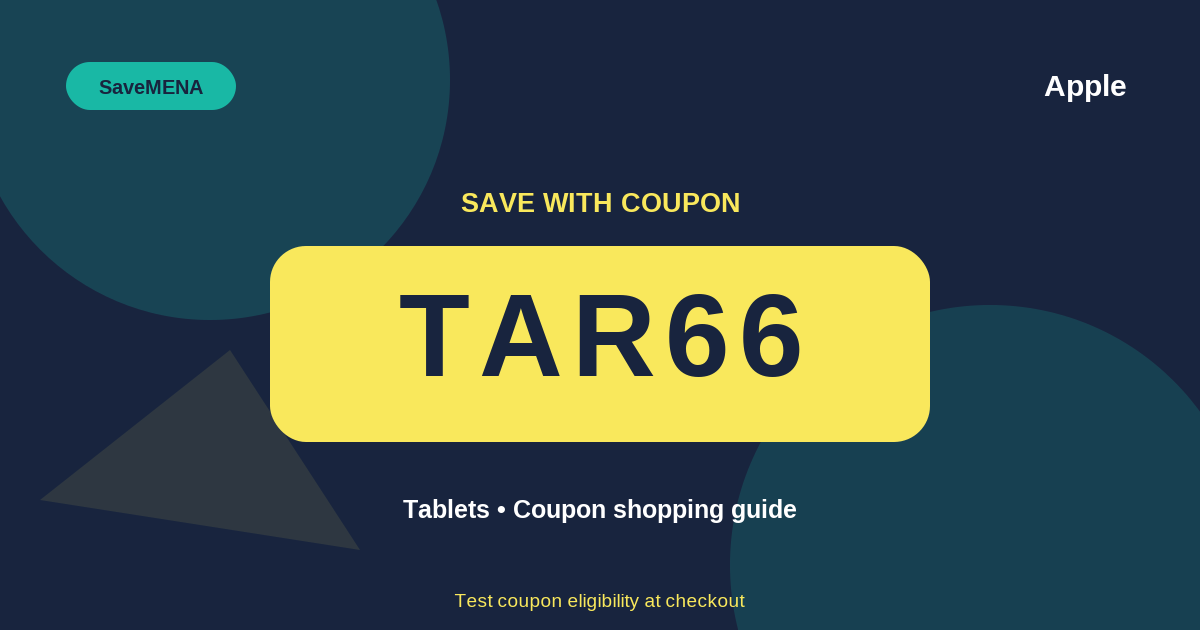
Codes available to try while comparing
These codes are not guaranteed for the article topic or listed brands; test them at checkout and use the live result.
Choosing the Correct Noon UAE Variant for an Apple Tablet
Selecting the right variant on Noon UAE begins with understanding how Apple labels its products. The same tablet model may appear under several SKUs, each reflecting storage capacity, color, or cellular connectivity. On Noon’s product page, the variant options are listed in a side panel that lets you toggle between each configuration. By confirming that the variant you select matches the specifications you’re accustomed to—such as the storage size that fits your media library or the exact color that aligns with your aesthetic preferences—you’ll prevent mismatches when the item is shipped. This step is fundamental before any price comparison can truly be meaningful, as each SKU carries its own retail differential.
Parallel to the variant check, consider the compatibility with your existing Apple account. Apple devices often rely on the Apple ID to sync data, activate Family Sharing, or manage iCloud backups. Ensure the tablet model supports the same iOS version that your account is configured to use, especially if you rely on features that are version‑specific. Noon’s product descriptions usually outline the supported operating systems, but a quick cross‑reference with the Apple support site can confirm that the variant you choose will work seamlessly with your existing ecosystem. A mismatch here could lead to delays or additional setup steps after delivery.
Understanding Tablet Variants: Models, Storage, and Compatibility
Beyond the superficial difference in storage or color, each tablet variant carries distinct internal hardware that can influence performance. For instance, some higher‑end models incorporate a faster chipset or a larger battery, which affects day‑to‑day usage. Noon UAE lists these details in the technical specifications section of every product page. By reviewing the processor type, RAM amount, and screen resolution, you can assess whether the variant meets your needs—whether that’s for gaming, content creation, or general use. Skipping this step may result in a device that feels sluggish or displays unexpected limit notices during demanding tasks.
Equally important is connectivity. Certain variants are Wi‑Fi only, while others include cellular capabilities that require a data plan. If you plan to use the tablet while traveling, verify the cellular support and the regional bands it functions on. Noon’s filter tools allow you to search for “Wi‑Fi only” or “Wi‑Fi + Cellular” within the tablet category, helping you locate the variant that matches your geographic usage. Confirming this upfront prevents a situation where a cellular‑enabled device fails to connect properly in your area or, conversely, a Wi‑Fi only device falls short of your data needs.
Navigating Noon UAE’s Checkout with Your Apple Account
When you reach the checkout phase, Noon UAE prompts you to log in with your chosen account, which can be a mobile number, email, or a UAE‑based payment method. If you already possess an Apple ID, ensure you have it accessible because certain promotional offers or specific Apple products listed on Noon may request Apple verification. Some sellers on Noon require the buyer to submit an Apple QR code or a screenshot of the App Store receipt, particularly for refurbished or bundled deals. This requirement is less common with new devices but can appear for special editions, so be prepared to provide the necessary documentation.
During checkout, Noon’s interface clearly displays the selected variant, quantity, and total cost before you confirm the order. Here you must reconfirm that the variant on the cart matches the one you reviewed earlier. Misalignment can occur if you inadvertently switch from the product page back to the cart and the interface reloads a different SKU, especially if you’re selecting from a list of similar models. Always double‑check the model number and storage size—in this section, precision is key to avoid receiving an unintended variant, which could void warranty or reset settings essential to your Apple ecosystem.
Applying the TAR62 Coupon: Tips and Red Flags
The coupon code TAR62 is listed as available to try for Noon UAE buyers. To access it, navigate to the coupon section on the checkout page, usually labelled “Discount Codes” or “Promo Codes.” Enter TAR62 in the provided field, then press “Apply.” The platform will automatically calculate any discount or indicate that the code does not work. It is important to note that coupon eligibility can vary by seller, product, or cart total, so the result will be unique to each transaction.
If the code is rejected, the checkout interface typically displays an error such as “Coupon code not applicable” or “This coupon cannot be used with the selected product.” Without a guarantee of discount, avoid interpreting a rejected code as an error on your part; it may simply be inapplicable. Conversely, if it applies, the updated total will reflect the new price immediately. Be sure to review the final amount again before finalizing the purchase, as the total shown after applying the coupon is the exact figure that will be charged. This step avoids any post‑confirmation surprises.
Shipping, Delivery Times, and Tracking for Your Tablet
Once the payment has been authorized, Noon UAE generates a shipping confirmation that lists the carrier and estimated delivery window. For tablets, many sellers ship through UAE Post or local courier providers. The declared delivery time is usually displayed in days but can vary depending on your exact location, such as remote areas outside major cities. Because tablets are high‑value items, sellers often employ packaging that protects both the hardware and its accessories, and some offer insurance or tracking at no additional cost.
During shipping, Noon provides a tracking link that you can click to monitor the progress. Most holders of a Noon app or account will receive notifications about shipment status changes, such as “Package in transit” or “Out for delivery.” If you encounter a delay beyond the estimated window, the tracking interface typically offers an estimated new arrival date. It’s prudent to keep a note of your order number along with the tracking ID, as you may need them for customer service inquiries or when confirming the final delivery receipt. This first‑hand tracking visibility is the final part of ensuring the tablet reaches you in the condition and timeframe you expect.
Managing Apple Credit Card and Payment Options on Noon
Noon UAE accepts a variety of payment methods, including major credit cards, debit cards, and several UAE‑based payment app solutions. If you prefer to use an Apple‑issued credit card, simply choose the standard Visa, Mastercard, or American Express option during checkout. The card’s verification must conform to the card’s standard routing number and security code, and Noon will process it through the usual card‑processing gateway. Be tuned for any potential holding period or extra verification prompts, especially if the transaction amount sits near a higher threshold that triggers additional security checks.
For users who enjoy Apple Pay or other mobile wallet solutions, Noon’s checkout page will provide a button labeled “Apple Pay” if the technology is available for your chosen card. Tap the button, authorize the transaction on your device, and Noon will capture the payment directly from your wallet. Even though Apple Pay is widely supported in the UAE, availability can vary by seller; if the “Apple Pay” button is not visible for a tablet purchase, switching to a traditional credit or debit card is the recommended fallback. Always confirm the final transaction amount and confirm that the payment gateway indicates approval before considering the order complete.
Post‑Purchase Support and Return Policies for Tablet Purchases
Many Noon sellers offer a return window that allows buyers to return or exchange tablets if they do not meet expectations or if there is a defect. The exact duration varies between merchants, but most provide a 14‑day or 30‑day policy for electronics. At checkout, the return policy should be displayed in a separate section, detailing the steps required for canceling an order or initiating a return. It is essential to keep all original packaging and accessories, as most sellers require them for full refunds or exchanges.
Warranty support for Apple tablets typically follows Apple’s own service guidelines, meaning the device will come with a standard one‑year warranty that covers manufacturing defects. Noon UAE may offer additional protection plans through third‑party sellers, but such plans are separate from Apple’s official warranty and often require an additional purchase. Before activating any extended warranty, check the seller’s policy for eligibility, coverage, and claim procedures. If you encounter issues after delivery, contacting Noon’s customer service and then referencing the seller’s return or warranty terms ensures a smooth resolution pathway.
Final Checklist: Ensuring a Smooth Noon UAE Tablet Experience
A successful purchase hinges on methodically verifying each attribute before confirming the order. Start by matching the exact tablet variant—model, storage, color, and connectivity—to your Apple account needs. Ensure your Apple ID is active, and if any seller requires Apple documentation, gather it beforehand. During checkout, double‑check the variant details listed in the cart, apply the TAR62 code if it works, and confirm that the final total is what you expect. Finally, note the tracking number and expected delivery window on the order confirmation page to maintain visibility until the tablet arrives.
Beyond the act of buying, maintain a copy of all communication—order confirmations, seller replies, and tracking updates. Should you need to invoke a return or warranty claim, these documents will expedite the process. By adhering to this structured approach and remaining attentive to the specifics of the Noon UAE platform, UAE shoppers can navigate the intricacies of purchasing Apple tablets with confidence and clarity, while also leveraging any potential savings through the TAR62 coupon when it applies. Consistent attention to detail, from variant selection to post‑purchase logistics, guarantees a satisfying tech shopping journey.
Related SaveMENA pages
Related articles
Official sources to check
Frequently asked questions
What does “matching the exact variant” mean when shopping on Noon UAE?
It refers to selecting the precise model, storage size, color, and connectivity option listed on Noon’s product page, ensuring it aligns with your Apple account’s preferences and your specific use case.
How do I know if the TAR62 coupon will be accepted for my tablet purchase?
Enter the code during checkout in the “Discount Codes” field and confirm the result. If it applies, the total will update; if not, the page will display an error indicating ineffectiveness for this transaction.
Can I use Apple Pay to purchase an Apple tablet on Noon UAE?
Yes, if the seller supports Apple Pay. Look for the Apple Pay button on the checkout page, authorize on your device, and confirm the payment. If the option is absent, use a traditional card method.
Will my Apple warranty cover a tablet bought on Noon UAE?
Apple’s standard one‑year warranty applies to all genuine Apple tablets regardless of purchase location. Noon’s additional protection plans are separate and must be checked within the seller’s policy.