Tablets on Noon UAE: account eligibility — variant and model checks · TAR78
When hunting for the best tablet deal on Noon UAE, the first step is firmly identifying the exact variant you want before rolling into price wars.
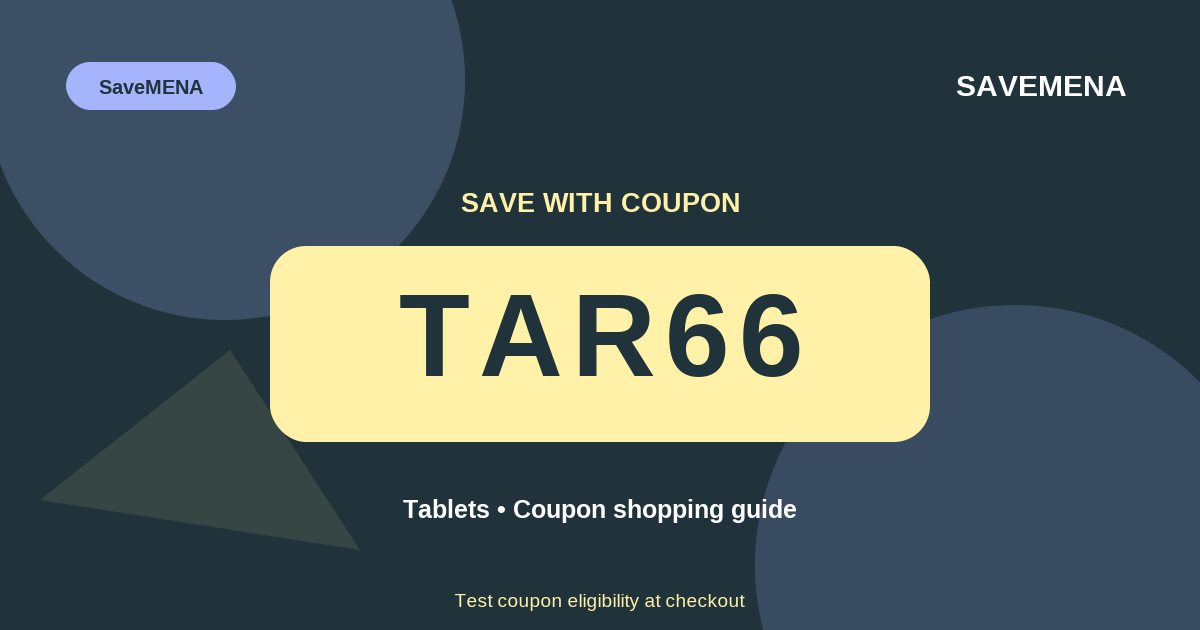
Codes available to try while comparing
These codes are not guaranteed for the article topic or listed brands; test them at checkout and use the live result.
Vetting the Noon UAE Variant for Tablets
Begin by navigating to Noon’s Tablet section and selecting the exact model you wish to buy. Pay close attention to picture thumbnails that show color and any licensed branding. Hovering over or clicking on each variant will display details such as RAM, internal storage, screen size, and whether it’s region‑locked or unlocked. Double‑check the model number—often listed in the product title or description—to confirm you’re not mixing a mid‑range gem with a flagship variant that may look similar in advertisement.
Once you’re satisfied, add the specific variant to your cart. Noon’s cart page will reflect the chosen configuration, allowing you to verify attributes before proceeding. If the listed colour or storage does not match, you can immediately swap it by clicking “Change” next to the item. By confirming the exact variant at this point, you lock in the price reference that will be used throughout the rest of the shopping process, preventing any surprise mismatches later on.
Understanding the Account Context Lens
Mid‑linking your search to your Noon account is crucial. An account’s region settings, saved addresses, and membership status can affect pricing, visible discounts, and delivery windows. Log into Noon and review your profile under “My Account.” Confirm that your registered Gulf Country is set to the United Arab Emirates, as this aligns item availability with local shipping rules and tax calculations.
Your account also determines eligibility for certain coupons and promotional offers. In your cart, scroll to the “Coupon” field and enter TAR78. If the code is valid for your account, it will either reduce the total at checkout or display a note of potential savings. If it does not accept the code, simply note that it may be restricted by your membership tier or geographical location, and proceed to checkout to see the final applicable discount.
Navigating the Tablet Catalogue on Noon
After confirming the variant, explore the catalogue filters on Noon to compare similar tablets. Enable filters for brand, storage size, or price range to narrow down options that match your exact variant details. Pay attention to seller ratings, which appear adjacent to each listing; these ratings influence the confidence level of the purchase. A high seller rating often indicates timely delivery and trustworthy customer support.
Using the “Compare” tool, you can view rival listings side‑by‑side, ensuring that identical specs are being matched. However, avoid comparing only by headline price; factors such as included accessories, extended warranty, or bundled software can affect the overall value. Documenting these aspects in a simple spreadsheet or note helps keep the comparison focused on your exact intended configuration.
Comparing Prices Across Sellers
Sellers on Noon may price the same tablet variant differently. When comparing, note the listed price in the cart before finalizing purchase. Avoid assuming that a slightly lower price is always better; verify that the seller is a verified Noon partner and confirm any additional charges such as “Handling Fees” that may appear at checkout.
If a seller offers a lower price but with a higher shipping schedule, weigh this against your need for the device. Particularly for items requiring urgent delivery—like tablets for remote education—speed can outweigh a marginal cost difference. In all cases, let the final cart value after adding a coupon be the reference point for decision making.
Applying the TAR78 Coupon in Context
Once you have settled on the exact variant, add the TAR78 coupon to your cart. This coupon is available to try, meaning success isn’t guaranteed and results can vary. If Noon accepts the coupon, the discount will apply automatically at checkout; else, a friendly message will appear indicating the coupon isn’t compatible.
Never assume a specific percentage off; the cumulative total shown after coupon application is the only reliable figure. If you see an unexpected charge or the coupon does not apply, verify that the coupon name matches exactly—including capitalization—and that the coupon is still listed as active during your session. Should it fail, proceed without it and consider alternative promotional avenues at checkout.
Resolving Common Checkout Hiccups
During checkout, always confirm your selected delivery address, payment method, and any applicable coupons before final submission. Mistakes can happen if the address field auto‑filled an older address; check the preview section to avoid mis‑delivery. Likewise, verifying your payment method—Card, NetBanking, or COD—helps guard against unexpected payment failures.
If the checkout pane presents a “Pending” or “Validation Required” status, it often signals an issue with your stored payment instrument or account settings. In such events, update the card details, or switch to another payment method. Noon’s “Support” chat can give real‑time guidance, but the most effective fix is to review each field for accuracy first.
Payment Methods and Security
UAE shoppers have access to several secure payment options on Noon. Credit or debit cards require a 3DS authentication step that verifies the cardholder. If you encounter a 3DS prompt, ensure your device is connected to a stable internet connection to complete the verification flow. Failure to do so may invalidate the transaction altogether.
Alternatively, you may use Noon’s “Pay later” feature if eligible—this extends the payment deadline but requires early approval. For Cash on Delivery, simply opt for that at the last step. When you finish checkout, Noon will provide a confirmation page that lists the final payable amount, applicable coupon savings, and an estimated delivery window.
Shipping, Delivery, and Return Policies
Once your order passes checkout, Noon will display the estimated delivery date at the bottom of the confirmation page. Delivery windows vary by seller and region; if you have a tight schedule, flag “Priority Delivery” if the option is available. Should you need the tablet sooner, contacting the seller directly through Noon’s messaging system can sometimes expedite shipping.
After receipt, you’ll have a return window—usually a few days— to open the package and register your return request. Return eligibility depends on the seller’s policy listed on the product page. Carefully note any exclusions, like damaged packaging or opened accessories, which may affect the return eligibility or refund amount. Keeping a photo log upon arrival can help resolve disputes quickly should any issue arise.
Related SaveMENA pages
Related articles
Official sources to check
Frequently asked questions
How do I confirm I’ve chosen the correct tablet variant on Noon?
By checking the product title, model number, and variant details (color, storage, unlock status) on the listing page. Confirm these details one last time on the cart page before adding the coupon and proceeding to checkout.
Will the TAR78 coupon always apply to any tablet?
Noon only displays the coupon if it’s valid for your account and the selected product. There is no guarantee of acceptance, and the discount will be shown at checkout if it applies.
What if my chosen courier isn’t available for my address?
Check the delivery availability on the confirmation page. If unavailable, Noon may notify you of an alternative courier or allow you to change the address to a location with service.
Can I track my tablet after purchase?
Yes, Noon provides a tracking link in your order history once the courier is assigned. Use this link to follow the shipment until it reaches your doorstep.