Calvin Klein Women’s Fashion on Noon UAE: item availability — variant and model checks
The first step in any successful purchase is locating the correct variant of the product you want. Start by entering the full brand name “Calvin Klein” followed by
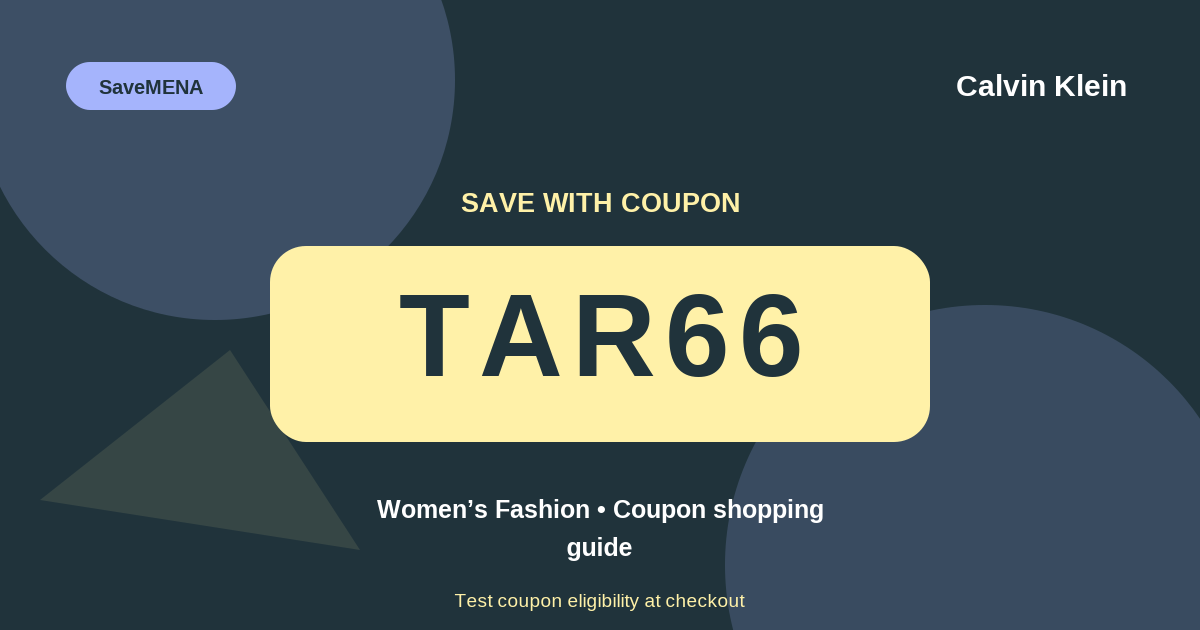
Codes available to try while comparing
These codes are not guaranteed for the article topic or listed brands; test them at checkout and use the live result.
Discovering the Exact Calvin Klein Variant on Noon UAE
The first step in any successful purchase is locating the correct variant of the product you want. Start by entering the full brand name “Calvin Klein” followed by a concise description of the piece—such as “women’s floral dress 2024” or “Calvin Klein denim jacket blue.” Search filters on Noon UAE can refine results by size, color, and price band, but be sure to look for listings that explicitly state the variant in the title or product description. If the listing merely shows “Calvin Klein,” it may be an umbrella category that hosts multiple models; continue to scroll until you see the precise wording that matches the item you want.
Once you identify a potential match, click through to the product page. Verify the SKU or product code is listed; this is the official identifier Noon uses and will confirm the correct variant. Checking the image gallery is also essential—look for detailed shots that display distinctive features such as seams, logos or fabric texture. If the product page does not include these details, avoid adding it to your cart, as the variant could differ from what the listing implies.
Confirming Variant Details Before Adding to Cart
Before you click “Add to Cart,” double‑check the variant’s specific attributes. Noon’s product page shows a dropdown for each selectable option: size, color, material, and sometimes style. Confirm that every choice reflects the exact item you want, especially when multiple similar variants exist. For example, a Calvin Klein blouse may be available in both solid and patterned versions; selecting the incorrect pattern can result in a mismatch.
Pay particular attention to the “Product Details” section, where dimensions, weight, and fabric composition are listed. If you are unsure whether a certain color is fully matched or whether a black variant is truly black, compare the small preview images. Double‑click these thumbnails to ensure the color swatches match your expectation. Only after all these details align should you proceed to the cart.
Comparing Prices Across Nearby Sellers on Noon
On Noon UAE, multiple sellers can offer the same Calvin Klein variant at different prices. Once you’re confident the variant is correct, look at the “Marketplace” section of the product page. This lists all available sellers, their reputational rating, and price. To avoid false comparators, ensure the listed variant is precisely the same—matching size, color and texture—by cross‑checking each seller’s product title.
Use the “Sort By” or “Filter” options to arrange listings by price. Still, read each seller’s description to verify they ship from the UAE; some may be international sellers. Click into the seller’s profile to assess their overall rating and review comments if possible. By following these steps, you can select the sale that offers the best value without inadvertently picking an item that differs in key aspects.
Checking Stock Availability and Expected Delivery Times
The Noon platform displays a “In Stock” indicator for each seller’s offering. Even if the overall listing says “Available,” a late‑unlocking stock change can cause a delay. Whenever you add items to the cart, Noon shows the earliest possible delivery date and the region from which the product will ship. Make sure this date aligns with your needs, as some sellers might ship from overseas even if the stock is in the UAE.
Before saving the purchase, scroll to the bottom of the product page where delivery options are summarized. The shipping cost and expected delivery window should be clear. If a seller’s deliverable date is significantly later than yours, and you can’t accommodate it, consider another seller who promises quicker dispatch. Keeping these logistics in mind early prevents last‑minute surprises at checkout.
Verifying the Original Price Tag and Everyday Discounts
Every Calvin Klein listing on Noon shows its advertised price. However, Noon often applies automatic promotional discounts that may not be listed in the product title. These can be daily offers, loyalty incentives, or seasonal sales. Review the price breakdown in the “Discounts & Offers” section; this area lists any pre‑applied reduction the platform has applied on your behalf.
For a more transparent view, swipe the page until you see the full “All Prices” table. This table will outline the original price, any platform discount, and the current payable amount before you apply additional coupons. If you prefer to know the raw cost without any active automation, contact Noon’s support for a confirmation or rely on the seller’s stated price once it appears in your shopping cart.
Applying the TAR66 Coupon at Checkout
When you’re ready to finalize the purchase, proceed to the cart and click “Proceed to Checkout.” At the payment screen, you’ll find a field marked “Coupon Code.” Here you can enter the scalar “TAR66,” which is currently available to try on Noon UAE. First, be aware that the application of this code will only succeed if the platform approves it during the payment process; the code’s eligibility is not guaranteed.
After entering the code, a calculation will re‑evaluate the total cost and display any change in the payable amount. If the coupon is not accepted, Noon will indicate so at that moment. If accepted, remember that the adjusted total will include any automatically applied platform discounts as well as the coupon reduction. Review the final figure carefully before completing the order.
Ensuring the Final Payable Total Reflects All Conditions
Before confirming the payment, examine the payment summary card. This card lists the item price, any platform discounts, shipping charges, tax estimates and the total amount due after coupon application. Ensure each line item is accurate by cross‑checking it against what you saw earlier in the cart. If a shipping fee appears even though the product was advertised as free, note this discrepancy.
If everything checks out, you can proceed to payment. After the transaction completes, you’ll receive an order confirmation via email and app notification. This confirmation will show the final amount paid, the shipping details, and the expected delivery timeline. If any of the items or dates don’t match what you ordered, contact Noon’s customer service promptly; the confirmation is the dateline for your purchase.
Post‑Purchase Tracking and Troubleshooting Any Discrepancies
Once your order is confirmed, use Noon’s order tracking portal. Each package will have a tracking number and a carrier assignment. Check the status regularly to confirm that the item has left its shipment center. If the shipping time exceeds the expected window declared at checkout, reach out to the seller or Noon support for an update.
Should the delivered item differ from the variant you selected, or if the recipient turns out to be an incorrect color or size, you can initiate a return or exchange via Noon’s return system. Keep an eye on the return timeline and any required shipping labels that Noon may provide. A prompt resolution will keep your shopping experience smooth and satisfactory.
Related SaveMENA pages
Related articles
Official sources to check
Frequently asked questions
Does the TAR66 coupon automatically apply to all Calvin Klein items on Noon UAE?
No, the coupon code TAR66 is available to try, but its application depends on Noon’s approval at checkout and may not be valid for every Calvin Klein variant or seller. The platform will notify you if the code is accepted.
How can I confirm that the exact Calvin Klein variant I selected is in stock?
Check the product page’s “In Stock” indicator for each seller and review the shipping schedule displayed before placing the order. If the status changes after adding to cart, revisit the cart to confirm availability.
Is the application of TAR66 limited to certain sellers or the entire Noon UAE market?
The coupon’s eligibility is not restricted by seller; however, the platform verifies it during checkout, so it may be accepted for some sellers and rejected for others depending on internal policy.
What happens if the final price changes after I apply the coupon?
Once you click “Confirm Payment,” the final amount is locked. If the displayed price changes after you submit the order, you should contact Noon support immediately to resolve the discrepancy before the payment is processed.