Makeup on Noon UAE: bundle contents — variant and model checks
When you look for a *Noon UAE variant and coupon Makeup bundle and accessories* it’s not just about price.
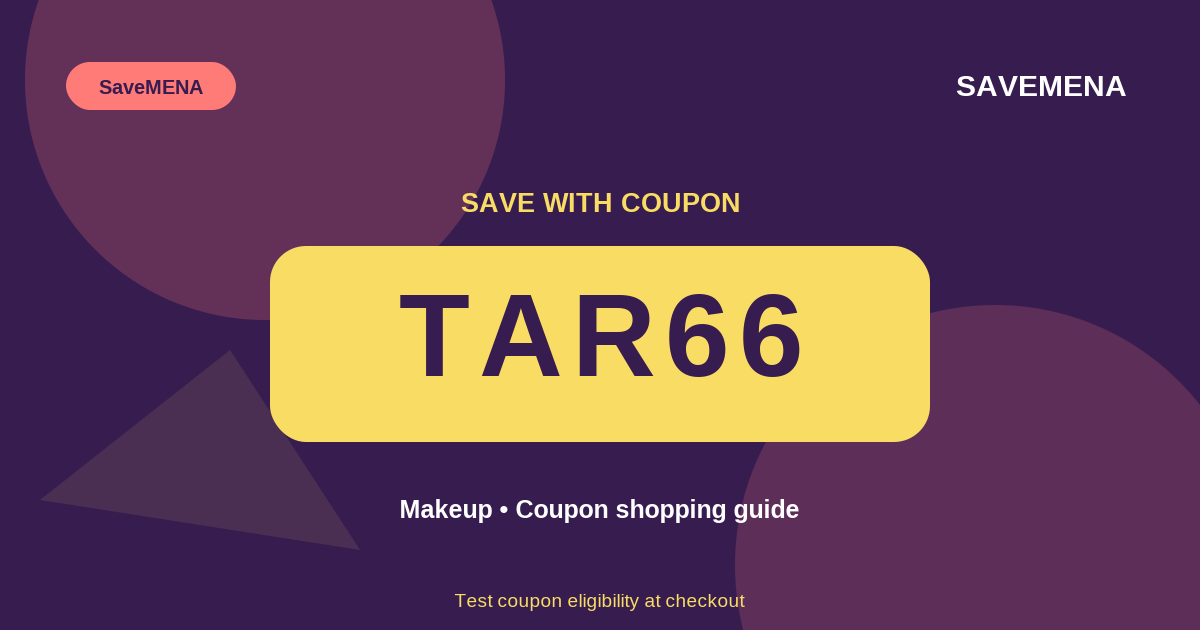
Codes available to try while comparing
These codes are not guaranteed for the article topic or listed brands; test them at checkout and use the live result.
1. Identify the Exact Bundle Variant for Your Needs
Start with the most critical decision point: the makeup bundle variant. These bundles often come in different sizes, colors, or formulations. The Noon UAE listing will list a few variants—each labeled with a unique identifier such as “Full‑Coverage Kit – 12pcs” or “Glow Set – 5pcs.” Pinpoint the variant that matches your desired quantity or skin tone. This ensures you’re not inadvertently adding an e‑to‑the wrong version that could lack a key product.
When you’ve chosen the intended variant, double‑check its description on Noon’s site for any listed accessories—brushes, sponges, travel cases, or travel‑size liquids—since bundles can differ in inclusions. Make a checklist of the accessories you expect. This verification will help you spot a mismatch before you commit to checkout, preventing any last‑minute disappointment.
2. Compare Price Per Unit Across Trusted Sellers
For a bundle, the overall price matters, but so does the price per unit of each component. Noon displays the total price for a bundle, but you can calculate the effective per‑product cost by dividing by the number of items. Do the same with competing listings from the same seller or other sellers that offer the identical variant. This helps you assess whether you’re getting a fair deal relative to similar bundles in the market.
Remember that the per‑unit approach does not replace other critical factors—compatibility of accessories, brand reputation, or return possibilities. Use these figures as a baseline comparison, but always verify seller ratings and customer feedback before finalizing your purchase.
3. Verify Accessory Compatibility and Completeness
Makeup bundles sometimes swap out accessories to lower costs or adjust for seasonal trends. During the item selection, confirm that each accessory included in your bundle—brush sets, folding tweezers, or travel bottles—fits the applied makeup formulas. A brush set meant for matte foundation may not work with a glitter powder, leading to wasted materials.
Make a detailed list of the accessories you expected based on the bundle description. During checkout, cross‑reference the final order summary with your list. If any accessory appears missing or replaced, note it immediately before paying, as the issue can often be resolved through the seller’s return or exchange process.
4. Validate Seller and Shipping Details
The Noon UAE marketplace hosts multiple sellers who might offer the same bundle variant. A seller’s reliability—including shipping timeframes, packaging standards, and return policies—plays a huge role in the buying experience. Once you’ve chosen a bundle and verified variant and accessories, scroll down to the seller box for details like location, store rating, and shipping fee.
Check whether the shipping fee is fixed, variable based on weight, or includes free delivery thresholds. Document the estimated delivery window; some sellers ship within 2–3 business days, while others may take a week. This knowledge reduces surprises and helps you decide whether the bundle meets your schedule.
5. Apply the TAR66 Coupon and Monitor Discount Eligibility
After adding the bundle to your cart, navigate to the coupon section of the checkout page. Input the code TAR66 and watch the cart total adjust. If the subtotal remains unchanged, the coupon may not apply to this bundle, or you might have missed a minimum spend limit. Do not assume the discount has been applied; check that the coupon reduction appears in the final payment summary.
Should the coupon fail to apply, look for any error message or explanation from Noon. You can then decide whether to remove the coupon, retry with a different code, or proceed paying full price. Being proactive here prevents you from paying an unintended amount straight away.
6. Choose a Suitable Payment Method and Confirm Fees
Payment options on Noon can influence small service fees, processing times, and security. The platform offers credit/debit cards, e‑wallets, and sometimes installments. Verify whether the chosen payment method incurs a fee—certain payment methods add a nominal percentage to the cart total. Compare against other options to find the lowest overall expense.
In addition, ensure your payment method’s funding source can cover the potential final amount, including any incidental fees that may arise from the coupon application. A quick check with your bank or wallet provider can save you a last‑minute paycheck shock.
7. Review the Final Checkout Summary Thoroughly
Just before confirming your order, juxtapose every line item in the final checkout summary with your original expectations: the bundle variant ID, number of items, accessories list, shipping fee, potential coupon deduction, and final amount. This is the only time you can spot mismatches before the money leaves your account.
Take a moment to verify that the compact saving tag for the bundle appears if any promotional price exists. If everything aligns, proceed with payment. If there’s a discrepancy, you may need to abort, contact Seller support, or remove the item from the cart and begin again.
8. Document Receipt and Track Order Status
Once the payment is confirmed, Noon will generate an order receipt that you should keep for reference. The receipt typically lists the bundle ID, shipping details, and any applicable coupon usage. This documentation aids in return or exchange processes and provides proof of payment for future reference.
Use Noon’s order tracking feature in the app or on the website to monitor dispatch, transit, and delivery status. If the expected delivery window extends or an error appears, utilize the seller’s customer service contact quickly. Recording your order number and seller’s response helps expedite any resolution should it be necessary.
Related SaveMENA pages
Related articles
Official sources to check
Frequently asked questions
Will TAR66 always apply to makeup bundles on Noon UAE?
Noon’s coupon system may have conditions that need to be satisfied, such as a minimum spend or a specific product category. Only the final checkout will show if the discount has been applied. If it doesn’t work, you can double‑check the coupon’s terms or try a different applicable code.
How can I tell if the accessories in the bundle are truly included?
Scroll to the product description or the bundle’s detailed list on Noon’s page. A verified seller will list each accessory. Verify that the same list appears in your cart’s product snapshot during checkout. If something is missing, contact seller support before finalizing purchase.
What should I do if the chosen seller ships from a different region?
Check the seller’s location badge and shipping estimate in the cart. Sellers from different regions might have varied delivery times and handling fees. If you prefer a faster local dispatch, opt for sellers marked with a local fulfillment badge.
Can I use another coupon after applying TAR66?
Generally, one coupon code can be used per order. If you want to apply a second coupon, you will need to remove the first, reinstate the order, and attempt the new code. The final amount shown at checkout reflects the code currently active.