Adidas Shoes on Noon UAE: bundle contents — variant and model checks
Begin by locating your chosen Adidas shoe variant on Noon’s UAE platform, noting the seller’s banner and product thumbnail.
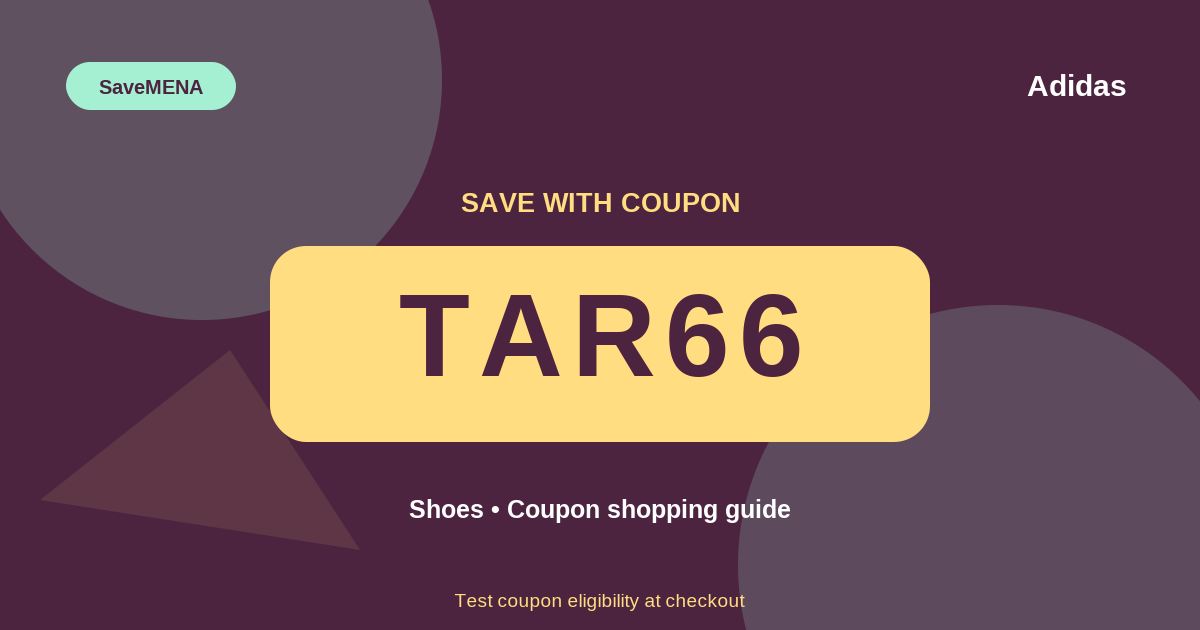
Codes available to try while comparing
These codes are not guaranteed for the article topic or listed brands; test them at checkout and use the live result.
1. Choosing the Right Vendor for the Noon UAE Variant
Begin by locating your chosen Adidas shoe variant on Noon’s UAE platform, noting the seller’s banner and product thumbnail. A reputable seller typically shows a verified badge or a track record of consistent stock updates. Record the vendor name and check for any user reviews visible on the product detail page. These snapshots give a snapshot of the seller’s reliability before you commit to a bundle purchase.
After identifying the seller, verify that the variant listed matches your desired specifications—size, color, and model code. This step prevents ordering a similar but different product that could be cheaper yet not what you need. Make sure the variant is listed under the same SKU that the bundle promises to include. Keep this information handy for later comparison against competing banners or discount offers.
2. Inspecting the Bundle: Shoes with Accessories Included
Bundles on Noon often consist of a pair of shoes complemented by ancillary items such as socks, shoe trees, or cleaning kits. Examine each listed accessory’s description, paying attention to brand attribution and component quantity. A well-documented bundle will break down the tool type and material, enabling you to gauge added value beyond the shoes themselves.
Document the accessories’ total count and weigh the collective benefit against buying them separately. If the bundle includes branded Socks or a shoe maintenance kit, calculate the implicit savings by cross-referencing independent listings of those items on Naqd, Souq, or other UAE marketplaces. A transparent breakdown assists in justifying the bundle’s price to your own cost-bearing standard.
3. Comparing Variant Details: Size, Color, and Material
Close scrutiny of the product page should reveal the material composition—mesh, synthetic leather, or GORE-TEX. Note the exact phrasing used for size (EU, UK, US) and color variants. This precision is essential when you later match the Noon variant to a national or international listing, ensuring no mismatch in purchasing.
Create a quick reference sheet on your phone or note app listing the variant’s key attributes. If the bundle contains a second pair in a different size, confirm that the size difference is intentional and that the accessories align with both sizes. This record will be useful when you compare pricing across platforms or evaluate the necessity of additional accessories.
4. Leveraging the TAR66 Coupon: How to Apply
At the checkout stage, look for a coupon input field that accepts the TAR66 code. Enter the code just before confirming the order on Noon. The site will probe whether the coupon applies to your current cart, which may depend on sold‑by‑condition or vendor restrictions. Remember, the coupon’s applicability is subject to the system’s immediate evaluation; the site’s confirmation message will dictate the outcome.
If the site accepts the code, a line item will display the discounted amount, although the exact figure will be shown only after the final calculation. Should the code be rejected or ignored, confirm at checkout that the bundle’s total remains unchanged, and proceed with the standard purchase route. Document whether the discount applied or proceed to the next step to confirm you have applied all other available savings.
5. Checking Shipping Fees and Delivery Times for Bundles
Bundle purchases on Noon UAE may attract a distinct shipping fee that differs from single item purchases. Locate the “Shipping” section on the cart page to view the expected cost for the combined set. Delivery times may also shift when accessories are included; check the estimated arrival window provided for each item within the bundle.
If the site shows a default “Free Shipping” banner for bundles, check whether this holds across all seller listings or if it applies only to a particular promotion period. An absence of explicit shipping details should prompt you to contact the seller’s customer service through the platform’s chat feature, ensuring there are no hidden charges before finalizing the payment.
6. Evaluating Return Policies for Multiple Items
Bundles composed of shoes and accessories often have a consolidated return policy. Verify the policy on the product page or within the cart UI; note any time limits, restocking fees, or size‑specific rules that apply jointly to the shoe pair and the accessories.
Record whether a return for accessories requires shipping the entire bundle back, potentially increasing the logistics cost. Some vendors allow accessory returns in isolation, while others bundle the whole set. Document this structure so you can anticipate possible post‑purchase steps if you need to reverse part of your bundle.
7. Confirming Payment Options for Bundle Purchases
During checkout, choose your preferred payment method—credit card, digital wallet, or cash on delivery. Bundle purchases may support multiple payment methods, but some vendors restrict options to a single payment type for bundled items, especially when accessories are involved. Confirm the method’s availability before proceeding.
Pay attention to any additional security prompts such as OTP verification or two‑factor authentication specific to the vendor’s currency transactions. Keep a record of your chosen payment route; if the vendor implements an alternative verification step for bundled orders, be prepared to complete it timely to avoid cart abandonment.
8. Final Verification: Reading the Checkout Summary
Before you finalize the order, read through the checkout summary that lists each item, its variant specifics, quantity, seller, and any modifiers such as shipping or coupon adjustments. Confirm that the summary’s item list matches your intended bundle and accessories.
Double‑check the final payable amount to ensure no misalignment with expectations, such as unanticipated fees or omitted coupon benefits. If everything appears correct, proceed to confirm the purchase. Keep an eye on the order confirmation email for any updates or adjustments that might arise after checkout.
Related SaveMENA pages
Related articles
Official sources to check
Frequently asked questions
Will the TAR66 coupon always apply to my bundle purchase on Noon UAE?
Only Noon’s checkout system determines coupon applicability at the time of purchase. If the code is accepted, a discount line will appear; if not, it will be omitted. Verify at checkout by checking the final price breakdown.
What should I do if the bundle’s accessories appear incomplete when shipped?
Contact the seller via Noon’s messaging feature immediately. Refer to the return policy for resolution, which may allow you to return the entire bundle or the missing items, depending on the vendor’s terms.
Can I apply the TAR66 coupon to each item separately in a bundle?
No; the coupon is entered once during checkout and is applied to the total cart amount, not to individual items. The system will display any discount applied to the overall sum.
Will the delivery time differ when I add accessories to a bundle?
Delivery estimates provided during checkout reflect the entire bundle. If vendors have separate shipping schedules for accessories, this will be noted in the cart details or the order confirmation.