Gaming on Noon UAE: checkout message — variant and model checks
When you arrive at a listing on the Noon UAE site or app, the first detail to lock in is the variant you intend to buy.
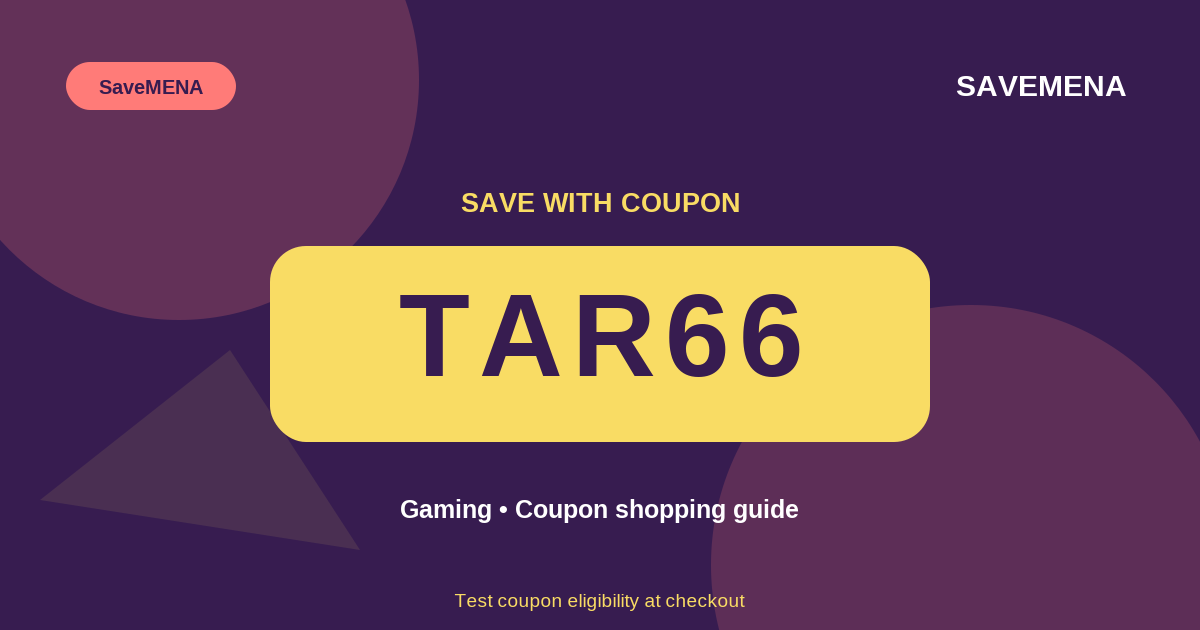
Codes available to try while comparing
These codes are not guaranteed for the article topic or listed brands; test them at checkout and use the live result.
1. Confirm the Exact Noon UAE Variant
When you arrive at a listing on the Noon UAE site or app, the first detail to lock in is the variant you intend to buy. Variants can differ in color, capacity, or firmware version, and each price tag typically applies to a specific version. If you can’t find the variant explicitly labeled, look for product descriptions, technical specifications, or customer questions that clarify the edition.
Refuse to add a generic or interchangeable item to your cart. If you add a wrong variant, the live coupon message may display a sale that doesn’t apply, or the seller may send you a different model, which could derail any planned savings.
2. Scrutinize Seller Details and Store Ratings
After verifying the variant, check who is selling it. The Noon platform often lists the seller’s name, store rating, and customer reviews. A higher rating or badge can give some reassurance about product authenticity and service quality, but it does not guarantee coupon applicability. To proceed, note the seller’s reputation in a separate tab or note.
Because coupons apply per transaction, ensure the seller is actively listed on Noon UAE and isn’t a third‑party marketplace that may not honour the discount. Failure to confirm this may prevent the coupon from activating during checkout.
3. Inspect Product Specification Details
Open the full product page and scroll through the specifications: processor speed, memory, display size, operating system, and available features. Pay special attention to the US-licensed vs. UAE‑licensed electronics, as this can dictate regional compatibility with local power plugs and warranties.
Write down any variant ID numbers or SKU codes you see; these will help you verify that the exact product appears in the cart later. If the detail section uses bullet lists, mentally note the key values that differentiate this version from others.
4. Add the Gaming Item to Your Cart and Compare Prices
Place your chosen variant in the cart. While being mindful that the cart might show a subtotal that ignores subscriber discounts, verify that the displayed price matches the one you found during browsing. Compare this figure to other Noon listings or third‑party sites to ensure you’re getting a competitive rate.
Double‑check the cart for hidden fee fields such as handling or processing charges. Some sellers add a small fee that can creep into the final price, affecting how the coupon reduces your total.
5. Engage the TAR66 Coupon at Checkout
Proceed to the checkout page and locate the field for promotional codes. Enter TAR66 exactly as shown; the platform may instantly respond with a live coupon message if the code is valid.
Notice any “Applies to limited items” or “Discount may not be combined with other offers” text that sometimes appears. This informs you whether the coupon will actually discount your selected gaming variant or merely the base price, which can influence your final decision.
6. Interpret the Live Coupon Message Prompt
Immediately after code entry, the live coupon message will display a confirmation banner. It may read “Coupon applied – Discount: AED ___” or “Code not valid for this item.” Pay close attention to the exact wording; if it states that the coupon “does not apply,” the discount level will be zero regardless of your cart contents.
Despite the banner, the discount might not yet reflect in the cart total until you confirm the payment step. The banner, however, signals the system has processed your input and will apply the reduction when available.
7. Verify the Final Payable Amount Before Payment
On the summary page just before payment, the total should include the original price, any applied coupon discount, and any taxes or fees. Re‑count the numbers: the cart subtotal, the live coupon adjustment, and the final payable figure. If the discount appears but the final total isn’t lower than the original price, a technical error may have occurred.
Only after confirming the final payable amount should you proceed. Clicking “Pay Now” typically locks in the cost; if the live coupon message has disappeared, revisit step 5 to ensure the TAR66 code isn’t pending or invalidated by cart changes.
8. Finalize Payment and Confirm Delivery Settings
Choose your preferred payment method—credit card, debit card, or electronic wallet—and complete the transaction. Once submitted, a confirmation screen will display the order ID, final price, and expected delivery window. Keep this information handy for future reference or customer service inquiries.
After payment, you can track the shipment through Noon’s tracking portal. Since the order is registered under the Noon UAE variant, the expected delivery location and timeframe should reflect the UAE market, not regional stock policies from other sites.
Related SaveMENA pages
Related articles
Official sources to check
Frequently asked questions
What does the live coupon message mean if it says, “Coupon not available for this product?”
This indicates that, for the chosen variant or seller, the TAR66 discount is not applicable. The platform will not reduce your price, and you’ll pay the full cart total. Check if a different product variant might accept the coupon or explore alternative discounts.
Can I combine TAR66 with other Noon promo codes during checkout?
Typically, Noon disallows stacking multiple promo codes on a single transaction. If you enter a second code, the system will likely reject it or overwrite the first. Confirm the final coupon in the cart before finalizing payment.
Will the live coupon message affect my warranty or return policy?
No, the voucher only adjusts the purchase price. Warranty periods and return terms are determined by the seller and the product’s manufacturing origin, not by the applied discount.
What happens if I lock in the the coupon code but the final payable amount changes after payment?
If the final amount differs, you should contact Noon customer support with your order ID. Usually, discrepancies resolve automatically in the account history or refund logs, but always double‑check the order details instantly after payment.