Home Appliances on Noon UAE: checkout message — variant and model checks
Unlike international listings, Noon’s UAE variants include locale‑specific features such as USB ports, battery capacities, and packaging that may differ from other
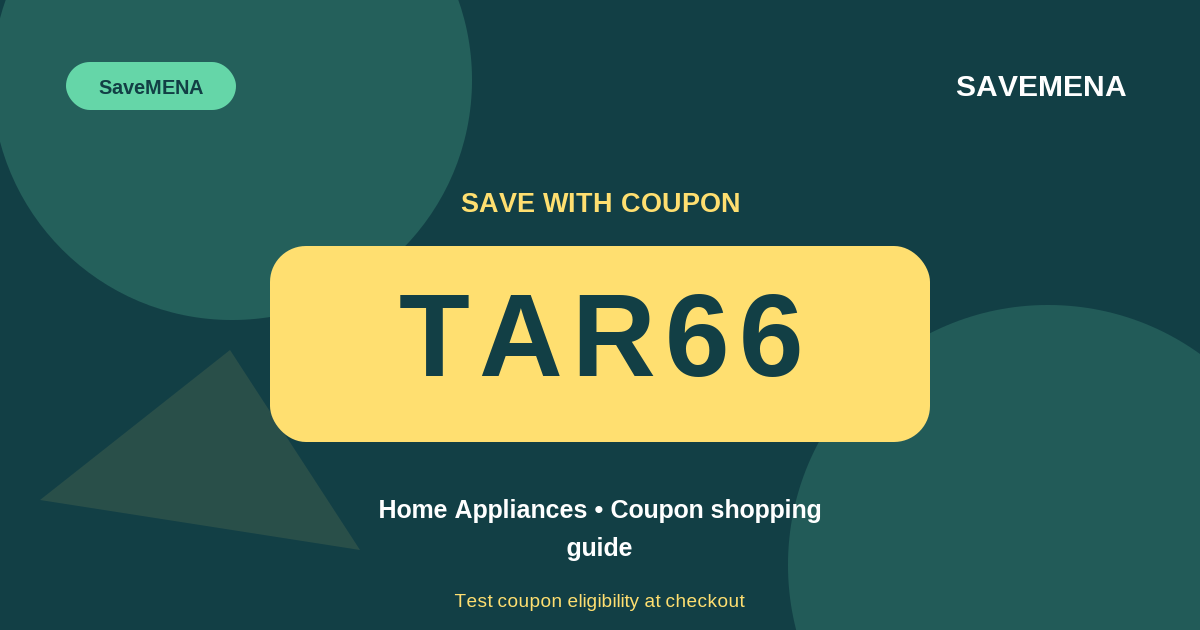
Codes available to try while comparing
These codes are not guaranteed for the article topic or listed brands; test them at checkout and use the live result.
1. Understanding Noon UAE Variant Selection
Unlike international listings, Noon’s UAE variants include locale‑specific features such as USB ports, battery capacities, and packaging that may differ from other markets. When searching for a home appliance, begin by reading the variant details to confirm that the product’s power rating, warranty period, and included accessories match what you need in the UAE. Pay special attention to the “Variant” field, which often lists region‑specific options such as “Floor‑size Edition” or “Compact Mount.”
After confirming the variant, compare its price against identical variants from other UAE sellers. This direct comparison eliminates surprises that arise when an item appears cheaper but actually references a different local model. The closest match in specifications should be the one you prioritize, preventing you from overlooking the variant‑specific energy rating or gauge that could affect your appliance’s performance in the UAE climate.
2. Cross‑Checking Seller Ratings Before Adding to Cart
With Home Appliances, the seller’s trustworthiness directly impacts delivery reliability and after‑sales support. Look for sellers that maintain a high overall rating on Noon and have a substantial number of completed sales for similar items. This balance minimizes the risk of delayed shipments or unwarranted return processes.
In addition to the general rating, examine the breakdown of buyer feedback—focus on comments about product quality and fulfillment speed. If a seller has a high rating but limited comments, verify that categorization before adding the product to your cart. A robust seller record increases the likelihood that your chosen variant will be dispatched by the promised date and that the live coupon message will not be canceled at any point during checkout.
3. Bundling Accessories for Better Value
Many home appliance listings now bundle essential accessories—cords, extra filters, or cleaning kits—to enhance overall utility. When evaluating bundles, compare the combined price to the sum of each part offered independently. The correct variant may only appear in the bundle; thus, confirm that every component is included in the variant’s specifications.
To verify bundle contents, scroll to the product description where each item is listed. If items are listed as “included,” that is your assurance that the bundle truly consists of those accessories. Buyers often overlook bundle packaging variants that lack certain items, leading to a mismatch between advertised bundle and actual delivery. Confirming these details pre‑cart guards against paying extra for a service you already have or missing an essential part that will be critical for appliance operation.
4. Checking Return Policies on Home Appliances
Return procedures can vary widely between sellers and may affect how free returns are applied during the nominal checkout process. Look for the seller’s return window title and ensure it specifies a return for the exact similarity variant you’re buying, especially if the variant differs in capacity or color from standard models.
Ensure the return policy states that the same variation can be returned without extra handling fees. If a seller claims “free returns” but does not clarify that it applies to the variant, the policy might only cover a different item. A clear policy that mentions the variant shows preparedness to handle any issues post‑delivery, which solidifies the value you receive when the live coupon message validates your purchase.
5. Confirming Shipping Options and Fees
Home appliances generally trigger limited‑area shipping due to size. Before finalizing the cart, review the “Ship To” selector and confirm that the destination reflects your precise location—particularly if you live in a complex like Arabian Ranches or a newly developed gated community.
Pay attention to the listed shipping fee and the estimated delivery window. Shipping costs for large appliances sometimes vary by distance or by whether expedited shipping is requested. Verify that the shipping information shown matches your chosen variant; if the variant’s packaging changes dimensions, the shipping cost might alter accordingly, impacting your final payable total at the live coupon check‑in.
6. Preparing the Checkout Page for Coupon Success
When you add an item to your cart, navigate to the checkout swiftly to avoid potential cart abandonment issues. Keep the “Cart” view open and double-check that the selected variant and quantity are displayed correctly. A missing or mis‑listed variant can trigger the live coupon message refusal at a later stage.
Before applying the coupon, ensure that you’re logged into your Noon UAE account and that the platform is in the UAE region. This reduces the chance that the coupon code is misread as a foreign market code. Having a clear checkout screen with the variant number—often a hyphenated code—helps the system align the coupon with the correct item before the live coupon popup appears.
7. Reading the Live Coupon Message for Confirmation
The live coupon message is the pivotal checkpoint that confirms your code TAR66 can be applied to the exact variant in your cart. It typically appears as a panel overlay announcing whether the code was accepted or declined. Accepting the message means the coupon has matched the variant, seller, and overall total.
If the message says “Coupon applied” or “Discount granted,” you can be confident the coupon has generated a discount for this variant. A “coupon not allowed” notification signals a mismatch—perhaps you’re attempting to apply the code to a different variant or a seller that does not support it. In that case, double‑check the variant details and consider removing unneeded accessories before re‑entering the code.
8. Finalizing the Purchase and Tracking Delivery
After the live coupon message confirms the discount, review the final payment amount. Verify that every line item, including shipping and any applicable taxes, reflects the confirmed variant. Only proceed when the total matches your expectations.
Once payment is made, capture the order number and access the tracking portal. Tracking updates will include the courier, the estimated arrival date, and any handling instructions. Keeping the tracking link handy ensures you’re informed of any delivery issues that could arise, especially important for large or fragile home appliance pieces.
Related SaveMENA pages
Related articles
Official sources to check
Frequently asked questions
Can I combine TAR66 with other coupons on Noon?
Noon’s policy typically allows only one coupon per order. The live coupon message will display if a second coupon conflicts. If you receive a “cannot combine” notice, remove the second code and keep TAR66 active.
Will the TAR66 coupon work if I change my shipping address after checkout?
Once the order is completed and the live coupon message confirms the coupon, the delivery address is locked. Changing the address post‑checkout is possible only through the order‑adjustment process, which may void the coupon or alter shipping costs.
What if my selected variant is out of stock after I add it to cart?
In that case, Noon will notify you at checkout. The live coupon message will reject the coupon, and you'll need to select an in‑stock variant or wait for stock replenishment before applying the discount code again.
Does TAR66 apply to return shipping?
Coupon codes like TAR66 generally affect the purchase price only. Return shipping fees, if any, are handled separately and are not subject to the same coupon.