Men’s Fashion on Noon UAE: checkout message — variant and model checks
Noon UAE variant and coupon Men’s Fashion the live coupon message at checkout: Match the exact variant before you compare price.
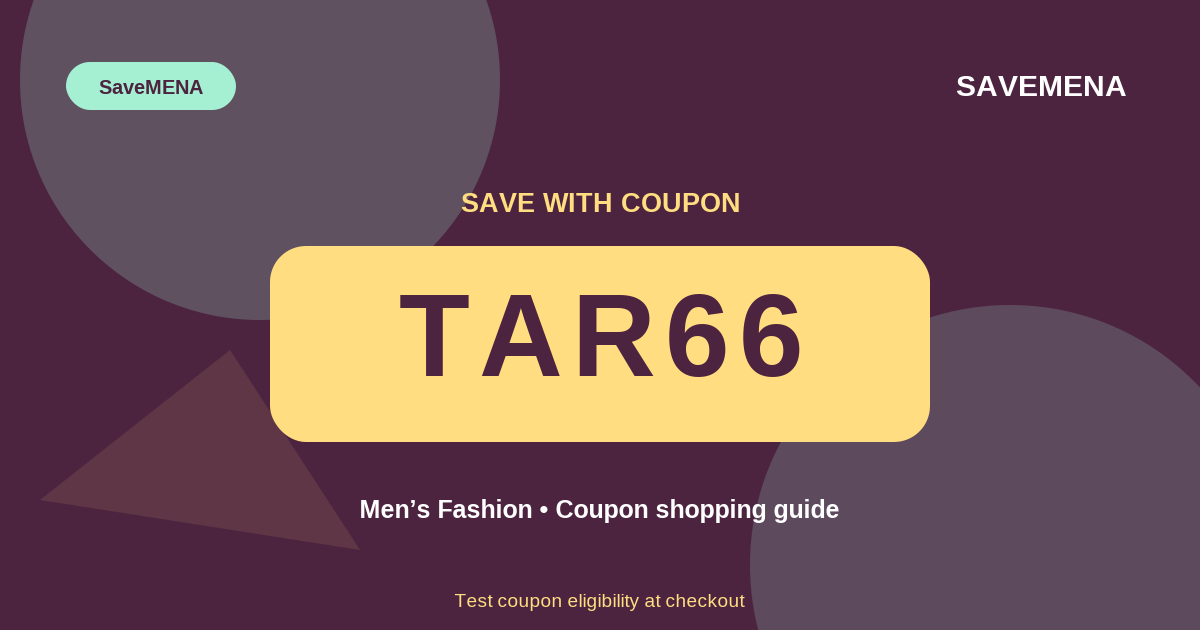
Codes available to try while comparing
These codes are not guaranteed for the article topic or listed brands; test them at checkout and use the live result.
Selecting the Exact Variant
When you explore Men’s Fashion on Noon, the first step is to click “View details.” The page will list the available colours, sizes and any special fabric notes. Pay close attention to the dropdown under “Noon UAE variant” – the help icon there often clarifies whether a piece is limited edition or standard. Choosing the wrong size or colour can lead to a delayed delivery later, which defeats the purpose of a quick online tool.
After confirming the exact variant, click “Add to Bag.” The shopping bag icon will now display the chosen colour and size next to the price. It’s important to verify that the variant appears correctly before adding several items. If you accidentally add a different version, the price difference will surface during checkout, and you’ll have to undo the selection. This early checkpoint saves time and ensures a direct comparison later.
Confirming Availability and Seller Details
Once a variant is in your bag, tap the shopping cart icon. Noon often supports multiple sellers for the same product. Each listing will show the seller’s name, a brief profile, and a “Ships from” note. These fields reveal the merchant that will handle your order. Double‑check that the seller is active in the UAE and can dispatch within the timeframe you need.
If a seller uses a “Marketplace” tag, that indicates a third‑party vendor. Compare the seller’s overall rating, hovering over the star count to read the review quality. While ratings may vary, ensuring that the seller is operational in the UAE can avoid future shipping hiccups. At this stage, you can also evaluate whether the listed price already includes a discount or is a full list price, which informs your next price comparison step.
Comparing Unit Prices Across Sellers
Navigate to the product page again and skim the “Shop” column that ranks listings by price. Instead of rejecting the first price you see, copy the price from each seller into a simple spreadsheet or notes app. Include the seller’s name, variant details, and the price shown beside each line. This quick spreadsheet lets you view all options side‑by‑side and spot any price discrepancies that might be driven by different shipping costs or seller-specific promotions.
Some sellers advertise a discount but keep it hidden until the checkout. In such cases, you may not initially notice a lower price. Make a note to retrieve the coupon code TAR66 later. By gathering each seller’s raw price, you align your comparison with the exact variant you intend to buy, eliminating the risk of inadvertently underestimating a better deal.
Assessing Shipping and Delivery Fees
Before proceeding to checkout, check the “Estimated Delivery” box. Noon calculates the cost based on the seller and the delivery method chosen. Some sellers offer free shipping over a certain amount; others charge a flat fee for first‑time buyers. All fees apply after the product price, so be sure to add them to your unit price comparison tally.
Notice that the “Delivery fee” appears as a separate line on the cart page. Manually add this figure to each listing’s cost if you plan to shop multiple variants. Free or reduced shipping can swing the overall value dramatically; thus, a cheaper unit price might still be more expensive after shipping. Keeping these details parallel ensures a fully informed decision.
Adding the Coupon Code Early
After verifying the variant and reviewing sellers’ prices, you can add the coupon code TAR66. During checkout, look for the “Coupon Code” field. Inserting the code here lets Noon apply any possible discount to the subtotal before shipping, subject to seller compatibility.
Because the coupon may or may not be accepted by the selected seller, record the resulting subtotal on the screen after activation. Keep a screen capture or note the number presented. If the code is rejected, your list of seller options remains unchanged. If accepted, the change will precede the live coupon message that appears later – a key checkpoint for this journey.
Watching for Live Coupon Messages
At the final checkout page, Noon refreshes the total based on the coupons applied. A “live coupon message” will pop up next to the final amount if a coupon is successfully enabled. This message confirms the coupon’s validity and shows the amount saved in real time. Read the message carefully: it may inform whether the coupon is partial or applies only to the product price.
If the message does not appear, check whether the coupon is still in the “Coupon Code” field. Sometimes a checkbox or hidden toggle must be selected to activate the discount. If you cannot view a live message, double‑check whether you’ve met all seller or product conditions that might limit coupon usage. Keep the screen open until the final total appears unchanged or adjusted.
Reviewing the Final Checkout Summary
Before submitting payment, scrutinize the order summary that Noon presents. It lists the product, variant, seller, unit price, shipping fee, applied coupons, and the overall payable amount. Compare this total to the numbers you recorded earlier. If the coupon was accepted, the “Coupon discount” should be listing a subtraction; if not, it will be absent.
You can also verify the payment method listed (Credit Card, PayPal, etc.) and double‑check that the billing address is correct. This final review is particularly important when the live coupon message indicates a discount – you must ensure the refund amount, if any, is reflected exactly in the total before you authorize payment.
Finalizing Payment and Confirmation
Once all figures match your expectations, proceed to payment. Noon will request verification of your payment details, which may include a 3D Secure code from your bank. After successful transcription, the system redirects to a confirmation screen that summarizes the order again and provides an order reference number.
Keep a record of this reference for your records and future tracking. The confirmation page often shows the expected delivery window, again noting whether shipping was free or if a fee was applied. While the coupon’s effect has been confirmed in the live message, double‑check that you saved the correct amount by noting both the pre‑coupon and post‑coupon totals, if available.
Related SaveMENA pages
Related articles
Official sources to check
Frequently asked questions
How do I know if the coupon will apply to my chosen seller?
At checkout, input the code TAR66 in the “Coupon Code” field. A live coupon message will affirm whether the coupon is accepted, showing the discount amount. If the message is absent, the coupon may not apply to that seller. Double‑check seller policies if uncertainty remains.
What if the variant I selected is out of stock after adding to cart?
In that case, Noon will alert you on the cart or checkout page. Click the variant link again to confirm availability or switch to a different seller. If no version is available, consider adjusting the size or colour before proceeding.
Will the shipping fee change after adding a coupon?
Shopping and shipping costs are recalculated after coupon application. If the coupon is accepted, observe the live update in the checkout.summary. Shipping fees remain the same unless the seller offers free shipping only at specific totals.
Do I need a Noon UAE member account to use the coupon?
Noon’s coupon system normally works for both logged‑in users and guests. However, creating an account may streamline checkout and avoid repeated data entry. The coupon’s availability is independent of your account status.