Apple Headphones on Noon UAE: delivery fees — variant and model checks
When browsing Noon UAE, the key to unlocking the best Apple headphone deal lies in matching the exact variant before exploring prices.
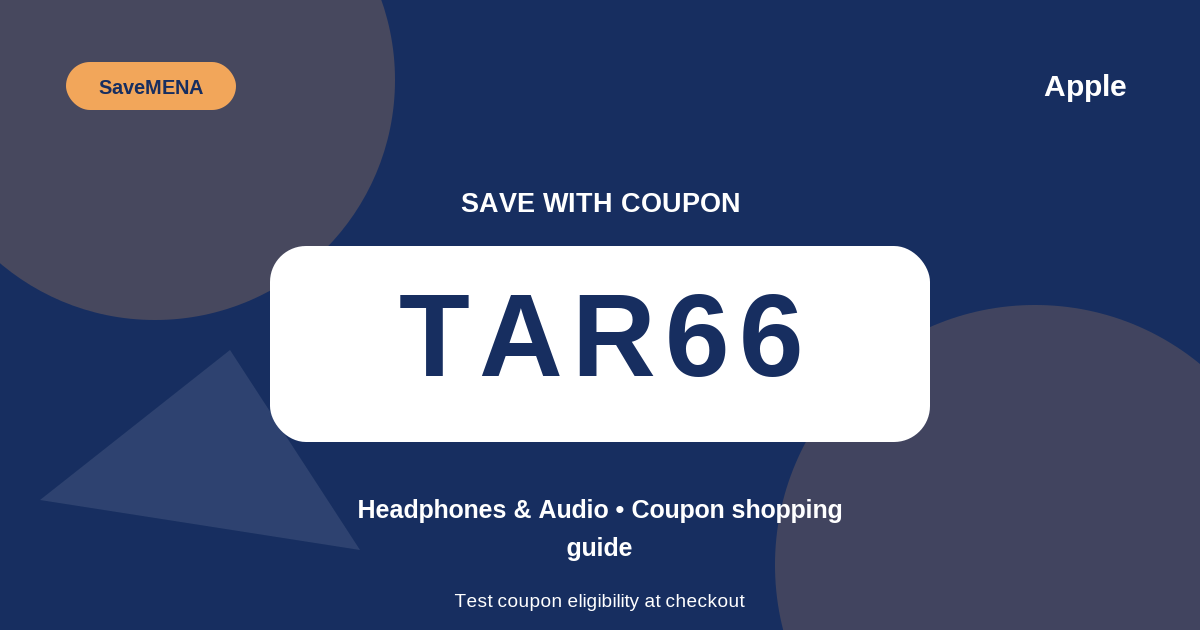
Codes available to try while comparing
These codes are not guaranteed for the article topic or listed brands; test them at checkout and use the live result.
Identifying the Exact Apple Headphones Variant on Noon UAE
Begin by searching the Apple headphone name and the desired variant—such as “Apple AirPods Pro” in “White, Wireless” or “Apple Beats Studio Buds” in “Black, Noise Cancelling.” Display filters on Noon UAE allow you to narrow down by color, size, or special edition, ensuring the model shown matches your preference. Double‑check the style code and any listed firmware version; mismatches may lead to different firmware support or battery life, influencing the overall user experience.
Once the exact variant appears, note its product ID or SKU. This identifier will stay consistent regardless of the seller, enabling you to cross‑reference listings across Noon’s marketplace. Keep the ID handy while scrolling through competing options, as it helps verify that you’re comparing identical items before you commit. Without this step, you risk purchasing a similar but distinct model that might not match your expectations or Apple ecosystem integration.
Assessing Price Variations Across Sellers
Noon UAE hosts multiple sellers, each potentially imprinting a different price for the same variant. After confirming the SKU, compare the listed prices across the top three competitive vendors. Pay close attention to the displayed amount in AED, but be aware that this figure does not yet include delivery fees or any applicable taxes.
Remember that Noon’s dynamic pricing can shift due to real‑time demand or promotional events. When you see a price drop, repeat the variant check to ensure all details remain identical. This verification process prevents costly errors—such as purchasing a different model under a lower price point—before you proceed toward checkout. A clear price comparison table in your notes will also facilitate a swift decision later in the checkout flow.
How Delivery Fees Impact Your Total Cost
Delivery costs on Noon UAE vary by seller, location, and the chosen delivery window. Some vendors offer “Next‑Day” shipping with a flat fee, while others may bundle free delivery for higher spend thresholds. Since the focus of this guide is delivery and fees, scrutinize every listed fee before adding the headphones to your cart.
The exact fee for your address may only be revealed at the checkout stage. While preliminary estimates are available on product pages, it’s prudent to double‑check once you proceed to the payment screen. By confirming the final delivery charge, you avoid surprise adjustments that could nullify an otherwise attractive price advantage. Always compare the same variant across multiple sellers to observe how delivery costs affect the overall value proposition.
Utilizing the TAR66 Coupon: What You Need to Know
SaveMENA highlights the coupon code TAR66 as a potential discount available on Noon UAE. The code is active for Apple headphone purchases, but its applicability is not guaranteed and may vary by seller or stock level. To apply it, enter “TAR66” in the coupon field on the payment page and observe whether the system accepts it.
Because the code’s status is tentative, do not assume a fixed savings amount. The checkout will display the adjusted subtotal, and any applicable coupon reduction, only after the code is applied. If the voucher fails to activate, simply proceed without it; the overall price will remain as calculated by seller plus delivery fees. The goal is to leverage every possible discount while remaining flexible to marketplace changes.
Verifying Fees and Charges Before Finalizing
Before moving past the payment page, scrutinize the “Order Summary” panel. This pane captures the subtotal, applicable tax, delivery fee, coupon discount, and the final payable amount. Since the focus considers delivery and fee transparency, confirm each line item matches your expectations derived from earlier research.
Should the delivered fee differ from what was initially estimated, note the discrepancy in your notes. Some sellers offer free shipping only for orders above a certain threshold; the panel will reflect such conditions automatically. If the total rises above your planned budget, consider switching to an alternative seller or reevaluating the courier option. Accuracy at this juncture ensures no hidden costs emerge after purchase completes.
Selecting the Most Reliable Seller on Noon UAE
Turn your attention to seller ratings and return policies—critical factors that influence post‑delivery support. Highlight sellers with a high ‘Verified Seller’ status and substantial customer feedback, as they tend to expedite delivery and resolve issues more efficiently. Check for within‑US approvement and quick response times, as these details are often listed on the vendor’s profile.
Different sellers might also provide varying warranty terms with Apple headphones. Verify that the seller’s warranty aligns with Apple’s standard offering, and note any additional coverage they may offer. By opting for a dependable vendor, you safeguard both the product’s functionality and the entire purchasing experience from initial order to final delivery.
Ensuring Compatibility and Warranty with Apple Headphones
Given Apple’s ecosystem focus, confirm that the chosen headphone variant supports the iPhone or Mac models you own. The product page should list supported iOS or macOS versions, and the seller’s description often states device compatibility. This step reduces the chance that the headphones will underperform or lack certain features post‑purchase.
Apple typically offers a one‑year limited warranty; verify that the seller explicitly states warranty terms on their listing. Some marketplaces extend manufacturer coverage to the buyer, while others may restrict it to store credit only. Clarifying this aspect during checkout ensures you remain protected against potential defects or malfunctions without additional cost.
Summing It All Up: A Step‑by‑Step Checkout Checklist
Before finalizing your purchase, revisit the item list: confirm SKU, color, size, and model. Verify that the chosen quantity is correct, and cross-check the seller’s shipping guarantees. All fees—including delivery, tax, and any coupon discounts—must appear accurately within the final order summary. Ensure the payment method reflects the correct AED total, capturing credit card or digital wallet entries.
Once satisfied, complete the checkout and store the confirmation number. Retain screenshots or copies of the order summary for future reference. By systematically applying each step from variant selection to fee verification, you can confidently secure an Apple headphone that meets your exact needs and budget on Noon UAE, all while staying informed about delivery costs and potential coupon benefits.
Related SaveMENA pages
Related articles
Official sources to check
Frequently asked questions
What are the common delivery options available for Apple headphones on Noon UAE?
The usual choices include next‑day standard delivery and weekend pickup, each with its corresponding fee. Delivery charges vary by seller and may be waived for orders over a certain value. These options are only confirmed at checkout, so review them beforehand.
Will the TAR66 coupon be accepted for all Apple headphone variants?
The coupon code TAR66 can be applied to many Apple headphone listings, but its acceptance depends on the seller’s listing settings and current promotion eligibility. Check the coupon field during checkout to see if it applies to your chosen product.
Is there a risk that the price I see on Noon UAE will be higher when I reach the payment screen?
Sometimes seller dynamic pricing or additional fees may increase the final price. The “Order Summary” section at checkout displays all final charges, so always verify that the subtotal + fees match what you intended before confirming the purchase.
How can I be sure the seller’s warranty matches Apple’s standard warranty?
Seller profiles usually list warranty details, and the product page may note if the standard Apple one‑year warranty is honored. If this isn’t clear, contact the seller directly or consult the comments section for confirmation before buying.