Electronics on Noon UAE: final total — variant and model checks
Noon UAE variant and coupon Electronics final payable total: If you’re setting out to buy an electronic item on Noon UAE, the first and most crucial decision you
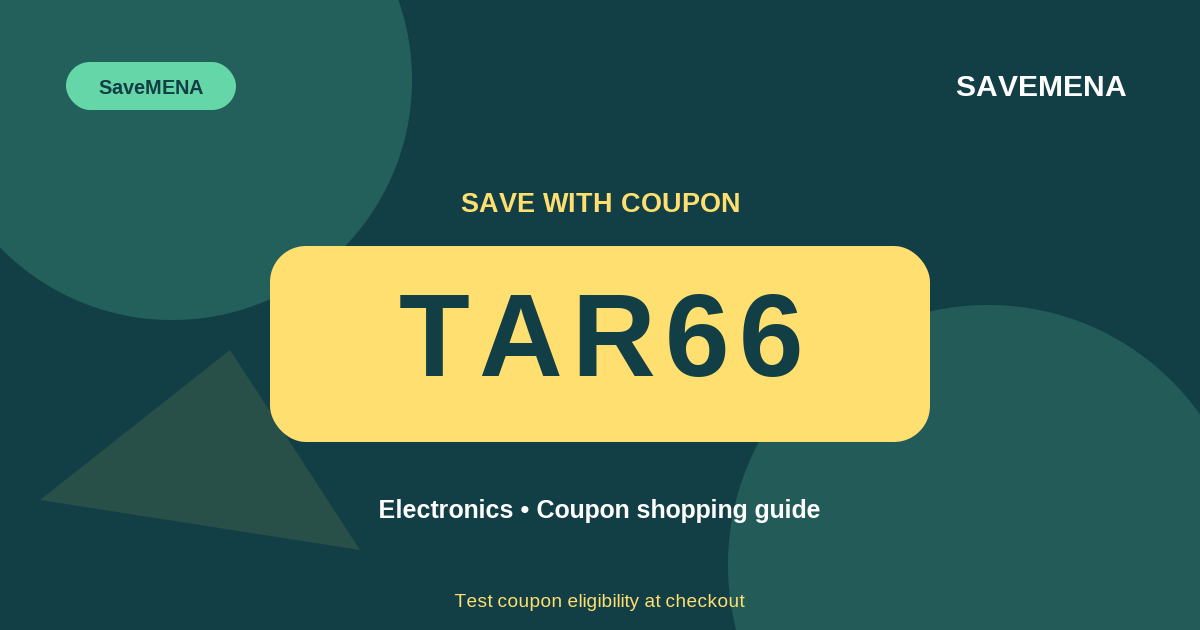
Codes available to try while comparing
These codes are not guaranteed for the article topic or listed brands; test them at checkout and use the live result.
1. Confirm the Variant Details Before Adding to Cart
Start by reading every spec box that Noon displays for the electronic product you’re interested in. Pay particular attention to storage capacity, color, firmware features, and any included accessories. Even a subtle difference—such as 128 GB versus 256 GB—can shift the price, altering your final payable total. Compare these details with your own requirements or a retailer’s brochure to make sure you’re selecting the right variant.
Once you’re certain the variant is correct, copy the item’s product ID or SKU displayed near the price. Having this identifier handy lets you double‑check the same variant if the listing appears again in your cart or order history, reducing the risk of an accidental switch that would distort the final cost.
2. Verify Seller Reputation and Shipping Origin
After you’ve chosen the right variant, look at the seller information supplied on the product page. Noon shows the seller’s name, the city or hub where the item will ship from, and any available seller ratings. A seller based closer to you often delivers faster, though delivery fees may be higher, influencing the final payable total.
Cross‑check the shipping origin with what you expect: if you prefer a local shipment for quicker delivery, ensure the listed origin city or hub matches that expectation. If the origin is abroad, keep in mind that international shipping could add customs duties or extra fees, which Noon will display at checkout and affect the total you ultimately pay.
3. Examine Delivery Options and Associated Fees
Before moving forward, scroll to the delivery or shipping section on the product page. Noon lists several delivery modes—standard, express, or store pickup—each with a set fee. Determine which mode suits your schedule and test how each option alters the final payable total by adjusting your cart accordingly.
Also note any minimum‑spend thresholds for free delivery that Noon may advertise. Even if you’re under the threshold, the shipping fee will still appear in the final calculation, so you can plot the expense accurately and decide whether to add another item to benefit from waived shipping, if that strategy aligns with your budget.
4. Add to Cart and Enter Coupon Code TAR66
With your chosen variant and preferred shipping method settled, click “Add to Cart.” Proceed to the cart overview where you can see the subtotal, delivery charges, and any taxes. At this point, type the coupon code TAR66 into the designated field. The code should not be typed with spaces or punctuation; simply paste or type it as shown.
When you hit the “Apply” button, Noon will recalculate the amount if the coupon is eligible. The result appears next to the original price or in the discount field. Take note of the change—if the discount is applied, you’ll see a reduced amount. If there is no change, the code was likely not actionable for this item or variant, but the final payable total remains accurate for your current cart.
5. Assess whether the Coupon Discount was Applied
To confirm the coupon’s effect, review the line items in your cart carefully. A discount should appear as a subtraction next to the subtotal, labeled “Coupon Discount” or similar. This figure will be subtracted before taxes, so expect the displayed amount to reflect the coupon’s impact on the base price only if it’s valid.
Should the discount not appear, do not assume failure; instead, try entering the code again or double‑check that the code is still active on Noon’s platform. If the discount remains absent after a second attempt, be prepared to proceed without it, as your final payable total will represent the true cost of the electronics item and its delivery.
6. Review the Final Payable Total Before Purchase
Once the coupon status is confirmed, look at the summary section titled “Total Payable.” This figure includes the product price, any coupon deduction, delivery charges, and applicable VAT or sales tax. Every component is listed so you can trace how each part contributes to the total you will actually pay.
If you would like to validate the calculation, you can temporarily remove items or change delivery options and watch the total adjust in real time. Benchmarking these adjustments helps you confirm that the final payable total is what you expect before the order is irretrievably processed.
7. Choose Payment Method and Secure the Checkout
On the checkout screen, select your payment method—credit/debit card, PayPal, or any Fremd payment option available on Noon UAE. Input the required card details carefully, ensuring that the card can be used for online purchases in the UAE. Noon’s payment gateway will confirm the transaction before forwarding it to the finance processor.
After confirming the payment details, review the entire order once more. Nod not only to the final payable total but also to confirm the shipping address, delivery method, and the applied coupon code. This final snapshot safeguards against unintended changes and guarantees that your electronic purchase costs exactly what you saw on the screen.
8. After Checkout: Track Your Order and Verify Receipt
Once the payment is accepted, you receive an order confirmation email or notification via Noon’s app. This document lists your item, quantity, variant details, chosen shipping mode, and the final payable amount you were charged. Keep it as a record for any future returns or warranty claims, as it demonstrates that you paid the correct total.
Use Noon’s order tracking feature to see shipping milestones. Should the delivery delay or deviate from the expected route, consult the tracking updates before contacting customer support, simplifying resolution should the final payable total or shipping weren’t as advertised.
Related SaveMENA pages
Related articles
Official sources to check
Frequently asked questions
What if my coupon code does not apply to the electronics I want?
If the TAR66 code does not show a discount after you try entering it, it is possible the coupon isn’t eligible for that particular variant or category on Noon UAE. Double-check the current coupon terms on Noon’s website and then proceed, accepting that the final payable total will match the undiscounted price plus fees.
How can I ensure the variant I pick isn’t accidentally switched during checkout?
After adding the item to your cart, check that the variant details (color, storage, board, etc.) still match what you logged. Noon lists the variant in the cart view; confirm it before proceeding.
Will the delivery fee change even after applying a coupon?
Delivery fees are calculated separately from the coupon. Once the coupon discount reduces the item price, the distinct shipping fee remains unless you choose a different delivery option that re‑calculates it.
Can I cancel my order after seeing the final payable total?
A void or cancellation policy depends on Noon’s terms for that product and seller. Review Noon’s cancellation guidelines before purchase, but if you need to cancel, contact Noon’s support immediately after confirming the final payable amount.