Shoes on Noon UAE: final total — variant and model checks
Start by verifying that the shoes you’re eyeing are listed under the “Noon UAE” section. Search the product name, then read the drop‑down that shows delivery
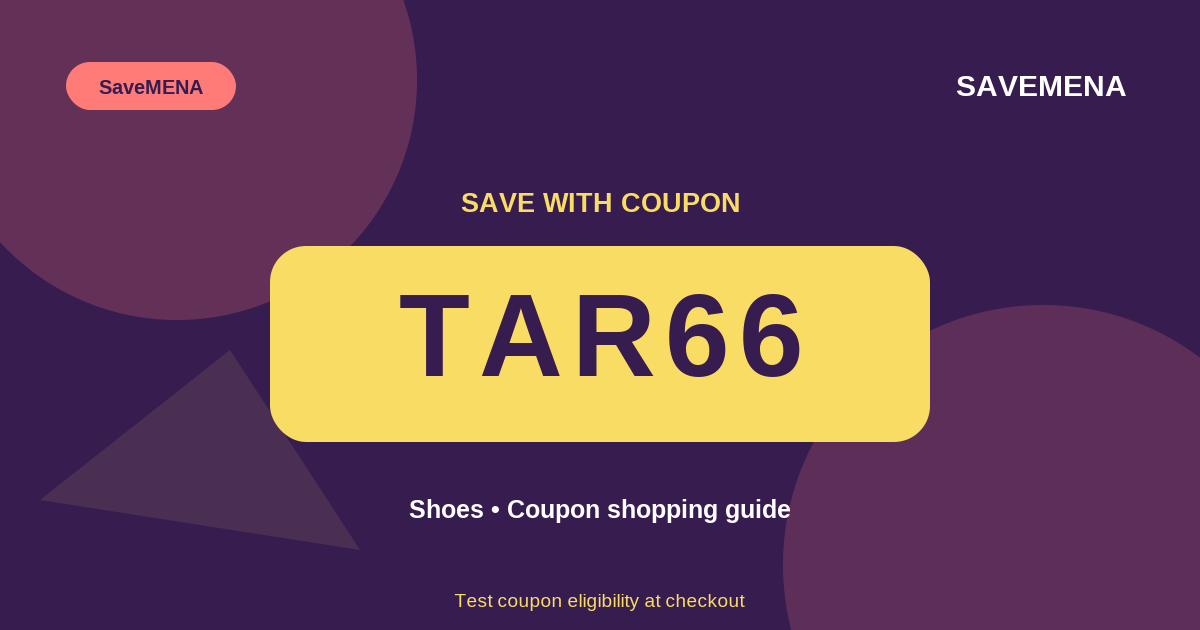
Codes available to try while comparing
These codes are not guaranteed for the article topic or listed brands; test them at checkout and use the live result.
1. Identify the Correct Noon UAE Variant
Start by verifying that the shoes you’re eyeing are listed under the “Noon UAE” section. Search the product name, then read the drop‑down that shows delivery regions. The variant labeled “Noon UAE” guarantees that the price you see is priced in AED and that Noon’s UAE fulfillment centers are the source. Some brands offer global variants or “Noon International” listings that may appear cheaper at a glance but still ship internationally so additional fees can sneak in. The goal is to lock in a variant that confirms UAE delivery so you know which taxes and shipping rates apply during checkout.
Once confirmed, note the displayed price and any optional “Same‑day Delivery” or “Pickup” flags. These flags will affect the final payable total because delivery fees or pickup discounts can add or subtract from the base price. scroll through the option list and ensure you keep the variant that aligns with your preferred delivery method. This intentional selection prevents later surprises when you reach the payment page where the final payable total is updated.
2. Compare Seller Reputation and Policies
Noon aggregates multiple sellers, so the same variant can differ in shipping times, return policies, and seller ratings. Click the seller name next to the variant to view their profile, which should list overall rating, number of reviews, and average delivery time. A seller with a consistent history of positive feedback is more likely to honour the stated price and shipping promises, helping the final payable total reflect what you anticipate.
Pay attention to any seller‑specific promotions or free‑shipping thresholds. For example, a seller might offer free delivery on orders above AED 200, which could shift your final payable total upward or downward depending on your cart contents. Likewise, check for any “Seller‑only discount” that appears when the product is in the cart, and consider whether it affects the amount the credit card will ultimately charge. Accurate seller data ensures you can predict the final payable total without last‑minute adjustments.
3. Add the Item to Cart with Correct Quantity
Before proceeding, double‑check that you’ve chosen the correct size, color, and quantity. Even a single mis‑typed quantity can alter the taxable amount and shipping fee, thereby impacting your final payable total. Place the item into the cart and review the cart summary to confirm the price matches the variant label and seller confirmation.
If you plan to buy more items later, keep them in a separate cart or note that adding additional pairs may influence the overall budget. The cart page will also display any applicable taxes (e.g., VAT) that are automatically added to the total. Make sure these charges are aligned with your expectation of the final payable total before moving to the checkout form.
4. Apply the Coupon Code TAR66
After the item is in your cart, enter the coupon code TAR66 in the discount field. The code will only be applied if the seller’s policies allow it for this variant. Noon will automatically recalculate the final payable total, reducing the item price or adding a line item for the discount. Keep an eye on the subtotal change to confirm the coupon was accepted.
Because the coupon is available to try, not guaranteed, you should still read the coupon conditions stated on Noon’s coupon list. They will show if the code applies to the entire cart or only specific categories. If the coupon does not apply, Noon will keep the original total under the final payable total; your purchase will still complete with the initial price.
5. Review the Final Payable Total and Tax Details
Near the checkout stage, Noon presents a “Final Payable Total” that aggregates the item price, any shipping or handling fees, applicable taxes, and applied coupons. This figure is the amount that will actually be charged to your payment method. Confirm that the taxes listed are consistent with UAE rates and that no hidden fees appear for processing or delivery.
It is also essential to read the breakdown; if a tax line appears separately, double‑check that it matches the expected VAT rate. Occasionally, urgent delivery fees may appear after coupon application, subtly increasing the final payable total. Thus, review every line item carefully to ensure the final payable total matches what you’re comfortable paying.
6. Verify Delivery Fees and Logistical Constraints
Once the final payable total is confirmed, check the delivery fee’s source. Some sellers impose a flat delivery rate or a per‑km charge, while others offer free shipping over a certain amount. The final payable total will update automatically if you switch between “Home Delivery” and “Store Pickup” options.
Consider how logistical constraints such as delivery time windows or special handling fees may impact the total. If the seller indicates a business‑hour pickup is available, you could potentially waive the delivery fee entirely, decreasing the final payable amount. Keeping track of these options allows you to adjust your cart to match the final payable total you desire.
7. Choose a Payment Method and Confirm the Charge
At checkout, select a payment method that facilitates the best final payable experience. Some card issuers offer cashback or rewards on purchases at Noon; this can effectively reduce the overall cost. Verify that the displayed final payable total will not change once the transaction is authorized, as some multi‑step payment systems may apply an extra processing fee.
Before you authorise, confirm that the total on the payment confirmation page matches the one shown previously. If the numbers align, you can be confident that the final payable total is secure and will be the amount deducted from your account.
8. Final Confirmation and Receipt Check
After payment approval, Noon will send an order confirmation email. Review the receipt carefully: cross‑check item variant, price, applied discount, tax, shipping fees, and the final payable total. This confirmation is a safety net that the amount deducted from your account aligns with what you intended to pay.
In case a discrepancy appears (for example, a higher charge than noted in the order summary), contact Noon’s customer support immediately. Having the original final payable amount on hand will speed up the dispute resolution and help you confirm that your final payable total reflects what you actually paid.
Related SaveMENA pages
Related articles
Official sources to check
Frequently asked questions
Does the TAR66 coupon always reduce the final payable total for shoes on Noon?
Noon does not guarantee the coupon’s applicability. The final payable total will reflect the discount only if the seller and variant allow it. Payment will complete at the “Final Payable Total” shown in the checkout stage.
Can I apply the coupon after selecting delivery options?
Coupons are usually applied in the cart before checkout. However, if you change delivery options after applying TAR66, Noon will recalculate the final payable total, potentially affecting the discount’s impact.
What happens if the seller offers free shipping above a certain amount?
Free shipping eliminates the delivery fee in the final payable total, thereby reducing your overall payment. Check the seller’s threshold and adjust your cart quantity if needed for a lower final payable total.
Will Noon add extra charges after I confirm the payment?
Noon’s final payable total displayed at checkout should match the amount charged. If any additional fees appear afterward, contact Noon support promptly to verify they were authorized.