Electronics on Noon UAE: shipping responsibility — variant and model checks
Start your search by selecting the exact variant you need. Most Noon electronics listings provide a list of variant options—color, storage, connectivity, or size.
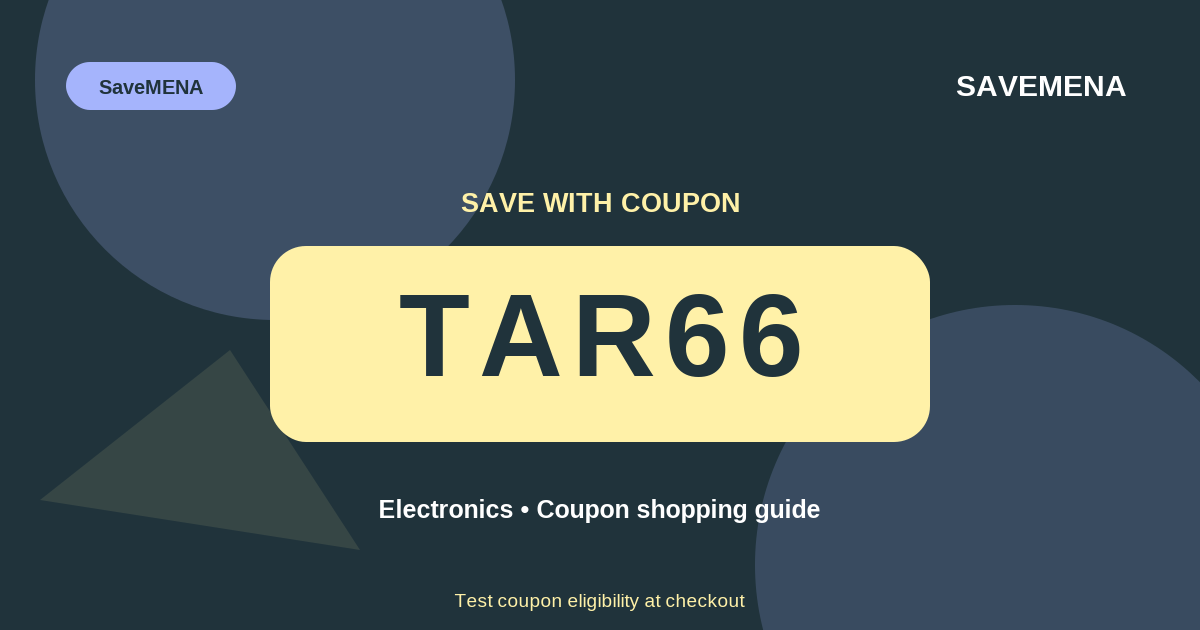
Codes available to try while comparing
These codes are not guaranteed for the article topic or listed brands; test them at checkout and use the live result.
Comparing Noon UAE Variant Prices Before Adding to Cart
Start your search by selecting the exact variant you need. Most Noon electronics listings provide a list of variant options—color, storage, connectivity, or size. Click each option to see its dedicated detail page. On that page, focus on images, specifications, and price. Avoid relying on the general page snapshot, because each variant can carry a different price that reflects its unique features. By comparing the variant pages side‑by‑side, you can spot price differences early. Keep this copy or write down the variant ID from the URL if it appears, as it may be useful at checkout when you verify the item in your basket.
Once you’ve reviewed all variant options, add the selected one to your cart. Some sellers display a price sidebar that updates instantly when you change the variant. Double‑check that the displayed price matches the one you noted earlier. It’s common for promotions or real‑time currency adjustments to affect the final amount, so confirming before leaving the listing gives you peace of mind. Once the variant is confirmed in your cart, you can proceed to the next step of verifying shipping and fulfilment details.
Confirming Electronics Variant Match Through Photos and Specs
After adding the variant to your cart, revisit the product page to confirm visual and descriptive details. Many Noon electronics listings include a “specifications” tab that lists screen size, battery capacity, processor, or camera resolution. Match these details against your requirements. The page may also host a gallery of close‑up shots that can help you verify color and build quality. For truly confirming the variant, look for a photo that explicitly shows the variant name or code, such as a screenshot of the product’s OS settings or the storage indicator on the device.
Use the “compare with other view” feature or rotate the image to see all angles. This can help you spot manufacturer logos or serial numbers that might differ between variants. Once you verify that the photos and specs align with your intended model, you’ll reduce the risk of receiving a different variant by mistake. If you still have doubts, you can also read user comments in the product’s review section, which sometimes mention specific variant experiences. Always keep a note of any variant-specific details before proceeding to shipping.
Seller Reputation: How to Gauge Trustworthiness for Electronics
Next, examine the seller’s information. Noon lists the seller’s name, ratings, and the number of orders processed. Pay attention to the seller rating (often shown as stars) and the percentage of positive reviews. A high rating with many transactions suggests a reliable partner. However, because Noon allows third‑party sellers, a good rating alone does not confirm fulfillment source. Sellers who are marked as “Fulfilled by Noon” typically display this badge, indicating the item will be stocked and shipped by Noon’s network.
If the seller lacks the “Fulfilled by Noon” badge, they may handle packaging and shipping independently. In that case, review the seller’s shipping policy, estimated delivery dates, and return timeframe. Look for a clear statement that the seller ships from within the UAE, as this often influences delivery speed and customs processes. Keeping the seller info in mind helps you predict the shipping route and potential waiting times, which ties directly into the fulfilment and shipping context you’re tracking.
Shipping Fees, Estimations, and International Jurisdiction
Before proceeding to payment, scroll to the shipping options section on the cart page. Noon usually lists a flat rate or free shipping threshold for each variation. Pay attention to whether the fee changes if you alter the quantity or change payment method. Shipping fees are determined by package weight, size, and destination, so the electronic variant’s dimensional data can shift the cost. Take note of the fee because it will be added to the subtotal in the final checkout summary.
The shipping estimation also shows a reference delivery window, often a weekend range. Verify that the date range lines up with your expectations, especially if you’re ordering for gifting or time‑sensitive use. If the vendor ships from a warehouse outside the UAE, additional customs charges may apply once the package crosses the border. The cart page sometimes flags additional customs duties or local taxes. Think about the potential for delays at customs, and factor that into your selection of fulfillment center or shipping method.
Delivery Timeframes: Predicting Arrival Dates for Electronic Purchases
While the cart’s estimated delivery dates provide a window, you can improve accuracy by checking Noon’s “estimated delivery” field during checkout. This field accounts for real‑time dispatch schedules and carrier reliability. Don’t rely solely on the “best‑case” date that appears on product pages. Instead, compare the date displayed at cart time with the one shown in the final confirmation screen. Should they differ, it signals varying processing times for different sellers or inventory levels.
If you need a specific arrival date, consider adding a note to your order via Noon’s customer service chat. Sellers or Noon may be able to confirm whether expedited shipping is available for the variant. For larger electronics or customized models, check whether the seller offers a “next‑day” delivery guarantee, as this can influence your choice. Aligning delivery expectations with your actual shipping context is vital to avoid late deliveries and potential return complications.
Tracking and Confirming Shipment with Noon UAE Logistics
Once your order is confirmed, you’ll receive a tracking number and a link to the carrier’s portal. Noon’s system usually integrates with popular UAE carriers such as DubaiPost or delivery services that handle electronics specifically. Use the link to confirm the pickup, transit, and expected delivery. Tracking updates typically reflect each leg of the journey, from depature center to local delivery hub, giving you visibility of any delays.
Always cross‑check the tracking number against the variant reference you noted earlier; any mismatch could indicate a shipping error. If the tracking shows a delay beyond the estimated window, contact Noon’s support, referencing both the order ID and the variant code. They can investigate whether the shipment was redirected, or whether a fulfillment center failed to dispatch on time. Keeping the tracking conversation open ensures that the fulfilment and shipping context you’re monitoring stays accurate until the delivery is complete.
Return Policy Clarification and the Role of Fulfilment Centers
Electronic items often come with a longer return period, but it can vary by seller. At the cart stage, review the return window, conditions, and whether you need to obtain a pre‑authorized return label. Some sellers require the item to be returned to a specific fulfilment center, which could be inside the UAE or an overseas hub. Knowing the return shipping address reduces the effort you’ll need later.
When the variant is different from your expectation, you can request a return in the case of a mismatch. In that scenario, the fulfilment center may ask you to send the item back for inspection before issuing a refund. Make sure you preserve the original packaging, as some sellers consider the state of the packaging a factor in eligibility. If the return shipping is a cost to you, confirm this before finalizing the purchase. This transparency helps prevent surprises at checkout, aligning with your fulfilment and shipping context concerns.
Leveraging the TAR66 Coupon: When and How to Apply
During the final checkout process, you’ll find an “apply coupon” field. First, ensure your cart contains the exact Noon UAE variant you desire, as coupons typically apply to the cart total. Enter TAR66 exactly as shown, using the uppercase letters. Once entered, observe whether the discount field updates. If the coupon applies, the cart total will adjust accordingly. If it does not, you may see a brief notification that the coupon code was not accepted.
Remember that the coupon’s acceptance depends on your account status, store policies, and the current promotion terms. During checkout, confirm that there are no minimum spend thresholds or product exclusions that prevent the coupon’s use. Since the coupon is “available to try,” you are not guaranteed a discount, so verify at this stage rather than after payment. Keep the coupon application result in mind when reviewing the final payable amount to ensure you’re satisfied with the total before confirming the order.
Related SaveMENA pages
Related articles
Official sources to check
Frequently asked questions
Can I apply the TAR66 coupon to more than one electronic item in my cart?
It depends on the coupon’s terms, which are not disclosed in this guide. At checkout, simply add all items to your cart and enter TAR66 in the coupon field. If the code accepts multi‑item purchases, the total will reflect the discount. Otherwise, you may receive a notification that the coupon is limited to a single item.
What if my chosen variant is out of stock when I go to checkout?
When the variant is unavailable, the cart will usually remove the item or replace it with an alternate. Check whether the seller has a processed order or if the inventory page signals impending restock. If the variant is truly out of stock, consider selecting a similar variant or wait for restock updates via Noon’s notifications.
Will there be additional fees for shipping the selected electronics variant?
The shipping fee is shown in the cart before payment. For electronics, fees typically depend on weight, dimensions, and destination. In some cases, a free‑shipping threshold may apply. If the variant is heavier or larger, you might see a higher rate, so review the cost in the cart to confirm the total.
How do I verify that my electronics will be fulfilled by Noon and not a third‑party seller?
Look for the “Fulfilled by Noon” badge on the product page and in the cart. Sellers with this badge ship from Noon’s fulfilment centers, ensuring standard delivery timelines. If the badge is missing, read the seller’s shipping details and carrier information, which likely indicate independent fulfilment. This helps you assess accurate delivery expectations for your purchase.