Dell Computer Accessories on Noon UAE: model specifications — variant and model · TAR64
When you’re hunting for the perfect Dell accessory on Noon UAE, the first step is to confirm that the online listing matches the exact variant you intend to buy.
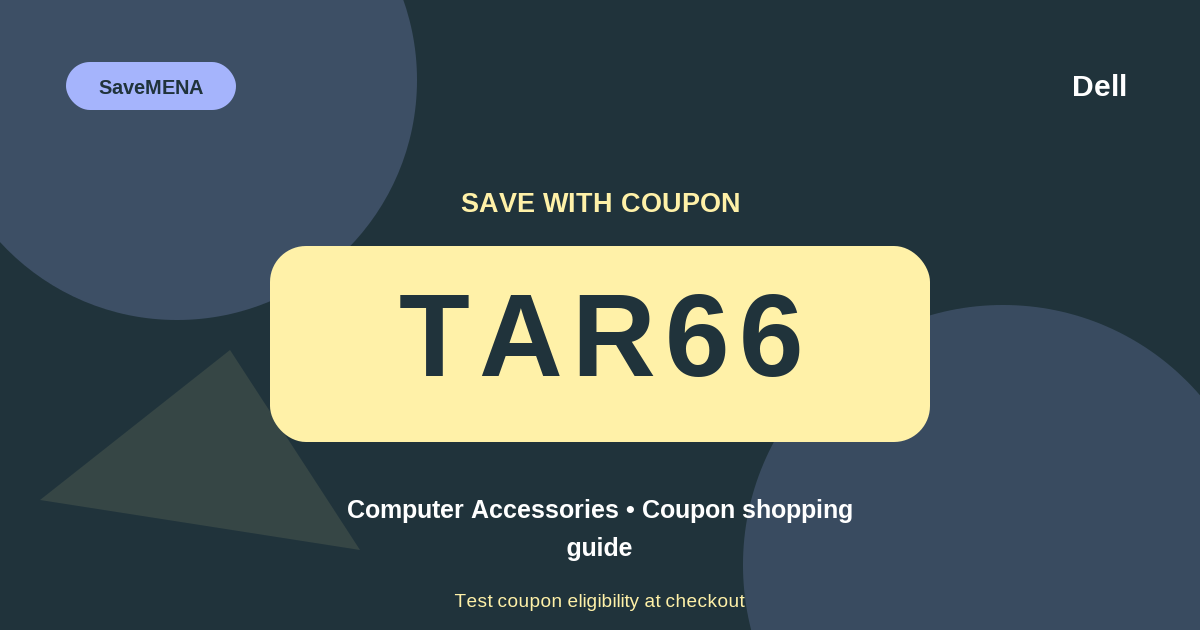
Codes available to try while comparing
These codes are not guaranteed for the article topic or listed brands; test them at checkout and use the live result.
Why Exact Variant Matters in Dell Accessories
Different Dell models share a brand façade but differ widely in hardware tiers, port configurations, and support options. For instance, a Dell keyboard with Bluetooth 5.0 may differ from its wired counterpart in battery life and connectivity range. When you click “add to cart” on Noon UAE, the system displays a generic product title and price, yet it may bundle two variants that are identical in appearance but not in technical capability. Without confirming the variant code or SKU, you risk receiving a computer accessory that lacks a critical feature such as a USB‑C hub or an RGB lighting system that you specifically sought.
Variant confusion can also affect warranty coverage. Dell’s extended warranty might apply only to certain firmware versions or chipset models. If you ship the wrong variant, you risk losing warranty eligibility or end up with a device that doesn’t support the latest drivers. By insisting on the exact variant before making a price comparison, you ensure the accessory’s specifications align with your technical requirements and that you stay covered under Dell’s service terms.
Spotting the Right Dell Model on Noon UAE
Start by searching “Dell” in Noon UAE’s search bar, then filter by category to “Computer Accessories.” The search results often list multiple Dell products separated only by subtle differences in model numbers. The key is to examine the SKU, also known as the item number, displayed beneath each product title. On Noon UAE, the SKU is a series of digits or a mix of letters and numbers that uniquely identifies the variant. Cross‑reference that SKU with Dell’s official catalog or the product page on the Dell website to confirm that the model includes all the features you need.
Once you locate the correct SKU, double‑check the specifications section on the Noon listing. It should detail processor type, memory, connectivity ports, and other relevant attributes. Make sure the version listed matches the Dell model you originally ordered from another retailer or a Dell store. If there is any mismatch, such as an extra HDMI port or a different battery capacity, you should discard that variant and move on to the next one that aligns with your technical snapshot.
Key Specs That Define Dell Computer Accessories
The specifications that truly matter for most Dell computer accessories include CPU or GPU capabilities (if applicable), RAM size, storage capacity, build materials, and display resolution or refresh rate. For peripherals such as Dell monitors, the same applies: panel technology (IPS vs. TN), color gamut coverage, connectivity options (HDMI, DisplayPort, USB‑C), and ergonomic adjustments (tilt, swivel, height). In a keyboard or mouse, battery type, sensor resolution, and switch type can define user performance.
When evaluating a Dell accessory on Noon UAE, focus on these specifications and verify they match the exact Dell model you intended to purchase. Dell’s official documentation will list technical bullet points such as “DDR4 64 GB” or “Quad‑core Intel Core i5 12th Generation.” If a Noon listing omits these details, request clarification from the seller or Dell’s support line. The specificity of the documentation ensures that the accessory will function seamlessly with your PC or laptop ecosystem.
Comparing Performance: Dell vs Competitors
Once you’re confident you have the correct Dell variant, compare its core specifications to those of competitors’ identical categories. Look for parity in port count, power consumption, battery life, and firmware support. Many times, Dell products include EE (Enterprise Edition) firmware that offers stability for professional environments, a feature competitors may lack. A Dell monitor with a 120 Hz refresh rate will often perform better in fast‑moving games compared to one with 60 Hz, but that advantage only holds if you are comparing the hardware and not a generic model.
When you compare prices on Noon UAE, also consider the software bundle, bundled cables, and any post‑purchase support that comes with the Dell variant. A lower price often sacrifices features such as a TÜV certified LED light system or a premium matte finish. The only way to know whether the trade‑off is worth it is by aligning the price with the true specifications you verified earlier.
Using the TAR64 Coupon Wisely on Noon UAE
If Noon UAE offers the TAR64 coupon code, you can attempt to apply it at checkout. The coupon can be entered in the discount field after finalizing the cart. However, the coupon’s applicability is not guaranteed; it may depend on seller privileges, cart subtotal, or specific product categories.A coupon is not guaranteed; verify its result at the retailer checkout.
To maximize the coupon’s potential, add multiple Dell accessories that share the same variant into the cart. Some sellers on Noon UAE advertise that they allow coupon usage when a minimum number of items is reached, but this is not a universal rule. Because the support is not guaranteed, never rely on the coupon to close the deal; verify the final price in the order summary.
Customer Support and Warranty Entitlements
After you place an order for a Dell accessory on Noon UAE, you can still reach out to Dell’s customer support if you suspect a variant mismatch. Dell’s warranty program is typically tied to the specific serial number, which reflects the hardware configuration. If you receive a different variant, you may need to file a return under Noon UAE’s return policy rather than Dell’s warranty process.
Keep a copy of the sale receipt and the product’s serial number visible—this will be essential if you need to claim warranty service. Dell’s troubleshooting guides are accessible on their website and can help you verify that the device’s BIOS and firmware match the specifications you initially checked in the Noon listing.
Your Next Dell Accessory Purchase: Making an Informed Decision
When you’re ready to add another Dell accessory to your cart, repeat the same meticulous steps: verify the exact variant, confirm its specifications, compare it to similar products, and test any coupon code before finalizing the purchase. This systematic approach ensures no fundamental feature is overlooked and helps you obtain the hardware that truly matches your computing workflow.
Remember, the most valuable tool in your decision‑making toolkit is a keen eye for variants and specifications. By applying this lens consistently across all Dell accessory purchases on Noon UAE, you’ll streamline your shopping process and reduce the likelihood of post‑purchase regret.
Compare alternatives without guessing
When you compare another option in dell, keep the specifications, quantity and seller as consistent as possible and compare the total shown at checkout. A different coupon does not automatically make a deal better because delivery, fees and the live basket context can change the outcome. Use the final payable total as the practical comparison point.
If the retailer shows a specific condition, rely on that visible message; if it does not, do not turn an assumption into a general rule. Test available options one at a time and note any real change in the total or eligibility message. That creates a verifiable shopping comparison instead of a recommendation built on an unsupported marketing claim.
Related SaveMENA pages
Related articles
Official sources to check
Frequently asked questions
A coupon is not guaranteed; verify its result at the retailer checkout.
No. The code is only available to try. Eligibility can vary with the live account, basket, item, seller and campaign context, so checkout is the final reference.
Where should I confirm the coupon result?
Apply the code in the Noon basket and review the live message and final payable total before payment. Do not rely on an undocumented percentage or condition.
Can the result vary by product or seller?
Yes. Eligibility and offer context can vary with the current basket details, so compare the exact item, seller, variant and final total before purchasing.
What should I do if the code does not work?
Check the market, account, item, seller, basket and payment context, then try another code available to try without guessing an unsupported reason.