Computer Accessories on Noon UAE: model specifications — variant and model · TAR64
When searching for a specific Noon UAE variant of computer accessories, it’s essential to verify the model and specifications before comparing prices.
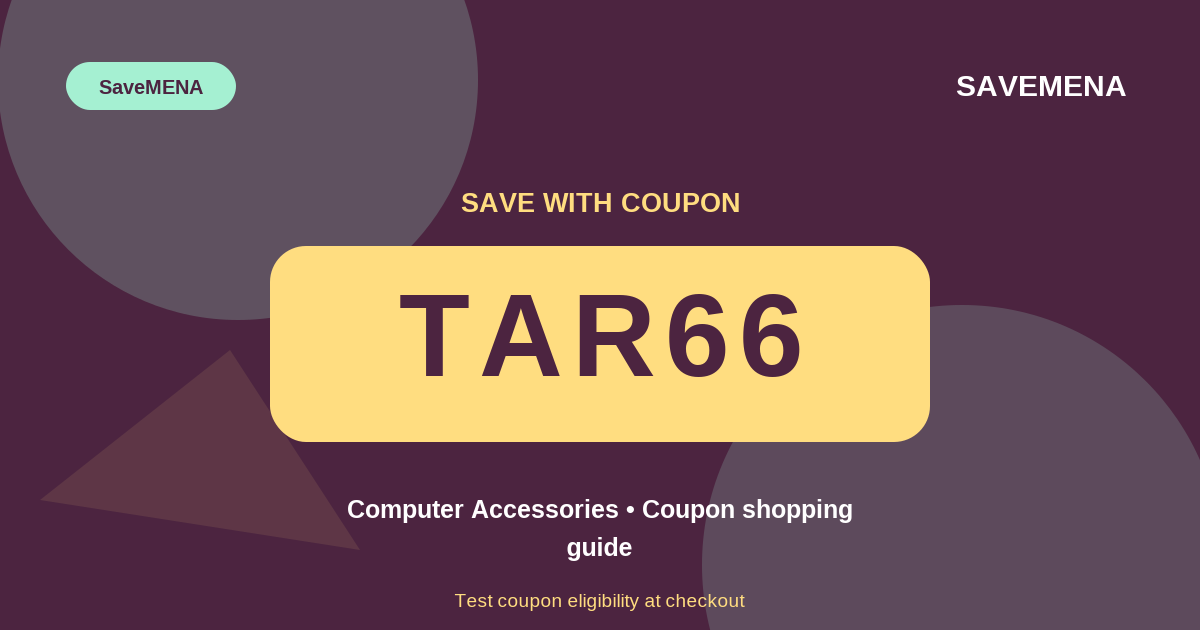
Codes available to try while comparing
These codes are not guaranteed for the article topic or listed brands; test them at checkout and use the live result.
1. Understanding Noon UAE Variant Details
Every product listed on Noon UAE is identified by a unique variant identifier that includes the model number, color, and other distinguishing attributes. When you search for a computer accessory, double‑check that the displayed variant matches the exact specifications you require. This includes not only the model number but also the format—whether the item is a full-size USB‑C‑to‑USB‑C port hub or a slim USB‑B hub, for example. The variant also determines the supported data transfer speeds, power delivery ratings, and compatibility with your operating system. Verify these details early in the search process to avoid later surprises like a missing port or incompatible firmware.
Once you have identified the correct Noon UAE variant, locate the product description and technical sheet. These sections typically list critical specs such as voltage support, supported devices, and additional features like pass‑thru charging. If the description is truncated, check for a “view full specifications” link or a related PDF. Some sellers also provide additional information in the FAQ section of the listing. Pay close attention to any notes that mention regional variations—UAE variants may differ in insulation or compliance certifications compared with international versions. Checking these items upfront ensures that the variant you select will meet both functional and compliance needs in the UAE market.
2. Model-Specific Features to Verify
Model‑specific features are what ultimately differentiate one accessory from another. For example, a keyboard might claim "mechanical switches with 50-watt LED backlighting" or a docking station might assert "24‑bit color depth with 5 Gbps Thunderbolt 3". It is vital to confirm that the listed spec is present in the variant you’re viewing. A small detail, such as the presence of a detachable USB‑C cable, can be decisive if you need to connect to a laptop that lacks a built‑in USB‑C port. Review feature lists for each variant and cross‑reference them with your device’s specifications or personal testing notes.
When multiple models share a base name (e.g., “Pro Dock 2” vs. “Pro Dock 3”), confirm that the variant’s firmware and driver support match your intended OS. Some accessories require specific firmware updates for compatibility with Windows 11 or macOS Monterey. Erroneously purchasing an older variant that lacks the required drivers leads to a frustrating support cycle. Finally, look out for any regional-specific accessories such as built-in voltage converters or plug adapters; these details can affect both usability and safety in the UAE electrical context.
3. Comparing Specifications Across Brands
Once you have the exact model and variant, the next step is to compare its specifications with other brands available on Noon UAE. Key comparison criteria include the data transfer speed range, power output capabilities, and number of ports. For instance, a USB‑C hub that offers 60 W pass‑thru power delivery is preferable for a laptop that doubles as a charger, whereas a cheap hub with 15 W may leave your device undercharged. Similarly, a docking station that offers dual HDMI outputs can be a game‑changer for multi‑monitor setups.
Beyond raw specs, evaluate firmware support and update frequency. Some brands issue firmware updates to handle new device standards, such as USB‑4 or the latest Wi‑Fi 6E. Compare the history of updates by visiting the manufacturer’s support site or checking user forums. A brand that routinely updates firmware demonstrates a higher level of ongoing support, which translates into longer accessory lifespan. Factor in price but keep the focus on “model and specifications” to ensure that you’re not merely chasing low cost at the expense of essential features.
4. Assessing Build Quality and Compatibility
Build quality often correlates with durability and user experience. Look for features such as braided cables, reinforced connectors, and die‑cast metal housings, which indicate a stronger construction. Some accessories come with an OEM certification stamp or a warranty plan, suggesting a higher level of quality assurance. If you rely heavily on your accessory for daily work or gaming, a better build can reduce future replacement costs.
Compatibility checks extend beyond the operating system to include physical form factors. Ensure that the accessory’s dimensions and connector types match your device’s layout. For example, a full‑size USB‑C hub might exceed the PSU port’s width on a narrow laptop, rendering it unusable. Checking the unit’s size specifications, usually measured in millimeters, and cross‑referencing them with your device’s ports ensures a seamless fit. Additionally, verify that the accessory uses the correct power rating for the UAE’s 220 V supply while confirming that the included plugs meet local safety standards. These compatibility checks help mitigate the risk of investing in an otherwise spec‑complete but physically incompatible product.
5. Price Strategy: The Role of the TAR64 Coupon
The TAR64 coupon can be applied at checkout to potentially reduce the final payable amount. While identical product specifications should guide most price comparisons, the coupon application process can add an extra layer of savings if it is accepted. To use the coupon, enter “TAR64” in the designated field before completing the purchase. The coupon’s validity and applicability depend on Noon’s current promotion policies, so confirm at checkout whether it applies to your selected variant.
Since coupon availability is not guaranteed, treat it as a try‑out opportunity rather than a debt‑free purchase promise. If the coupon fails to apply, the price difference will not be automatically refunded; you’ll have to discuss the matter with Noon’s customer support. The discount, if available, is applied only after the cart has been verified to contain the intended variant and all final taxes and fees. Therefore, double‑check that the cart still reflects your exact model before relying on the coupon to secure savings.
6. Purchase Considerations: Seller Reliability & Delivery
On Noon UAE, products are listed by multiple sellers. A seller’s reputation can heavily influence delivery speed, packaging quality and after‑sale service. Review seller ratings, response times, and the number of recent feedback comments. A high‑rating seller often offers a “buy from Noon” option that guarantees standard delivery times and seller accountability. Conversely, a lower‑rating seller may still offer the same variant but could result in extended shipping durations or inconsistent packaging.
Delivery fees and estimated arrival times are part of the checkout. These details are displayed on the cart before the final payment. Pay close attention to whether the seller offers free shipping or whether a limited‑time delivery promotion applies. Some sellers may provide consolidated shipping, which can reduce overall cost and simplify tracking. If an accessory is a high‑value item with essential specifications, consider whether the seller provides packaging designed to protect delicate hardware during transit. Verify all this information at checkout, because any changes to the shipping arrangement could affect your expected arrival time.
7. The Checkout Flow: Ensuring Coupon Applies
At checkout, the first action is to confirm that the cart contains only the intended variant. The total displayed should match the advertised price before applying any coupons. Enter the coupon code “TAR64” in the designated field. If the coupon is accepted, the system will adjust the total and display the new payable sum. If the coupon is not accepted for any reason, the system will revert to the original price and prompt you to re‑evaluate.
After entering the coupon, review the updated total again for any unexpected changes. If the coupon was applied successfully, proceed to finalize payment. If not, you may contact Noon’s support via chat or email to verify whether the coupon is still valid for the chosen variant. Always remember that the success of a coupon depends on checkout details, not on the product listing pages, so it is crucial to re‑check the final amount post‑coupon application. Finally, confirm that your payment method is ready and that the transaction will reflect the correct amount on your bank statement.
8. Long‑Term Value: Warranty and Support
Warranty coverage can be a decisive factor when choosing a high‑performance computer accessory. While most Noon UAE listings provide manufacturer warranties, these vary in duration and what they cover—documents could mention a 1‑year limited warranty for defects in materials or a longer warranty for electronics. Evaluate whether the warranty includes return shipping or on‑site repair options.
Support accessibility is equally important. Check whether the seller or manufacturer offers a response time guarantee (e.g., 24 hrs) or a dedicated hotline for technical issues. Some sellers provide a dedicated support portal or a quick‑reply email address. For accessories that rely on firmware, it is useful to know how quickly updates are pushed, especially when new OS versions roll out. Since a good warranty and support system add to long‑term value, factor them into your comparison alongside specifications and price before finalizing the purchase.
Related SaveMENA pages
Related articles
Official sources to check
Frequently asked questions
A coupon is not guaranteed; verify its result at the retailer checkout.
Coupons on Noon UAE are subject to availability and specific eligibility criteria that can change. It’s best to try the code at checkout; if it doesn’t apply, consider alternative savings opportunities such as Noon promotions.
What should I do if the variant I see is slightly different in specifications?
Verify the entire specification sheet, including ports, firmware, and power delivery. If key specs differ, compare these differences with your device’s requirements before deciding to purchase.
Can the warranty be extended after purchase?
Warranty extensions usually depend on the seller and the manufacturer. You may inquire about extended protection plans during checkout or at the support center after the purchase.
How do I confirm that my selected accessories fit physically on my device?
Check the dimensions and connector types listed in the product details. Compare those to your device’s ports and available space; measuring or visual confirmation can help ensure a proper fit.