Apple Mobile Accessories on Noon UAE: model specifications — variant and model · TAR64
If you’re looking to compare the exact variant of a mobile accessory for an Apple device on Noon in the UAE before checking its price, this article will guide you.
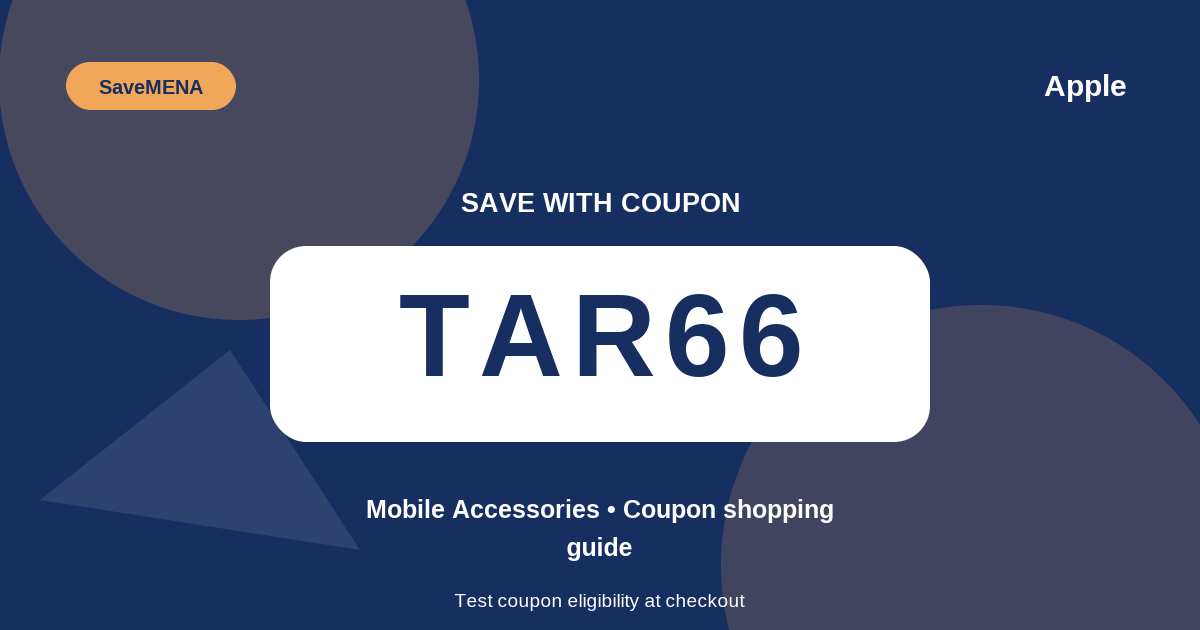
Codes available to try while comparing
These codes are not guaranteed for the article topic or listed brands; test them at checkout and use the live result.
Identifying the Exact Apple Mobile Accessory Variant
Begin by noting the full product name as it appears on the Apple website or the original packaging. Apple accessories often come in multiple iterations, such as different case colors, sizes, or features like MagSafe compatibility. Ensure you record the complete model identifier, for example “Apple 20W USB‑C Power Adapter – 20W” or “Apple AirPods Pro (2nd generation) – White,” because Noon’s search function uses these exact terms to list matching items. A mismatch in even a single adjective can lead you to a different product line entirely, resulting in an incorrect purchase decision.
Once you have the specific variant name, cross‑reference it with the “Model” section often found under product details or in the accessories’ box. Apple’s model numbers are distinct across generations, allowing you to confirm you’re looking at, for instance, “M3350” versus “M3351.” On Noon, the product description may repeat this identifier; matching it ensures you’ll not inadvertently select a variant meant for a different device or country. This step forms the basis of accurate price comparison because only identical specs will be directly comparable.
Using Noon UAE’s Search Filters for Apple Accessories
Enter the recorded model or full product name into Noon’s search bar and press enter. The platform will display a list of items from various sellers; scrutinise the titles for the exact wording you captured. Important filters include “Brand,” “Category: Mobile Accessories,” and “Seller.” Selecting the “Apple” brand filter eliminates unrelated cases or third‑party chargers that might appear similar but lack authenticity. This the coupon code approach keeps your search confined to official Apple products or authorised resellers, enhancing credibility and reducing the risk of counterfeit items.
After filtering, use the “Sort by: Best Match” option where available, as Noon’s algorithm places the highest‑matching listings at the top. While price is a factor, it is insufficient without confirming variant details; therefore, focus on the product image that clearly shows the model number or a unique icon, such as the Apple logo on a genuine AirPods case. Proceed to click the item and review the “Specifications” and “Seller Information” sections to verify that the listing truly matches the exact variant you seek.
Understanding Key Specifications for Apple Mobile Accessories
Apple’s accessory specifications are usually outlined in a concise table under each product page. For chargers, look for wattage, cable type (USB‑C, Lightning), and certification logos. Cases should list material, protective rating, and whether they support MagSafe. Headphones will display battery life, built‑in controls, and any special features such as ANC (Active Noise Cancellation). When comparing variants, these technical details dictate compatibility and performance, making them essential decision lenses alongside price.
Beyond the specifications table, read the product description for nuances such as warranty duration, right‑to‑repair policy, and any special usage notes. Apple invests heavily in software‑integrated features—e.g., MagSafe accessories may only work with iPhone 12 or newer. Ensure the variant you choose lists the correct compatibility chart. This level of scrutiny guarantees that the accessory functions as intended, which is critical if you’re investing in high‑end hardware like the latest Apple AirPods or a power adapter.
Comparing Variant Specs Across Sellers on Noon UAE
Once you’ve confirmed the exact specification sheet of the the coupon code variant, compile the same data from rival listings. Note differences in countries of origin, Amazon fulfillment status, and seller ratings. Pay attention to any subtle variations—such as the presence of an additional USB‑C port or differing cable length—that might not alter the base model name yet influence your usage experience. A rigorous side‑by‑side comparison reduces the likelihood of receiving a mis‑labelled item that looks identical at a glance but differs in support or durability.
Integrate this comparative data in a simple table format on your own device: listing seller name, price, shipping fee, estimated delivery window, and any available buyer reviews. While Noon does not disclose a standard discount or coupon applicability per seller, verifying whether the same variant exists across multiple vendors gives you leverage to choose a store with better customer service or faster shipping. Remember that a lower list price may be offset by a higher delivery fee or longer wait time, so balance all factors before making a final decision.
Applying the TAR64 Coupon to Your Apple Accessory Order
To activate the TAR64 code, proceed to the Noon cart after adding the verified Apple accessory to your shopping basket. In the cart preview, a field labeled “Enter Promo Code” exists where you can type TAR64 and click “Apply.” The platform will instantly reflect any deduction if the coupon is valid for the chosen product. Because coupons sometimes apply only to specific categories or brands, double‑check the coupon terms via Noon’s help center or the tooltip next to the input box. Without this confirmation, you might inadvertently assume savings that the checkout does not accept.
Once applied, the cart recalculates the total, including shopping fees, presented in a clear “Subtotal,” “Delivery Fee,” and “Discount.” If TAR64 is not accepted, notice the error message and proceed to checkout without the discount, allowing you to still benefit from other offers such as free shipping or loyalty points. Keep in mind that coupon usage is not guaranteed; it must be verified at the final checkout stage where the system confirms applicability before payment is confirmed.
Checkout Verification: Ensuring Variant Accuracy and Pricing
Before finalising your purchase, the Noon checkout process lists a summary of the product details: model name, specifications shown earlier, and the price recorded at the point of checkout. This is the only stage where the platform locks in the specific variant you’ve been comparing. Inspect this summary carefully; any discrepancy—such as a different variant number—signals that the wrong item may have been captured. If you spot an inconsistency, cancel the order and restart the process from the product page.
After confirming that the variant listing matches your predetermined model, review the total price once more. This total includes any applied coupons, delivery fees, taxes, or other charges. The system communicates any remaining coupon balance or pending discounts at the bottom of the checkout page. If TAR64 has been applied, the discount should appear before you submit payment. Deciding on a final product is now a matter of readying payment with confidence.
Delivery & Warranty Considerations for Apple Accessories on Noon UAE
While Noon’s shipping infrastructure covers the UAE, be aware that delivery timelines can vary depending on the seller’s location and the order’s processing time. Apple accessories often have an official one‑year warranty from the date of purchase; ensure that this extends to any third‑party sellers by reviewing their warranty declaration in the product description or seller profile. If you prefer a sale‑by‑Apple authorized reseller, hit the “Show more” filter under “Seller” and look for those designated a green checkmark or “Apple Certified Reseller.”
Another factor is return policy. Apple generally allows returns within 14 days if the product appears defective or mismatched, but Noon’s policy might impose a different return period based on the seller’s terms. Pay attention to the “Return/Refund Policy” link before checkout. Having detailed knowledge of the warranty and return process can offset a higher upfront price if the accessory encounters issues later, making this a crucial component in the decision lens where the model’s longevity outweighs immediate savings.
Final Tips for Smart Purchasing on Noon UAE
Summarise the process: start with a precise variant match, filter Apple mobile accessories on Noon, validate all specifications, compare sellers, apply the TAR64 coupon, confirm the right lineup at checkout, and evaluate delivery and warranty conditions. These steps collectively minimise risk and ensure you’re getting exactly what you intend to buy. Where possible, track your order email for updates and keep the original receipt for warranty claims.
Remember, the value of an Apple accessory stems not only from its price but also from its fit, longevity, and support. By treating each element—variant identification, spec review, coupon verification, and logistical details—diligently, UAE shoppers can confidently navigate Noon’s marketplace and acquire the accessory that best meets their needs.
Related SaveMENA pages
Related articles
Official sources to check
Frequently asked questions
Will the TAR64 coupon work on every Apple mobile accessory on Noon UAE?
The coupon may or may not apply to a specific Apple accessory; its acceptance is confirmed only when you enter the code during checkout. If it fails, the system will display an error message.A coupon is not guaranteed; verify its result at the retailer checkout.
How do I verify that the accessory’s specifications match my device?
Check the product’s “Specifications” section on Noon and cross‑reference it with your device’s manufacturer documentation. Look for matching model numbers, compatibility charts, or feature lists that align with your Apple device.
Can I return the accessory if it’s not the variant I expected?
Yes, most sellers offer a return window (usually 14 days), but policies vary. Review the seller’s return policy before purchase and retain your receipt for reference when initiating a return.
Does Noon guarantee the authenticity of Apple accessories?
Noon features many Apple‑authorized sellers, but authenticity must be verified by checking the seller’s rating, certifications, and product description. Genuine Apple accessories list a model number and official warranty details.