Samsung Mobile Accessories on Noon UAE: model specifications — variant and model checks
If you’re looking to match a specific Noon UAE variant for a Samsung mobile accessory and compare its specifications before deciding, this guide is for you.
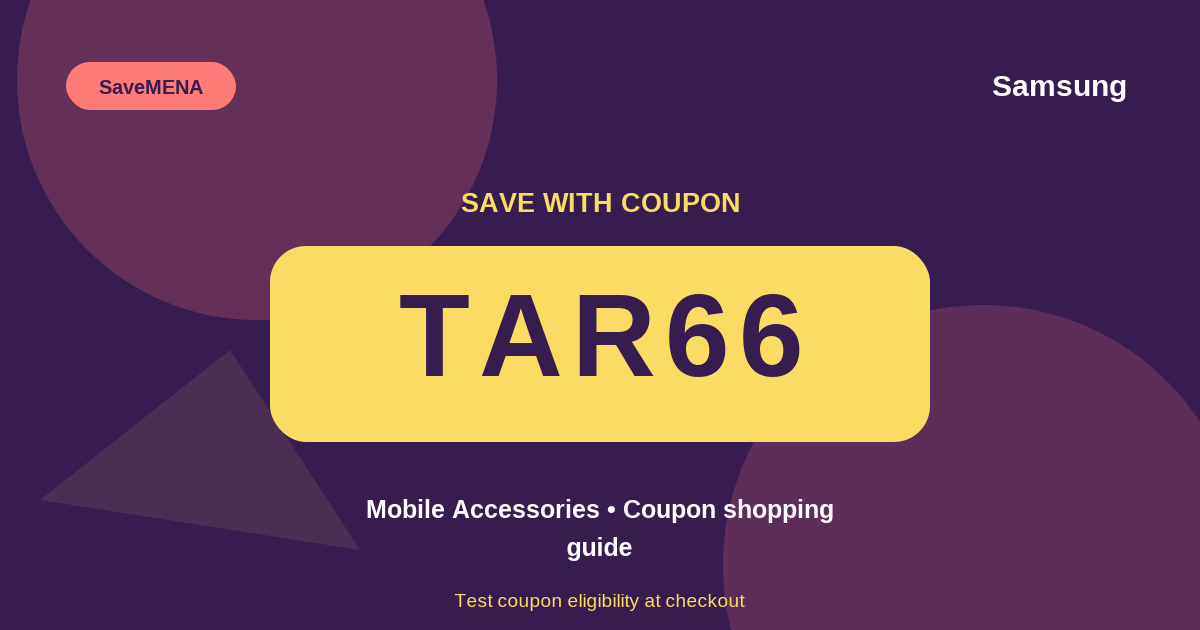
Codes available to try while comparing
These codes are not guaranteed for the article topic or listed brands; test them at checkout and use the live result.
Understanding the Variant Landscape on Noon
Noon’s listings for Samsung mobile accessories are frequently grouped under a single product title, yet each variant can differ in color, internal storage, or additional sensors. When you search, the platform’s filters allow you to narrow down by brand, model number, or even device compatibility. Paying attention to the exact SKU displayed helps avoid the mix‑up that often leads to returns. Notice any differences in subtitle text which can hint at a lower capacity or a regional variant not available in the UAE market. This small but crucial detail ensures you capture the precise model you’re after.
Your first task should be to record the full product name exactly as shown in the search results. Copying the model number or SKU directly into a document or a note app guarantees you’re comparing apples to apples when you later check other sites or read detailed technical data. This step also provides a backup if the product page refreshes and you lose the original variant. In the next section we’ll explore how to confirm that the model you’ve selected is truly the one you need for your device.
Pinpointing the Exact Samsung Mobile Accessory Variant
The initial page of the product typically displays a banner of the variant you’re viewing, often accompanied by an eye‑catching image and the full model description. Look closely at the color palette, logo placement, and any small icons that signify enhanced features, such as dual‑charging capability or special protection coatings. Every subtle visual cue can differentiate a standard model from a high‑end variation. Screenshot or note the image URL if you’re a meticulous shopper; it can be handy when you access the same item multiple times.
After confirming the visual identity, scroll to the technical specifications section. This area lists critical parameters like battery support, USB-C versioning, and temperature tolerance. Make sure the figures match the official specifications released by Samsung for your handsets. Discrepancies here may indicate a non‑OEM variant or a regional modification. Keep a printed copy or a digital note of these numbers; comparing them side‑by‑side with the official Samsung site will help you make an informed purchase decision.
Key Specifications That Matter for Samsung Enthusiasts
Samsung users appreciate precision—especially when it comes to accessory compatibility. Two of the most decisive specs are the DAC (digital-to-analog converter) quality for audio accessories and the fast‑charge rating for power adapters. Visit the technical details tab on Noon to confirm the presence of a Qi‑compatible transmitter or a certified 20W or 30W fast‑charge interface. This information is usually presented in bullet form, making it straightforward to assess if the accessory supports your latest Samsung flagship or mid‑range device.
Another critical point is the firmware version or software integration patch. Many accessories now come with updated firmware that enhances connectivity or unlocks new features. Check if the listing references a specific firmware build, and cross‑reference that version with the one listed on Samsung’s official support page. This cross‑verification ensures you’re not purchasing an accessory that may work now but could become obsolete as software updates roll out. Once you’re satisfied with the spec alignment, move on to price comparison.
Price Matching: Comparing Models on Noon
After you have the exact variant and its specifications locked in, it’s wise to compare its price with other reputable platforms that serve the UAE market. Use the same product name and model number to search on global e‑commerce sites, local electronic retailers, or even community marketplaces. While the prices can vary, setting a baseline helps you spot whether Noon’s offer is genuinely competitive or inflated due to a mis‑labelled variant.
Remember to factor in subtle differences such as warranty duration, return policy, and currency options when comparing. An identical nominal price could still have hidden fees or limited warranty coverage that makes another platform more attractive. Make a quick spreadsheet or use a dedicated comparison tool; this will give you a visual overview of where Noon stands relative to the competition. This step is crucial before you even attempt to use a coupon: you’ll want to ensure the baseline price is the best you’re going to pay for that exact product.
Leveraging the TAR66 Coupon for Potential Savings
Once the price is verified, look for the “TAR66” coupon at checkout. The code can be entered in the coupon field near your payment screen. This code is available to try and does not guarantee a discount; it’s a placeholder for promotions that may or may not trigger during the transaction. If the coupon field accepts the code, proceed to checkout to see if the discount applies. If it does, you’ll see the new total; if not, you’ll pay the original amount.
In either outcome, you still benefit from using the coupon because the process confirms your eligibility for future promotional events. Keep an eye on the “Save” section in your cart or checkout page for any pending offers that might activate automatically after you’ve confirmed the purchase. Since there are no specific restrictions attached to TAR66 in the listing, you’re free to test it without additional app‑only or account‑level conditions. Confirm the final payable amount in the review stage before confirming payment to avoid surprises.
Seller Reputation and Assurance on Noon
When you’re shopping for a precise Samsung variant, the seller’s credentials play a pivotal role. Noon displays seller ratings based on past buyers’ experiences, and this metric can range from one to five stars. A higher rating often suggests consistent product authenticity and reliable customer support. Verify that the seller’s name appears in the shipment details, and if possible, cross‑check with their store page for additional reviews or certifications.
Your next step is to read the product’s customer Q&A section. Look for queries about compatibility with the latest Samsung releases or questions about firmware updates. The seller’s responses, especially those that are detailed and reference official Samsung sources, provide reassurance about the accessory’s authenticity. A responsive seller is more likely to rectify any issues promptly, while a quiet or absent seller profile could be a red flag, prompting you to consider an alternative listing.
Delivery and After‑Service Options
Delivery speed on Noon can vary from same‑day shipping in major cities to a three‑to‑five‑day window for out‑of‑town orders. Check if the “Fast Delivery” option is available for your variant, as this can be crucial if you need the accessory urgently. Same‑day shipping may incur an extra fee, which will be displayed during checkout. Decide whether the cost‑benefit of faster delivery outweighs the additional charge, based on your personal timeline.
After‑purchase support is equally essential. Drop‑in reset options or 24‑hour live chat are hallmarks of a reliable seller. If a replacement or return is needed, Noon’s return policy typically allows for a 72‑hour window. Verify whether the SKU is covered by a manufacturer warranty that extends beyond Noon’s policy. Knowing the full spectrum of post‑purchase support can affect your final purchase decision, especially when the accessory is critical to your daily workflow.
Final Checklist Before You Checkout
Before you hit the confirm button, tally all of the preceding factors: the exact variant name, spec alignment, price competitiveness, coupon potential, seller reputation, delivery options, and after‑service. Assemble them into a quick mental or written checklist. If each point checks out, you’re ready to secure your purchase. Double‑check the “Review order” screen one more time for any hidden fees that might appear after the coupon is processed.
Because the coupon might not trigger a discount, it’s wise to remain flexible with your payment method. If Noon offers multiple payment options, choose the one that provides you with the most robust buyer protection or recurring savings. When you accept the final total, you’ll receive an order confirmation via email and a notification on the Noon app. Make a note of that confirmation number in case you need to claim a warranty or return the product later. This final act closes the loop, ensuring your Samsung accessory purchase is both accurate and protected.
Related SaveMENA pages
Related articles
Official sources to check
Frequently asked questions
A coupon is not guaranteed; verify its result at the retailer checkout.
The TAR66 coupon is available to try but does not guarantee a discount. After entering it at checkout, the final total will reflect whether the coupon applies for that order.
How can I verify if the Samsung accessory I selected is compatible with my phone?
You can confirm compatibility by comparing the accessory’s specifications listed on Noon with the official Samsung specs for your device. Checking the model number, build compatibility, and firmware version is essential.
What if I want a different color variant of the same Samsung accessory on Noon?
You can use Noon’s filter to locate other color variants or view additional variants on the same product page. Each variant will display its own SKU and specifications to help you choose.
Do I need a Noon app account to apply the TAR66 coupon?
No dedicated app‑only rule applies to the TAR66 coupon. You can enter the coupon code on the website or app after adding the item to your cart.