Shoes on Noon UAE: model specifications — variant and model checks · TAR64
If you’re trying to match an exact shoe variant on Noon UAE before comparing price, you’ll find this guide to the model and specifications crucial.
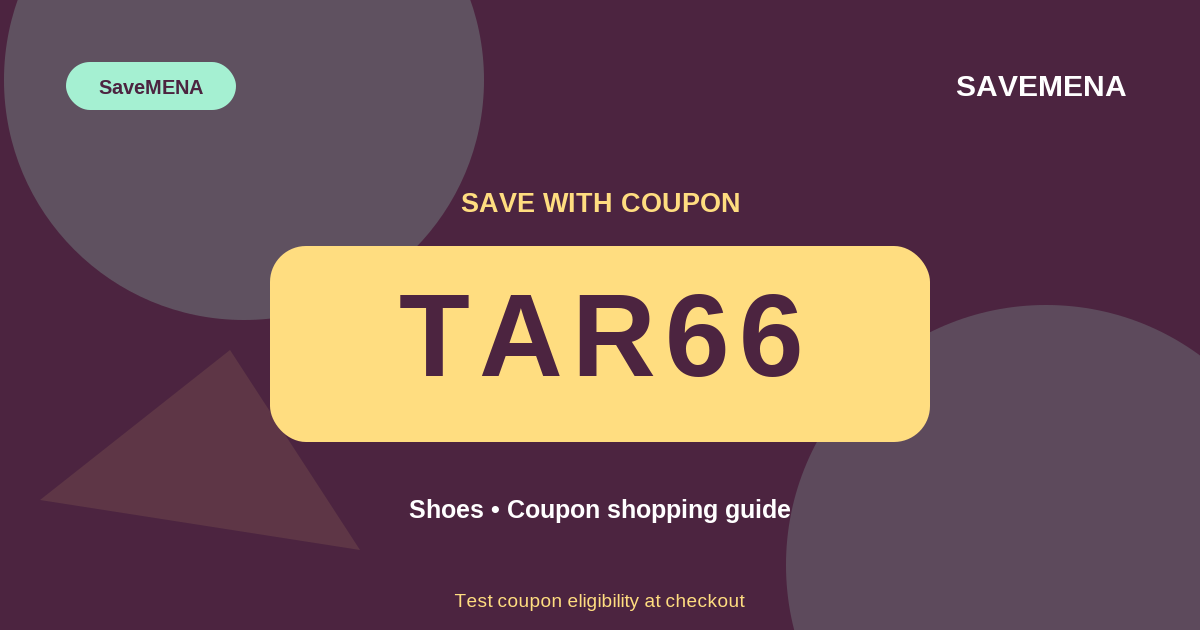
Codes available to try while comparing
These codes are not guaranteed for the article topic or listed brands; test them at checkout and use the live result.
Identifying the Right Model: Size, Colour, and Design on Noon UAE
When you land on a shoe page, begin by noting the model’s ID or SKU; Noon typically lists this in the header or in the product details tab. Verify that the size you select is listed as a separate variant rather than a colour option, because some sellers bundle both in one dropdown, which can lead to confusion. It’s also a good practice to scroll through the carousel of images: true for the saved size, the lacing, and any unique design elements that differentiate the model from similar styles. This visual confirmation is the best way to ensure you’re looking at the variant you actually want.
If the listing provides a size guide, cross‑check it against your local measurements. Sites sometimes use UK, US or EU sizing charts that can shift by up to one size if mis‑mapped. For suede or leather shoes, check whether there’s a note about stretch or shrink after washing, certain models might require a break‑in period. Eyeballing the colour palette for subtle undertones—especially in darker shades—helps guarantee you’ll receive the exact hue that matches your wardrobe. Once you’ve confirmed the exact model ID, SKU, size and colour, proceed to examine the specifications before you commit to the price battle.
Unpacking Shoe Specifications: Comfort, Material, Design Features
Specifications are the backbone of comparative shopping for footwear. Focus first on the construction type—whether the shoe is crafted with a full‑grain leather upper, a breathable mesh, or a synthetic composite that promises water‑resistance. The midsole material, such as EVA foam, polyurethane or advanced memory foam, dictates cushioning performance, while the outsole often signals traction, durability and suitability for different terrains. Look for any brand‑specific technology labels—for example, a cushioning system that adapts to impact or a sol‑crafted outsole designed for extra grip. These details explain why two variants of the same model might feel distinct underfoot.
Beyond comfort, examine the feet‑support mechanisms: arch support level, heel counter stiffness and whether there’s a reinforced heel cup to prevent slippage. Additionally, check if the shoes have optional features such as removable insoles, orthotics compatibility, or antimicrobial lining for breathability. Some high‑performance models incorporate a heel‑lift or a special design for enhanced stride. When you’re comparing across Noon sellers, verify that the specs listed for each variant are identical, especially for technical attributes that impact usage—otherwise you might end up with a shoe that looks striking but falls short of performance expectations.
Matching Variants Across Sellers: Avoiding Misleading Listings
Noon’s marketplace hosts both official brand stores and third‑party sellers, meaning identical models can appear under different seller names. To avoid purchasing a mis‑labelled variant, open each listing and compare the model number and exact spec tabs side by side. Pay attention to the “Available from” field—some listings may use a generic product ID that applies to more than one style, resulting in the wrong colour or size mix‑up.
When a seller’s listing lacks a clear specification page or if the product description is vague, reach out to their customer service or use the chat feature before buying. A quick reply can confirm the variant’s fit and any special features. It is also wise to check for seller ratings or customer reviews that mention the product’s authenticity or potential discrepancies. By stopping short of the checkout until you secure a match across seller and variant details, you minimize the risk of ending up with a mis‑extracted design that doesn’t match your size or preference.
Leveraging Noon’s Variant Filters for Precise Search
Noon offers a series of filter options beside the search bar—material, colour, price range, brand, and even features such as ‘waterproof’ or ‘running’. While these filters streamline the process, remember that they sometimes combine distinct attributes in a single click. For instance, selecting “leather” might pull in both genuine leather and faux‑leather variants unless the site specifies depth. For accurate variant matching, toggle the size filter first, then confirm the colour before finalising any material selection.
Once you have refined the search, bibliographic pins or “Add to cart” previews often display the SKU. Hover or tap on the SKU link to open a popup containing a breakout of the model’s name, version and key specs. This popup is a great tool to compare with other listings or existing items in your cart. If the snapshots differ, you can backtrack to find the exact variant you want. Using this layered filtering technique keeps the focus squarely on the real model, rather than on a loosely grouped variant set.
Applying the TAR64 Coupon: Steps and Expectations
To test the TAR64 discount while keeping the variant check at the forefront, add the chosen shoe model to your cart and proceed to the checkout page. Locate the “Apply Coupon” field, typically found beside the shipping cost line. Enter the code exactly as TAR64 and click apply. The interface will indicate whether the coupon was accepted or declined—if it’s declined, the code is invalid with that seller or variant. Do not rely on a guaranteed discount; the code is available to try.
Important to remember: the coupon does not automatically adjust the unit price shown in the cart; it could apply to the total payable amount, depending on the site’s campaign. If the code does not provide a visible benefit, keep the items in your cart, then attempt the code again after removing and re‑adding the items to refresh the session. Some sellers apply coupons only to orders over a certain threshold or exclude certain categories—double‑check any conditions noted beside your cart totals. These steps let you evaluate the true value of the coupon without committing to an unintended purchase.
Comparing Prices After Variant Selection
With the exact variant confirmed and the coupon applied (or at least attempted), scan the final unit price listed in the cart. If you noticed razor‑thin price differences between sellers, confirm that those differences reflect real variants rather than a mix‑up in size or material. Buying the same model requires identical specifications; otherwise the price unevenness is unjustified. This is where the decision lens—model and specifications—guides the next step: choose the seller offering the best price for that definitive variant.
After all prices are displayed, include the shipping charges — Noon often offers free delivery for orders above a magnitude—and add any applicable handling fees. Even in the absence of a guaranteed coupon discount, a higher shipping or handling fee can offset an otherwise cheaper unit price. Evaluate the entire payable amount rather than just the sticker price, as it may give you a clearer picture of true value across competing listings.
Shipping, Delivery, and Return Policy for Shoes on Noon UAE
Noon lists a delivery window that varies with seller location; however, all sellers are bound by the same framework of expedited, economy, and standard shipping options. For footwear, the standard window is usually between 3–5 business days from dispatch. Make sure that the seller’s estimated shipping time is identical to the general Noon overview, as sellers occasionally offer same‑day or next‑day delivery only for certain cities.
The return policy for shoes remains consistent across the platform: a fifteen‑day return window if the item arrives defective, mismatched, or not as described. Some sellers add a restocking fee—verify the amount in the return section of the product page. If you’re uncertain about the fit after the first purchase, factor in the return shipping cost that may apply. By cross‑checking shipping and return policies at the end, you align your buying decision with realistic delivery expectations.
Final Checklist Before Checkout
Before confirming payment, revisit the cart to ensure the SKU, size, colour, and quality make‑up exactly match your desired variant. Double‑check that the coupon field reflects either a successful application or a clear decline. Ensure the total includes shipping verifications and any possible restocking fees. If any conditions hint that the coupon does not apply to your chosen variant, be prepared to proceed at the displayed price.
Once you’re satisfied, complete the payment using your preferred method—credit card, debit card, or Cash on Delivery, depending on the seller’s options. After placing the order, you’ll receive an order confirmation email that includes the final posted amount, the order ID and the delivery window. Keep this information handy; it’s your reference for tracking, returns, or future inquiries.A coupon is not guaranteed; verify its result at the retailer checkout.
Related SaveMENA pages
Related articles
Official sources to check
Frequently asked questions
Will the TAR64 coupon always apply to shoes on Noon UAE?
The coupon is available to try, but its applicability depends on the seller’s promotion settings and any minimum spend or category restrictions. It may or may not be accepted for the specific shoe variant you intend to purchase.
How can I be sure I’m buying the exact shoe variant?
Cross‑check the SKU, size, colour, and material specifications on the product page. Use Noon’s filter options and hover over the SKU for a snippet of the model details to confirm a match before adding to cart.
What happens if the coupon code is declined at checkout?
You can remove and re‑add the item to refresh the session or contact the seller for clarification. If the code is still rejected, it means the coupon is not currently valid for that seller or product.
Will the shipping cost change after I apply the coupon?
The coupon usually only affects the payable amount, not the displayed shipping cost. Shipping charges remain inclusive of delivery type and seller location, and are shown separately in the cart.